Thinking of swapping out Citrix for Azure Virtual Desktop (AVD)? You’re not alone. We’re seeing more and more businesses make the switch, and it’s usually driven by a desire to ditch complex IT setups, cut down hefty licensing and infrastructure bills, and plug straight into the Microsoft 365 ecosystem they already use. It’s a move towards a more flexible, cloud-first way of handling virtual desktops.
TL;DR: Your Quick Guide to This Article
This guide provides a practical roadmap for migrating from Citrix to Azure Virtual Desktop. It covers the key phases, from initial assessment and cost analysis to designing a high-performance AVD architecture and executing a phased migration with minimal disruption. We’ll explore how to handle applications and user profiles, when to seek expert help, and how to manage your new environment for long-term success, backed by real-world IT experience.
Why Smart Businesses Are Ditching Citrix for AVD
If you’ve ever managed a Citrix environment, you know it’s a powerful beast. For years, it was the go-to for virtualisation, celebrated for its deep feature set and granular control. But that power often comes with a headache inducing level of complexity.
Many organisations are now realising this complexity brings some serious costs not just in licensing, but in the infrastructure needed to support it and the specialised skills required to manage it. The conversation around a Citrix to AVD migration isn’t really about swapping one tool for another; it’s about adopting a whole new, simpler strategy.
The main driver here is simplification. Azure Virtual Desktop is a cloud-native service, woven directly into Azure and Microsoft 365. This tight integration gets rid of entire layers of infrastructure that Citrix environments demand, like NetScalers, StoreFront servers, and Delivery Controllers. For small businesses, schools, and local clients, that means a massive reduction in management overhead.
Slashing Costs and Complexity
Another huge factor is the total cost of ownership (TCO). Citrix licensing isn’t cheap. When you add the expense of maintaining on-premises servers, pricey support contracts, and the specialised IT staff needed to keep it all running, the numbers add up fast.
AVD, on the other hand, often leverages the Microsoft 365 licences you’re already paying for (like E3, E5, or the A3/A5 education plans) for access rights. For many, this can lead to some pretty substantial savings right out of the gate.
This shift also just makes sense with modern IT goals:
- Be more agile: AVD lets you spin up resources when you need them and shut them down when you don’t. You only pay for what you actually use, which is a game-changer for businesses with fluctuating demand.
- Simplify security: Security is handled through Azure Active Directory and other native Azure tools. This creates a single, unified security posture instead of trying to bolt on different solutions.
- A better user experience: For organisations already deep in the Microsoft 365 world, AVD feels familiar. It offers a seamless, consistent experience, especially with fantastic optimisations for apps like Teams and OneDrive.
Moving to AVD is a strategic call to modernise your IT, making it more efficient, more cost-effective, and ready for a cloud-first future. For a deeper look into the platform, learn more about our approach to a virtual desktop in Azure.
Your AVD Migration Plan at a Glance
So, you’re a busy decision-maker and you need the bottom line. Here it is.
Moving from Citrix to Azure Virtual Desktop is about untangling your IT, beefing up security, and slashing those hefty licensing and infrastructure overheads. This guide lays out the proven, phased approach we use to get our clients there without the usual headaches.
We’ll start with a clear-eyed look at what you’ve got now, then move into designing the architecture, executing the plan, and fine-tuning it for the long haul. Think of it as a strategic roadmap to tapping into the power of a native Microsoft cloud solution. Of course, knowing the steps is only half the battle; it’s just as vital to understand the common reasons why projects fail so you can sidestep those pitfalls from the get-go.
This diagram gives you a high-level view of the journey, showing how we move from a complex, multi-layered Citrix setup to a much cleaner, more agile AVD environment.

The key takeaway here is simple: this migration is all about simplification. With every phase, you’re stripping away another layer of operational complexity.
Planning Your Migration with a Strategic Assessment
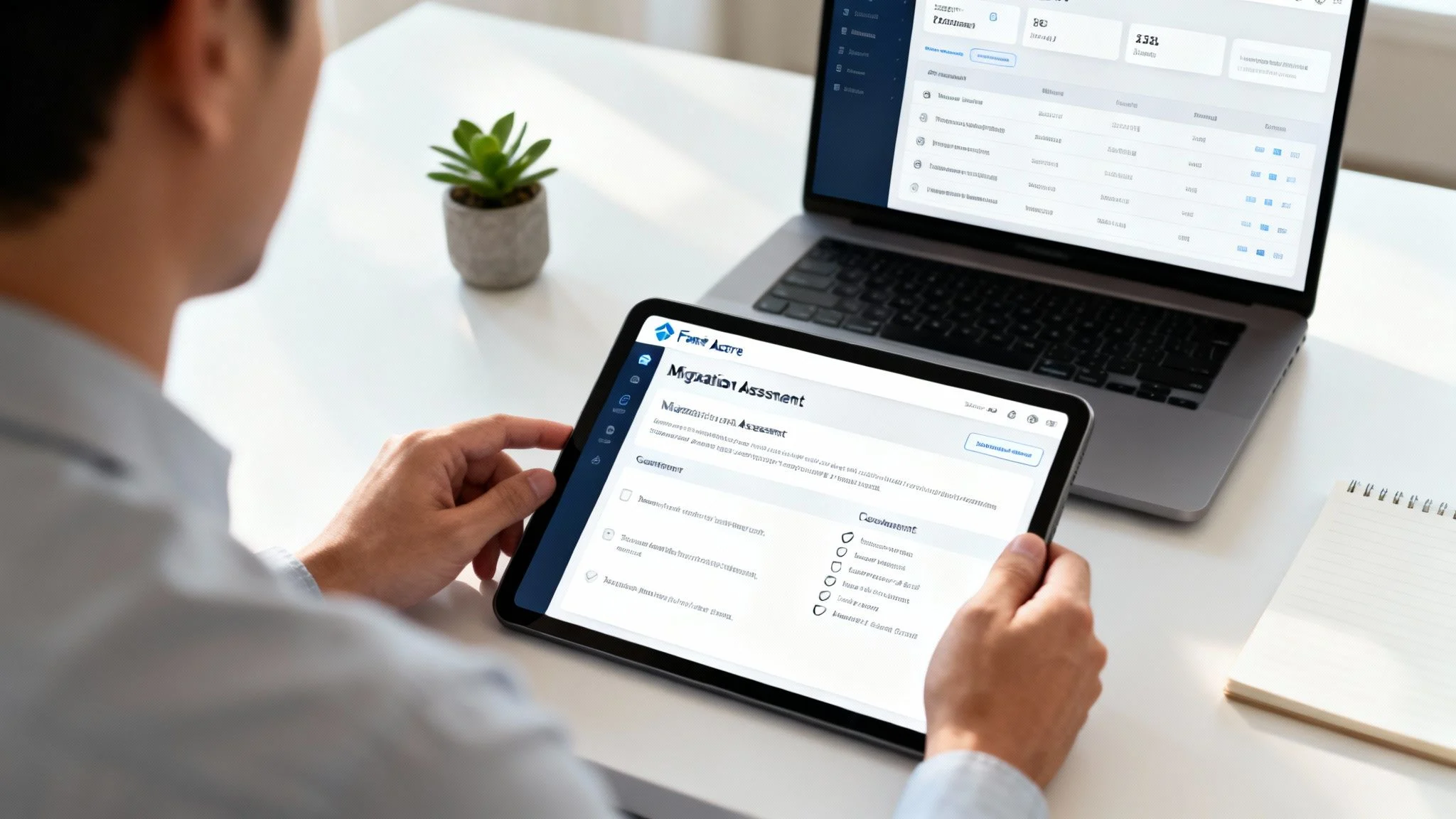
A successful migration from Citrix to AVD doesn’t start with building servers; it starts with a deep, honest look at what you have right now. This strategic assessment phase is your foundation. Skipping it is like building a house without surveying the land first you’re just setting yourself up for expensive surprises down the track.
The goal here is to move well beyond a simple device count. We need to create a complete inventory of every single application, user profile, policy, and dependency hiding within your existing Citrix setup. Think of it as a detailed map that prevents critical business functions from being left behind during the transition.
Cataloguing Your Current Citrix Environment
First up, you need to understand precisely what you’re moving. This means cataloguing every component of your Citrix infrastructure, from the obvious to the obscure. It’s basically a digital stocktake.
Your inventory should include:
- Applications: List every application published through Citrix. Make a note of which ones are business-critical, which are legacy, and which might have better, cloud-native alternatives available now.
- User Groups and Personas: Identify the different types of users you have. Do you have power users who need high-performance rigs, task workers with basic needs, or remote staff with unique connectivity requirements?
- Policies and Configurations: Document all your Citrix policies. These control everything from printer mapping to session timeouts and are absolutely vital for replicating the user experience in AVD.
- Infrastructure Components: Map out your Delivery Controllers, StoreFront servers, NetScalers, and licensing servers. Understanding how these pieces all talk to each other is key to decommissioning them correctly later on.
This process gives you a clear baseline. It helps you decide what needs to be migrated as-is, what can be modernised, and what can finally be retired, saving you both time and money.
Calculating the True Total Cost of Ownership
One of the most powerful drivers for a Citrix to AVD move is the potential for cost reduction, but you need the numbers to back it up. Calculating the Total Cost of Ownership (TCO) for both your current Citrix setup and a projected AVD model is essential for building a rock-solid business case.
Too many organisations only look at the licensing fees, which is a huge mistake. The true TCO of Citrix includes a lot of often-overlooked expenses.
A proper TCO analysis has to account for hardware refresh cycles, specialised IT staff for management, complex support contracts, and even the power and cooling for your on-premises servers. These hidden costs often make a cloud-native solution like AVD far more economical in the long run.
Your comparison needs to be thorough. We often use a table like this to help clients visualise the differences.
Citrix vs AVD Key Decision Factors
| Factor | Citrix (On-Premises or Hybrid) | Azure Virtual Desktop (AVD) |
|---|---|---|
| Licensing | High upfront and recurring licensing costs for Citrix components. | Often included with existing Microsoft 365 E3/E5/A3/A5 licences. |
| Infrastructure | Requires physical servers, storage, and networking hardware. | Pay-as-you-go consumption model for Azure compute and storage. |
| Management | Needs specialised skills to manage complex components like NetScaler and StoreFront. | Simplified management via the Azure portal, reducing administrative overhead. |
| Scalability | Scaling requires significant upfront capital investment and time. | Elastic scalability allows you to add or remove resources in minutes. |
As you can see, the shift to a consumption-based model with AVD offers significant financial and operational advantages beyond just the sticker price of licences.
When to Get Help
If your assessment uncovers a complex web of legacy applications, strict industry compliance requirements, or if your internal team simply lacks deep Azure expertise, that’s a clear signal to seek expert guidance. A DIY approach under these conditions can easily lead to security gaps, performance nightmares, and a stalled project. Partnering with a specialist can honestly be the most cost-effective path forward.
Don’t wait until you’re stuck. You can reach out to us for a professional assessment through our contact page.
Sizing Your New AVD Environment Correctly
With your inventory and TCO analysis done, the next job is to accurately size your future AVD environment. Overprovisioning is a common and costly mistake, where businesses end up paying for more Azure resources than they actually need.
Tools like Azure Migrate are invaluable here. They can analyse your current usage patterns and provide data-driven recommendations for the right VM sizes and storage configurations in Azure. This ensures you create a high-performance environment without the unnecessary spending. To get started, you can explore our detailed Azure Migrate guide.
This strategic assessment isn’t just a technical box-ticking exercise. In the Australian cloud computing market, Microsoft Azure holds a strong 23.6% market share, making it a prime choice for Melbourne businesses moving from Citrix. While AWS leads, Azure’s deep integration with Microsoft 365 makes it a natural fit for the SMBs, schools, and families we work with. You can discover more insights from the Telsyte report on cloud market trends in Australia.
Ultimately, a thorough assessment builds confidence, gets all your stakeholders aligned, and provides a clear, data-backed roadmap for a smooth and successful migration to AVD.
Designing a High-Performance AVD Architecture
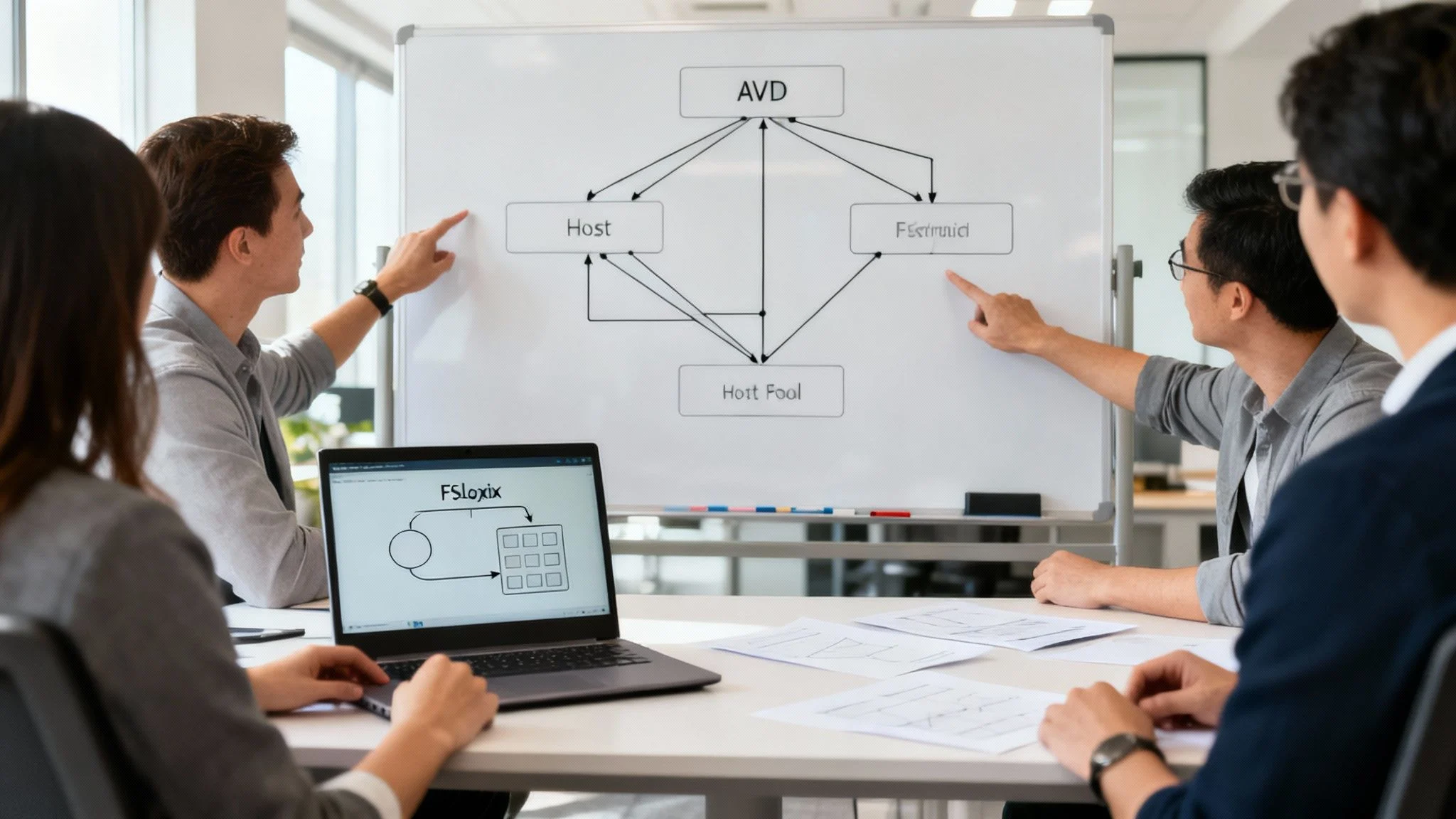
Alright, with your assessment done and dusted, you’ve got the raw data you need to start drawing up the blueprint for your new AVD environment. This is the architecture phase, and it’s where you’ll make the big calls that directly shape performance, user experience, and your ongoing costs.
Think of it as translating all those user needs and application quirks into a solid, high-performing cloud setup. It all boils down to making smart choices about your AVD host pools, picking the right virtual machines, and designing a network that’s both quick and secure. Each decision has a knock-on effect, so a bit of careful thought here goes a long way.
Choosing Between Pooled and Personal Host Pools
One of the first forks in the road is deciding between pooled or personal host pools. This isn’t a “one size fits all” choice; it should be driven entirely by the user personas you mapped out during the assessment.
- Pooled Host Pools: These are perfect for task-based workers or in schools where everyone has similar needs and doesn’t require admin rights. Multiple users share a common pool of session host VMs, making it the most budget-friendly option by a country mile.
- Personal Host Pools: This model gives a single user their very own dedicated virtual desktop. It’s the go-to for your power users, developers, or execs who need to install their own software or demand persistent, high-octane resources.
In reality, most organisations we help move from Citrix end up with a hybrid approach. You might have a large pooled environment for 90% of your staff and a smaller, personal pool just for the engineering team.
Selecting the Right VM Sizes and Storage
Once your host pool strategy is sorted, it’s time to pick the right Azure VM sizes. Azure has a massive catalogue of virtual machines, each tuned for different jobs. This is where the data from your assessment on app performance and user numbers becomes absolutely critical.
You’re trying to find that sweet spot between power and price.
Overprovisioning is the fastest way to burn through your cloud budget. Start with a recommended VM series like the Ddsv5 or Edsv5 for general use, then keep a close eye on performance. It’s always easier to scale resources up than it is to explain an unexpectedly high Azure bill.
When it comes to storage, Azure Premium SSDs are usually the best starting point for AVD session hosts to keep the user experience snappy. The impact of your storage choices on performance can’t be overstated. For many businesses, getting their infrastructure and cloud services right is a core part of a successful AVD rollout.
Designing Your AVD Network Architecture
Your network design is the backbone of the entire user experience. A shoddy network will lead to lag, dropped connections, and frustrated users no matter how perfectly you’ve set up your host pools. The main goal here is to provide secure, low-latency connectivity to both your Azure resources and any on-premises systems your apps still depend on.
Typically, this means setting up an Azure Virtual Network (VNet) and connecting it back to your office with either a Site-to-Site VPN or Azure ExpressRoute. For organisations with tight security needs, putting an Azure Firewall in a hub-and-spoke network design adds an excellent layer of protection and traffic control, ensuring everything is inspected before it hits your virtual desktops.
The Crucial Role of FSLogix for User Profiles
Finally, let’s talk user profiles. In a non-persistent setup like a pooled host pool, making sure users have a consistent experience is everything. This is where FSLogix comes in, and frankly, it’s a non-negotiable part of any modern AVD design.
FSLogix Profile Containers solve the age-old headache of roaming profiles. It stores a user’s entire profile in a virtual hard disk file (VHD or VHDX) that gets attached to their session when they log in. For the user, it means their desktop, documents, and app settings follow them seamlessly, no matter which machine in the pool they land on.
A well-executed migration can unlock huge efficiency gains for Australian SMBs. For instance, specialised tools have been shown to slash Citrix to AVD migration times by up to nine months for large enterprises. In Australia, where Azure holds a 23.6% cloud market share, the government’s Cloud Services Boost has only sped up these moves. You can learn more about how powerful migration tools are transforming VDI projects. Getting FSLogix right ensures your team feels at home from their very first login.
Putting the Plan into Action: Your Migration and Cutover

Alright, you’ve got a solid architectural blueprint in hand. Now it’s time to roll up your sleeves and bring your Citrix to AVD migration plan to life. This is the hands-on part of the project, where all that careful planning starts to pay off. The focus shifts from diagrams and designs to actual deployment, with one clear goal: get everyone moved over with minimal fuss and disruption.
The secret here isn’t a risky “big bang” cutover where you flip a switch and hope for the best. Instead, we always champion a structured, phased approach. It builds confidence, lets you make adjustments as you go, and avoids Monday morning chaos. This means rethinking how you deliver apps, carefully shifting user profiles, and running a thorough testing program before the whole business goes live.
A Smarter Way to Handle Apps: MSIX App Attach
One of the biggest wins when moving to AVD is changing how you manage and deliver applications. In a lot of older Citrix environments, applications are installed directly onto a “golden image,” which inevitably becomes bloated, clunky, and a pain to update over time. AVD offers a far more agile method called MSIX app attach.
Think of it like dynamically “plugging in” applications to a user’s session as they log in, without ever actually installing them on the virtual machine. This approach neatly separates your apps from the underlying Windows operating system.
This brings some massive advantages:
- Simplified Image Management: Your master Windows image stays clean, lean, and incredibly fast to patch or update.
- Faster User Logins: Apps are attached on demand, which can noticeably speed up the login process compared to older profile technologies.
- Fewer App Headaches: Since the apps are essentially containerised, the chances of them conflicting with each other are dramatically reduced.
Honestly, for IT teams, this method is a game-changer. It turns what was a complex, time-consuming task into a much more straightforward process.
Making Sure Users Feel at Home with FSLogix
Alongside applications, the single most important thing for your users is their profile. This is where FSLogix, which you designed for back in the architecture phase, becomes absolutely critical during the migration. Getting user data and settings moved over perfectly is non-negotiable if you want your team to embrace the new system.
The process involves moving existing user profiles into FSLogix profile containers. These are simply VHD files stored on a central file share. When a user logs on, their container attaches, and their entire desktop experience from their desktop wallpaper to their Outlook signature is instantly there, no matter which session host they happen to connect to.
The real measure of a successful profile migration is invisibility. If a user logs into AVD for the first time and everything looks, feels, and works exactly as it did in Citrix, you’ve won. That’s what FSLogix helps you achieve.
Start Small, Win Big: The Pilot Group Rollout
A full-scale, untested cutover is a recipe for disaster. We can’t stress this enough. A phased rollout, starting with a carefully selected pilot group, is the only sensible way to go. This group acts as your early adopters, your real-world testers, and your first line of valuable feedback.
Your pilot group should include a mix of people:
- IT Team Members: To validate the technical setup from the inside out.
- Power Users: Key people from various departments who can push business-critical applications to their limits under real-world conditions.
- A Mix of User Types: Include users who represent the different roles and needs you identified way back in the assessment phase.
The pilot lets you validate performance, test every app function, and iron out any unexpected kinks before they can affect the entire organisation. Australian businesses adopting AVD are seeing real benefits from this kind of cloud agility, with 80% achieving cost reductions. A Forrester analysis of the move from Citrix to AVD shows a 153% ROI, largely driven by these multi-session efficiencies. You can read more about the migration strategy from Citrix DaaS to Azure Virtual Desktop to get a deeper sense of the benefits.
Your Safety Net: The Testing and Rollback Plan
Finally, every migration needs a safety net. You should have a comprehensive, documented testing plan that covers everything from application launch times and printing to how well peripheral devices like scanners and webcams work.
Just as important is your rollback plan. While you hope you’ll never need it, you must have a documented process for reverting users back to the Citrix environment if a show-stopping issue crops up. This plan needs to be clear, concise, and ideally, tested. It’s your guarantee that you can maintain business continuity, no matter what surprises come your way.
Managing and Optimising Your New AVD Environment
You’ve migrated the final user and the Citrix-to-AVD project is officially wrapped. It’s a huge milestone, but the journey to a truly efficient, cost-effective, and secure virtual desktop environment is really just beginning. Day-to-day management and continuous optimisation are where you’ll see the long-term value of your new AVD setup really shine.
This phase is all about shifting your IT team’s focus. Instead of fighting fires with complex Citrix infrastructure, they can now concentrate on activities that deliver real business value. The key is to get into a good rhythm of monitoring, managing costs, and keeping everything up to date.
Keeping a Pulse on Performance
Proactive monitoring is the bedrock of a healthy AVD environment. You need to keep a close eye on both user experience and resource utilisation to catch small issues before they snowball into big problems. Your go-to tool for this is Azure Monitor.
It gives you a wealth of data on session host performance, user login times, and how responsive your applications are. Setting up alerts for key metrics like high CPU usage or painfully slow login durations lets you get ahead of performance bottlenecks, ensuring your team stays productive and happy with their virtual desktop experience.
The goal of ongoing management isn’t just to “keep the lights on”; it’s to refine and perfect the user experience while keeping a firm grip on costs. A well-managed AVD environment should feel invisible to the end-user it just works.
Smart Strategies for Cost Optimisation
One of the biggest wins with AVD is its consumption-based pricing, but this only works in your favour if you actively manage it. The most powerful tool in your cost-saving arsenal is autoscaling.
Implementing autoscaling plans ensures you only pay for compute resources when you actually need them. You can configure session hosts to automatically fire up during business hours and shut down overnight or on weekends, which can dramatically slash your Azure bill. This dynamic approach is a world away from the static, always-on infrastructure that’s so common in old Citrix deployments.
For an even more powerful approach to cost management and automation, many businesses look to third-party tools. We break down how these can simplify operations in our Nerdio AVD guide.
Essential Ongoing Maintenance Tasks
Finally, consistent maintenance is non-negotiable for security and stability. This really boils down to two core tasks:
- Image Management: You need to regularly update your “golden image” with the latest Windows updates, security patches, and application versions. This is absolutely essential to ensure any new session hosts you spin up are secure and current from the moment they come online.
- Patching: A consistent patching schedule for your active session hosts is your front line of defence, protecting your environment from new and emerging vulnerabilities.
By establishing a solid routine for these tasks, you’ll create a secure, stable, and highly optimised AVD environment that genuinely supports your business goals.
Frequently Asked Questions
Moving from a platform you’ve used for years, like Citrix, over to something new like Azure Virtual Desktop is a big step. It’s only natural to have a heap of questions. Having guided plenty of Melbourne businesses and schools through this exact process, we’ve found a few questions pop up almost every single time. Let’s tackle those head-on with some straight-up, practical answers.
How long will a Citrix to AVD migration take?
The honest answer is: it depends. For a small team with a handful of standard applications, a migration could take just a few weeks. For a larger organisation with complex legacy software, large volumes of user data, and strict compliance needs, the project could span several months. The key factors influencing the timeline are application complexity, data volume, and network intricacy. A thorough assessment at the start is the only way to get a realistic timeline.
Will my existing applications work on AVD?
Most applications that run on a standard Windows desktop will work perfectly fine in an AVD environment. The exceptions are often very old legacy programs or software with specific hardware dependencies. This is where modern tools like MSIX app attach are invaluable, as they separate the application from the operating system, often smoothing over compatibility issues. However, you must test every application in a pilot environment to uncover any issues before a full rollout.
How will this migration impact our software licensing costs?
This is a major driver for the switch. Migrating to AVD can lead to significant cost savings. If your business already subscribes to a Microsoft 365 E3, E5, A3, or A5 plan, your access rights for AVD are likely already included. This eliminates the need for separate, often expensive, Citrix licensing. While you still have the consumption costs for Azure infrastructure, the total cost of ownership is frequently much lower.
How Tbourke Solutions Can Help Your Migration
Thinking about a Citrix to AVD migration can feel like a huge undertaking. Juggling the technical details without a clear game plan can quickly lead to surprise costs and, worse, disrupt your business. It’s a complex project, and that’s where having the right partner makes all the difference.
With over 20 years of hands-on experience in managed IT and cloud solutions, we’ve guided countless Melbourne small businesses and schools through this exact transition. At Tbourke Solutions, we don’t just see this as a technical swap; we see it as a chance to give your organisation a real strategic advantage. Our whole approach is built on transparency. We work alongside you, making sure every single decision lines up with your goals and your budget.
Our Complete Migration Service
We’ve refined our process into a complete, end-to-end service designed to make your move to AVD smooth and successful. This isn’t just about flicking a switch it’s about setting you up properly for future growth and efficiency.
Here’s what that looks like in practice:
- Honest TCO Analysis: We start by giving you a detailed, real-world cost comparison. This builds a strong, numbers-backed business case for your move to AVD, so you know exactly what to expect.
- Custom Architecture Design: There’s no one-size-fits-all solution. We design a bespoke AVD environment that nails the right balance between performance, rock-solid security, and cost-effectiveness for your specific needs.
- Hands-On Migration: Our expert team handles all the heavy lifting. We take care of the entire technical migration from your applications and user profiles right through to the final cutover all while keeping downtime to an absolute minimum.
- Ongoing Managed Support: Our job isn’t done once you’re live. After the migration, we offer continued management and optimisation to make sure your AVD environment stays secure, efficient, and perfectly tuned for your team.
Let’s work together to make your transition from Citrix to AVD a definitive success. The first step is a simple conversation. We encourage you to reach out for a no-obligation consultation and submit a query through our contact page.
Share This Story, Choose Your Platform!