
Picture this: Azure Virtual Desktop (AVD) is like a seriously powerful, high-performance engine. It has all the raw capability to give your team access to their work desktops from anywhere on the planet. But like any high-performance engine, you need a sophisticated dashboard to actually control it, tune it for efficiency, and keep it running safely.
That’s exactly where Nerdio comes in. It’s the smart, user-friendly control panel that makes the raw power of AVD practical, affordable, and easy to manage for everyday businesses and schools.
TLDR
Nerdio AVD is a management platform that simplifies Microsoft’s powerful but complex Azure Virtual Desktop (AVD). It provides an easy-to-use interface that automates deployment, management, and, most importantly, cost optimization for your cloud desktops. By using intelligent auto-scaling, Nerdio dramatically reduces Azure costs, making AVD accessible and affordable for businesses and schools without large, specialized IT teams. This guide explores its core benefits, key features, and how to get started.
Understanding Nerdio and Its Role with AVD
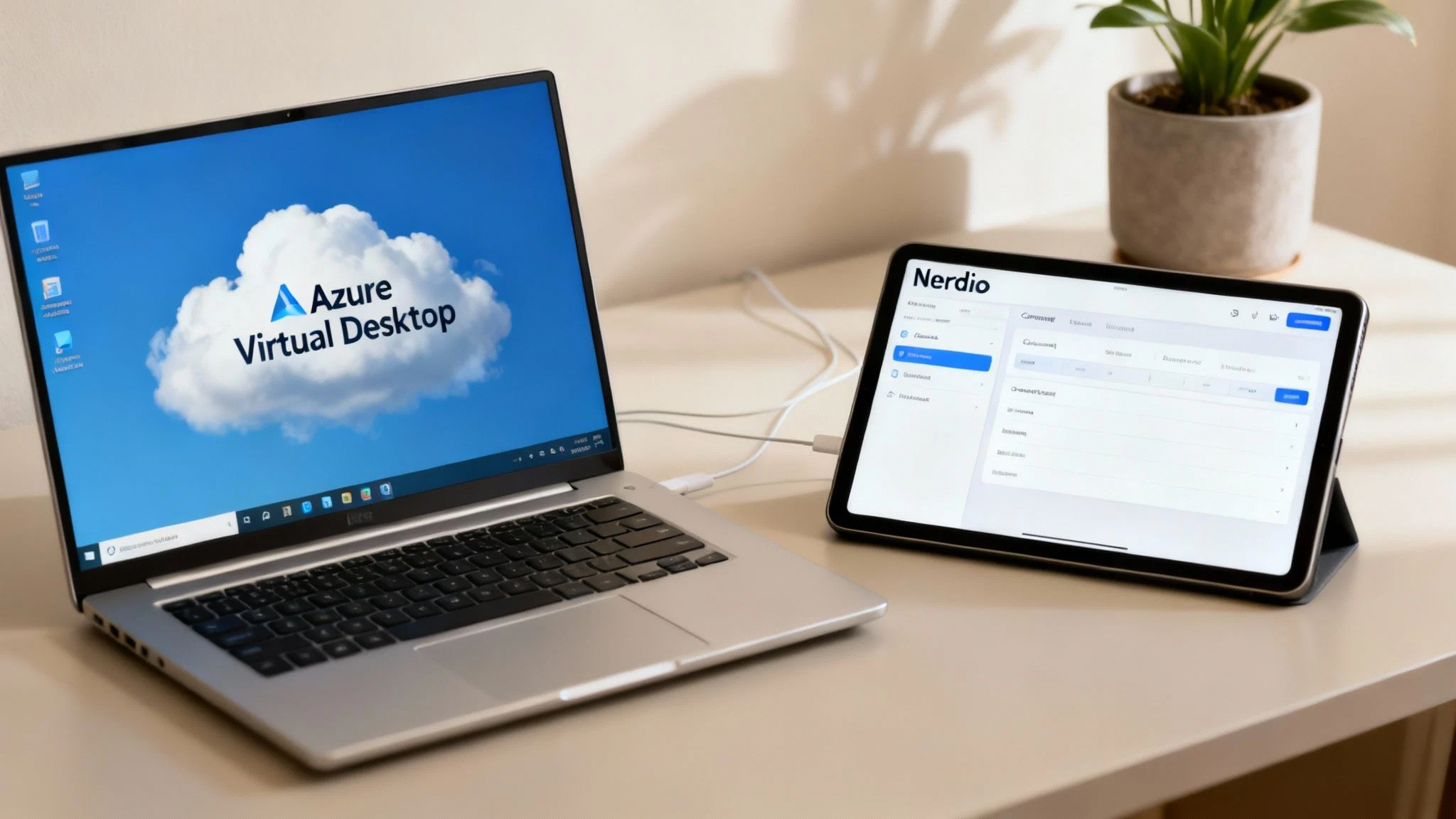
While Microsoft’s AVD provides the core technology for cloud-based desktops, managing it directly through the native Azure portal is no small feat. It demands deep technical know-how, a lot of time, and a very careful watch over your spending to avoid eye-watering surprise bills at the end of the month.
This is the exact problem Nerdio was built to solve.
Nerdio is a management and automation platform that sits right on top of AVD. It takes all the complicated, time-consuming parts of deploying and managing virtual desktops and simplifies them, making the tech accessible to organisations that don’t have a huge, specialised IT department. Think of it as the friendly interface that hides all the intimidating complexity of Azure.
The AVD and Nerdio Partnership
Without Nerdio, an IT administrator would be stuck in the weeds of Azure, manually setting up virtual machines, configuring networks, allocating storage, and managing user profiles. With Nerdio, all those complex processes are handled through simple, guided wizards and smart, pre-configured defaults.
This partnership is a game-changer for a few critical reasons:
- Serious Cost Control: Nerdio’s standout feature is its intelligent auto-scaling. It automatically powers down virtual machines when they aren’t being used, which can slash your Azure consumption costs by up to 75%. That’s not a typo.
- Drastically Simplified Management: Tasks that would normally take hours of complex scripting in native AVD like creating and assigning a new desktop for a new staff member can be done in just a few clicks through the Nerdio portal.
- Rock-Solid Security: Nerdio makes it easy to standardise your security policies and access controls across the board. This ensures your remote desktop environment is consistently protected without needing constant manual oversight.
In a nutshell, Nerdio doesn’t replace AVD; it completes it. It takes a powerful, enterprise-grade cloud service and packages it in a way that’s actually manageable, affordable, and practical for businesses and schools of all sizes.
By bridging the gap between raw cloud infrastructure and day-to-day operational reality, the combination of Nerdio and AVD delivers a secure, flexible, and surprisingly affordable cloud desktop experience. For a deeper look into the possibilities, you can explore more about implementing a virtual desktop in Azure with local, expert support.
Here’s the rewritten section, designed to sound like an experienced human expert, following the provided style guide and examples.
The Bottom Line on Nerdio AVD
If you’re a busy decision-maker, let’s cut to the chase. What is Nerdio AVD and why should you care? Think of it as the smart control panel that sits on top of Microsoft’s powerful Azure Virtual Desktop technology, making it simpler, safer, and a whole lot cheaper to run.
One of its biggest wins is how it uses clever automation to keep your cloud spending in check, preventing those heart-stopping Azure bills that can sneak up on you. This is a huge deal, as runaway cloud costs are a major headache for many organisations dipping their toes into virtual desktops.
In short, Nerdio gives your team a secure, work-from-anywhere desktop setup without the steep learning curve and eye-watering costs that usually come with cloud infrastructure. It puts world-class virtual desktop technology within reach, even for smaller IT teams or schools. You get all the power of AVD, but you don’t need to be an Azure guru to manage it.
Core Benefits of a Nerdio-Managed AVD Environment
When you bring Nerdio into your Azure Virtual Desktop setup, you’re not just adding another tool, you’re adding a layer of intelligence that tackles the most common headaches businesses face. The benefits really boil down to three game-changing improvements: serious cost savings, tighter security, and radically simpler management for your IT team.
Think of it this way: Azure is the powerful engine, AVD is the car’s chassis, and Nerdio is the sophisticated dashboard and control system that makes driving it effortless.
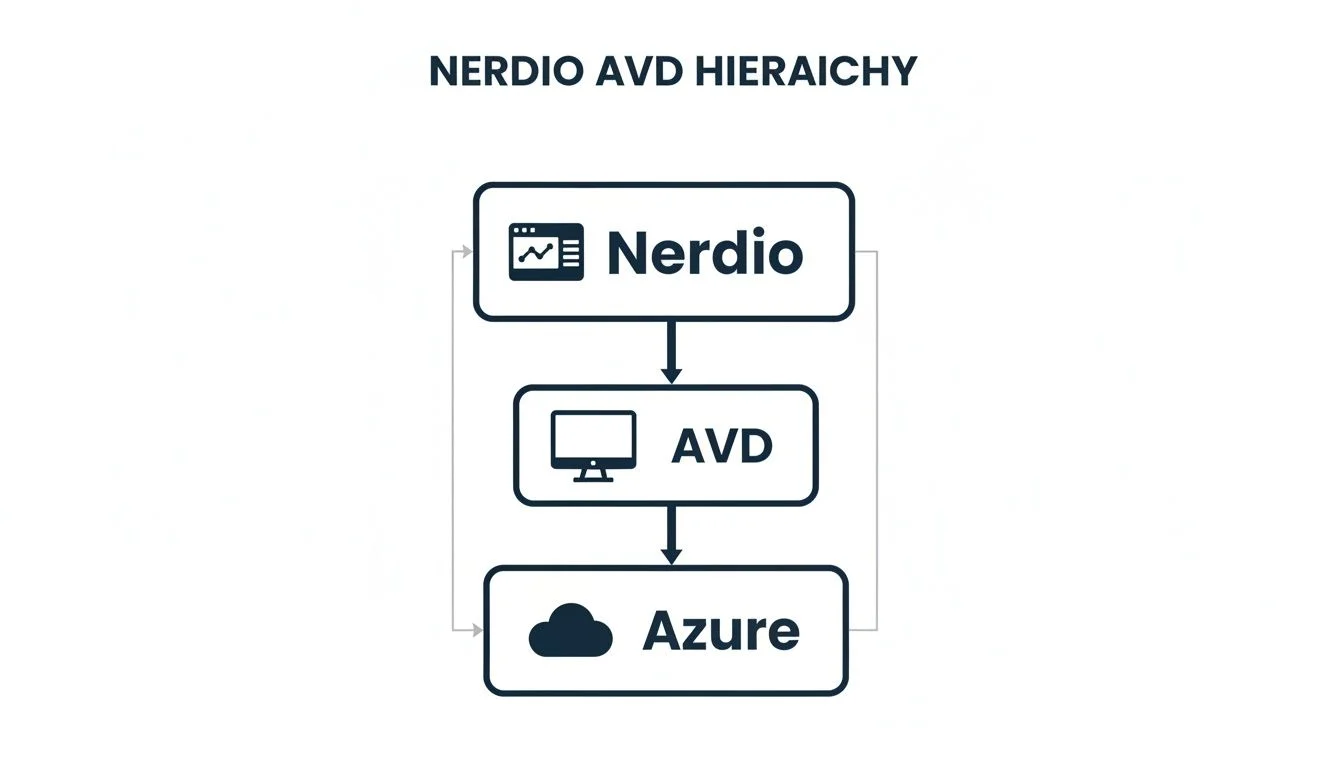
This structure shows how Nerdio sits on top of AVD, translating all of Azure’s raw power into something that’s far more accessible and manageable day-to-day.
Intelligent Cost Optimisation
Let’s be honest, the biggest worry with any cloud service is the bill at the end of the month. A native AVD environment can get expensive fast if virtual machines are left running when nobody’s using them, a classic oversight for any busy IT department.
Nerdio tackles this head-on with its brilliant auto-scaling technology. This isn’t just a timer; it intelligently monitors user demand in real time. It automatically shuts down idle desktops after hours and smartly consolidates active users onto fewer machines to save power. The moment someone needs to log back in, it spins the resources back up seamlessly.
This ‘set-and-forget’ automation means you only ever pay for the Azure resources you’re actually using, preventing the budget blowouts that can happen with unmanaged cloud desktops. It’s a fundamental shift in controlling your cloud spend.
Simplified Management and Operations
The native Azure portal is incredibly powerful, but its complexity can be a real roadblock. Simple, everyday tasks like getting a new desktop ready for a team member or rolling out an application update can turn into a time-consuming manual slog that requires deep Azure expertise.
Nerdio completely changes the game by hiding all that complexity behind a clean, single-pane-of-glass interface. It transforms multi-step, highly technical processes into simple, wizard-driven tasks that a generalist IT pro can handle, not just a certified Azure guru.
The impact on your team’s efficiency is huge:
- Rapid User Onboarding: New desktops can be deployed in minutes, not hours.
- Streamlined Image Management: You can update software or apply patches to a single master image and then roll it out consistently to every desktop with just a few clicks.
- Reduced Admin Burden: Your IT team gets to spend less time on routine chores and more time on projects that actually move the business forward.
Enhanced Security Posture
In a hybrid work world, keeping your remote desktop environment secure isn’t optional. Nerdio strengthens your AVD security by making it much easier to implement and enforce consistent security policies across your entire fleet of virtual desktops.
The platform simplifies applying security baselines, ensuring every desktop is configured correctly without someone having to check it manually. Managing Role-Based Access Control (RBAC) is also a breeze, allowing you to give specific admin rights to team members so they only have access to what they truly need. This drastically reduces the risk of human error and hardens your overall security.
This straightforward approach to security is a massive win for Australian SMEs. We’ve seen local success stories that prove how effective this model is. A great example is Uniting NSW.ACT, a large not-for-profit that used Nerdio to manage their AVD migration. They achieved a massive 60% reduction in daily cloud usage costs while finally moving away from their ageing on-prem servers. You can explore the full details of their journey to see how a Nerdio AVD solution delivered real, tangible results.
Key Features That Drive Real Business Value
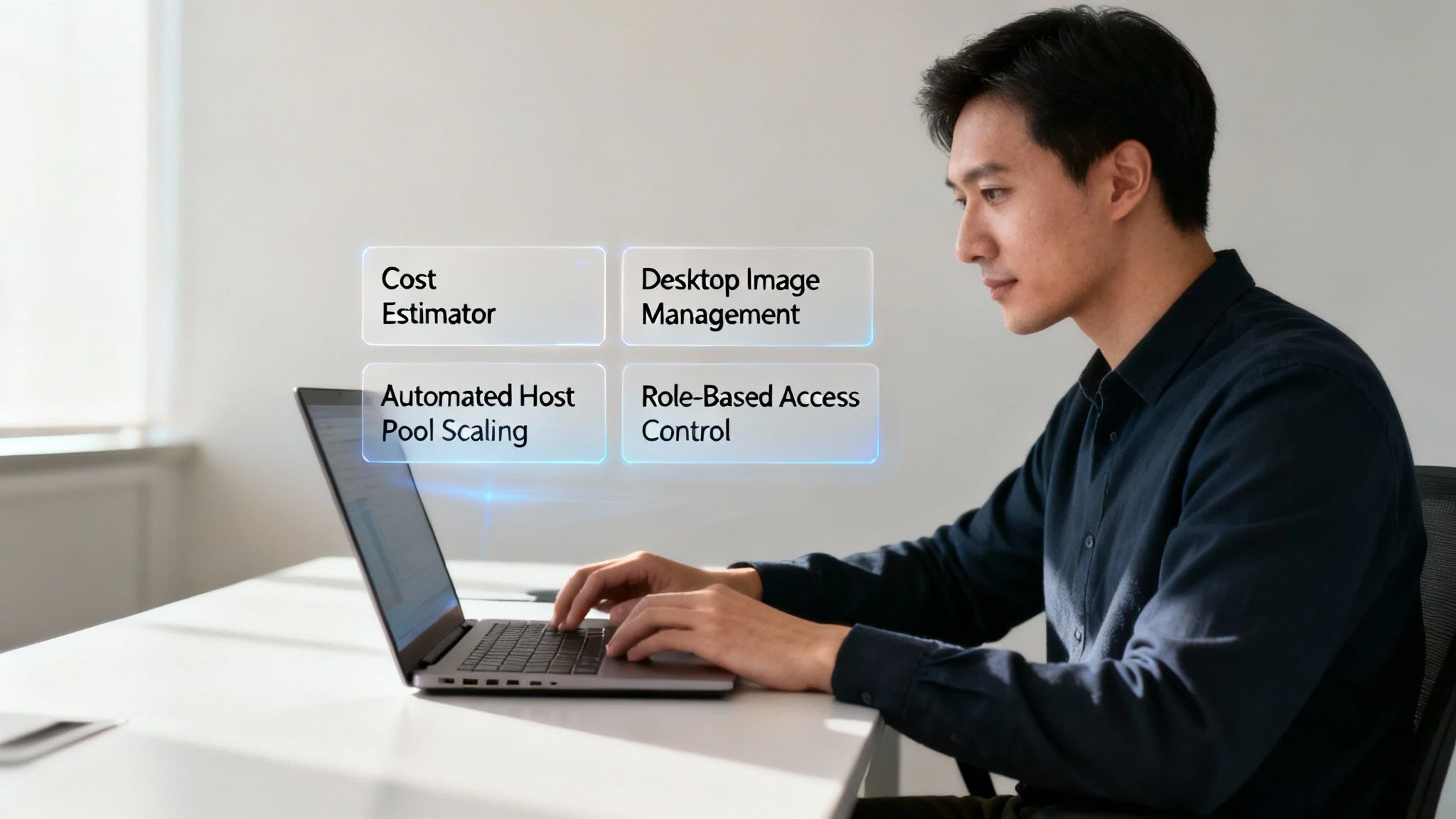
While the big-picture benefits like saving money and time are great, the real magic of Nerdio AVD is in the specific tools that actually make it happen. These features aren’t just abstract cloud concepts; they’re practical, everyday advantages for your business or school.
Let’s unpack four of the most game-changing features that solve the real-world headaches IT managers face every day, from out-of-control budgets to the relentless grind of manual updates.
Predictable Spending with the Cost Estimator
One of the biggest fears holding businesses back from the cloud is unpredictable spending. Nerdio’s Cost Estimator tackles this head-on. Before you commit to a single thing, it lets you accurately forecast what your monthly Azure bill will look like. You can play around with different scenarios, what if you hire more staff? What if usage drops off?, to get a crystal-clear picture of your expected costs.
Imagine you’re a business with seasonal staff. This tool is invaluable. You can plan for the extra resources needed during your busy season and see exactly how costs will scale back down afterwards. No more end-of-month bill shock, just the financial clarity you need to make confident decisions.
Simplified Desktop Image Management
Keeping every computer in an organisation patched and updated is a thankless, never-ending job. Nerdio completely changes the game with its simplified image management. Instead of wrestling with dozens of individual machines, you maintain a single, perfect “golden” master image for your desktops.
Need to roll out a software update or a security patch? Just apply it to that one image, and Nerdio automatically pushes it out to your entire fleet. For a school computer lab, this is a lifesaver. It means every single machine is perfectly consistent and up-to-date, freeing up countless hours for the IT team.
This single-image approach guarantees consistency and security across your entire environment. It takes a complex, error-prone task and makes it a reliable, automated process that strengthens your security posture.
Automated Host Pool Scaling
This is the “set it and forget it” feature that delivers some of the most significant cost savings. Nerdio’s automated scaling engine acts like a smart thermostat for your cloud resources, constantly matching them to real-time user demand. It intelligently powers down virtual machines when they aren’t being used and brings them back online the instant a user logs in.
This ensures you are only ever paying for the computing power you are actually using. It’s a core promise of the cloud that’s often surprisingly difficult to achieve manually, but Nerdio makes it effortless. In fact, Nerdio’s advanced tools are built to deliver real business value, from optimizing software licenses to slashing infrastructure costs.
Granular Role-Based Access Control
In any organisation, not everyone on the IT team needs the keys to the entire kingdom. Nerdio provides granular Role-Based Access Control (RBAC), letting you assign very specific permissions to different team members. This is a massive security win, limiting access to only what’s necessary for someone to do their job.
For a deeper dive into managing user and device permissions, our guide on Intune mobile device management is a great resource.
This approach lines up perfectly with a major trend across Australia. A Nerdio-sponsored study found that 76% of IT leaders cited reducing the risk of a data breach as a key driver for moving to cloud desktops, right alongside supporting hybrid work and controlling costs. It’s clear that smart, secure management is a top priority.
A Realistic Look at Deployment and Management
While Nerdio AVD makes cloud desktops incredibly simple, a successful rollout still needs a proper plan. It’s easy to get excited by the tech, but understanding the journey from the initial idea to day-to-day use is what separates a smooth transition from a frustrating one.
Think of it in three distinct stages: planning, deploying, and then managing.
Planning and Deployment
It all starts with a solid foundation: Planning and Assessment. This phase isn’t about clicking buttons; it’s about strategy. We sit down with you to map out exactly who needs access, what apps they use every day, and the kind of performance they expect. This stops you from overspending on resources you don’t need and ensures everyone has a great experience from day one.
Getting this right is especially important if you’re moving away from an older setup. We’ve put together a detailed guide on making the switch from RDS to AVD which walks through the key considerations.
Next up is the Deployment itself, and this is where Nerdio really flexes its muscles. What would normally be a complex, manual slog of setting up an Azure environment becomes a quick, automated process. Nerdio’s wizards and templates build the whole AVD environment in a fraction of the time, slashing setup hours and minimising the chance of human error.
Ongoing Management and Optimisation
Once everything is up and running, the focus shifts to Ongoing Management. This is all the daily stuff that keeps the lights on, adding new staff, updating software, and keeping an eye on performance. The Nerdio portal brings all these tasks into one clean, simple interface. It empowers your IT team to manage the whole show efficiently, without needing to be Azure gurus.
While Nerdio handles the heavy lifting on the tech side, that initial strategic planning is still everything. Partnering with a team that’s done this before ensures your AVD environment is built right from the start, avoiding common traps and guaranteeing a flawless transition.
This kind of proactive management is key for keeping control and ensuring everyone knows what’s going on. Using dedicated software to document processes can be a huge help here, making it easier to manage your Nerdio AVD setup as your business grows.
And these efficiency gains aren’t just theory. Right here in Australia, local IT providers are seeing massive benefits. One provider, Think Solutions, used Nerdio Manager to cut their customer onboarding time by a mind-boggling 95%. This turned a long, manual task into an automated deployment that takes just minutes, a huge advantage for any Melbourne business needing to scale up fast. You can read about their impressive results and see the real-world impact for yourself.
Common Questions We Hear About Nerdio AVD
When you’re looking at a powerful platform like Nerdio AVD, it’s natural to have questions. Getting straight answers is the only way to make a smart decision for your business or school. This section tackles the most common queries we get from organisations considering this technology.
We’ll cut through the jargon to explain the key differences, how the licensing works, and what a typical migration looks like, giving you the clarity you need to move forward.
What Is the Real Difference Between Native AVD and Nerdio AVD?
The easiest way to think about it is this: native Azure Virtual Desktop (AVD) is the raw, powerful engine, while Nerdio AVD is the smart, user-friendly dashboard that runs it.
Managing native AVD directly through the Azure portal is incredibly powerful, but it’s complex. It really demands deep technical expertise and constant manual work to keep costs in check and everything running smoothly.
Nerdio simply bolts a layer of intelligent automation and simplification right on top of AVD. It turns complicated tasks that might take an Azure specialist hours into simple, guided processes an IT admin can knock out in minutes. This covers everything from deploying desktops to managing updates and, crucially, automatically optimising your Azure spending so you don’t get any nasty surprises on your bill.
Who Benefits Most from Using Nerdio?
While pretty much any organisation on AVD can get value out of Nerdio, it’s an absolute game-changer for small to medium businesses (SMBs) and schools.
These are the kinds of places that need enterprise-level virtual desktop power but don’t have a huge, specialised IT department or a bottomless budget to make it happen. If you want the muscle of AVD without needing to hire a dedicated Azure engineer, Nerdio was built for you. It bridges the gap between powerful cloud tech and practical, everyday management.
How Does Licensing Work?
Figuring out the licensing is easier than it sounds. It’s split into two parts that work together.
- Microsoft Licensing: To use AVD in the first place, each user needs a qualifying Microsoft 365 or Windows license (like an M365 Business Premium, E3, or E5). This license is your ticket to use the AVD service. On top of that, you pay Microsoft for the Azure infrastructure, the virtual machines, storage, and networking, that your desktops actually use.
- Nerdio Licensing: Nerdio’s side of things is a simple, per-user, per-month fee. This gives you full access to the management platform, including all its incredible cost-saving and automation features. The money Nerdio saves you on your monthly Azure bill almost always outweighs its own licensing cost.
The key takeaway is that Nerdio’s real value is in slashing your Azure consumption costs. That small monthly fee for Nerdio is an investment that pays for itself by stopping expensive Azure overspending in its tracks.
What Does a Migration Look Like?
Moving from a traditional on-site server setup to Nerdio AVD is a well-structured process. We’d typically start by assessing your current applications and user needs, then design the new cloud environment, and finally move your team across in a planned, systematic way. Nerdio’s automation tools make building out the new environment incredibly fast, and a good IT partner can make sure the switch is seamless for your staff.
For more detailed answers to your technology questions, you can also explore our dedicated Tbourke Solutions FAQ page.
Partnering with Tbourke Solutions for Your Nerdio AVD Journey
Understanding the tech is one thing, but making it work flawlessly for your business is where the real value lies. That’s exactly where we come in. As your local Melbourne-based experts, we take the power of Nerdio AVD and turn it into a genuine advantage for your business, ensuring you see a real return on your investment.
With over 20 years of hands-on IT experience, our team is perfectly placed to guide your organisation through its cloud transition. We don’t just implement technology; we build partnerships to make sure you succeed.
How Tbourke Solutions Can Help
Our approach is built to support you at every stage of your Nerdio AVD journey.
- Consultation and Strategy: It all starts with a conversation. We sit down with you to understand your unique goals, whether you’re a growing business or a school. We’ll look at your current setup and map out exactly how Nerdio AVD can solve your operational challenges.
- Seamless Implementation and Migration: From there, our experienced team takes the reins. We manage the entire project, ensuring a smooth, disruption-free switch to your new cloud desktop environment. We handle all the complexity, so you can stay focused on what you do best. Explore our full range of cloud and Azure services to see how we fit Nerdio AVD into a bigger, smarter cloud strategy.
- Ongoing Support and Optimisation: Once you’re up and running, our Ongoing Managed Support kicks in. We proactively monitor and fine-tune your Nerdio AVD environment to keep it secure, cost-effective, and perfectly aligned with your business as it grows. Think of us as your dedicated IT partner, always ready to help you navigate whatever comes next.
Our commitment doesn’t stop once the system is live. We believe in building long-term relationships to help your business thrive.
Ready to start the conversation? The image below shows our contact page, making it simple to get in touch.
Reaching out for a no-obligation chat is the first step towards a smarter, more flexible future for your IT. Let us show you what a professionally managed Nerdio AVD solution can do for your organisation. Submit a query on our contact page and let’s build a better cloud environment together.
Share This Story, Choose Your Platform!