In today’s flexible work environment, managing a mix of company-owned laptops and personal smartphones can be a security nightmare. So, how do you keep your business data safe without overwhelming your IT team or intruding on employee privacy? The answer is Microsoft Intune Mobile Device Management (MDM). Think of it as a cloud-based remote control for your entire fleet of devices, allowing you to enforce security, deploy apps, and manage access from a single console, ensuring your team can work productively and securely from anywhere.
What Is Intune Mobile Device Management?
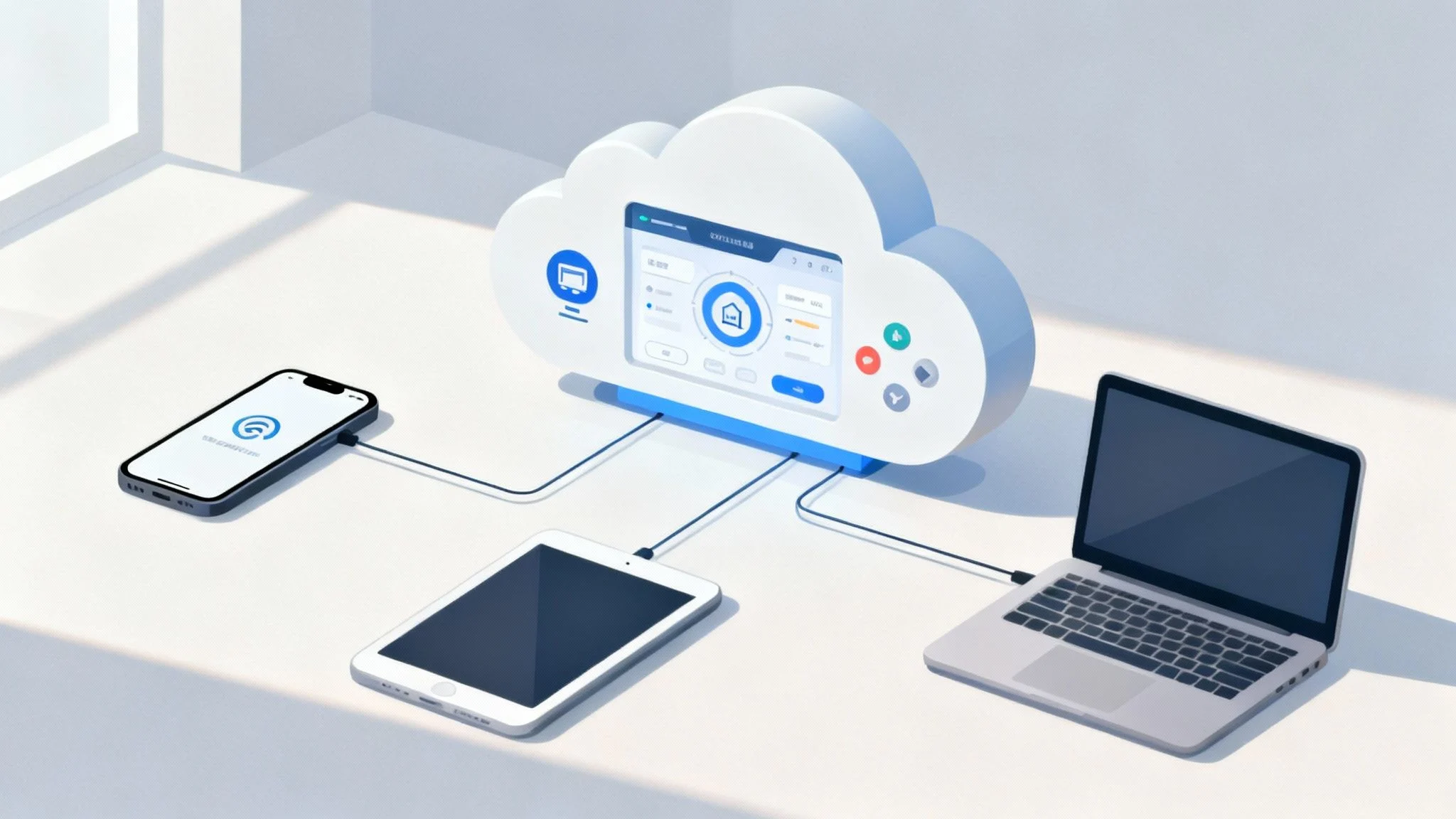
In a world where work happens everywhere, from a home office in Hillside to a client site in the CBD, keeping track of a diverse mix of devices is a massive challenge. Intune mobile device management gives you the framework to set the “rules of the road” for every device that accesses your company’s information.
You can push out security policies, deploy essential apps, and configure settings across all your endpoints without ever touching the physical device.
But this system isn’t just about locking things down; it’s about enabling secure productivity. A key part of this is creating a clear boundary between personal and work data on an employee’s phone, a concept often called Mobile Application Management (MAM). This smart approach protects corporate information without snooping on personal photos or messages.
To give you a clearer picture, here’s a quick rundown of what Intune brings to the table.
Intune MDM Core Capabilities at a Glance
This table breaks down the fundamental functions Intune provides to manage and secure devices across an organisation.
| Capability | Description | Business Benefit |
|---|---|---|
| Device Enrolment | Simple, streamlined processes for registering corporate and personal (BYOD) devices into management. | Gets new devices productive and secure quickly, with minimal IT intervention. |
| Policy Enforcement | Pushes configuration profiles to enforce rules like PIN complexity, data encryption, and Wi-Fi settings. | Ensures a consistent security baseline across all devices, reducing human error. |
| Application Management | Deploys required apps, manages software updates, and can restrict data sharing between work and personal apps. | Guarantees staff have the tools they need while preventing sensitive data leakage. |
| Compliance Reporting | Monitors device health and security status against predefined company policies, flagging non-compliant devices. | Provides clear visibility into security posture and helps meet regulatory requirements. |
| Selective Wipe | Remotely removes only company data and applications from a device if it’s lost, stolen, or an employee leaves. | Protects corporate information without wiping an employee’s personal files, respecting privacy. |
Essentially, Intune gives you the control you need to run a modern, flexible workplace without compromising on security.
The Growing Importance in Australia
Adopting a robust MDM solution like Intune isn’t just a good idea—it’s becoming essential for modern businesses. In Australia, the shift towards cloud infrastructure and mobile work is especially strong. Projections show that total Australian IT spending is expected to hit A$147 billion by 2025, with platforms like Intune at the heart of this growth.
Part of this dominance is because Microsoft Azure complies with local data sovereignty laws, making it a trusted choice for Australian businesses that need to keep their data onshore.
Common Questions Answered
Many businesses we talk to have a few initial questions about what Intune can do for them. Here are some of the most common ones:
- Can it manage more than just phones? Absolutely. Intune is built to manage a wide range of devices, including Windows and macOS laptops, tablets, and of course, both iOS and Android mobiles.
- Is it only for large enterprises? Not at all. Intune is highly scalable and is included in popular packages like Microsoft 365 Business Premium, which makes it incredibly accessible for small and medium businesses.
- How does it protect company data? It enforces critical security policies like device encryption and mandatory PINs. Crucially, it can also selectively wipe only corporate data from a device if it’s lost or an employee leaves the company. You can learn more about how this fits into a bigger picture in our guide on what is endpoint security.
Intune’s core purpose is to apply a consistent security baseline across all devices. This means enforcing Microsoft-recommended configurations that shut down modern threats without getting in your team’s way.
Understanding How Intune Actually Works

To really get what Intune mobile device management does, it helps to step away from the technical jargon and think practically. Intune’s real power comes from its flexibility; it understands that not all devices are created equal. It cleverly splits its approach into two core concepts: one for devices your company owns, and another for the personal devices your team brings to work (BYOD).
The biggest difference comes down to the level of control. For company-owned hardware, you need full authority. But for personal devices, the goal is to protect company data without overstepping into an employee’s personal life. This distinction is the key to understanding why Intune is so effective in a modern workplace.
MDM: Full Control for Company Devices
Think of Mobile Device Management (MDM) as having the master key to a company-owned house. You have complete control. You decide who comes in, what furniture is allowed, and you can enforce security rules like locking all the windows at night.
In the world of Intune, this translates to being able to:
- Enforce device-level security: You can mandate things like strong PINs, full disk encryption, and firewall settings.
- Control the entire device experience: You get to dictate which apps can be installed, automatically configure Wi-Fi and VPN profiles, and even restrict hardware features like the camera.
- Perform a full device wipe: If a device is lost or stolen, you can remotely erase everything on it, protecting every bit of information it contains.
This approach is perfect for the devices your business hands out to employees, giving you the highest level of security and management control.
MAM: Secure Access for Personal Devices
Now, let’s look at Mobile Application Management (MAM). Instead of giving you the keys to the entire house, MAM gives you a super-secure briefcase that you can manage inside someone else’s house. You don’t control the house itself, but you have absolute control over what happens inside your briefcase.
This is Intune’s strategy for personal devices. It allows employees to use their own phones and tablets for work without the company taking over their personal life.
With MAM, Intune creates a protected container around corporate apps like Outlook and Teams. It can stop company data from being copied into personal apps and, if an employee leaves, you can selectively wipe only the data inside that secure briefcase.
How Policies and Access Control Work Together
So, how does Intune actually enforce all these rules? It uses two key mechanisms that work hand-in-hand: compliance policies and Conditional Access.
Compliance policies are essentially the rulebook. You get to define what a “healthy” or “secure” device looks like. For instance, a compliant device must have an up-to-date operating system, enabled encryption, and a password.
Conditional Access is the security guard standing at the door to your company data. When someone tries to access a resource like SharePoint or their email, Conditional Access checks their device against your compliance policy rulebook. If the device is compliant, the guard lets them in. If it isn’t, access is blocked until they fix the issue. Our guide on Microsoft Windows Intune offers more details on these features.
This modern, profile-based management is quickly replacing older methods across Australia. As organisations embrace hybrid work and face stricter compliance demands, this kind of flexible and secure approach has become essential.
The Strategic Benefits of Using Intune
Knowing what Intune is helps, but the real question is why it matters for your business. Bringing Intune mobile device management into your organisation isn’t just another IT project; it’s a strategic move that delivers real, day-to-day advantages. It shifts your IT from putting out fires to proactively managing your entire fleet of devices, which has a direct impact on security, efficiency, and your bottom line.
Enhanced Security Across All Devices
In a world of constant cyber threats, securing every single laptop, phone, and tablet is non-negotiable. Intune acts as your central security hub for all devices, applying consistent protection no matter where your team is working from. With just a few clicks, you can enforce critical security policies across the board.
For example, you can mandate data encryption on all laptops or require a fingerprint scan on every phone that accesses company email. If a device is lost or stolen, you can remotely wipe sensitive company data in seconds, turning a potential disaster into a minor hiccup. These aren’t just suggestions; they’re enforceable rules that dramatically shrink your attack surface.
Intune’s core benefit is its ability to apply a consistent security baseline across all devices. This means enforcing Microsoft-recommended configurations that shut down modern threats without getting in your team’s way.
Streamlined IT Administration
Imagine setting up a new employee’s laptop without ever taking it out of the box. That’s the reality with Intune and features like Windows Autopilot. This “zero-touch” deployment means a new machine can be shipped directly to an employee, and the first time they turn it on, it automatically configures itself with the right policies, apps, and security settings.
This simple change frees up your IT team from hours of manual setups, allowing them to focus on bigger-picture projects. Updates, new software, and policy changes can all be managed remotely from one place, cutting out time-consuming desk visits and creating huge operational efficiencies.
This chart shows the kind of improvements businesses typically see after bringing Intune on board.
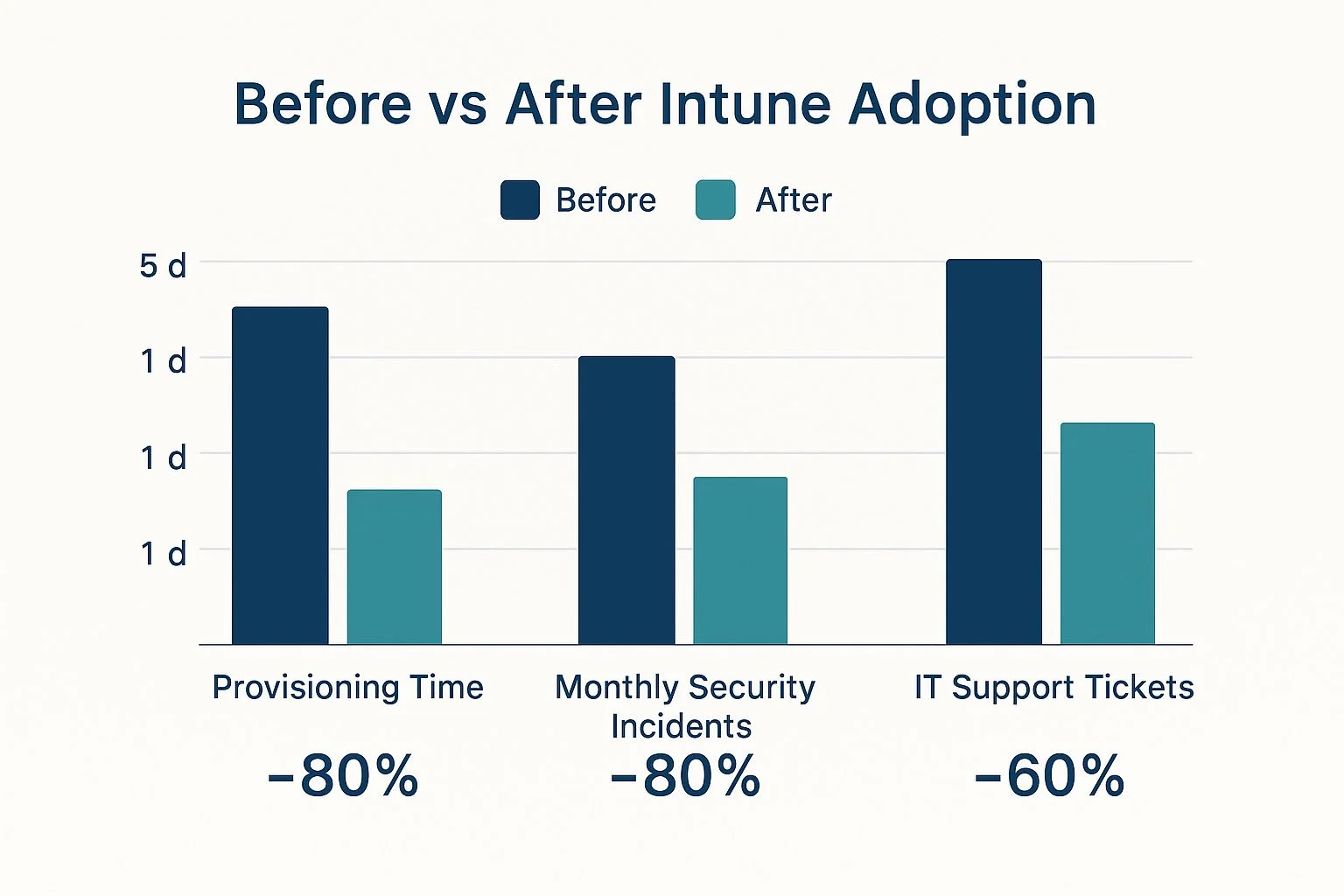
As you can see, the impact is pretty clear, with massive reductions in setup time, security incidents, and the day-to-day IT support workload.
Improved User Productivity
Stronger security and slicker IT management are great, but not if they slow your team down. Intune hits the sweet spot by giving employees secure, seamless access to the apps and data they need, on whatever device they prefer to use.
Whether they’re on a company laptop in the office or their personal tablet at home, the experience is consistent and secure. This flexibility empowers your team to work effectively from anywhere, removing technology roadblocks and letting them get on with their actual jobs.
Significant Cost Savings
Finally, moving to a cloud-based solution like Intune delivers both direct and indirect cost savings. By managing everything from the cloud, you reduce your reliance on expensive on-premise servers and all the maintenance that comes with them. This is just one of the many benefits of Azure cloud for small business that can help your bottom line.
On top of that, Intune often allows businesses to bundle several separate security and management tools into a single licence, like Microsoft 365 Business Premium. This doesn’t just simplify your IT setup; it also cuts down your software licensing costs, delivering a clear and compelling return on your investment.
How to Plan Your Intune Deployment

A successful Intune mobile device management rollout is built on a solid plan, not just technical clicks. It’s tempting to jump straight into the admin centre, but rushing the setup without clear goals is a classic mistake that often leads to security gaps and a frustrating experience for your team.
The first step is to think about what you’re trying to achieve. This planning phase is all about creating a roadmap that guides every decision you make, defining your objectives, understanding who will be affected, and figuring out how you’ll measure success.
Defining Your Device Scenarios
Before you can build a single policy, you need to answer a fundamental question: what kinds of devices are connecting to your network? Most businesses have a mix, and each type needs a different touch.
- Company-Owned Devices: These are the laptops, tablets, and phones your business buys and gives to employees. For these, you’ll want full Mobile Device Management (MDM) control. This lets you enforce strict security settings, manage all the apps, and wipe the entire device if it’s lost or stolen.
- Bring-Your-Own-Device (BYOD): This covers the personal phones and laptops your team uses for work. Here, a lighter approach is essential. Mobile Application Management (MAM) is the perfect fit, securing company data inside specific apps without touching an employee’s personal photos, messages, or apps.
Getting this distinction right from the start is critical because it directly shapes the policies you’ll need to create.
A common question we get is about the difference between these two approaches. To make it clearer, here’s a quick comparison:
MDM vs MAM: Which Approach Is Right for You?
| Feature | Mobile Device Management (MDM) | Mobile Application Management (MAM) |
|---|---|---|
| Best For | Company-owned devices | BYOD (personal devices) |
| Control Level | Full device control | App-level control only |
| Typical Actions | Enforce passcodes, encrypt device | Prevent copy/paste to personal apps |
| Data Wipe | Wipes the entire device | Removes company data from apps only |
| User Privacy | Lower (IT can see all apps) | Higher (IT cannot see personal data) |
Ultimately, most businesses need a hybrid approach. MDM for company assets gives you total control where you need it, while MAM for BYOD respects employee privacy and keeps your data safe.
Setting Clear Goals and Communicating Them
With your device types sorted, what are your actual security goals? Are you trying to stop data leaks, make sure every device is encrypted, or just guarantee that only compliant devices can access company files?
Once you’ve defined these goals, you need a communication plan. Let your team know what’s changing, why it’s happening, and how it will affect them day-to-day. A team that understands the “why” is far more likely to get on board.
A phased rollout is nearly always the best way to go. Start with a small pilot group—a mix of tech-savvy users and your IT team. This lets you test policies, gather real-world feedback, and iron out any kinks before you go live for the whole organisation.
Understanding Licensing Requirements
Budgeting is a huge part of planning, and Microsoft 365 licensing can feel a bit like a maze. Intune isn’t a standalone product; it’s included in several Microsoft 365 bundles.
- Microsoft 365 Business Premium: This is an excellent all-in-one choice for small to medium businesses. It bundles Intune with the Office apps and advanced security features most SMBs need.
- Microsoft 365 E3/E5: These are enterprise-grade licences designed for larger organisations. They offer more advanced Intune capabilities to meet complex security and compliance demands.
Choosing the right licence ensures you get the features you need without overspending. The Australian business landscape has rapidly shifted to cloud management, making Intune a natural fit. Given that Windows holds a 31.15% share of operating systems in Australia, and iOS and Android combined have 50.46%, Intune is perfectly positioned to manage the devices your team is already using. You can explore more about the Australian software market on Statista.com.
Common Questions on Planning
- How long should a pilot phase last? A pilot should typically run for 2-4 weeks. This gives your test group enough time to use their devices normally and spot any issues with app compatibility or policy restrictions.
- What if we only have BYOD devices? If your entire team uses personal devices, your focus will be almost entirely on Mobile Application Management (MAM). The goal is to create a secure bubble for work apps and data without managing the devices themselves.
- Can we change our plan later? Absolutely. A good Intune strategy is flexible. As your business evolves or new security threats emerge, your plan can—and should—adapt.
Maximising Your Intune Investment with Expert Help
While Microsoft Intune is an incredibly capable tool, translating its powerful features into a practical, secure strategy that fits your business can be a real challenge. This is where partnering with an expert makes all the difference, turning Intune mobile device management from just another piece of software into a genuine asset that protects your business and empowers your team.
Getting into the weeds of policy design, device enrolment, and compliance reporting requires specialised knowledge. Without it, you can easily create security gaps or frustrate your users with rules that are far too restrictive for getting their work done.
Why Partner with Tbourke Solutions
At Tbourke Solutions, we bridge that gap between Intune’s potential and your day-to-day business reality. As a local Australian IT partner based in Hillside, Melbourne, we have a deep understanding of the unique compliance and security challenges that Australian businesses face. We don’t just implement technology; we build solutions that actually work for you.
Our process always starts with understanding your goals. We help you with:
- Strategic Planning: We work alongside you to map out clear objectives for your device management, making sure every policy is tied directly to your business needs.
- Custom Policy Design: We design and implement security and compliance policies that protect your data without getting in the way of productivity.
- Pilot Program Management: Before going all-in, we help you test your setup with a small group to iron out any kinks before a company-wide rollout.
- Full-Scale Deployment: Our team manages the entire deployment process from start to finish, ensuring a smooth transition for everyone in your organisation.
By working with an experienced partner, you can sidestep the common pitfalls and ensure your Intune configuration is optimised from day one. This proactive approach saves you time, reduces risk, and helps you see a return on your investment much faster.
Frequently Asked Questions About Expert Help
Is expert help necessary for a small business?
While Intune is definitely accessible to small businesses, an expert ensures you’re using its full security potential right from the start. A proper setup prevents future headaches and is often more cost-effective in the long run than fixing a flawed implementation down the line. Our approach to IT managed services is designed to scale with your business, providing the right level of support when you need it.
What if we’ve already started our Intune deployment?
It’s never too late to optimise. We can review your existing configuration, identify areas for improvement, and help you refine your policies to better align with security best practices and what you’re trying to achieve as a business.
How do we get started?
Getting the most out of your Intune mobile device management investment begins with a simple conversation. At Tbourke Solutions, we’re ready to help you build a secure, seamless, and productive modern workplace.
To start the discussion about your specific needs, please visit our contact page and send us a query. We look forward to helping you succeed.
Common Questions People Ask About Intune MDM
Getting started with Intune mobile device management can bring up a lot of questions. That’s perfectly normal. We hear the same queries from businesses across Melbourne who are trying to figure out if it’s the right fit. Getting clear answers is the first step to building a solid security strategy you can trust. So, let’s tackle some of the most common questions we get.
Intune vs Endpoint Manager: What’s the Difference?
You’ll still hear people mention “Endpoint Manager,” but this is really just a simple name change. Think of it like this: Microsoft Endpoint Manager used to be the big umbrella brand that covered both the modern, cloud-based Intune and its older, on-premise cousin, SCCM. Microsoft has since simplified things. The modern, cloud-native solution everyone is moving to is now just called Microsoft Intune. It’s the go-to platform for managing devices today.
Can Intune Manage Apple and Android Devices?
Absolutely, and this is one of its biggest strengths. Intune was built for the reality of modern workplaces, where you’re almost guaranteed to have a mix of different operating systems. It’s a true cross-platform solution.
Intune gives you robust tools to manage:
- macOS and Windows desktops and laptops.
- iOS/iPadOS on iPhones and iPads.
- Android smartphones and tablets.
This means you can manage your entire fleet of devices from one place, pushing out consistent security policies whether the device is an Apple, Samsung, or Microsoft product.
Is Intune Too Complex for a Small Business?
Not at all. While Intune has all the power an enterprise could need, it’s also incredibly scalable and a perfect match for small businesses. Microsoft has made it really accessible by bundling it into licences like Microsoft 365 Business Premium, which makes it cost-effective and much simpler to get started. With a good IT partner to handle the initial setup, you can get all the benefits of powerful Intune mobile device management without needing a dedicated internal team to run it.
How Does Intune Conditional Access Work?
Think of Conditional Access as a smart, automated security guard for your company’s data. Before anyone can get to resources like email or company files, it runs a series of lightning-fast checks.
It asks: “Is this the right user? Is their device secure and compliant with our policies? Are they accessing from a trusted location?” If all the answers are yes, access is granted without any fuss. But if it spots a risk—like an outdated operating system or a suspicious login attempt—it can instantly block access or ask for multi-factor authentication. It’s that critical layer of security that goes way beyond a simple password.
How Tbourke Solutions Can Help
Navigating the complexities of Intune mobile device management is where we excel. At Tbourke Solutions, our job is to make this powerful technology work seamlessly for your business, not the other way around. We demystify the technical details and tailor a solution that fits your specific needs and budget.
We offer a range of services to ensure your success:
- Full Deployment: We can plan and execute your entire Intune rollout, from initial strategy to final implementation.
- Policy Optimisation: Already using Intune? We can review your existing setup to enhance security and improve user experience.
- Ongoing Management: Let us handle the day-to-day administration, monitoring, and updates, so you can focus on your business.
Ready to build a secure and productive modern workplace? Reach out to us by visiting our contact page and submitting a query today.
Share This Story, Choose Your Platform!