Microsoft Windows Intune is a cloud-based service that simplifies how you manage and secure all the devices your business uses—from laptops and desktops to smartphones and tablets. It provides a single control panel to enforce security policies, deploy applications, and ensure every device accessing your company data is compliant, which is crucial for supporting today’s hybrid and remote workforces. At Tbourke Solutions, we specialise in configuring Intune to deliver these benefits, turning it into a strategic asset that protects your business and boosts productivity from day one. This is a huge step up from the old, clunky on-premise tools. It’s a flexible, modern approach that’s practically built for today’s world of hybrid and remote work.
So, What Exactly Is Microsoft Windows Intune?

At its heart, Microsoft Intune is a Unified Endpoint Management (UEM) solution. That’s a fancy way of saying it merges Mobile Device Management (MDM) and Mobile Application Management (MAM) into a single, cloud-based platform. No more juggling different systems for laptops, tablets, and phones. Intune gives you one command centre to watch over any device that touches your company’s data.
The move to the cloud is what makes it so powerful. In the past, managing company devices meant running complex servers right there in your office. They were expensive to keep running and just weren’t built for a team on the move. Intune gets rid of all that, offering a scalable and agile way to keep your digital workspace secure, no matter where your staff are.
Moving Beyond Old-School IT Management
The old IT playbook was written for a time when every device stayed within the four walls of the office. But that’s not how we work anymore. Your team is logging in from home, from cafes, and from client sites, using a mix of company-owned laptops and their own personal phones.
Intune was designed for exactly this reality. It ensures that security and productivity are locked down, no matter where your people are working. Understanding how Intune fits into the bigger picture is key for any business serious about the cloud, which is why we often pair it with our broader Cloud and Azure services.
This isn’t just theory; the numbers back it up. Microsoft reported that after making the switch, 91% of companies saw lower device management costs. Even better, they spent 18% less time on admin tasks. For any business trying to stay competitive, those kinds of efficiency gains are massive. You can read more about how this modern approach is changing IT over at IT Brief.
To make it even clearer, here’s a quick breakdown of what Intune brings to the table.
Microsoft Intune Core Capabilities at a Glance
| Capability | Business Benefit | Example Use Case |
|---|---|---|
| Device & App Management | Centralised control over all company devices (laptops, phones, tablets). | Automatically deploying Microsoft 365 apps to a new employee’s laptop on their first day. |
| Security Policy Enforcement | Ensures all devices meet your security standards before accessing data. | Requiring a PIN and data encryption on all mobile phones that access company email. |
| Conditional Access | Grants or blocks access to company resources based on risk signals. | Blocking a user from accessing sensitive files if their device is detected to be jailbroken. |
| Compliance Reporting | Provides detailed reports to prove devices meet security and regulatory rules. | Generating a report to show auditors that all company laptops have antivirus software installed. |
| Remote Actions | Allows IT to remotely lock, wipe, or troubleshoot a device if it’s lost or stolen. | Remotely wiping all company data from a lost phone to prevent a data breach. |
This table just scratches the surface, but it shows how Intune gives you the tools to secure and manage your entire fleet of devices from anywhere.
How Tbourke Solutions Helps
Here at Tbourke Solutions, we see Intune as a cornerstone for building a secure, efficient, and modern IT setup. We don’t just switch it on; we help businesses get the most out of it to simplify tricky tasks and protect their data across every single endpoint.
Our goal is to configure Intune to fit your business like a glove. We turn it from just another subscription into a real strategic asset that saves you time, cuts costs, and tightens your security from day one.
We’re all about turning Intune’s technical features into real-world business advantages. By setting up custom security rules, automating app rollouts, and making sure every device stays compliant, we create a secure and hassle-free digital workspace for your employees. This frees up your team to focus on what they do best, knowing their tech is safe and sound.
A Look at Intune’s Key Features
Think of Microsoft Intune less as a single tool and more as a powerful command centre for securing and managing every device in your business. For small businesses juggling laptops, phones, and tablets, getting your head around these core features is the first step to taming your IT chaos. At Tbourke Solutions, we help you turn these features into real-world advantages, making sure every device is secure and ready for work from day one.

Device and Application Management
Right out of the box, Intune gives you two ways to manage devices: Mobile Device Management (MDM) and Mobile Application Management (MAM). They sound similar, but they solve very different problems.
Mobile Device Management (MDM) is for devices your company owns. This is where your IT team gets full administrative control over a work laptop or a company phone. With MDM, you can enforce security settings, push Wi-Fi profiles, and even remotely wipe a device if it gets lost or stolen. It’s the perfect fit for company-owned gear that needs to be locked down and configured to your exact standards.
Mobile Application Management (MAM), on the other hand, is built for the “Bring Your Own Device” (BYOD) world we live in. It smartly focuses on protecting your company’s data inside specific apps on a personal device, without ever touching the user’s photos or personal files. This means you can stop someone from copying sensitive data out of Outlook into their personal Gmail, or require a separate PIN to open Teams—all while leaving their personal stuff alone.
Enforcing Compliance and Security Policies
One of Intune’s biggest strengths is its ability to build and enforce compliance policies. In simple terms, these are the rules a device must follow to be considered ‘healthy’ enough to access your company network.
Imagine you need to guarantee every device connecting to your files meets a minimum security benchmark. With Intune, you can set policies that demand things like:
- A minimum operating system version to avoid old, known vulnerabilities.
- A password or PIN to be set on the device.
- Data encryption (like BitLocker on Windows) must be switched on.
- Antivirus software must be active and up to date.
If a device slips out of compliance—say, a user turns off their PIN—Intune automatically flags it. This hooks directly into Conditional Access policies, which can then block that non-compliant device from getting into sensitive places like SharePoint or company email until the user fixes the problem. This is a critical layer of modern security, which you can read more about in our guide on what is endpoint security.
Effortless Application Deployment
The days of an IT person walking from desk to desk to install software are long gone. Intune lets you push applications out to devices or user groups automatically and silently.
This means you can make sure every employee has the essentials—like the Microsoft 365 suite, Adobe Reader, or your specific business software—without anyone needing to lift a finger. You can make apps available in a “Company Portal” for staff to install themselves, or push them as required installs that just appear in the background.
Transforming Device Setup with Windows Autopilot
For many modern businesses, Windows Autopilot is the real game-changer. This service completely flips the script on how new Windows PCs are set up.
Traditionally, IT would spend hours imaging a new laptop before it was ready for an employee. With Autopilot, the whole thing is almost zero-touch. A new device can be shipped directly from the supplier to your new staff member’s home. All they have to do is unbox it, connect to the internet, and sign in with their work email.
Autopilot then kicks in, automatically joining the device to your network, applying all your security policies, and installing the right applications. It saves a huge amount of IT time and creates a sleek, professional onboarding experience for new team members. At Tbourke Solutions, we specialise in configuring Autopilot to fit your business perfectly, turning a clunky setup process into a simple, automated workflow that gets your team productive from their very first day.
The Business Benefits of Adopting Intune
Bringing Microsoft Intune into your business isn’t just about getting new tech features; it’s a strategic move that delivers real, measurable results. The true value comes from how Intune tightens your security, lowers operational costs, and boosts your team’s productivity—all from one cloud-based platform. For any business looking to modernise, Intune provides the framework for a more secure and efficient IT environment, and Tbourke Solutions can help turn these benefits into tangible wins.

Strengthen Your Security Posture
In today’s threat-filled landscape, security is everything. Microsoft Intune gives you granular control over how company data is accessed and used, which significantly strengthens your defences against breaches.
You can enforce critical security policies across every single device, whether it’s company-owned or a personal phone. This means you can mandate things like device-level encryption, require multi-factor authentication (MFA) to open corporate apps, and make sure antivirus software is always running and up-to-date. This consistent enforcement plugs any gaps, leaving no weak links in your security chain.
Better yet, Intune’s conditional access feature acts like a smart bouncer at the door. It constantly checks a device’s health and compliance before letting it near sensitive information. If a device is jailbroken, running an old operating system, or logging in from an unrecognised location, access is blocked automatically. It stops threats in their tracks before they can do any damage.
Drive Significant Cost Savings
Moving to Microsoft Intune lets you consolidate a whole stack of standalone IT management tools into a single, unified solution. Instead of paying separate licenses for mobile device management, software deployment, and antivirus monitoring, you can manage it all from one subscription—often one that’s already part of your Microsoft 365 plan.
This doesn’t just cut down on licensing costs; it simplifies your IT administration. With Intune, routine jobs like software updates, security patching, and device setup are automated. This frees up your IT team from tedious manual work, so they can focus on bigger projects that actually grow the business. It also means you can ditch on-premise management servers, saving you money on hardware, maintenance, and power bills.
By automating routine IT workloads and centralising management, businesses not only lower their direct operational costs but also increase the overall efficiency and responsiveness of their IT support systems.
Boost Team Productivity and Flexibility
A secure, well-managed IT setup leads directly to a more productive team. Intune ensures your employees have smooth, secure access to the apps and data they need to do their jobs, no matter where they are or what device they’re using.
This flexibility is a game-changer for supporting hybrid and remote work. A new employee can get a laptop shipped directly from the supplier, and thanks to Windows Autopilot, it will automatically configure itself with all the right software and security settings. It makes for a frictionless onboarding experience, getting them productive from day one. And by allowing secure access on personal devices through app protection policies, you empower staff to work effectively on the go without putting company data at risk.
For a powerful local example, just look at the Bank of Queensland (BOQ). They used Microsoft Intune to manage their 6,500 Windows devices and achieved an incredible 80% reduction in the time it took to roll out updates. This automation didn’t just make them more agile; it also bolstered their regulatory compliance, proving the huge efficiency gains that are possible. You can read the full story of their successful Intune deployment on Microsoft’s customer stories page.
At Tbourke Solutions, our specialty is unlocking these benefits for your business. We help you quantify the potential cost savings and productivity gains, then implement and manage an Intune environment designed to achieve them. Our expertise in providing comprehensive IT managed services ensures your move to modern management is smooth, secure, and perfectly aligned with your business goals.
Understanding Intune Licensing and Pricing
Let’s be honest, navigating Microsoft’s licensing options can feel like you’re trying to solve a puzzle with half the pieces missing. Thankfully, when it comes to Microsoft Windows Intune, the structure is actually quite cost-effective, especially for businesses already using the Microsoft 365 ecosystem.
The key thing to realise is that Intune is rarely a standalone purchase. It’s most often bundled into popular plans like Microsoft 365 Business Premium, E3, or E5. This is usually where you’ll find the best value, as it combines powerful device management with all the essential productivity and security tools you’re probably already using. At Tbourke Solutions, we cut through the complexity to make sure you land on the right plan—one that covers all your needs without you paying for features you’ll never touch.
This high-level snapshot shows just how versatile Intune is, covering a huge range of platforms and policy types.
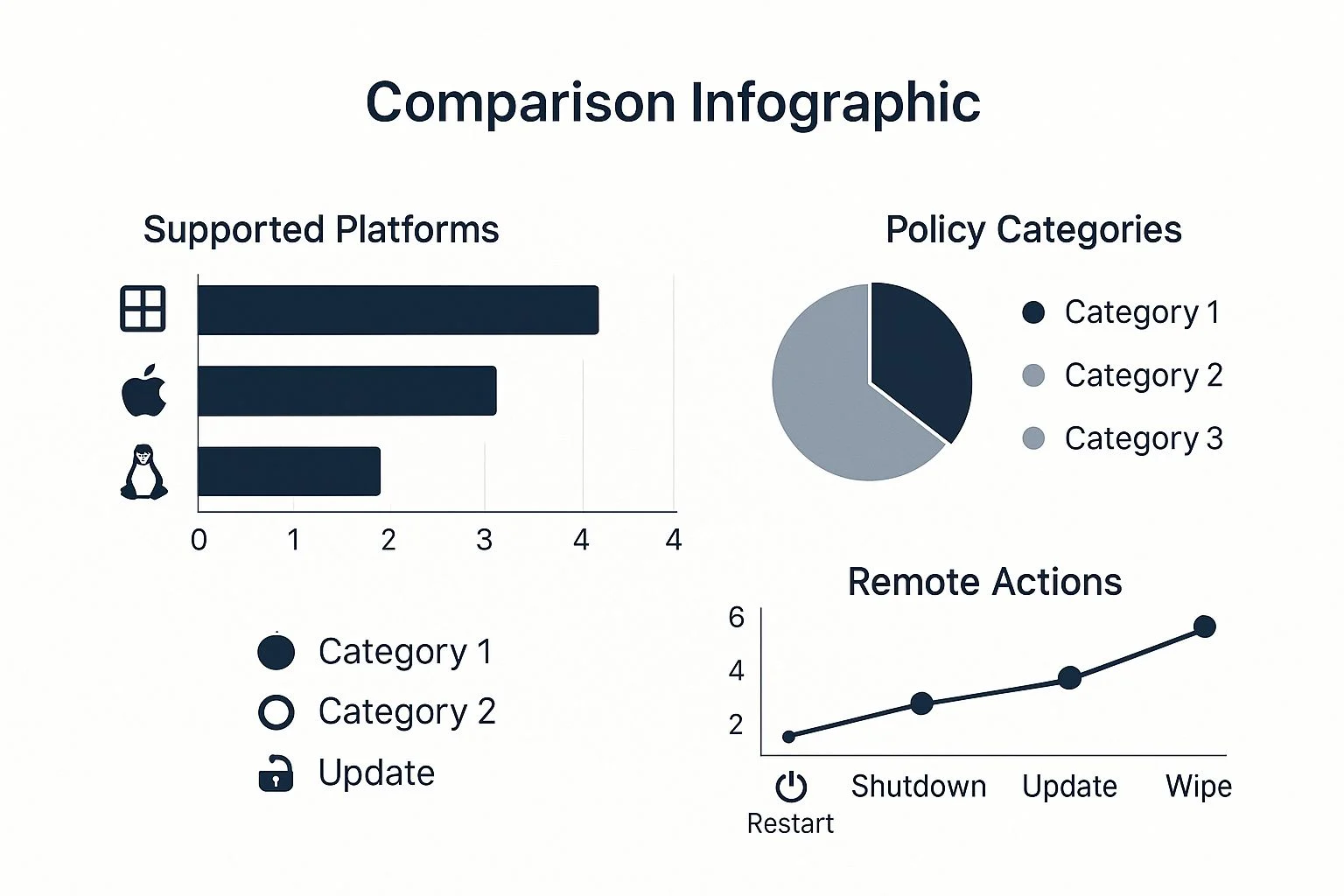
As you can see, Intune’s real power comes from its broad support for different operating systems and its deep policy control. It allows you to create consistent, secure management rules, no matter what device your team is using.
Bundled vs. Standalone Licensing
For the vast majority of small to medium businesses we work with, the smartest and most economical way to get Intune is through a Microsoft 365 subscription. Plans like Business Premium are incredibly popular for a reason. They roll Intune in with your Office apps, Teams, SharePoint, and advanced security features like Defender for Business. This integrated approach means your device management is tied directly to your identity and security tools right out of the box.
But there are definitely times when a standalone Intune license makes more sense. Imagine your organisation uses a different productivity suite but still needs a rock-solid solution to manage its Windows devices or a fleet of specialised tablets. A standalone plan gives you that flexibility. It’s also the go-to option for licensing devices that aren’t tied to a single user, like kiosk machines in a reception area or shared devices for frontline workers.
The decision between a bundle and a standalone licence really boils down to your existing tech stack. If you’re already invested in Microsoft 365, a bundle is almost always the smarter financial choice.
Picking the wrong plan can lead to wasted money or, worse, critical gaps in your security. Tbourke Solutions offers expert guidance to analyse your specific business needs, helping you make an informed decision that aligns your licensing costs with your security and management goals.
A Clear Comparison of Popular Plans
To help make sense of the options, it helps to see exactly what you get with each plan. The right choice will depend on your organisation’s size, your security requirements, and any regulatory obligations you need to meet.
The table below breaks down the key differences between the most common licensing options for businesses considering Microsoft Windows Intune.
Microsoft Intune Licensing Plan Comparison
| Plan Feature | Microsoft 365 Business Premium | Microsoft 365 E3 | Intune Standalone Plan |
|---|---|---|---|
| Target Audience | Small to Medium Businesses (up to 300 users) | Large Enterprises | Organisations needing only device management |
| Core Intune MDM/MAM | Yes, full capabilities included. | Yes, full capabilities included. | Yes, full capabilities included. |
| Windows Autopilot | Included | Included | Requires separate Azure AD Premium P1 license |
| Conditional Access | Included | Included | Requires separate Azure AD Premium P1 license |
| Microsoft Defender | Includes Defender for Business (endpoint security). | Includes Defender for Endpoint Plan 1. | Not included; requires a separate license. |
| Office 365 Apps | Yes, desktop and web apps are included. | Yes, desktop and web apps are included. | Not included. |
This comparison really highlights why a bundled plan like Microsoft 365 Business Premium is often the perfect starting point for smaller businesses. You get the full power of Microsoft Windows Intune plus a whole suite of other essential security and productivity tools, all wrapped up in one simple, cost-effective package.
Common Deployment Scenarios for Intune
Microsoft Intune isn’t a rigid, one-size-fits-all tool. Its real power comes from how it adapts to your business, whether you’re a brand-new startup jumping straight into the cloud or an established company with years of IT investment. Figuring out the right way to roll it out is the key to making it work for you. At Tbourke Solutions, we help you map out the perfect strategy so you get maximum value from day one.
The Cloud-Native Approach
For new businesses or anyone doing a complete digital refresh, the cloud-native model is the cleanest, most modern way to go. In this setup, your devices aren’t joined to a traditional server in the office. Instead, they connect directly to Microsoft Entra ID (what used to be Azure AD) and are managed entirely by Microsoft Windows Intune.
Think of it as starting with a fresh, digital-first foundation. Every new device—from a Windows laptop to a company iPhone—is enrolled into Intune straight out of the box using tools like Windows Autopilot. This gives you instant, centralised control over security policies, app rollouts, and compliance from a single cloud dashboard.
The result is a super agile and secure environment that’s perfect for a remote or hybrid team. There’s no need for a physical server in the office, which means your staff can work securely from anywhere. It simplifies management, cuts down on hardware costs, and keeps your security consistent across every single device.
Co-Management for Hybrid Environments
Many established businesses already have a big investment in Microsoft Configuration Manager (often called SCCM). The co-management scenario was designed for exactly this situation, building a bridge between your traditional on-premise management and the modern power of Intune.
Instead of a disruptive “rip and replace” project, co-management lets you use both tools at the same time. You can gradually shift management tasks—like software updates or security policy enforcement—from Configuration Manager over to Intune at your own pace. This means you can modernise your device management without throwing away the value of your existing setup.
A common strategy is to start by moving mobile device management over to Intune while leaving PC management with SCCM for now. Over time, you can migrate more workloads to the cloud, giving you a smooth and controlled transition to a fully cloud-managed state. This practical approach is a must for businesses that need to keep things stable while their IT evolves.
This hybrid model gives you the best of both worlds, offering a clear path to modern management that respects your current IT investments. It’s a vital step for any organisation that needs a robust and reliable network infrastructure during their move to the cloud.
Securing the BYOD Workforce
The rise of “Bring Your Own Device” (BYOD) creates a tricky problem: how do you protect company data on a device you don’t actually own without invading your employee’s privacy? This is where Intune’s Mobile Application Management (MAM) policies really shine.
In a BYOD scenario, Intune lets you create a secure container around your work apps—like Outlook, Teams, and OneDrive—on an employee’s personal phone or tablet. This allows you to enforce security rules specifically inside those apps.
For example, you can:
- Require a separate PIN just to open work-related applications.
- Prevent copy-and-paste from a corporate app into a personal one.
- Block saving company files to the phone’s local, unsecured storage.
- Selectively wipe only corporate data from the device if an employee leaves, leaving their personal photos and messages untouched.
This targeted approach delivers strong data protection without taking full control of the device, which is a massive win for both security and employee trust. Tbourke Solutions specialises in designing these scenarios, helping you pick the right model for your business and making sure it’s configured to hit your unique security and productivity goals.
How We Maximise Your Intune Investment
Buying a powerful tool like Microsoft Windows Intune is one thing. Actually getting it to strengthen your security and make your business run smoother is another challenge entirely. That’s where we come in. At Tbourke Solutions, we don’t just set up software; we partner with you to turn your Intune subscription into a genuine business asset, saving you the headache and cost of hiring a dedicated internal team.
Our approach is straightforward but thorough. We start by getting a clear picture of your current IT setup—what works, what doesn’t, and where you want to go. By understanding your business goals and security needs from the get-go, we design and implement an Intune configuration that’s built specifically for you.
Bridging the Digital Skills Gap
Let’s be honest: keeping up with technology is tough, and finding people with the right skills is even tougher. The Australian market is facing a massive digital skills shortage. Forecasts predict a demand for around 596,750 new cloud-related jobs by 2030, making specialised expertise in things like endpoint management incredibly hard—and expensive—to find. You can read more about this growing demand on Visits.com.au.
This is exactly the gap we fill. Tbourke Solutions provides the specialised knowledge needed to configure, manage, and optimise Microsoft Windows Intune properly. We handle all the technical heavy lifting so you can stay focused on what you do best: running your business.
By partnering with us, you get direct access to seasoned IT professionals who live and breathe modern device management. We make sure your Intune deployment isn’t just working—it’s optimised to industry best practices.
And our support doesn’t stop once the setup is complete. We provide ongoing management to keep your Intune environment secure and efficient as your business changes. This proactive approach includes:
- Custom Policy Design: We build and enforce security and compliance rules that protect your company data, whether it’s on a company laptop or a staff member’s phone.
- Automated Application Deployment: We get your team the software they need automatically, without manual installs or hassle.
- Proactive Monitoring and Updates: We keep a close eye on your environment, applying updates and making tweaks to keep everything running smoothly.
- Dedicated Support: When questions or issues pop up, our team is right here to give you expert support and get things sorted—fast.
Your Partner in Modern Management
Think of us as an extension of your own team—the technical experts who understand your business goals. We translate Intune’s complex features into practical solutions that solve real-world problems, from securing personal devices used for work (BYOD) to getting a new employee set up in minutes with Windows Autopilot.
Our goal is simple: to make your IT easier to manage, your data more secure, and to give you peace of mind knowing your devices are in expert hands. To see how our strategic thinking can help your business, take a look at our expert IT consultancy services and find out how we can help you get where you need to go.
Still Have Questions About Microsoft Intune?
Jumping into a new technology like Microsoft Intune always brings up a few questions. To give you the clear answers you need, we’ve put together some of the most common queries we hear from business owners and IT managers right here in Melbourne.
This isn’t just textbook stuff; these are practical responses to help you figure out what Intune can actually do for your business.
If you have more specific questions about your own setup, the team at Tbourke Solutions is always ready to chat. We’re here to make sure you have all the information you need to make a smart decision, without the technical jargon.
Can Intune Manage Both Windows and Mac Devices?
Yes, absolutely. Don’t let the “Windows” in the name fool you. Microsoft Intune is a true multi-platform solution, designed from the ground up to manage and secure a whole range of operating systems, not just Microsoft’s own.
This means you get full management capabilities for:
- Windows 10 and Windows 11 PCs and laptops.
- Apple macOS computers.
- Apple iOS and iPadOS devices (iPhones and iPads).
- Google Android smartphones and tablets.
This cross-platform support is a huge advantage. It lets you enforce consistent security policies and manage applications from a single dashboard, no matter what device your team prefers to use.
Does Intune Replace Traditional On-Premise Tools?
For many modern businesses, the answer is a definite yes. Microsoft Intune is built to replace old-school, on-premise management tools like Group Policy Objects (GPO) and Configuration Manager (SCCM), especially for organisations shifting to a cloud-first model.
But it doesn’t have to be a big, sudden switch. For businesses with a lot invested in SCCM, Intune offers a clever co-management path. This lets you run both systems side-by-side, gradually moving management tasks to the cloud at a pace that makes sense for your business. It’s a smooth, low-risk way to modernise.
The ultimate goal for many is to go fully cloud-native with Intune. This simplifies your IT infrastructure, cuts down on hardware costs, and gives you far more agility to manage a team that works from anywhere.
Is Microsoft Intune Difficult to Set Up?
That really depends. A basic setup for a small business with simple rules can be done fairly quickly. But creating a robust, secure, and properly optimised environment? That requires some real expertise.
The complexity usually creeps in when you start designing custom compliance policies, configuring application protection for personal devices (BYOD), or integrating powerful services like Windows Autopilot for zero-touch deployments.
Getting the configuration right from day one is critical to unlocking Intune’s full potential and making sure your security is rock-solid. This is exactly where a specialist partner like Tbourke Solutions can save you a lot of time and headaches, ensuring your setup aligns with industry best practices and your specific business needs.
Ready to see how Microsoft Intune can secure and simplify how you manage your devices? Tbourke Solutions offers expert implementation and ongoing support to make sure you get the most out of your investment. Contact us today to build a modern, secure, and efficient IT environment for your business.
Share This Story, Choose Your Platform!