A lot of small business owners only start asking about CapEx vs. OpEx for IT budgeting and spending after something goes wrong. A server fails. A firewall reaches end of life. Staff need remote access next week, not next quarter. Suddenly the question is not just what to buy. It is how to pay for it without blowing up cash flow.
That decision has greater implications than often realised. The wrong model can lock you into hardware you outgrow, or subscriptions you never review. The right model can make IT spending predictable, easier to support, and better aligned with how your business operates in Melbourne today.
Your Guide to Smart IT Financial Planning
If you run a business in Hillside, Hoppers Crossing, or anywhere across Melbourne, you have probably felt this tension already. You need reliable systems, secure devices, backups, and support. But you also need to protect working capital and avoid nasty surprises.
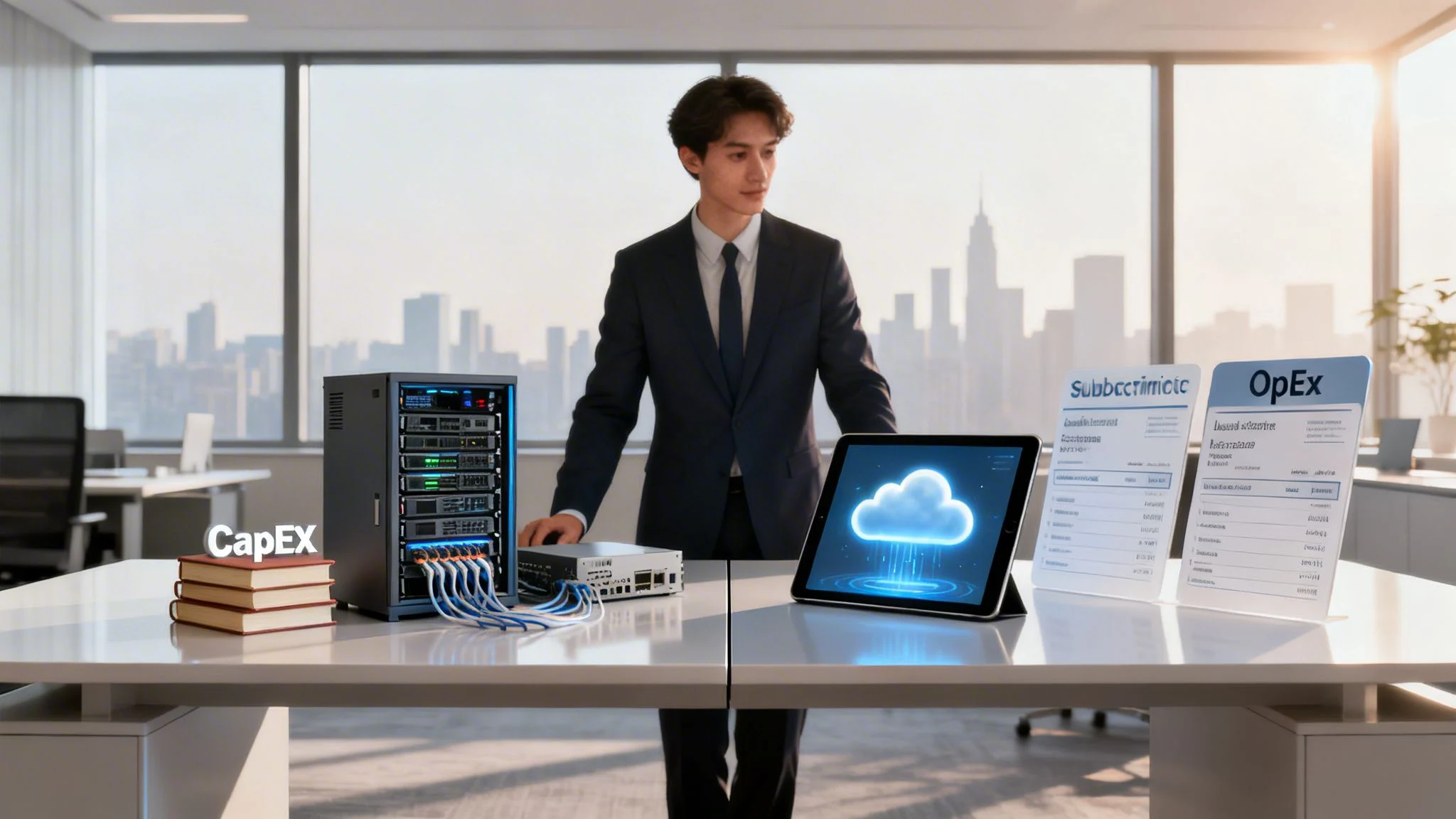
CapEx and OpEx are two different ways to fund that technology. One usually means buying and owning the asset. The other usually means paying a recurring fee for access, support, or capacity. Both can be valid. The better choice depends on your cash position, how fast your business changes, and how much internal IT burden you want to carry.
If you want a broader planning framework before setting next year’s spend, this practical guide to IT budget planning for small business is a useful place to start.
TLDR
For most modern SMBs, OpEx is the better default because it turns large one-off IT purchases into predictable operating costs and makes scaling easier. CapEx still makes sense when you need long-term ownership, stable infrastructure, or want to use available tax treatment under ATO rules.
The practical answer is not ideological. It is financial. Choose the model that fits your business goals, cash flow, risk tolerance, and support capacity.
Understanding the Two Models CapEx and OpEx
The simplest way to understand this is to compare buying a house with renting an apartment.

CapEx means you buy the asset
With capital expenditure, you pay upfront for something your business will use over time. In IT, that often means physical infrastructure or long-life software.
Common examples include:
- Servers and storage bought for on-site use
- Network gear such as switches, firewalls, and wireless hardware
- Desktop fleets purchased in bulk
- Perpetual software licences where ownership sits with your business
When you take this route, you own the gear and control how it is configured, maintained, and replaced. That can be a real advantage if your environment is stable and highly specific. It also means you carry the risk when hardware ages badly, support expires, or a business change makes the original purchase less suitable.
OpEx means you pay for usage or service
With operational expenditure, you pay an ongoing fee to use technology or receive a managed service. Instead of buying the whole asset outright, you spread costs over time.
Typical IT OpEx items include:
- Microsoft 365 and other SaaS subscriptions
- Cloud hosting on platforms such as Azure or AWS
- Managed backups and monitoring
- Managed cybersecurity services
- Help desk and ongoing IT support agreements
This model suits businesses that want less upfront spending and cleaner monthly forecasting. It is also why many Australian businesses have shifted their thinking. In the local market, SMBs are increasingly moving from CapEx to OpEx, and 64% of Australian organisations expect IT budgets to increase by up to 10% in 2025 while prioritising OpEx for cash flow predictability, according to Gartner forecasts referenced in this Australian IT budgeting analysis.
Practical rule: If the technology must be flexible, regularly updated, and easy to scale, OpEx usually fits better. If the asset will stay steady for years and you want direct ownership, CapEx deserves a look.
Key Comparison Criteria for Your IT Spending
Most owners do not need accounting theory. They need to know what each model does to budget pressure, risk, and long-term value.
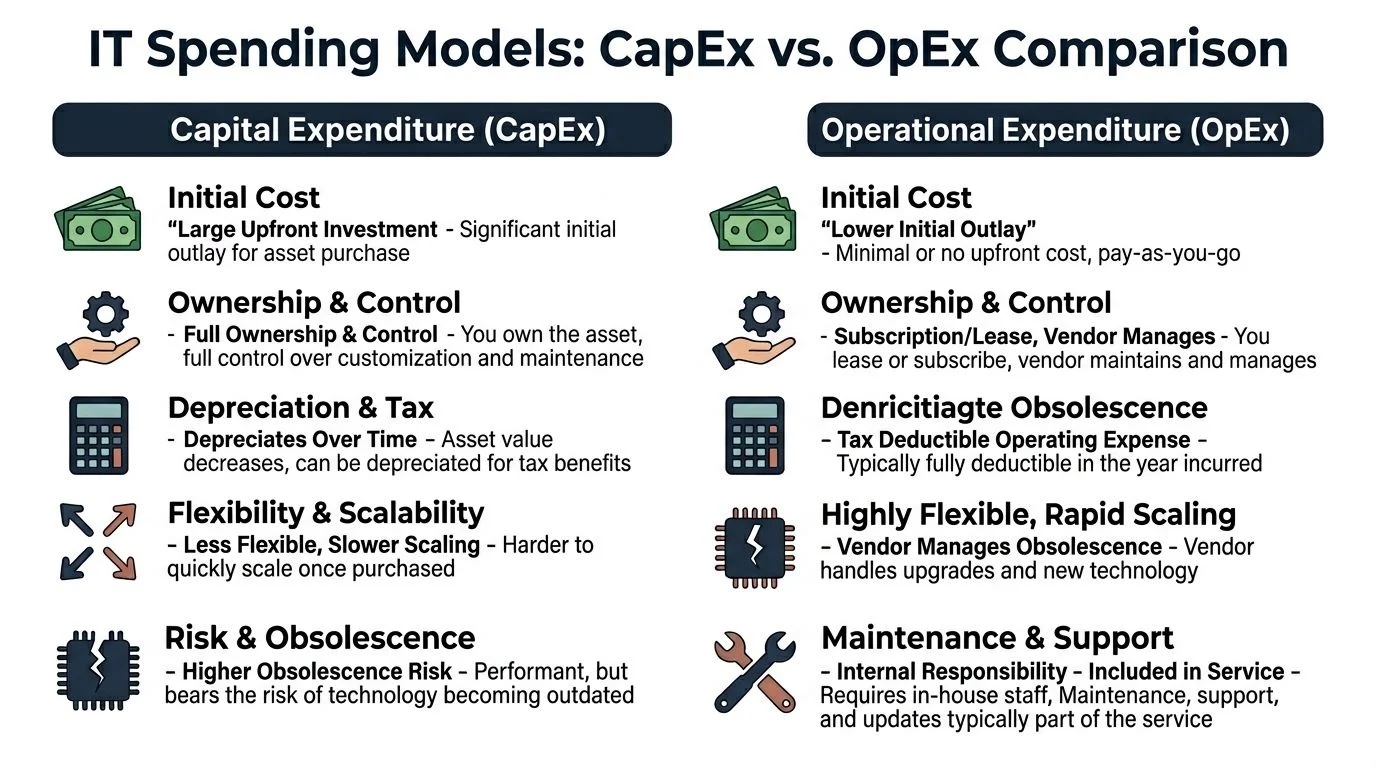
Cash flow and predictability
CapEx hits hard at the start. You approve the purchase, pay the invoice, and then try to get as many years out of the asset as possible.
OpEx spreads that spend across the year. For many small businesses, that makes budgeting simpler because the cost sits alongside other operating costs instead of appearing as a sudden lump. If you are evaluating a blended environment, this guide to hybrid cloud setup for Melbourne small business shows where that structure can work well.
Scalability and flexibility
CapEx works best when your requirements are steady. If your user count, storage needs, or remote access demands jump around, owned hardware can become restrictive.
OpEx usually gives you more room to scale up or down. That matters for growing firms, schools with changing device needs, and businesses shifting between office and remote work.
Total cost of ownership
The purchase price is only one piece of the equation. You also need to count maintenance, patching, warranty renewals, downtime risk, replacement planning, and staff time.
In Victoria, OpEx accounts for 62% of IT budgets in 2025, up from 40% in 2021, with average cost savings of 25% through vendor-maintained updates and avoiding forklift upgrades that historically cost SMEs 15-20% of annual IT spend every 3 years, according to this CapEx and OpEx analysis.
Management burden
Owned infrastructure gives control. It also creates work.
Someone needs to:
- Patch systems and verify updates
- Track warranty and lifecycle dates
- Replace failed hardware
- Manage backups and test restores
- Review security settings and logs
With OpEx, much of that responsibility shifts to the provider or vendor. That does not remove your accountability, but it reduces hands-on maintenance.
A common mistake: comparing a server purchase only against a cloud invoice. That misses support time, downtime impact, electricity, backup tooling, and refresh risk.
Tax treatment and compliance
Tax treatment and compliance. Many small businesses oversimplify this decision. CapEx and OpEx do not just feel different operationally. They are treated differently for tax and accounting purposes.
OpEx is usually easier to expense as part of regular operating spend. CapEx sits as a longer-life asset and is treated accordingly. That difference can change how attractive a purchase looks in a given financial year, especially if cash is tight or if you are trying to plan deductions carefully.
CapEx vs. OpEx Decision Matrix for IT Spending
| Criterion | Capital Expenditure (CapEx) | Operational Expenditure (OpEx) |
|---|---|---|
| Initial spend | Higher upfront commitment | Lower upfront commitment |
| Ownership | Business owns the asset | Vendor or provider retains service responsibility |
| Cash flow | Less predictable at purchase time | More predictable month to month |
| Scaling | Slower to adjust after purchase | Easier to increase or reduce |
| Obsolescence risk | Sits with the buyer | Often handled within the service model |
| Maintenance | Internal team or external contractor manages it | Commonly bundled into service delivery |
| TCO visibility | Can look cheaper at purchase stage than it really is | Often clearer once all recurring service costs are mapped |
| Tax treatment | Linked to asset treatment and depreciation rules | Usually treated as operating spend |
When CapEx Still Makes Financial Sense
There is a strong push toward subscriptions and managed services, but buying still has a place. In some situations, it is the cleaner financial decision.

Stable workloads can justify ownership
If your business has predictable usage and does not expect major changes, owned infrastructure can work well. A line-of-business application tied to local equipment is one example. Another is a site with consistent performance requirements and little variation in staffing or storage demand.
That is where a properly planned on-prem environment, including Windows Server solutions for business, may still fit.
Control can matter more than flexibility
CapEx also suits organisations that want direct control over configuration, upgrade timing, and hardware access. Some businesses are comfortable carrying that responsibility because they value customisation or have specific operational requirements.
That choice only works when the business is prepared for lifecycle management. Owned hardware is not a one-time decision. It is a long-term commitment to maintenance, replacement, and support discipline.
Tax treatment can tilt the numbers
Under ATO guidelines, CapEx allows for depreciation deductions over an asset’s effective life, and the instant asset write-off for assets under $20,000 until June 2025 offers a tax incentive that recurring OpEx subscriptions do not provide, as outlined in this summary of CapEx and OpEx tax treatment.
That does not mean CapEx is automatically better for tax. It means the tax outcome needs to be tested against your business position, not guessed. The best move is usually to review the proposed purchase with your accountant before committing.
Good use of CapEx: stable infrastructure, clear ownership need, internal ability to support it, and a tax position that makes the purchase worthwhile.
When to Get Help Planning Your IT Budget
Some businesses can make this decision quickly. Others are already carrying too much technical debt, too many subscriptions, or too much uncertainty.
You should get advice if any of these sound familiar:
- Unexpected invoices keep appearing for hardware, repairs, renewals, or emergency support
- Your team has outgrown the current setup but you are unsure whether to buy equipment or move more services to the cloud
- Cybersecurity feels reactive instead of planned
- You are paying for tools you do not fully understand
- Your budget is being built around problems instead of around a proper technology roadmap
This is not a sign that your business is behind. It usually means the environment has changed faster than the original setup.
A short planning conversation can save a lot of wasted spend. If any of these sound familiar, it’s time to talk. Reach out to our team at Tbourke Solutions for a no-obligation consultation via our contact page
The Powerful Case for an OpEx Model in 2026
For most SMBs, schools, and growing teams, OpEx is not just about avoiding a large invoice. It is about keeping IT aligned with the pace of the business.
Agility Provides a Key Advantage
When you use cloud platforms, managed support, and subscription security, you can change direction faster. Add staff, reduce unused capacity, roll out new tools, or improve resilience without waiting for another capital approval cycle.
That is especially useful for businesses that want to modernise infrastructure through cloud and infrastructure services, rather than keep stacking new purchases on old systems.
Cybersecurity is where OpEx often wins clearly
A one-time hardware purchase can help, but it does not solve the ongoing work of monitoring, patching, tuning, and responding. Security is not a product you buy once. It is an operating discipline.
That is why the OpEx model is often stronger in practice. For cybersecurity, OpEx via an MSP yields a 2.5x greater ROI, and a subscription service such as SentinelOne EDR at about $15 per user per month can automate threat hunting and reduce incident response time from 72 hours to 12 hours, according to this overview of CapEx and OpEx in security operations.
What works and what does not
What works:
- Bundled support and security where monitoring, response, patching, and advice are part of one service arrangement
- Regular licence reviews so subscriptions stay matched to actual users
- Cloud-first thinking for systems that need flexibility and remote access
What does not:
- Buying hardware to avoid subscriptions without counting support and replacement costs
- Stacking SaaS tools without governance
- Treating cybersecurity as a one-off purchase
Key takeaway: OpEx works best when the service is actively managed. A messy subscription list is not strategy. A reviewed and governed operating model is.
How Tbourke Solutions Aligns IT With Your Budget
The most useful IT budgets are built around business reality. Staff count, sites, risk, growth plans, compliance needs, and how much disruption the business can tolerate all matter.
A managed services model can turn scattered technology costs into a simpler operating structure. Instead of separate decisions for support, security, backups, cloud management, and maintenance, those items can be grouped into a planned service arrangement. If you are comparing providers, this overview of what MSPs do for small business helps frame the questions to ask.
Tbourke Solutions is one option for businesses that want that structure. The practical value is straightforward. Managed IT services can package support, cybersecurity, backups, cloud management, and planning into a recurring operating cost instead of a series of ad hoc capital decisions.
That approach is often useful for:
- Small businesses that need support without hiring internal IT staff
- Schools and education environments that need reliable systems and easier budgeting
- Startups that need to scale without locking cash into equipment too early
- Established firms cleaning up legacy systems and subscription sprawl
The right next step is not always “move everything to OpEx”. Sometimes it is a hybrid model. Sometimes it is replacing one ageing server with a hosted alternative. Sometimes it is keeping a core asset on-prem and moving security and backups into managed services.
If you want help mapping those options properly, use the contact page to submit an enquiry: http://tbourke-solutions.com.au/contact
Frequently Asked Questions About IT Budgeting
Some questions come up in almost every budgeting discussion, especially when a business has mixed systems or old purchasing habits.
Common IT Budgeting Questions
| Question | Answer |
|---|---|
| Is a hybrid model normal? | Yes. Many businesses keep some assets as CapEx while moving support, backups, cybersecurity, and cloud apps into OpEx. |
| Is OpEx always cheaper? | Not always. It is often easier on cash flow and easier to scale, but the better value depends on usage, support needs, and lifecycle planning. |
| Does buying equipment mean lower risk? | Not by itself. Ownership gives control, but it also puts maintenance, patching, and refresh responsibility on the business. |
| Should every cybersecurity tool be OpEx? | Not necessarily, but many security functions work better as an ongoing managed service because threats, patches, and response needs keep changing. |
| How do I move from CapEx-heavy budgeting to OpEx? | Start by listing current assets, support costs, contracts, renewal dates, and business priorities. Then compare what should be owned, what should be subscribed to, and what should be retired. |
| Who should be involved in the decision? | Usually the business owner, finance lead, IT adviser or MSP, and your accountant where tax treatment is relevant. |
A few practical answers in plain English
Can a small business use both models at once?
Yes. That is often the most sensible setup. You might own laptops and some networking gear, but pay monthly for Microsoft 365, backups, endpoint protection, and support.
How often should the budget be reviewed?
At least when contracts renew, hardware ages, staffing changes, or the business adds a new site or major system. Leaving IT untouched for years is usually what creates the expensive surprises.
What is the biggest budgeting mistake?
Looking only at purchase price. Good IT budgeting includes downtime risk, support burden, renewals, security exposure, and replacement timing.
Should I ask my accountant before choosing CapEx or OpEx?
Yes. Especially if a purchase is significant or if you are relying on a tax benefit to justify it. The technical decision and the tax decision should support each other.
If you want a clearer view of your IT costs, your upgrade options, and whether CapEx, OpEx, or a hybrid model suits your business, Tbourke Solutions can help you map it out in practical terms. Use the contact page at http://tbourke-solutions.com.au/contact to submit a query and start the conversation.
Share This Story, Choose Your Platform!