

TLDR
Let’s be honest. For many Melbourne businesses, the whole “cloud” conversation can feel like an all-or-nothing decision. You either stick with the servers humming away in your office or you push everything into the digital ether. But what if there was a better way?
A hybrid cloud isn’t just another buzzword; it’s a practical, powerful strategy that gives you the best of both worlds. It blends the rock-solid security of your own on-site equipment with the incredible power and scale of public cloud services like AWS or Azure. Over the last 20 years, we’ve helped countless SMEs navigate this path, and this guide is designed to be your roadmap. We’re cutting through the tech-speak to give you a real-world plan.
A hybrid cloud for a Melbourne small business means combining your secure, on-premise servers with the power of public cloud services. This guide shows you how to figure out your needs, choose the right setup, and roll it out without compromising on security. It’s all about finding that sweet spot between cost, performance, and control to build an IT foundation that grows with you.

Why Hybrid Cloud Is Your Next Smart Move
For most Melbourne business owners, the choice often feels binary: keep everything in-house or go all-in on the cloud. A hybrid cloud setup smashes that myth, offering a powerful third way that doesn’t force you to choose between security and agility. It’s about making your technology work for your business goals, not the other way around.
Balancing Control and Flexibility
At its heart, a hybrid model is simple. You keep your most vital data and applications right where you can see them—on your own private servers. This is perfect for highly sensitive client files, financial records, or that specialised industry software that just isn’t built for the cloud. You maintain total control.
At the same time, you create a secure connection from your office to a major public cloud provider like Microsoft Azure or Amazon Web Services (AWS). Suddenly, you have almost unlimited resources on tap for tasks like:
- Scalable Web Hosting: Your website won’t buckle during a surprise sale or marketing campaign.
- Cost-Effective Data Backups: Securely store backups in a different location, protecting you from fire, flood, or theft at your premises.
- Development and Testing: Fire up a temporary server to test a new app without needing to buy expensive new hardware.
This way, you only pay for the public cloud resources you actually use, shifting what would be a huge capital outlay into a manageable monthly cost. For ambitious businesses, exploring the full benefits of Azure cloud for small business can be a real game-changer.
Enhancing Security and Compliance
There’s a common misconception that putting anything in the cloud is risky. The truth is, a well-planned hybrid approach can dramatically boost your security. By keeping your most precious data on-premise, you have direct oversight and can easily meet strict Australian data sovereignty and privacy obligations.
Meanwhile, you get to piggyback on the multi-billion-dollar security infrastructure that cloud giants have built to protect your other workloads. This layered security model is often far more resilient than relying on just one environment. Getting a handle on new concepts like flexible cloud networking can also make your setup more agile and cost-effective as you grow.
A well-designed hybrid cloud setup for a Melbourne small business isn’t about choosing between on-premise and cloud. It’s about making them work together to build a more resilient, efficient, and secure IT foundation.
Auditing Your Current IT and Business Goals
Thinking about a hybrid cloud for your Melbourne business? It’s easy to get lost in the tech talk about public clouds, private servers, and all the jargon that comes with it. But before you even think about vendors or services, the most crucial first step has nothing to do with technology at all. It’s about getting crystal clear on what you have now and where you want to go.
This initial audit is your roadmap. Without it, you’re flying blind, and that’s how IT projects become expensive headaches. This is all about looking at what’s working, what’s causing frustration, and making sure your tech investment is directly tied to your business ambitions.
Take Stock of What You Already Have
First up, you need a complete picture of every piece of technology your business depends on. Think servers, software, networking gear, and even the daily apps your team uses. A simple spreadsheet is perfect for this.
Your inventory should break down:
- Hardware: List every server, workstation, and piece of network equipment. Make a note of their age and how they’re performing. Are they getting old and slow?
- Software and Applications: What programs are absolutely essential? This means your accounting software (like Xero or MYOB), your CRM, design tools, and any industry-specific applications you can’t operate without.
- Your Data: Figure out what kind of data you have and where it lives. We’re talking about client information, financial records, project files, and marketing assets.
Once you have this list, you can start making smart decisions. For example, sensitive client records or financial data that fall under Australian privacy laws are often best kept on-premise where you have full control. On the other hand, things like your email, shared documents, or your public-facing website are usually perfect candidates for the public cloud.
Tying Technology to Your Business Goals
A hybrid cloud setup should never be a solution looking for a problem. It has to solve real-world business challenges and help you grow. Sit down with your team and ask some tough questions:
- What are our biggest IT frustrations right now? (e.g., slow systems, frequent downtime, constant security worries)
- How can technology help us achieve our 3-year growth plan? (e.g., support a remote workforce, handle more customers, launch a new online service)
- What daily inefficiencies are holding us back?
This is also where we need to look at the bigger picture. The relentless rise in cyber threats is a huge reason many Melbourne businesses are looking for more secure IT solutions. In 2022-23, Australia saw nearly 94,000 cybercrime reports lodged—a massive 23% spike from the year before. The cost to businesses also jumped by 14%. A hybrid model tackles this head-on, letting you lock down critical data on private, secure infrastructure while using the public cloud for things like scalable backups and disaster recovery. You can dig into the numbers yourself in this market report.
Think of this audit as creating a blueprint for your new IT environment. Without it, you’re building blind. A clear blueprint ensures every dollar you spend on your hybrid cloud setup delivers a real, tangible return for your business.
By connecting your technology directly to your business outcomes, you make sure your hybrid cloud becomes a strategic asset, not just another line item on your expenses. For a deeper dive into how a partner can guide this process, you might find our guide on IT support for small business in Melbourne helpful. Getting this planning phase right sets the foundation for a successful, secure, and cost-effective system.
Designing Your Melbourne Hybrid Cloud Architecture
Once you’ve got a handle on what you have and what you need, it’s time for the fun part: mapping out your hybrid cloud architecture. This isn’t as intimidating as it sounds. At its core, it’s about drawing the blueprint that connects your on-premise gear with the power of the public cloud.
Getting this right is absolutely critical. Think of it like this: your office is your headquarters, and the cloud services you need are various destinations across the city. Your architecture is the transport network—the roads, tunnels, and expressways—that connects them all. A poorly planned network leads to traffic jams, delays, and security risks. A well-designed one makes everything flow smoothly.

Connecting Your Office to the Cloud
The real question is, how do you build that bridge between your local network and the public cloud? This single choice has a massive impact on your day-to-day performance, security, and ongoing costs. For most Melbourne small businesses, it boils down to a few key options.
Comparing Network Connectivity Options for Hybrid Cloud
Here’s a breakdown of the common methods for connecting your on-premises network to the cloud. This table should help you choose the right balance of cost, performance, and security for your business.
| Connectivity Method | Best For | Typical Cost | Performance & Reliability |
|---|---|---|---|
| Secure VPN | Startups and small businesses needing a cost-effective link for backups or non-critical apps. | Low ($) | Good, but performance depends on public internet conditions. Can have minor latency. |
| SD-WAN | Businesses relying on real-time apps like VoIP, video conferencing, or cloud desktops. | Medium ($$) | Excellent. Intelligently routes traffic over multiple connections for optimal performance. |
| Direct Connect / ExpressRoute | Larger businesses with high-volume, mission-critical workloads needing guaranteed bandwidth. | High ($$$) | The best you can get. A private, dedicated link with predictable, ultra-low latency. |
As you can see, the right choice really depends on what you’ll be doing. If you’re just sending backups to the cloud overnight, a standard Secure VPN is a fantastic, budget-friendly starting point. It creates a secure, encrypted tunnel over your existing internet connection. Easy and effective.
But if your team will be using cloud-based phone systems, editing large files directly in the cloud, or relying on real-time collaboration tools, you’ll feel every bit of lag. That’s where SD-WAN (Software-Defined Wide Area Network) comes in. It’s like a smart traffic controller for your data, always finding the fastest and most reliable path. It’s a game-changer for performance.
Choosing Your Cloud Platform and Local Data Centres
So, you’ve figured out how you’ll connect. Now, where are you connecting to? The public cloud world is dominated by three giants: Microsoft Azure, Amazon Web Services (AWS), and Google Cloud Platform (GCP).
For a Melbourne business, your choice often depends on your existing setup and what feels most familiar.
- Microsoft Azure: If your business already lives in the Microsoft world with Office 365 and Windows Server, Azure is often the path of least resistance. The integration is tight, and your team or IT provider likely already has the skills.
- Amazon Web Services (AWS): As the original market leader, AWS has an incredibly broad and deep set of services. It can do just about anything, but that power comes with a steeper learning curve. It’s a brilliant choice for businesses with very specific or complex technical needs.
- Google Cloud Platform (GCP): GCP has serious strengths in networking, big data, and machine learning. If your business is data-heavy or focused on analytics, it’s a powerful contender.
But here’s the most important tip for any Melbourne business: choose a provider with a local data centre region. Both Azure and AWS have data centres right here in Melbourne. This is a massive advantage. Hosting your services locally slashes latency (the delay in data transfer), making your applications feel snappy and responsive for your team. It also helps you tick the box for Australian data sovereignty rules.
As you build out your architecture, it’s also helpful to get clear on the lingo. Understanding the nuances between options like Cloud Hosting Vs VPS Hosting gives you a better grasp of the different service models available and how they might fit into your strategy.
Ultimately, designing your hybrid architecture is about making smart, practical choices that line up with your business goals. It’s about creating a blueprint for success, whether that’s a simple VPN link to Azure for secure backups or a sophisticated SD-WAN setup for high-performance applications. For those looking specifically at Microsoft’s ecosystem, our Azure Migrate Guide is a great resource for planning the move itself.
When to Get Help
It’s completely normal to feel a bit out of your depth here. If you’re not 100% sure you’ve found all your IT assets, can’t confidently classify your data, or don’t know how secure your network really is, it’s a good time to pause. Getting this stage wrong can lead to some costly mistakes down the track.
A hybrid cloud setup for your Melbourne business is a different beast entirely. A simple misconfiguration isn’t just a tech glitch; it can become a major business liability or security risk. It’s one thing to sync a server to the cloud for basic backups, but another thing entirely to design a resilient, secure, and high-performing system.
An experienced IT partner can run a professional audit, manage the migration, and ensure your setup is compliant and secure from day one. If you’re at that point, a no-obligation chat is a great next step. You can reach out and submit a query here.
Implementation and Security: Making It Real
Alright, you’ve got your hybrid cloud blueprint sorted. Now for the exciting part: bringing it to life. This is where the plans on paper become a real, working system, and it’s critical to get it right.
A messy, all-at-once “big bang” switchover is a recipe for disaster. Instead, a careful, phased approach is the only way to go. It minimises disruption, lets your team get comfortable with the new setup, and ensures your hybrid cloud setup for a Melbourne small business actually works as intended from day one.
The trick is to start small and build confidence. We always recommend kicking things off with a pilot project—moving a non-critical workload to the cloud first. Think internal development servers, your marketing website, or even one department’s file-sharing system. This gives you a low-stakes sandbox to iron out any kinks, test your connections, and get the team trained up before you touch anything mission-critical.
Locking Down Your New Environment from Day One
Security isn’t something you bolt on at the end; it has to be baked into every single step. As you start your migration and afterward, there are a few security measures that are simply non-negotiable.
- Unified Identity Management: You need one central, secure way to control who gets access to what, both on-premise and in the cloud. We often set this up using a central directory like Azure Active Directory to act as the single source of truth for user access.
- Multi-Factor Authentication (MFA) is a Must: Passwords just don’t cut it anymore. MFA adds that vital second layer of security, like a code sent to a phone, which makes it incredibly difficult for the wrong people to get in. It’s a foundational control and a key part of the ACSC Essential 8 security framework.
- Encrypt Everything: Your data needs to be scrambled and unreadable both when it’s sitting on a server (at rest) and when it’s moving between your office and the cloud (in transit).
This is also the perfect moment to build a rock-solid backup and disaster recovery (DR) plan. A hybrid model is brilliant for this. By backing up your on-site data to the public cloud, you instantly create geographic separation. If something catastrophic like a fire or flood were to hit your Melbourne office, your data is safe and sound in a completely different location, ready to be restored quickly.
Getting a Handle on the Real Costs
No one likes budget surprises. A realistic financial plan is crucial for a successful project. With a hybrid cloud setup, your costs will typically fall into two buckets.
One-Off Setup Costs (Capital Expenses – CapEx):
- The initial IT consulting and design phase.
- Any new on-premise hardware needed to replace outdated servers.
- Upfront software licensing.
- The project cost for the migration work itself.
Ongoing Running Costs (Operational Expenses – OpEx):
- Monthly bills for public cloud services (e.g., compute power, storage).
- Managed IT support for monitoring, maintenance, and security.
- Software subscriptions (like Microsoft 365).
Here in Melbourne, more and more small businesses are turning to hybrid cloud. It’s a smart way to get the on-premise control you need with the flexibility of the public cloud. This local trend is part of a much bigger picture: Australia’s cloud market hit USD 12.7 billion in 2024 and is on track to reach a massive USD 30.3 billion by 2033.
For Victorian businesses, this means you can tap into enterprise-level IT using pay-as-you-go models, often slashing what you’d otherwise spend on traditional hardware.
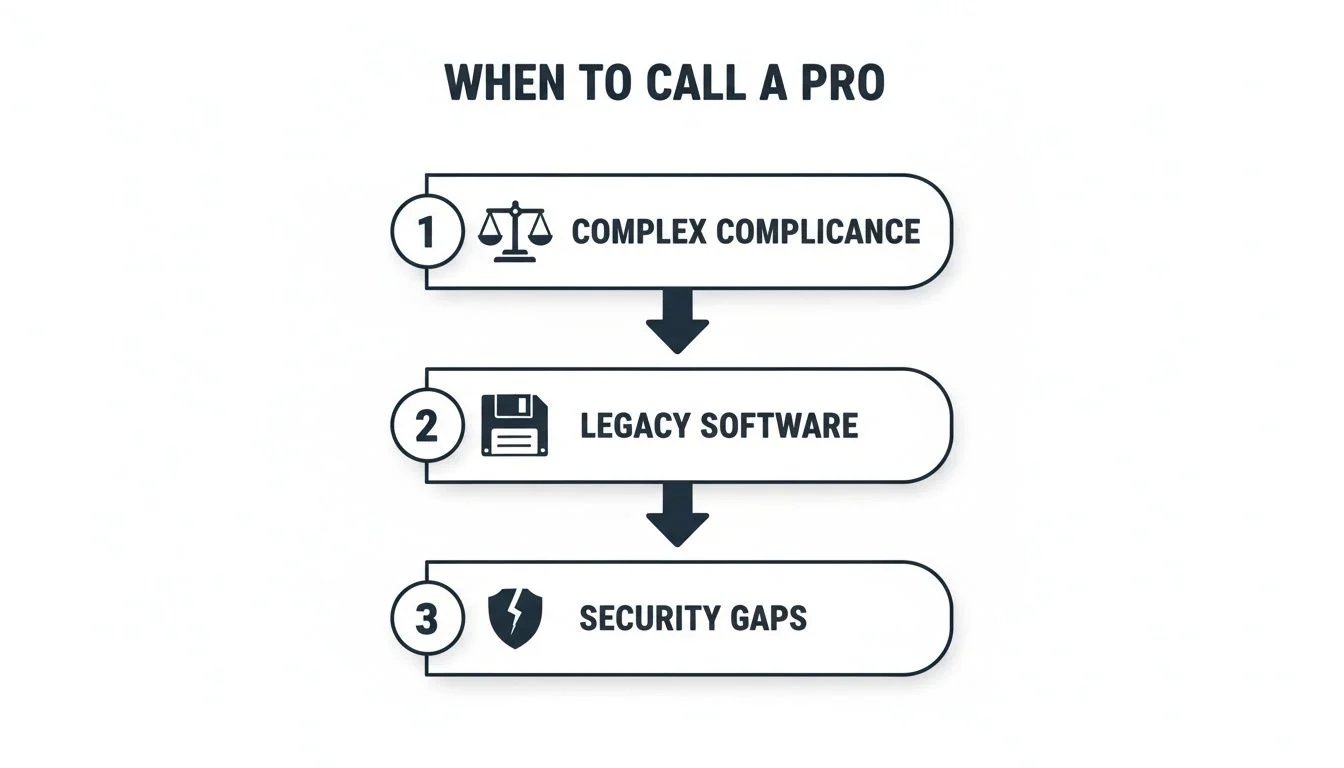
As this infographic shows, there are a few common pain points—like navigating complex Australian compliance, dealing with old legacy software, or plugging security gaps—where having a pro on your side makes all the difference.
How Tbourke Solutions Can Help
We’ve covered the ‘what’ and the ‘how’ of building a solid hybrid cloud. Now, let’s talk about the ‘who’. For a small business, school, or sole trader in Melbourne, trying to piece all this together on your own can be a daunting, time-consuming task.
That’s where we come in. At Tbourke Solutions, we’re not just another vendor selling you a product. We’re your dedicated IT partner, here to simplify the entire journey from start to finish. We believe great IT support starts with a conversation—taking the time to actually listen and understand your business, your frustrations, and where you want to go. This is how we build a hybrid cloud setup for your Melbourne small business that actually works for you.
Your Options with Us
We offer a hands-on, end-to-end approach tailored to your needs, covering every single stage of the project.
Here’s what that looks like in practice:
- Strategy & Design: We’ll sit down with you to map out a clear blueprint. This involves looking at your current setup and designing a hybrid architecture that gets the balance right between cost, security, and performance. No guesswork, just a solid plan.
- Hands-On Implementation: Our team gets our hands dirty managing the entire migration. We handle the technical heavy lifting—connecting your on-premise gear to the cloud securely and making sure the transition is smooth, with as little disruption to your day-to-day work as possible.
- Ongoing Managed IT: Our job isn’t over once everything is up and running. We provide continuous monitoring, security management, and optimisation for your new hybrid environment. This proactive support means your IT just works, freeing you up to focus on what you do best: running your business.
Ready to talk about what the future of your business’s IT looks like? Let’s start the conversation. For a personalised, no-obligation chat to see how we can help, just reach out and submit a query at http://tbourke-solutions.com.au/contact. Let’s build a powerful and secure IT foundation for your business, together.
Frequently Asked Questions
We get these questions all the time from Melbourne business owners trying to figure out if a hybrid cloud is the right move. Here are some straight-up answers based on our experience helping businesses just like yours navigate this journey.
How much does a hybrid cloud setup actually cost a small business in Melbourne?
This is the big one, isn’t it? The truth is, the cost is much more manageable than a traditional IT overhaul. Instead of a massive upfront bill for new servers and hardware, you get a much healthier financial mix. You’ll have some one-off costs for the gear that stays in your office, alongside a predictable monthly subscription for the cloud services you actually use. This pay-for-what-you-need model means you’re not burning cash on server capacity you don’t need today.
Is a hybrid cloud really more secure than just using the public cloud?
It definitely can be, because you get to decide where your most important data lives. The real power of the hybrid model is that it lets you match the security level to the data itself. You can keep your crown jewels—like sensitive client files or proprietary financial data—on your own private servers, right where you can see them. At the same time, you get to tap into the multi-billion dollar security infrastructure that giants like Microsoft and Amazon have built to protect everything else. It’s a smarter, layered approach.
How long does it take to migrate to a hybrid cloud environment?
The timeline really hinges on how complex your current setup is. A straightforward project, like moving your backups and email to the cloud while keeping a file server on-site, might only take a few weeks of careful planning and execution. On the other hand, if we’re dealing with older, custom-built software that’s been running your business for a decade, the migration will naturally take longer. The secret to a low-stress migration is to do it in phases, starting with a small, low-risk pilot project.
Can my old software run in a hybrid cloud?
In most cases, yes—and this is a huge win for established businesses. A lot of legacy applications were never built for the public cloud and can be a nightmare to move. With a hybrid setup, these critical programs can keep running on your on-premise servers, exactly as they always have. The key difference is those servers are now securely plugged into the cloud, letting them talk to modern apps and services. The first step is always a professional IT assessment to figure out the best home for every piece of your software puzzle.
At Tbourke Solutions, our specialty is guiding Melbourne businesses through this entire process. If you’re curious about how a hybrid cloud could be tailored to your specific business, the next step is a simple chat.
To get a personalised, no-obligation consultation, you can reach out and submit a query on our contact page. Let’s build a secure and powerful IT foundation for your business’s future, together.
Share This Story, Choose Your Platform!




