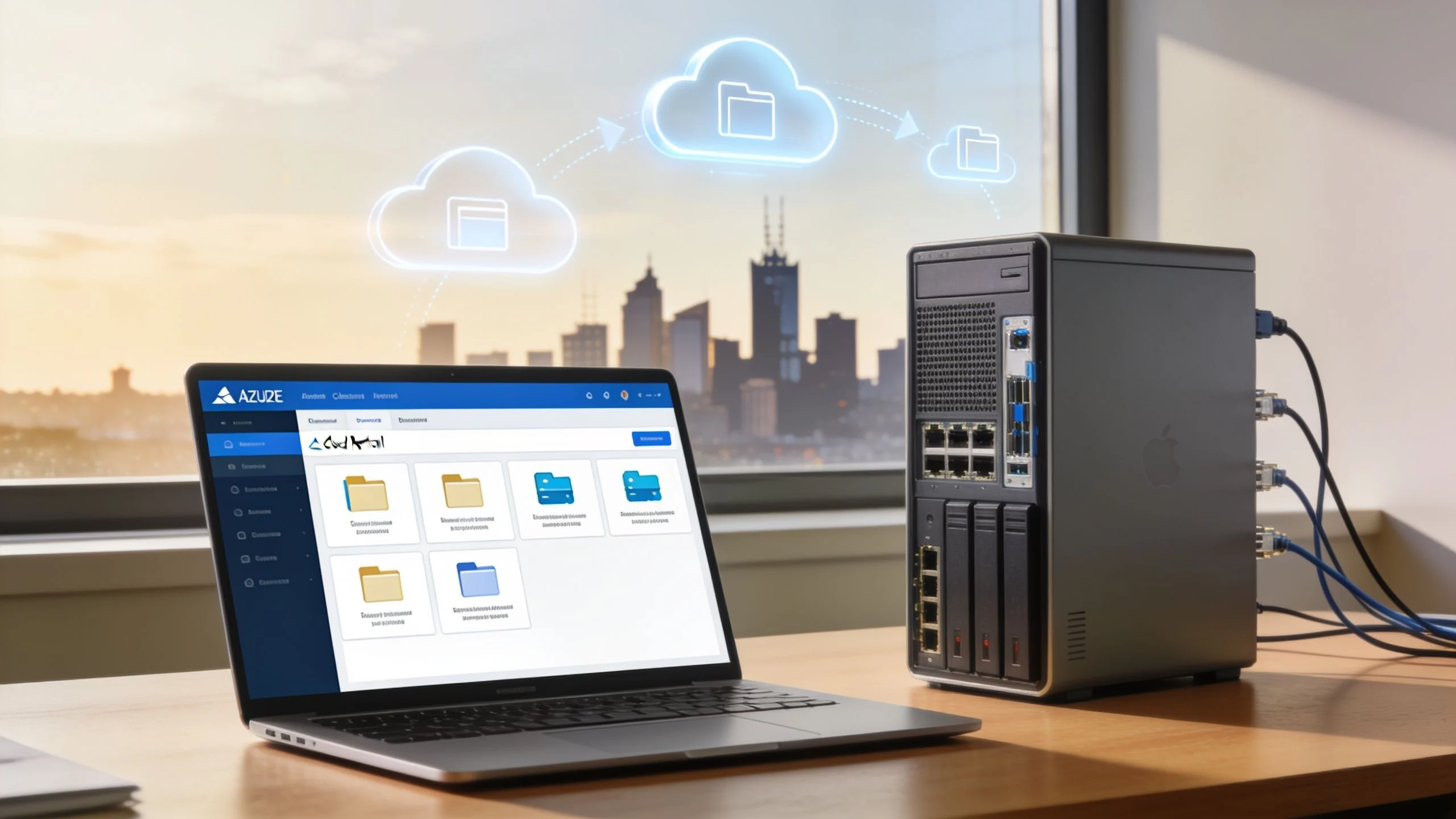
If you’re running a small business in Melbourne or anywhere else in Australia, this decision often starts with a very ordinary problem. The server in the comms cupboard is getting old, staff are complaining that files take too long to open, backups feel shaky, and the quote for replacement hardware lands at exactly the wrong time. What looked like a simple server refresh quickly turns into a bigger question about where your systems should live over the next few years.
That’s where the Azure versus on-premise decision gets real. It’s not just about where the data sits. It’s about cash flow, risk, staff time, compliance, internet reliability, and how much complexity your team can realistically carry. For many Australian small businesses in 2026, the right answer won’t be based on ideology. It’ll come down to what works day to day.
The 2026 Crossroads for Australian Businesses
A lot of business owners are standing at the same point right now. The server they bought years ago is still technically running, but it’s slower, noisier, and well past the stage where anyone feels comfortable trusting it. Parts are harder to source, warranties are gone, and every small issue raises the same concern. If this box fails, how much of the business stops with it?

In Melbourne, I see this most often with businesses that grew steadily and built their IT in layers. A local file server was added first. Then remote access. Then Microsoft 365. Then a line-of-business app that only one person fully understands. By the time a hardware refresh is due, the business isn’t just replacing a server. It’s deciding whether to keep funding an in-house setup or move more of the stack into Microsoft Azure.
What makes this decision harder in Australia
Australian businesses don’t make this choice in a vacuum. NBN quality varies by suburb and building, regional connectivity can still be inconsistent, and many businesses operate with lean internal teams that don’t have spare time for server maintenance. Add compliance requirements for industries like education, healthcare, and professional services, and the old “just buy another server” approach starts to look less simple than it used to.
There’s also a budgeting issue. On-premise usually means a larger upfront spend on hardware, licensing, setup, backup, and ongoing support. Azure changes that model, but cloud spending only works well when it’s planned properly and tied to the workloads that suit it.
Local businesses usually don’t struggle with the technology itself. They struggle with carrying too many IT responsibilities on top of running the business.
The real question
The practical question isn’t whether cloud is fashionable. It’s whether Azure, on-premise, or a mix of both will give your business the right balance of cost, control, performance, and resilience in 2026.
That answer depends on more than licensing. It depends on your team, your internet, your compliance requirements, and the consequences of downtime.
TLDR The Quick Answer for Busy Owners
For most Australian small businesses in 2026, Azure or a hybrid Azure setup is the more practical long-term choice because it reduces hardware dependence, lowers management overhead, and gives you more room to scale without another major server purchase. On-premise still makes sense when you have poor connectivity, specialised legacy software, or a genuine need to keep certain workloads local. If your business already uses Microsoft tools heavily, Azure is usually the cleaner fit, especially when licensing and flexibility are assessed properly. If you want a deeper look at the business case, this overview of the benefits of Azure cloud for small business is a useful starting point.
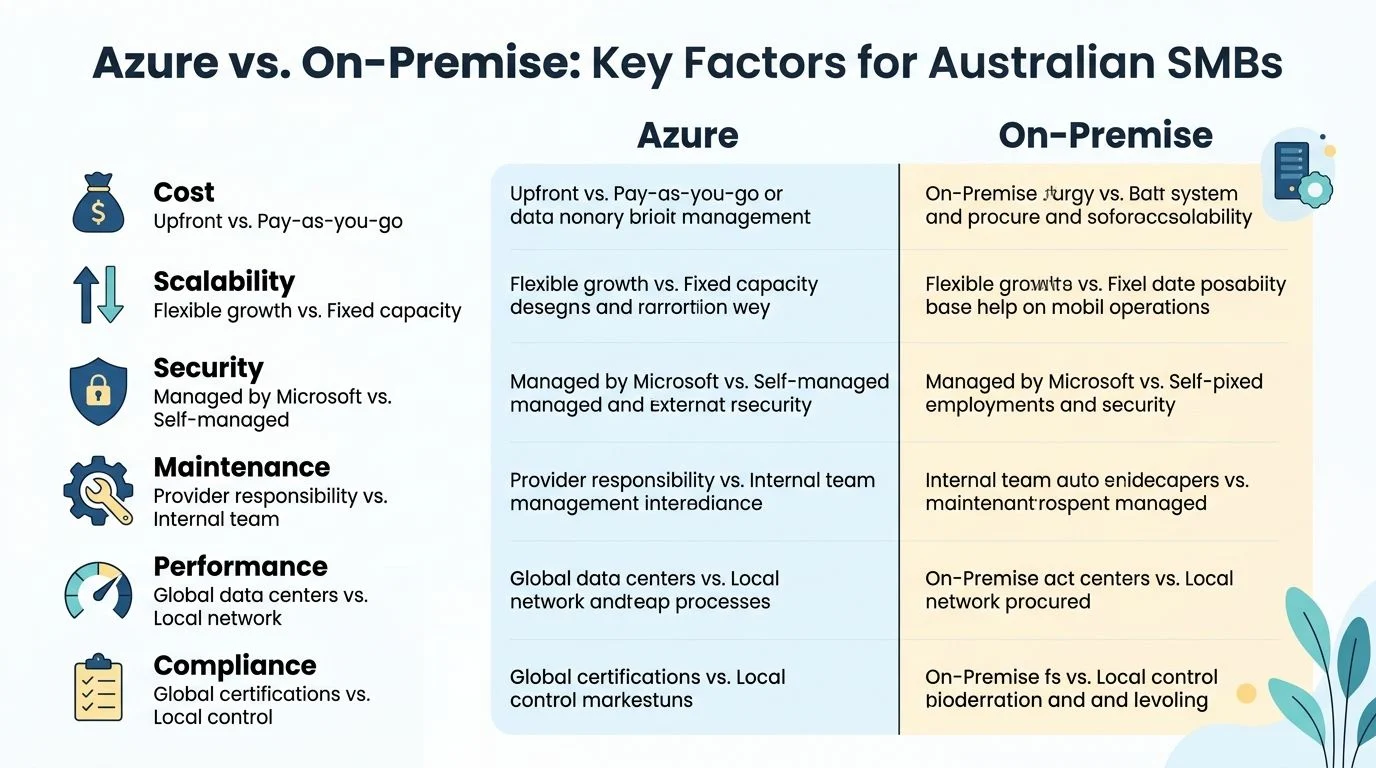
Core Comparison Azure vs On-Premise Decision Factors
The cleanest way to compare these options is to ignore marketing language and look at the operational trade-offs. Small businesses rarely get into trouble because they chose the “wrong platform” on paper. They get into trouble because they underestimated the ongoing cost and effort of the choice they made.
| Decision factor | Azure | On-premise |
|---|---|---|
| Cost structure | Operational spending, easier to phase | Upfront capital spend, larger replacement cycles |
| Capacity | Easier to adjust as needs change | Limited by installed hardware |
| Backup and resilience | Built into the platform design options | Business is responsible for setup and testing |
| Management load | Less physical infrastructure to maintain | Internal or outsourced team maintains hardware and software |
| Remote access | Built for off-site access | Often depends on VPN, remote desktop, or extra setup |
| Local speed | Depends on internet and design | Strong for local office access |
| Control | Strong governance options, less hardware control | Full physical control, full responsibility |
Total cost of ownership
Most owners first compare the server quote against the monthly Azure estimate. That’s a mistake. True total cost of ownership includes hardware, electricity, backup systems, warranties, licensing, patching, support time, user downtime, and the hidden cost of staff relying on ageing infrastructure.
For Microsoft-centric businesses, Azure can materially change the numbers. Microsoft Azure offers 40 to 80% cost reductions on Windows-based workloads through Azure Hybrid Benefit, which lets businesses reuse eligible Windows Server and SQL Server licences in the cloud, according to Hyetech’s comparison of cloud platforms for Australian businesses. The same source describes a Melbourne healthcare provider that migrated 40 Windows Server VMs, 8 SQL Server databases, and Active Directory for 200 users, achieving $180,000 in annual savings from licence portability, with a migration cost of $220,000 and a 14-month payback period.
That example won’t map perfectly to every small business, but the lesson is clear. If you already run Windows Server, SQL Server, Microsoft 365, and Active Directory, Azure often becomes more attractive than people expect once licence portability is factored in.
For a budgeting lens, it helps to compare the cash flow implications of capital and operating spend. This practical guide to CapEx vs OpEx budgeting is useful when you’re weighing a hardware refresh against a cloud migration.
Security and backup
On-premise gives you direct control. It also gives you direct responsibility. Your business owns the patching schedule, the backup checks, the battery failures, the storage alerts, the restore testing, and the uncomfortable moment when someone realises the backup job has been failing unnoticed.
Azure shifts a large part of that infrastructure burden away from the business. That doesn’t mean security becomes automatic. It does mean you’re no longer relying on one office server and a best-effort backup routine to carry the whole risk profile.
Practical rule: If your recovery plan depends on one server, one internet service, or one person who “knows how it all works”, the plan is too fragile.
Business continuity matters here too. This plain-English business continuity plan guide from Everglow Prosperity is worth reading because the technology choice should support continuity, not sit separate from it.
Scalability and flexibility
On-premise is fixed by design. You buy capacity, install it, and hope it still fits in a few years. If you grow faster than expected, add a new office, or increase storage needs sharply, that old hardware decision comes back to bite.
Azure is better when the business is changing. Adding services, increasing storage, supporting remote staff, or standing up temporary environments is generally easier than doing the same thing with physical hardware. That flexibility matters for businesses with seasonal shifts, project-based demand, or uncertain growth patterns.
Management overhead and staff training
This is the most ignored cost in the whole discussion. A local server doesn’t manage itself just because it sits in your office. Someone still has to maintain it, document it, monitor it, update it, and troubleshoot it when access breaks after hours.
On-premise can still work well if you have a stable environment, low change, and the right support model. It works badly when the business expects “set and forget” from infrastructure that needs regular care. Azure usually reduces the physical maintenance burden, but your team still needs the right setup, permissions, cost controls, and user training to avoid replacing server problems with cloud confusion.
The Australian Angle Connectivity and Compliance
A Melbourne business on decent business-grade NBN will have a very different Azure experience from a regional site running on an unreliable service with patchy mobile backup. That sounds obvious, but it gets missed in a lot of cloud advice. For Australian small businesses, connectivity is part of total cost of ownership. If staff lose time waiting on sync, remote access, or cloud-hosted apps, that productivity cost belongs in the comparison.

Connectivity changes the answer
Azure works well in plenty of Australian offices. Microsoft 365, email, standard business apps, remote collaboration, and many line-of-business systems run fine if the connection is stable and the internal network is set up properly. The problem is that many businesses judge cloud performance on a speed test and ignore what happens at 10:30am when everyone is on Teams, files are syncing, and the backup job starts pushing data upstream.
Upload speed matters more than many owners expect. So does latency, Wi-Fi quality, and whether the office has a realistic failover option if NBN drops out. A 5G backup can make the difference between a minor interruption and a full day of lost access.
Some workloads still suit local infrastructure better. I see this with large design files, older databases, specialty software, and businesses that need fast access to shared files all day. In those cases, the fundamental question is not cloud versus server in abstract terms. It is where each workload runs best, and what that choice costs in support, downtime risk, and staff frustration.
A few checks usually give a clearer answer:
- Business-hour performance: test the connection when staff are using it, not after hours.
- Upload capacity: cloud backups, SharePoint sync, and remote work all depend on it.
- Carrier resilience: confirm whether a 5G or second-service failover is practical at your site.
- Application testing: older software should be tested under real conditions before any migration decision.
Compliance and data residency are practical issues
For many Australian businesses, compliance is not just an IT policy document. It affects where data sits, who can access it, how long records are kept, and how quickly systems can be restored after an incident.
Microsoft documents that Azure operates data centres in Australia and provides information on its IRAP-assessed services in its official guidance for local customers: Microsoft Azure in Australia and IRAP assessed Azure services. That matters for businesses in education, health, professional services, and any organisation handling sensitive records that cannot be treated casually.
Local hosting does not solve compliance by itself. Access controls, retention policies, backup design, MFA, patching, and audit visibility still need to be set up properly. For practical cyber controls, this overview of the ACSC Essential 8 mitigation strategies is a useful reference alongside any cloud or on-premise decision.
On-premise can feel safer because the server is in the office. In practice, I often see the opposite. A neglected local server with weak backups, broad user permissions, and no tested recovery process creates more risk than a well-configured cloud environment with clear governance.
Admin systems and IT are connected
Small business owners often separate finance admin from infrastructure decisions, but the systems overlap every day. Payroll data, invoices, BAS records, customer files, and internal approvals all sit inside the platforms you choose to run and protect.
That is why cloud versus on-premise should be tested against business process, not just hardware preference. If you are tightening reporting and record-keeping at the same time, Baron Accounting’s BAS guide gives a clear example of how operational systems and compliance obligations connect in day-to-day business.
When to Seek Expert Guidance
A lot of owners ask the same question after a few weeks of research. “Why does every option look affordable until we include the work to run it properly?”
That is usually the point where outside advice starts paying for itself.
The decision gets harder once you move past licence pricing and server quotes. Azure can look cheaper until monthly usage, backup retention, security configuration, and staff training are added in. On-premise can look predictable until you include hardware refresh cycles, patching, backup testing, downtime risk, and the time your internal team spends keeping an ageing system alive. In Australia, the internet connection also matters more than many vendors admit. A business with patchy NBN performance, regional latency issues, or 5G as a fallback can have a very different result from a business in a metro office with stable fibre.
Bring in expert help if the choice is being driven by guesswork rather than tested facts, especially in situations like these:
- The cost comparison keeps changing because new items keep appearing, such as migration labour, Microsoft licensing changes, backup storage, firewall upgrades, or user training.
- Your application stack is messy and no one can clearly confirm what will run well in Azure, what needs a local server, and what should be replaced.
- Your team is stretched already and there is no realistic capacity for planning, testing, after-hours cutover work, and staff support.
- You rely on steady access to files or systems and your NBN service is not consistent enough to assume cloud performance will be smooth every day.
- You know a hybrid setup may be the practical answer but need a clear line between workloads that belong on-site and services that should move.
A proper assessment helps because it turns the decision into an operating model rather than a guess. It should cover current workloads, business risk, user behaviour, internet reliability, recovery expectations, and the actual internal cost of managing the environment over the next few years.
Tbourke Solutions works with Melbourne small businesses on that kind of planning, including licensing reviews, backup design, migration sequencing, and hybrid decisions. If you need that level of detail before committing, start with their server migration to Azure service in Melbourne.
Hybrid Cloud The Best of Both Worlds
For many small businesses, the strongest answer isn’t a full move in one direction. It’s a hybrid cloud model that keeps the workloads that benefit from local performance on-site, while moving the services that benefit from scalability and resilience into Azure.
What hybrid looks like in practice
A hybrid setup can be very simple. You might keep a local server for a specialised application, large design files, or machinery-related software that performs better on the local network. At the same time, you move backups, remote access, identity, disaster recovery, and selected business applications into Azure.
That approach gives you more breathing room. It avoids the shock of an all-at-once migration and reduces the risk of forcing legacy applications into a cloud model that doesn’t suit them.
Common examples include:
- Local file-heavy work: Design, architecture, video, and engineering teams often keep active large files local for speed.
- Cloud for core services: Identity, remote working tools, backup targets, and business continuity functions often fit Azure well.
- Gradual application transition: Older systems can remain on-site until replacement or upgrade makes a full move practical.
Hybrid works well when the business has one foot in established operational reality and one foot in future planning.
A phased migration is usually safer
The businesses that struggle most are often the ones trying to “finish cloud” in one project. A phased plan is usually more reliable.
Assess what you have
List servers, applications, shared drives, printers, remote access methods, backup jobs, dependencies, and who uses what.Separate critical from merely familiar
Some systems are business-critical. Others are just old habits. Those shouldn’t be treated the same.Move low-risk services first
Start with the services that improve resilience without disrupting daily work too heavily.Test before broad rollout
Test line-of-business software, file access, permissions, and remote workflows with real users.Keep an exit path for legacy systems
If one application needs to remain on-premise for now, design around that instead of forcing a premature cutover.
If you’re considering that middle-ground model, this page on hybrid cloud setup for Melbourne small business is relevant because it reflects the way many local environments are built.
What doesn’t work
Hybrid isn’t just “leave the messy parts on the server and call it strategy”. It fails when there’s no documentation, poor identity management, inconsistent backups, or no clear ownership of what lives where. A half-cloud environment still needs structure.
The good version of hybrid is deliberate. The bad version is accidental.
Your Next Steps with Tbourke Solutions and FAQs
How Tbourke Solutions Can Help
A typical starting point looks like this. A business in Melbourne is due for a server refresh, staff are working partly from home, Microsoft 365 is already in use, and the owner wants a clear answer on whether Azure will reduce cost or just shift it into a monthly bill. That decision needs more than a feature comparison.
The useful first step is an assessment of the whole operating cost. That means reviewing the current server estate, checking which applications are essential for business, looking at backup and recovery, and testing whether your NBN or 5G connection is good enough for the workloads you want to move. It also means pricing the less visible items that often get missed, including admin time, patching, user support, staff training, and the cost of slow systems when internet performance is inconsistent.
Support usually covers four areas:
- Assessment and strategy: Review the environment, identify operational and compliance risks, and work out whether Azure, on-premise, or hybrid is the better fit.
- Migration planning: Sequence changes in a way that reduces disruption to staff and avoids rushed cutovers.
- Implementation support: Set up Azure services, local infrastructure, backups, security controls, and access in a way the business can manage.
- Ongoing IT management: Handle updates, monitoring, support, and documentation so the environment stays stable after go-live.
The right outcome is not always “move more to cloud”. Sometimes it is keeping a local workload in place because the software is old, the file activity is heavy, or the internet service at that site is not reliable enough yet.
Frequently Asked Questions
Is on-premise dead for small business
No. Some Australian small businesses still get better value from on-premise systems, especially where a line-of-business application performs poorly over the internet, compliance requires tighter local control, or regional connectivity is inconsistent. The trade-off is that the business carries more responsibility for maintenance, backup verification, hardware faults, and replacement planning.
Can I move to Azure without moving everything at once
Yes. That is often the lower-risk option. A staged rollout gives staff time to adjust, reduces training pressure, and avoids turning one IT project into a disruptive business project.
What’s usually forgotten in cost comparisons
The labour around the technology. Owners often compare a server purchase against an Azure subscription and miss the time spent on patching, vendor coordination, failed backups, documentation, endpoint setup, user onboarding, and fixing issues after hours. Training costs matter too. If the team needs to learn new workflows, that time has a real dollar value.
Will cloud performance be worse than a local server
It depends on the workload and the connection at the site. Azure can perform very well for many business applications, but real-world results still depend on NBN quality, router setup, Wi-Fi conditions, and whether staff are pushing large files back and forth all day. Older applications and heavy file workloads often need a local or hybrid design to stay responsive.
Can I reverse the decision later
Usually, yes. Reversing it is much easier when the original setup is documented properly, identities are clean, and data is organised from the start. Poorly planned environments become expensive to change because the business ends up relying on workarounds no one wants to touch.
If you’re deciding between a server refresh, Azure migration, or a hybrid setup, Tbourke Solutions can help assess trade-offs, including licensing, support overhead, staff impact, and the limits of your current connectivity. Use the business website to submit an enquiry and start with a practical discussion about what should stay on-premise, what should move to Azure, and what will cost more than expected to support over the next few years.
Share This Story, Choose Your Platform!