
For many Australian businesses, cloud security stops being an abstract IT topic the moment something breaks, data is exposed, or an insurer asks hard questions. The Australian Cyber Security Centre’s Annual Cyber Threat Report 2023–24 recorded a 14% increase in cybercrime reports, with 87,400 reports received in 2023–24 and an average cost of A$49,600 per self-reported cybercrime incident for small businesses, as noted in this overview of Microsoft Defender for Cloud and the ACSC report. That’s why the question isn’t just what Microsoft Defender for Cloud is. It’s whether your business needs it, or whether a simpler security setup would do the job.
For small businesses, schools, and growing organisations, the confusion usually starts with the name. Many people assume anything called “Defender” does the same thing. It doesn’t. Defender for Cloud is built for protecting cloud resources and improving cloud security posture, not just scanning laptops for viruses.
Understanding the Modern Security Landscape
A lot of business owners still think security means antivirus on staff PCs, email filtering, and maybe multi-factor authentication. Those controls still matter. They just don’t cover the full risk anymore once your business starts relying on cloud platforms, hosted servers, online databases, app services, or storage sitting outside the office.
If you use Microsoft 365, Azure, Xero, remote file sharing, web apps, or hosted databases, your attack surface has already expanded. Each service adds settings, identities, permissions, integrations, and storage locations that need to be configured properly. One weak cloud configuration can create the same kind of exposure that an unsecured front door creates for a shop after hours.
TLDR: Microsoft Defender for Cloud is a cloud security platform that helps businesses find misconfigurations, assess risk, and protect cloud workloads such as servers, storage, containers, and databases. It makes the most sense for organisations using Azure, AWS, Google Cloud, or hybrid environments where endpoint protection alone isn’t enough. If your business only needs device security, it may be overkill. If you run important systems or sensitive data in the cloud, it’s worth serious consideration.
Practical rule: If your business depends on cloud infrastructure to operate, you need security that watches the infrastructure itself, not just the computers people use to access it.
That’s where Microsoft Defender for Cloud fits. Think of it as a security guard for your broader cloud environment. It looks for risky settings, weak points, and suspicious activity across cloud assets, rather than focusing only on staff devices.
Business owners trying to build a sensible baseline should also review broader website security best practices, because cloud posture, website hardening, and account security all overlap in real-world incidents. If you’re working through your overall cyber risk, Tbourke has also published practical guidance on how to protect against cyber attacks that complements the cloud-specific points in this article.
What Exactly Is Microsoft Defender for Cloud
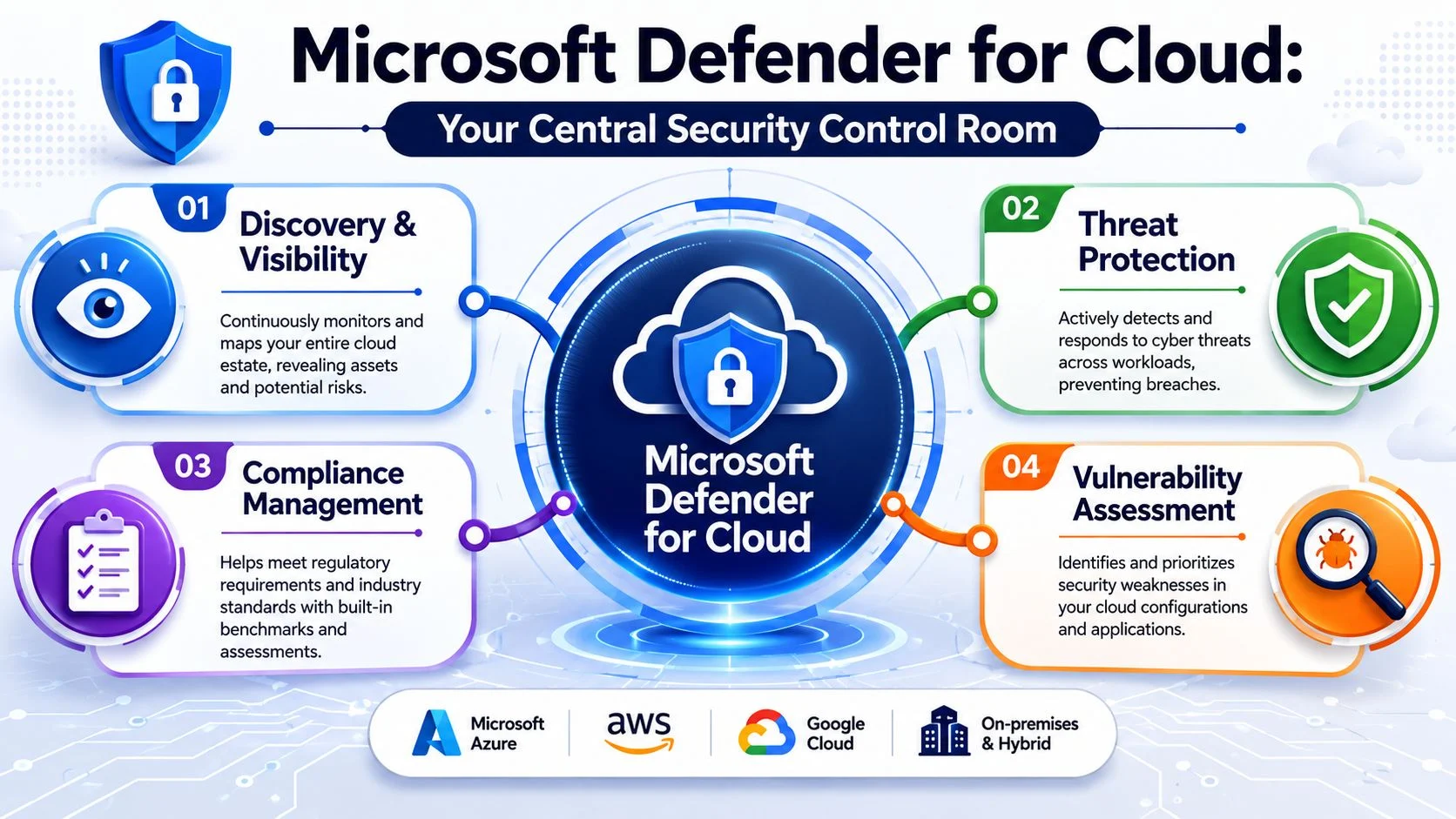
Microsoft Defender for Cloud is best understood as a central security control room for cloud environments. It gives you a single view across Azure, on-premises resources, and multicloud environments including AWS and Google Cloud, rather than forcing you to check each platform in isolation.
Microsoft positions it as a CNAPP, short for cloud-native application protection platform, with CSPM and CWPP capabilities. In simple terms, that means it does two jobs. First, it checks how your cloud is configured. Second, it helps protect the workloads running inside it. Microsoft’s introduction page also notes that foundational CSPM capabilities are free and advanced features have a 30-day free trial through Defender for Cloud’s pricing model in the official Microsoft Defender for Cloud introduction.
CSPM means checking the doors and windows
Cloud Security Posture Management, or CSPM, is the part that constantly checks your setup for mistakes and weak points. That can include things like overly broad permissions, exposed services, missing security settings, or resources that don’t meet recommended baselines.
For a small business owner, the practical value is straightforward. Instead of guessing where the problems are, you get a prioritised view of issues that need attention. That’s useful if your Azure environment has grown over time, multiple people have touched it, or your school or business has inherited a setup that no one has reviewed properly in years.
CWPP means protecting the assets inside
Cloud Workload Protection Platform, or CWPP, is the part focused on what’s running in the cloud. That includes servers, containers, storage, databases, and app services. If CSPM is checking whether the building is secure, CWPP is protecting the important rooms and equipment inside it.
This matters when your business runs line-of-business apps on cloud servers, stores sensitive data in managed databases, or uses cloud storage for documents and backups. In those environments, posture management alone isn’t enough. You also need visibility into threats affecting the workloads themselves.
Defender for Cloud isn’t just an alert feed. Used properly, it becomes a working list of what to fix first and what to watch closely.
For organisations already moving infrastructure into Azure or running mixed environments, cloud security usually works best when it’s tied into wider planning around infrastructure and cloud services, not treated as a separate bolt-on after deployment.
Key Features and Benefits for Your Organisation
The reason many businesses look at Defender for Cloud isn’t because they want another dashboard. It’s because they’re already dealing with fragmented visibility, unclear risk, and too many moving parts. Good cloud security tools should reduce guesswork. They should help you identify what matters, not bury you in noise.
A clearer view of what needs fixing
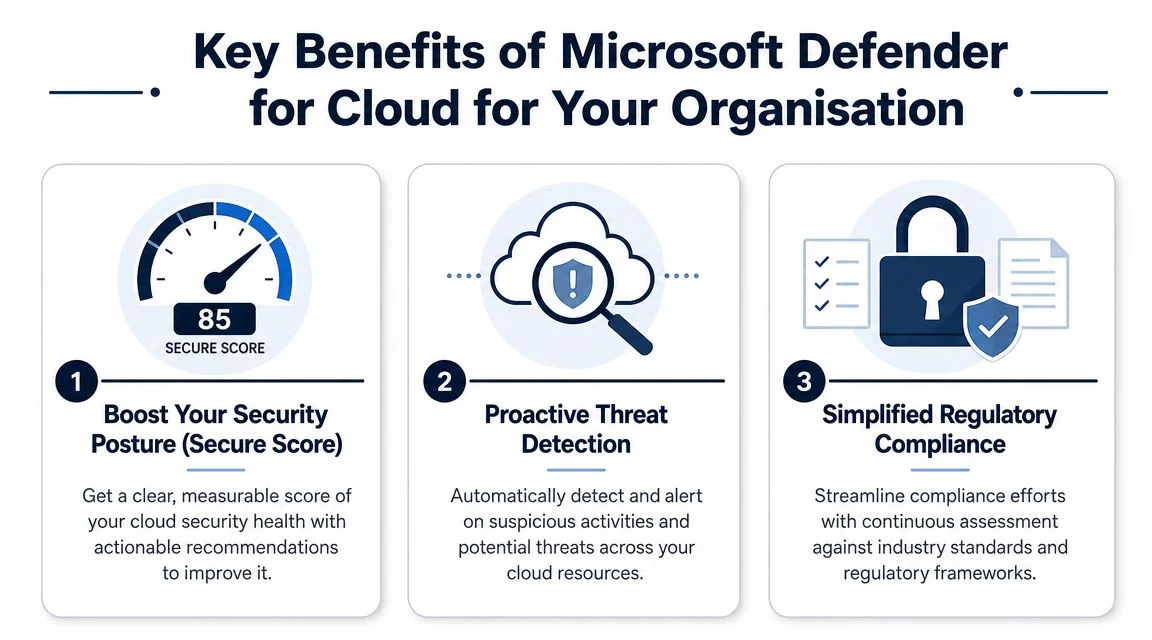
One of the practical strengths of Defender for Cloud is that it gives you structured recommendations rather than forcing you to inspect every cloud service manually. For time-poor teams, that matters. Most small businesses don’t have a full-time cloud security specialist, and most schools don’t have spare internal capacity to review every control in depth.
That visibility is often the difference between “we think things are okay” and “we know which settings need attention this week”.
Better protection for real workloads
Defender for Cloud is designed to cover a wide range of workloads, including servers, containers, storage, databases, and app services. That matters because cloud risk usually sits inside those workloads, not in abstract architecture diagrams.
If you host a finance database, a school application, or a customer-facing app in the cloud, those resources become part of your risk profile. The platform helps you monitor them from one place rather than relying on disconnected tools and manual checks.
Support for compliance and governance
Many organisations don’t buy security platforms because they enjoy compliance. They buy them because they need evidence, consistency, and a way to keep cloud environments aligned with expected standards.
Defender for Cloud can help with that kind of posture tracking. It won’t replace policy, documentation, or human review, but it can make ongoing compliance work more manageable, especially when cloud environments change regularly.
Local relevance for Australian deployments
For Australian organisations with data residency needs, Microsoft documents Azure regions in Australia including Australia East and Australia Southeast, which means Defender for Cloud can be applied to resources hosted in those local regions as described in Microsoft’s documentation for Defender for Cloud and Australian Azure regions. That’s useful for businesses and schools that want cloud security aligned with in-country infrastructure patterns.
A few practical benefits stand out:
- Less blind spot risk: You can assess cloud resources without jumping between multiple admin portals all day.
- More useful prioritisation: Teams can focus on the biggest gaps first rather than chasing every warning equally.
- Stronger operational context: Cloud resources, settings, and workloads can be viewed together, which helps during reviews and investigations.
- Better fit for regulated environments: It supports organisations that need to think carefully about governance, handling of sensitive information, and operational accountability.
If your concern is broader device security rather than cloud infrastructure, it also helps to understand what endpoint security is before deciding which Microsoft security product belongs in your stack.
When to Get Help With Your Cloud Security
Cloud security usually becomes a problem at the point where a business realises it cannot tell the difference between a minor recommendation and a real exposure. That is the moment to get help. For many Australian SMBs and schools, the issue is not access to tools. It is having enough time and cloud-specific judgment to configure them properly, review them regularly, and decide what needs action.

I see this regularly with small internal IT teams. They are already handling users, devices, Microsoft 365, backups, printers, vendors, and day-to-day support. Adding Azure security reviews, workload protection settings, and cloud misconfiguration follow-up on top of that can be unrealistic.
Get advice if any of these situations apply:
- You can see alerts, but you cannot prioritise them: A warning about a low-risk setting should not distract your team from an exposed server, risky internet access rule, or missing protection on a critical workload.
- Your cloud environment has grown beyond a simple setup: One subscription can be manageable. Several subscriptions, test environments, third-party integrations, or mixed Azure and Microsoft 365 services usually need more structured oversight.
- You are relying on endpoint protection to cover cloud risk: Microsoft Defender for Business helps protect laptops, desktops, and user devices. It does not replace cloud posture management for servers, storage, databases, and Azure resources.
- No one clearly owns the cloud security decisions: Shared responsibility often leaves important settings untouched because each person assumes someone else has checked them.
- You are heading into an audit, cyber insurance review, or customer security questionnaire: It is much easier to defend your setup when someone has reviewed the environment and tied security actions back to business risk.
- Your team keeps postponing cloud security work: That usually means the risk is being carried unaddressed rather than managed properly.
A second opinion is often cheaper than cleaning up a preventable incident.
That does not always mean a fully managed service. Sometimes the right answer is a one-off review, a configuration cleanup, or help deciding whether Defender for Cloud is even necessary for your environment. For a business with only user devices and Microsoft 365, endpoint-focused protection may be enough. For a school running servers, identity services, or Azure-hosted workloads, cloud security usually deserves closer attention.
If you are weighing DIY against outside support, it helps to understand what managed security services for small businesses typically include and where they save time, reduce guesswork, and close gaps that internal teams miss.
A Checklist Do You Really Need Defender for Cloud
The simplest way to answer “What is Microsoft Defender for Cloud and does your business need it?” is to stop thinking in product names and start thinking in scenarios. Defender for Cloud is useful when you need cloud visibility, posture management, and workload protection. It’s less useful when your main risk sits on user devices and basic SaaS accounts.

Use this decision checklist
| Scenario | You Should Consider Defender for Cloud If… |
|---|---|
| You run servers in Azure, AWS, or Google Cloud | those servers support important operations, store business data, or would cause serious disruption if compromised |
| You use cloud databases or storage | the data is sensitive, business-critical, or subject to stricter handling expectations |
| You have more than one cloud environment | your team lacks a single place to review posture and risk across them |
| You need better governance | you want a structured way to identify and prioritise cloud misconfigurations |
| You only want to protect laptops and user devices | you may need endpoint-focused tooling instead of a broader cloud platform |
| You’re working towards security frameworks | cloud posture management would support the controls and reviews you already need to maintain |
Cost is where many SMBs hesitate
This hesitation is reasonable. Microsoft’s positioning makes Defender for Cloud sound broad because it is broad. The practical pricing question is more specific: which part do you need?
Microsoft states that foundational posture management is free, while advanced workload protection is priced per resource, which is why SMBs need to weigh value carefully against more focused tools like Microsoft Defender for Cloud for business security planning. In plain English, you can start by using it to understand your cloud posture, but costs increase when you begin protecting multiple workloads in a deeper way.
Defender for Cloud or Defender for Business
This is the comparison that causes the most confusion.
- Choose Defender for Cloud if you need to secure cloud infrastructure, hosted workloads, cloud configurations, and multicloud environments.
- Choose Defender for Business if your immediate concern is staff laptops, PCs, and endpoint protection for a smaller business setup.
- Use both when your business has meaningful cloud infrastructure and also needs strong device protection.
For businesses reviewing broader security maturity, ACSC Essential 8 guidance for small business can help frame the bigger picture around controls, priorities, and where cloud posture fits.
Decision shortcut: If your biggest operational risk lives in Azure resources, cloud servers, hosted databases, or cloud storage, Defender for Cloud is likely worth serious attention. If your biggest risk lives on staff devices, start with endpoint security.
Defender for Cloud vs Other Security Tools
Defender for Cloud fits a specific layer of the security stack. That’s why it often gets misunderstood. It doesn’t replace every other security product, and it doesn’t need to. Its value is strongest when you know exactly what layer you’re trying to protect.
Defender for Cloud versus Defender for Business
The cleanest comparison is this:
Defender for Cloud protects cloud resources and workloads.
Defender for Business protects endpoints used by staff.
If a staff member clicks a malicious link on a laptop, that’s endpoint territory. If an Azure virtual machine is misconfigured, if a storage service is exposed too broadly, or if cloud workloads need better monitoring, that’s where Defender for Cloud enters the conversation.
A business with no meaningful cloud infrastructure can easily overbuy if it jumps straight into cloud security tooling. On the other hand, a business with hosted apps, cloud servers, and customer data in Azure can under-protect itself if it assumes endpoint security covers everything.
Defender for Cloud versus standalone third-party tools
Third-party cloud security tools can be effective, especially in highly mixed or specialised environments. Some teams prefer them because they want a platform-agnostic approach or already use a broader non-Microsoft security stack.
For Microsoft-heavy environments, Defender for Cloud’s main practical advantage is integration. Azure, Microsoft security tooling, and cloud governance often work more smoothly when visibility and policy sit closer together. The trade-off is complexity. Breadth is useful, but breadth also means configuration decisions, alert tuning, and operational follow-through.
Compliance support is useful, but management still matters
Microsoft positions Defender for Cloud as helping organisations stay compliant from code to runtime, and that’s helpful. It can support businesses mapping cloud controls to internal standards and common frameworks. But it won’t magically satisfy Australian obligations on its own.
Microsoft’s release notes also reflect that the platform is evolving quickly, including deeper multicloud support and additional automated protections, which raises a practical question for smaller organisations about whether they have the time and skill to manage the operational overhead well using Microsoft Defender for Cloud release notes and platform updates. That’s especially relevant if you’re trying to align with expectations such as the Essential Eight or supplier security reviews.
One practical approach is to separate the work into three parts:
- Assessment: identify what cloud assets exist and where the risk sits.
- Implementation: enable the right protections without turning on everything blindly.
- Management: review, tune, and respond over time so the platform stays useful.
That’s where managed IT and security partners can be helpful. One option businesses often consider is working with a provider such as Tbourke Solutions to assess the cloud estate, configure Defender for Cloud properly, and handle ongoing review as part of a broader managed security model.
How Tbourke Solutions Can Help You Get Started
A lot of wasted security spend starts with the wrong tool being switched on for the wrong reason. I see this with Australian small businesses and schools that hear “cloud security” and assume they need every Defender product Microsoft offers, even when their real gap is device protection, email security, or identity controls.
Tbourke Solutions helps clients sort that out before money is committed. The first question is practical. Are you running cloud workloads that need posture management and workload protection, or are you mainly protecting staff laptops, Microsoft 365, and user accounts? If it is the second case, Microsoft Defender for Business or a broader Microsoft 365 security setup may be the better fit. If you rely on Azure servers, storage, databases, or a growing mix of cloud services, Defender for Cloud starts to make a lot more sense.
The starting point is usually a review of what you use today. That includes cloud services, admin access, sensitive data, existing Microsoft licensing, and the security tools already in place. For a school, the priority may be protecting student data and keeping administration simple for a small IT team. For a business with line-of-business systems in Azure, the focus is often reducing exposure without creating alert fatigue or adding cost where the risk is low.
Setup decisions matter. Defender for Cloud can be helpful, but only if it is scoped properly, tuned to the environment, and matched to the workloads that matter. Turning on plans without a clear reason is how smaller organisations end up paying for features they rarely use.
Ongoing management matters just as much. Cloud environments change subtly. New resources get deployed, permissions accumulate, and recommendations pile up until nobody is sure what needs action first. A managed approach helps keep the platform useful instead of becoming another dashboard that gets ignored.
If you want a clear answer on whether Defender for Cloud is necessary, overkill, or only part of the answer, Tbourke Solutions can assess your current setup and give direct advice based on your environment, budget, and risk. The goal is not to sell more security than you need. The goal is to help you choose the right level of protection and set it up properly the first time.
Frequently Asked Questions
Is Microsoft Defender for Cloud the same as Microsoft Defender Antivirus
No. Microsoft Defender Antivirus focuses on endpoint protection for devices. Defender for Cloud focuses on cloud security posture and protection for cloud workloads such as servers, storage, containers, and databases.
Does Defender for Cloud only work with Azure
No. Microsoft positions Defender for Cloud as a multicloud platform that can assess and protect resources across Azure, AWS, and Google Cloud from a single console.
Is the free version enough for a small business
It can be a good starting point if your goal is visibility into cloud posture and misconfigurations. It may not be enough if you need deeper workload protection for servers, databases, storage, or other higher-value cloud assets.
How does pricing work
The basic posture layer is available without charge, while advanced protection is tied to the resources you choose to protect. In practice, that means your cost depends on what workloads you run and how much coverage you need.
Is Defender for Cloud overkill for some businesses
Yes. If your business doesn’t run cloud infrastructure and mainly needs protection for staff laptops, email, and identity, a product aimed at endpoints may be more appropriate. Defender for Cloud becomes much more relevant once you rely on hosted workloads or need centralised cloud visibility.
Can it help with Australian compliance needs
It can help support cloud governance and posture reviews, but it doesn’t replace policy, staff processes, or compliance advice. Australian businesses still need to consider how controls map to their obligations and whether they have enough internal capability to manage the platform properly.
If you want practical advice on whether Microsoft Defender for Cloud fits your environment, Tbourke Solutions can help you assess your cloud setup, clarify the cost trade-offs, and decide whether you need cloud posture management, endpoint protection, or a mix of both.
Share This Story, Choose Your Platform!