To protect against cyber attacks, your business needs a defence that’s more like a fortress with multiple walls than a single locked door. It’s about weaving together strong passwords, multi-factor authentication, regular software updates, and practical employee training.
The goal isn’t just to install a tool; it’s to create a security-conscious culture where everyone, from the front desk to the back office, understands their role in safeguarding company data. This guide will walk you through the essential steps to build that defence.
TL;DR: Your Quick Guide to Cyber Protection
This guide provides a comprehensive roadmap for protecting your business from modern cyber threats. We cover the foundational steps like implementing Multi-Factor Authentication (MFA) and consistent software patching, as well as building a strong network perimeter with firewalls and endpoint protection. Crucially, we explain how to transform your team into a security asset through effective training and how to create an incident response plan to manage a breach. By layering these technical, human, and procedural defences, you can build a resilient security posture.
Understanding the Modern Cyber Threat Landscape
Before you can build a strong defence, you have to understand what you’re up against. The world of cyber threats has changed. It’s no longer just a problem for big corporations; small and medium-sized businesses right here in Australia are now prime targets. Attackers know that smaller organisations often have fewer resources dedicated to security, making them easier to breach.
The reality is that cybercrime is a booming industry. Australia has seen a dramatic spike in these incidents, with the Australian Cyber Security Centre (ACSC) receiving over 84,700 cybercrime reports in a single year.
That’s one every six minutes.
For small businesses, the financial fallout is devastating, with the average cost per incident climbing by 14% to $56,600 AUD. These aren’t just abstract numbers; they represent real businesses facing real crises.
The Most Common Threats Facing Your Business
It’s easy to get lost in technical jargon, but the attacks we see most often are surprisingly straightforward. They usually rely on simple human error rather than some Hollywood-style hack.
Here are the big three you need to watch out for:
- Phishing: This is, by far, the most common threat. Attackers send deceptive emails that look like they’re from a legitimate source—think a bank, a supplier, or even a colleague. The goal is to trick you or your staff into revealing sensitive information like passwords or credit card numbers.
- Ransomware: Imagine coming into work one morning to find all your critical business files locked and encrypted, with a digital note demanding a hefty payment to get them back. That’s ransomware. It can bring your entire operation to a complete standstill in minutes.
- Business Email Compromise (BEC): This one is particularly sneaky. A criminal gains access to a business email account and impersonates the owner to defraud the company, its employees, or its partners. This could be as simple as sending a fraudulent invoice to one of your best clients from an email address they trust.
To protect against cyber attacks, businesses must adopt a multi-layered defence. The most effective strategies combine essential technical safeguards, consistent team training, and a clear plan for what to do if an incident occurs.
Quick Guide to Cyber Attack Protection
| Layer of Defense | Key Action | Why It’s Essential |
|---|---|---|
| Technical Safeguards | Implement MFA, firewalls, and endpoint protection. Keep software patched. | These tools create the first barrier, blocking automated attacks and known threats before they reach your team. |
| Human Layer | Conduct regular, practical security awareness training for all staff. | An informed employee is your best defence against phishing and social engineering, turning a potential weakness into a strength. |
| Process & Planning | Develop and test a clear Incident Response Plan. Back up data regularly. | When an attack happens, a good plan minimises panic and damage, allowing for a faster, more organised recovery. |
By combining these layers, you create a robust security posture that is far more resilient than relying on a single solution.
The common thread among these attacks is deception. Cybercriminals are experts at social engineering—manipulating human psychology to bypass even the best technical security measures. This is why employee awareness is just as crucial as any software you install.
Understanding these threats is the first step. Some attacks, like those we break down in our guide on what a Zero Day Exploit is, are incredibly sophisticated and require a proactive security mindset. By recognising the risks, you can better appreciate the importance of the protective measures we’re about to cover.
Building Your First Line of Defense
Okay, now that we’ve covered the common threats, it’s time to get practical. The best way to protect your business isn’t about splashing out on the most expensive software you can find. It’s about building a solid foundation of good security habits and essential tools.
These are your non-negotiables—the simple, high-impact actions that give you the biggest security bang for your buck.
Think of it like securing your home. Long before you install a fancy alarm system, you make sure the doors are locked and the windows are shut. These digital fundamentals are your locked doors, stopping the vast majority of opportunistic attackers dead in their tracks.
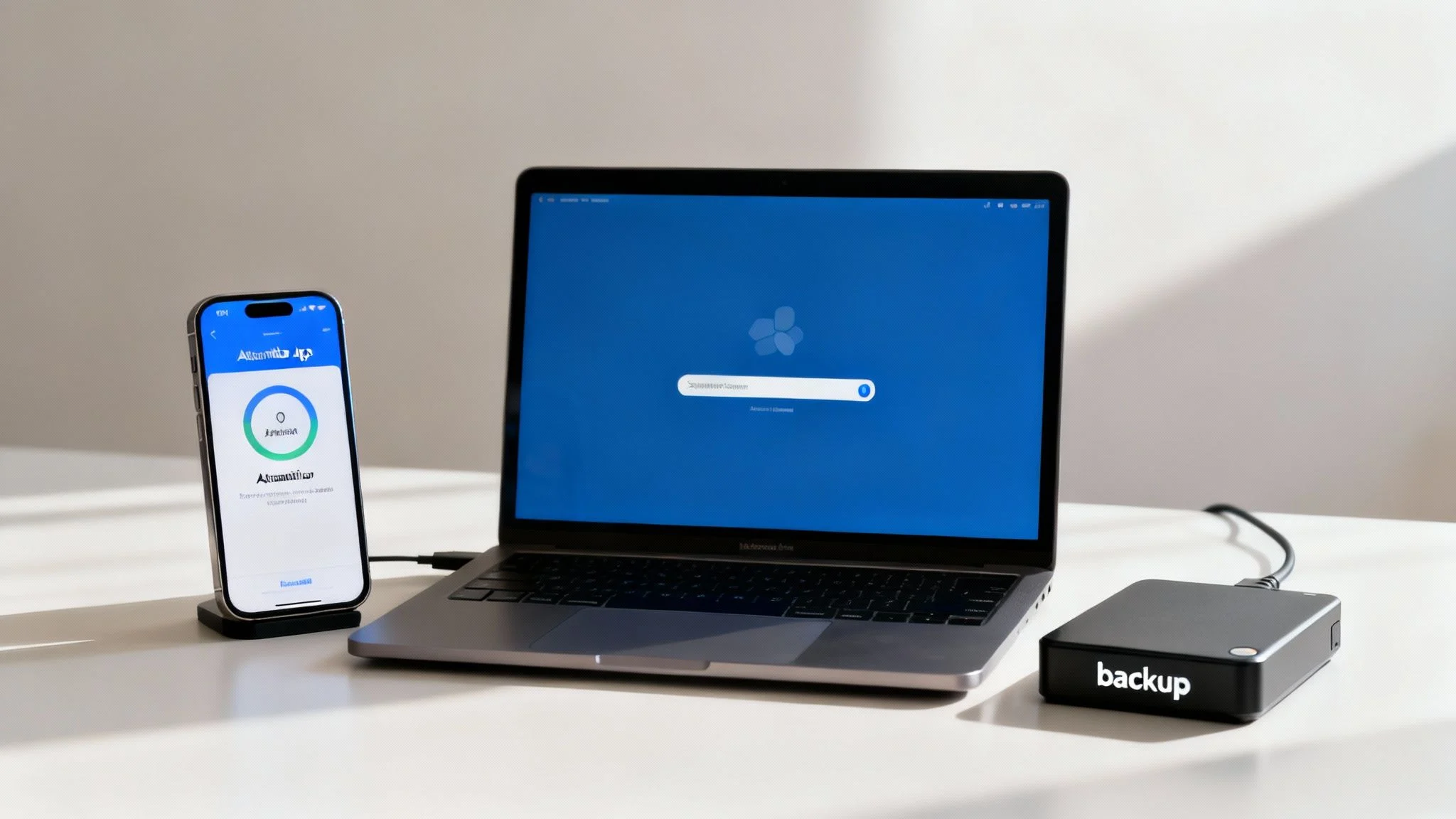
Implement Multi-Factor Authentication Everywhere
If you only do one thing from this entire guide, make it this.
Multi-Factor Authentication (MFA), sometimes called two-factor authentication (2FA), is a simple but incredibly powerful barrier against password theft. It just means you need a second piece of proof to log in—like a code from your phone or a fingerprint scan—in addition to your password.
Even if a cybercriminal manages to steal your password, they can’t get into your account without that second factor. It’s like a thief having your house key but still needing to get past a security guard at the gate.
You should switch on MFA for every important service you use, especially:
- Email Accounts: Your main email is often the master key to resetting every other password you have.
- Banking and Financial Apps: This is an absolute must-have for protecting your finances.
- Cloud Storage: Services like Google Drive or Dropbox are full of sensitive business data.
- Social Media and Admin Panels: Any account that represents your business needs this protection.
Stay on Top of Software Updates and Patching
Software vulnerabilities are the unlocked windows of your digital office. Cybercriminals are constantly looking for these weaknesses to sneak into your systems. The good news is that software companies are always releasing updates, or patches, to fix these security holes as they find them.
Ignoring these updates is one of the most common—and dangerous—mistakes a business can make. You need to get into a routine. Set aside time each week to check for and apply patches for your operating systems (like Windows or macOS), web browsers, and any other crucial business software.
A consistent patching schedule closes security gaps before attackers can exploit them. An unpatched system is an open invitation for malware and ransomware, turning a preventable issue into a major business disruption.
Many of these practices are in line with official government recommendations. To get a deeper understanding of these foundational controls, it’s worth learning more about the Australian Cyber Security Centre’s Essential 8 framework, which outlines the key strategies to mitigate cyber threats.
To make this easier, here’s a simple checklist you can follow to keep your basic security hygiene in top shape.
Cybersecurity Hygiene Checklist for Your Business
| Security Practice | Why It’s Critical | Recommended Frequency |
|---|---|---|
| Apply Software Patches | Closes security holes that hackers actively exploit. | Weekly for critical systems; monthly for others. |
| Verify Data Backups | Ensures you can recover from ransomware or hardware failure. | Weekly test restores; daily automated backups. |
| Enable MFA on All Accounts | Prevents unauthorised access even if a password is stolen. | Implement immediately; audit quarterly. |
| Review User Access | Removes access for ex-employees and limits data exposure. | Quarterly and upon employee departure. |
| Update Antivirus/Antimalware | Protects against the latest viruses, spyware, and threats. | Daily (automated signature updates). |
Following this checklist is a great starting point for building a resilient security posture. It’s about consistency, not complexity.
Master the 3-2-1 Backup Strategy
No matter how strong your defences are, you have to be ready for the worst-case scenario. A reliable data backup is your ultimate safety net. It’s what ensures you can get back on your feet after a ransomware attack, hardware failure, or even a fire without losing everything.
The gold standard here is the 3-2-1 rule. It’s a straightforward and highly effective strategy for making sure your data is safe and recoverable.
- Three Copies: Keep three copies of your important data—the original file on your computer, plus at least two backups.
- Two Different Media Types: Store your backups on at least two different types of storage. For example, one backup could be on an external hard drive and the other in the cloud.
- One Off-Site: Make sure at least one of these backup copies is kept in a separate physical location. If your office is affected by a flood or fire, your off-site backup will be perfectly safe.
For a small business in Hillside, this might look like having your live data on your office server, one backup on a portable drive stored securely on-site, and a second backup syncing to a cloud service. This layered approach is your ticket to restoring operations quickly and minimising costly downtime.
Securing Your Digital Perimeter
Once you’ve nailed the foundational security habits, it’s time to build the walls. Think of your business network like your physical office—you wouldn’t leave the doors unlocked, would you? You need strong walls and controlled entry points to keep unwanted visitors out.
This “digital perimeter” covers everything from your office Wi-Fi to every single laptop, server, or mobile phone that connects to it. Protecting it is more than just installing software; it’s about setting clear rules and using the right tools to shrink the ‘attack surface’ available to criminals.
Your Firewall: The Digital Gatekeeper
Your firewall is the front door security for your network. It acts as a digital gatekeeper, watching all the traffic coming in and going out, and deciding what to allow and what to block based on a set of rules you define. A properly configured firewall is your first and best line of defence.
For a small business, this doesn’t need to be some impossibly complex setup. The key is to only permit traffic that is absolutely essential for your operations. For example, if you don’t host any public-facing services from your office, you can set your firewall to block all uninvited incoming connections. Just like that, you’ve slammed the door on a massive avenue for attack.
Moving Beyond Antivirus to True Endpoint Protection
For years, traditional antivirus was good enough. It worked like a security guard with a photo album of known criminals, checking every file to see if it matched a known threat. The problem is, modern threats are masters of disguise and can easily waltz past this outdated method.
This is where Endpoint Detection and Response (EDR), often called next-gen endpoint protection, changes the game. Think of an EDR solution as a security guard who actively monitors behaviour. It isn’t just looking for familiar faces; it’s watching for suspicious actions on any device (the “endpoint”).
Let’s say a common program like Microsoft Word suddenly tries to encrypt all your files or access sensitive system areas—classic signs of a ransomware attack. An EDR solution spots that bizarre behaviour and shuts it down instantly, stopping a brand-new threat that a traditional antivirus would have completely missed.
Traditional antivirus is reactive; it looks for known threats. Modern endpoint protection is proactive; it hunts for malicious behaviour and stops attacks before they cause real damage. For any serious defence, EDR is the only way to go.
Creating Secure Zones on Your Network
Not all devices on your network should be treated equally. A simple but incredibly effective strategy is to create separate Wi-Fi networks for different uses. This tactic, known as network segmentation, acts like putting bulkheads in a ship—if one area floods, the breach is contained.
At a minimum, you should have two distinct networks:
- A Private Network: This is strictly for trusted company devices. It connects to your critical systems, servers, and sensitive data. Access is on a need-to-know basis only.
- A Guest Network: This is for visitors, customer devices, and any personal employee phones or tablets. It should provide internet access but be completely walled off from your private business network.
This separation means a compromised device on the guest Wi-Fi can’t be used as a stepping stone to attack your core business systems. If you want to dive deeper, our guide to network segmentation walks you through the specifics of setting this up for your business.
Finally, put a clear device usage policy in place. This document should spell out which devices are allowed on the private network and what’s required of them—like having endpoint protection installed and being fully patched. By controlling every entry point and monitoring activity, you build a resilient perimeter that’s much, much harder to break.
Turning Your Team Into a Security Asset
Your technology is only one part of your defence. Firewalls, antivirus software, and secure networks are essential, but they don’t account for the most unpredictable element in your business—your people. The single most common way cybercriminals break through is by exploiting simple human error, making your team the true front line of your cybersecurity.
This isn’t about blame; it’s about opportunity. By moving beyond dull slideshows and creating a culture of security awareness, you can transform your greatest potential vulnerability into your most powerful defensive asset. An informed and vigilant team is better than any piece of software at spotting the subtle red flags of an attack.
Beyond Box-Ticking Training Sessions
Effective security training isn’t a one-off event; it’s an ongoing conversation. The goal is to make cybersecurity a natural part of everyone’s daily routine, not a chore to be completed once a year. Your training sessions need to be engaging, practical, and directly relevant to the threats your team faces every day.
Focus on real-world scenarios instead of abstract rules. Show them what a modern phishing email actually looks like, warts and all. Use examples from recent Australian scams that have been in the news.
When your team can connect the training to something tangible, the lessons are far more likely to stick. The objective is to build security reflexes, not just memorise policies.
Mastering the Art of Spotting Phishing Emails
Phishing attacks are no longer plagued by the obvious spelling mistakes and poor grammar of the past. Today’s criminals use sophisticated tactics to create incredibly convincing fakes. In fact, phishing remains one of Australia’s most persistent cybersecurity challenges, with a notable increase in employees clicking on malicious links. The rise of artificial intelligence has empowered attackers to craft near-perfect counterfeit emails and websites impersonating trusted institutions, making staff awareness more critical than ever.
To protect against these cyber attacks, teach your team to become healthy sceptics. Here are the key red flags to train them on:
- A Sense of Urgency: Look for emails that demand immediate action, like “Your account will be suspended unless you click here NOW.” This is a classic tactic to make people panic and act before thinking.
- Suspicious Senders: Train them to hover over the sender’s name to reveal the true email address. An email claiming to be from “Microsoft” but sent from an address like
[email protected]is a dead giveaway. - Unusual Requests: Be wary of any email that asks for sensitive information, requests a change in payment details, or contains unexpected instructions, even if it appears to come from a senior colleague. Encourage staff to verify such requests through a different communication channel, like a phone call.
A critical part of this training is creating a no-blame environment. Employees must feel safe reporting a suspected phishing email or even admitting they clicked on a link. Punishing mistakes only encourages people to hide them, which is far more dangerous.
Building Strong Digital Habits
Beyond phishing, good training reinforces other essential security habits that protect your business both inside and outside the office.
A crucial topic is the danger of using public Wi-Fi. Explain that these unsecured networks in cafes and airports are hunting grounds for criminals who can easily intercept data. Your team should never handle sensitive work information on public Wi-Fi without using a trusted VPN (Virtual Private Network).
Another pillar is password security. Discourage the use of weak, reused passwords and introduce the team to a password manager. These tools generate and store complex, unique passwords for every service, meaning staff only need to remember one master password. This single change dramatically reduces the risk of a credential-stuffing attack, where a breach at one service leads to criminals accessing many others. For a structured approach to building these skills, explore our specialised cybersecurity awareness training programs designed for businesses in the Melbourne area.
Creating Your Incident Response Plan
Even with the best defences in place, you have to be ready for the possibility of a breach. When an attack happens, panic is your worst enemy. A clear, well-rehearsed Incident Response Plan (IRP) is what separates a manageable event from a full-blown business catastrophe.
For a small business, this plan doesn’t need to be a hundred-page document. It just needs to be an actionable checklist that tells your team exactly what to do and who to call the moment a cyber incident is suspected. The goal is to regain control, stop the attack from spreading, and minimise the damage as quickly as possible.
First Moves When You Suspect a Breach
The first hour of a breach is the most critical. Your actions here will dictate the severity of the outcome. The immediate priority is to contain the threat and prevent further damage.
This isn’t the time for guesswork. Your plan should clearly outline these initial steps:
- Isolate Affected Systems: The first step is to stop the bleeding. Disconnect the compromised computers or servers from the network. This might mean unplugging the network cable or disabling the Wi-Fi. This simple action prevents malware, like ransomware, from spreading to other machines on your network.
- Do Not Turn Off Devices: It’s tempting to shut everything down in a panic, but this can destroy crucial evidence stored in temporary memory. This evidence is vital for understanding how the attacker got in and what they did, which helps security pros track them down and secure your network later.
- Change Key Passwords: Immediately change passwords for all administrator accounts and any other critical user accounts you suspect might be compromised. Start with the most important ones: email, servers, and financial systems.
This infographic provides a quick decision tree for one of the most common ways attacks begin—a suspicious email.
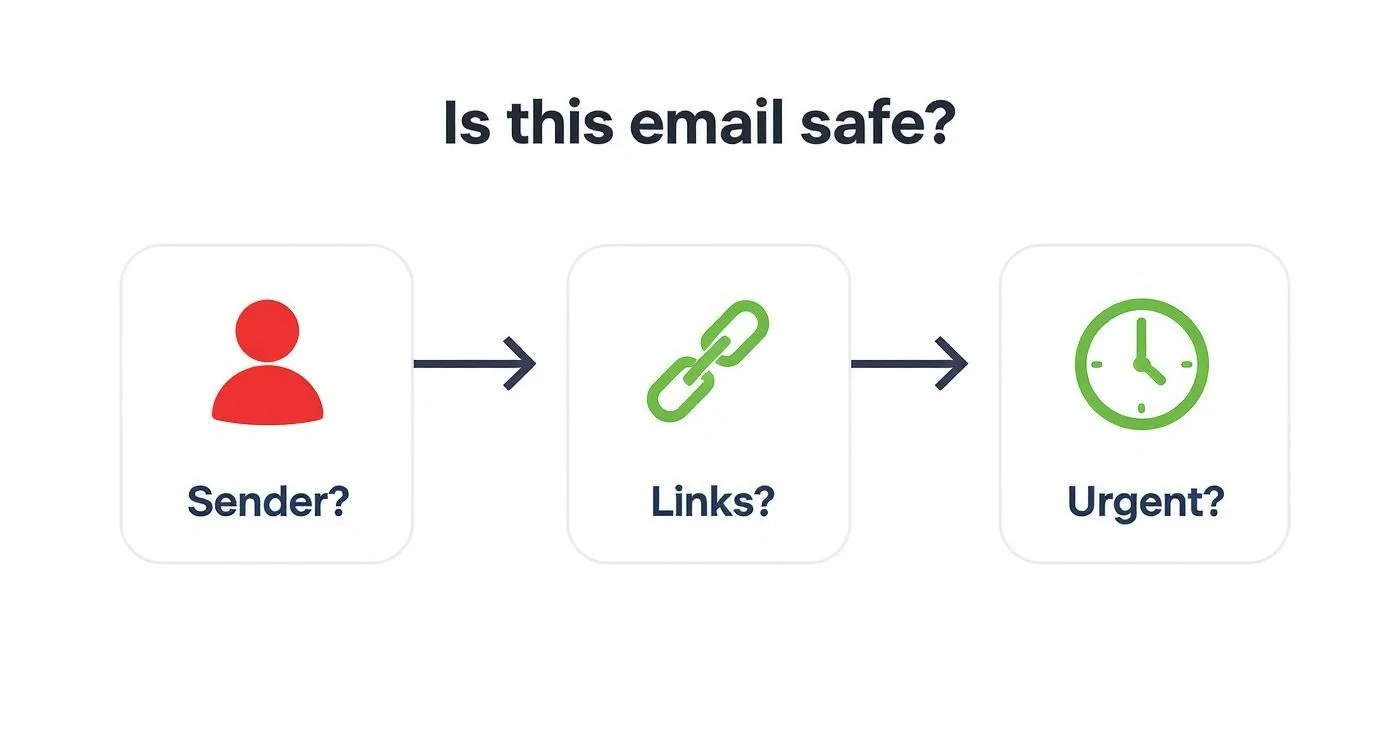
This visual guide is a great reminder to question the sender’s identity, scrutinise links, and be wary of urgent demands before you click or reply to any email.
Document Everything and Preserve Evidence
As you work to contain the incident, documenting every single step is essential. This record isn’t just for your own review later; it’s critical for any formal investigation, insurance claim, or regulatory reporting that might follow.
Create a timeline of events. Note down when you first discovered the incident, which systems were affected, and every action you took to contain it. Take screenshots of suspicious messages or logs if you can. Preserving this digital evidence helps security professionals piece together the attack and strengthens your defences for the future.
Your incident response plan should act as a calm, logical guide in a chaotic situation. It removes the need for panicked decision-making and ensures a consistent, effective reaction every time.
A strong IRP is a core component of business continuity. For more guidance on building resilience, you can explore some practical disaster recovery plan examples that show how different businesses prepare for interruptions.
Understanding Australian Reporting Duties
For businesses here in Australia, a significant data breach may trigger legal reporting obligations under the Notifiable Data Breaches (NDB) scheme. This scheme, managed by the Office of the Australian Information Commissioner (OAIC), requires organisations to notify affected individuals and the OAIC when a data breach is likely to result in serious harm.
In simple terms, if personal information your business holds—like names, addresses, or financial details—is compromised, and it could put those people at real risk, you must report it. Your incident response plan should include a step to assess whether a breach meets this threshold and outline the process for notification. Knowing your responsibilities beforehand saves critical time and ensures you remain compliant during an already stressful period.
Common Questions About Cyber Protection
Navigating the world of cybersecurity can feel like a minefield, especially when you’re flat out running a business. We get it. Here are some of the most common questions we hear from business owners in and around Melbourne, with clear, straightforward answers.
Our goal is to cut through the jargon around how to protect against cyber attacks and give you the confidence to take the right next steps.
What is the single most important security step I can take?
Without a shadow of a doubt, it’s switching on Multi-Factor Authentication (MFA) for every important account you have. Passwords get stolen, leaked, and cracked all the time—it’s just a fact of modern life. MFA acts as a powerful second lock on your digital door. Even if a criminal gets their hands on your password, they can’t get in because they don’t have that second proof of identity (like a code from your phone). It stops them cold, making it the highest-impact security measure you can roll out today.
How much should a small business budget for cybersecurity?
There’s no magic number here, as it really depends on your business’s size, what industry you’re in, and the kind of data you handle. The best way to approach it is to stop thinking of it as a cost and start seeing it as an investment in business continuity—just like your public liability insurance. A practical way to start is by covering the fundamentals like a good password manager and managed endpoint protection, setting aside a small amount for annual employee training, and bringing in an expert for a security audit to create a cost-effective roadmap.
Isn’t my antivirus software enough to protect me?
Unfortunately, not anymore. Traditional antivirus software is reactive; it works by matching files against a list of known, previously identified threats. The problem is that modern malware, especially sophisticated ransomware and zero-day attacks, is designed to look brand new and completely unrecognisable, allowing it to walk right past outdated antivirus protection. This is why modern Endpoint Detection and Response (EDR) is so critical, as it proactively watches for suspicious behaviour and can stop attacks based on what they do, not just what they look like.
How Tbourke Solutions Can Help
Going through the steps in this guide is a massive leap forward in protecting your business and puts you ahead of the pack. But the reality is that cyber threats don’t stand still, and for most business owners, juggling security on top of everything else is a significant challenge. This is where bringing in a dedicated partner makes all the difference—it’s about getting genuine peace of mind and freeing you up to focus on growing your business.
At Tbourke Solutions, we act as your expert security team. We specialise in making robust cybersecurity simple and accessible for businesses. We handle the complex, time-consuming work of proactive threat monitoring, managing next-gen endpoint protection, and delivering staff training that actually sticks. We build a security plan that fits your specific operations, budget, and real-world risks.
If you’re ready to move from uncertainty to a clear, actionable security plan, we’re here to help. Reach out and submit a query on our contact page for a no-obligation consultation to discuss your needs.
Share This Story, Choose Your Platform!