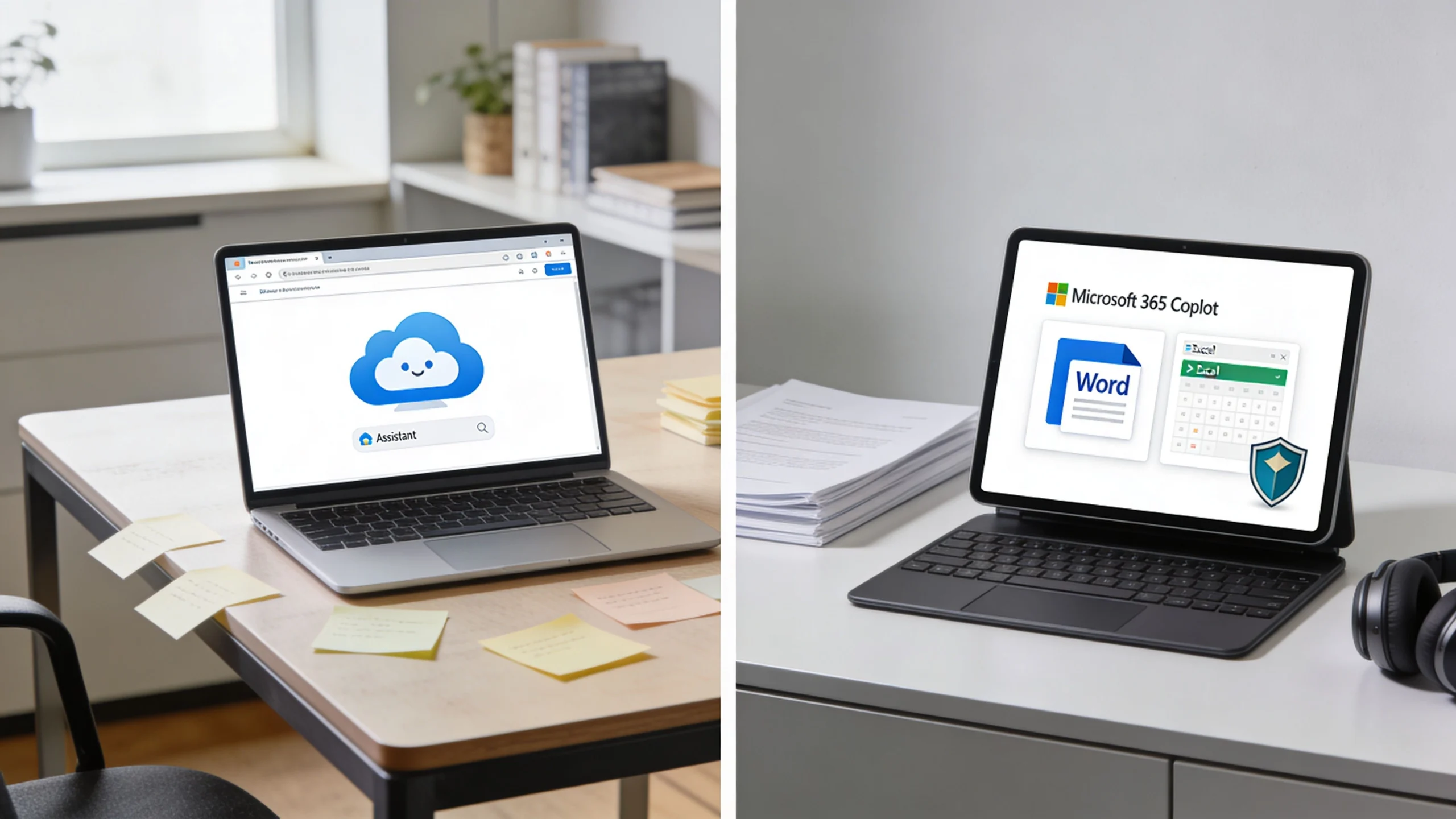
You’ve probably had this conversation already. Someone on your team says, “We should use Microsoft Copilot,” and five minutes later everyone realises they’re talking about different products.
One person means the free AI chat at Microsoft’s website. Another means the paid Copilot built into Word, Excel, Outlook, and Teams. Someone else assumes it’s all the same thing with a different price tag. It isn’t. For Australian businesses, schools, and sole traders, the difference matters because it affects security, compliance, and whether the tool helps you do work or just gives you a clever answer in a browser tab.
If you’re trying to work out what is microsoft copilot for microsoft 365 vs free copilot, the short answer is simple. The free version is fine for public, low-risk tasks. The paid Microsoft 365 version is the one you use when your staff need AI inside the tools they already work in, using your files, your emails, your meetings, and your tenant controls.
If you want a broader overview of Microsoft’s Copilot options before deciding, this Microsoft Copilot guide from Tbourke Solutions is a useful starting point.
Introduction
A small business owner in Melbourne usually doesn’t ask, “What is Microsoft Graph and how does tenant isolation work?” They ask practical questions.
Can it draft my emails?
Can it summarise meetings?
Can my staff use it without leaking client information?
And why is one version free while the other costs money?
Those are the right questions.
The confusion comes from Microsoft using the word Copilot across multiple products. That branding makes the free version sound like a trial of the paid version. It’s not. They overlap in name and general AI capability, but they serve different jobs. One is a general-purpose assistant that works with public web data. The other is a business tool wired into your Microsoft 365 environment.
For Australian organisations, that gap gets bigger once you factor in the Privacy Act 1988, school data, staff records, finance files, and internal emails. If your business handles sensitive information, the decision is less about novelty and more about governance. AI is useful. Uncontrolled AI is a liability.
TLDR A Quick Guide to the Copilot Choice
Start with the risk, not the branding.
Free Copilot suits low-risk work. Use it for brainstorming, summarising public information, drafting generic copy, or testing ideas that do not involve client records, staff data, school information, or internal documents. It is the cheaper option because it is not built to work inside your organisation’s Microsoft 365 data.
Microsoft Copilot for Microsoft 365 is the business option. Microsoft lists it at AUD $51 per user per month on its published pricing page, and it also requires an eligible Microsoft 365 subscription. That extra spend pays for access inside your Microsoft 365 environment across apps such as Word, Excel, Outlook, and Teams, with your existing permissions and controls applied.
For most Australian SMBs and schools, the decision is straightforward.
If your staff need AI to work with internal emails, files, meetings, spreadsheets, or calendars, choose Microsoft Copilot for Microsoft 365. If your use case is public web research and rough first drafts only, Free Copilot is enough.
A simple rule works here. Free Copilot is a public assistant. Copilot for Microsoft 365 is an internal staff tool. If the job touches sensitive information or falls under the Privacy Act, paying for the right version is usually cheaper than cleaning up a data handling mistake later.
Understanding the Fundamental Copilot Difference
A staff member pastes a client email thread into the wrong AI tool. That single shortcut can create a privacy problem, an internal policy breach, and a cleanup job that costs far more than the monthly licence fee.
The difference is simple. One tool works mainly with public web information. The other works inside your Microsoft 365 environment, under your existing permissions.

Public internet versus your business brain
Free Copilot works well for public research, generic writing, brainstorming, and rough drafts. It suits tasks where the prompt contains nothing sensitive and the answer does not rely on your organisation’s own data.
Copilot for Microsoft 365 works like an internal assistant with a security pass. It can use your emails, files, calendar, chats, meetings, and documents inside Microsoft 365, based on the access each user already has. That changes the quality of the output because the AI has business context, not just internet context.
A small business owner sees this quickly. Free Copilot can help draft a marketing post about EOFY sales. Copilot for Microsoft 365 can summarise last week’s customer emails, pull actions from a Teams meeting, and draft a reply in the right tone using the actual background your staff already have.
Practical rule: If the answer depends on your organisation’s files, use Copilot for Microsoft 365.
Why Microsoft Graph matters
Microsoft Graph is the connection layer behind Microsoft 365. It links Outlook, Teams, Word, Excel, OneDrive, and SharePoint so Copilot for Microsoft 365 can work across the tools your staff already use every day.
That matters for Australian SMBs and schools, since security, compliance, and cost all meet in this context. If your staff need AI for quotes, parent communications, HR emails, student administration, internal reports, or board papers, context and control matter more than a free entry point. The AU Privacy Act does not care whether a data handling mistake started with curiosity or convenience.
This is also where many buyers get distracted by Microsoft’s marketing. A chat window can look similar in a demo. The business result is very different. One option helps with general questions. The other can support actual operational work inside your tenant, with auditing, identity, permissions, and admin settings attached.
If you want a useful non-Microsoft way to frame the distinction, this article on AI Agents vs. Chatbots explains the gap between a general conversational tool and a system connected to business processes and data.
For most organisations, that is the line that matters. Choose the tool based on where the data lives, who can access it, and what a mistake would cost.
Copilot vs Copilot for M365 A Detailed Feature Comparison
If your staff are using AI to help with real work, the wrong Copilot choice creates two problems fast. You either pay for features nobody uses, or you expose business information in ways that are hard to control later.
Here’s the comparison that matters for Australian SMBs and schools.
| Area | Free Copilot | Copilot for Microsoft 365 |
|---|---|---|
| Cost | No cost | Approx. AUD $51 per user per month with a qualifying Microsoft 365 plan |
| Data source | Public web data | Your Microsoft 365 data and context |
| App integration | Browser-based general use | Built into Word, Excel, Outlook, Teams and other Microsoft 365 workflows |
| Best for | Personal use, brainstorming, public research | Business operations, secure internal work, team productivity |
| Security posture | Poor fit for sensitive business content | Built for business controls and tenant-based access |
| Admin control | Minimal organisational governance | Managed through Microsoft 365 administration and policy settings |
Security and privacy
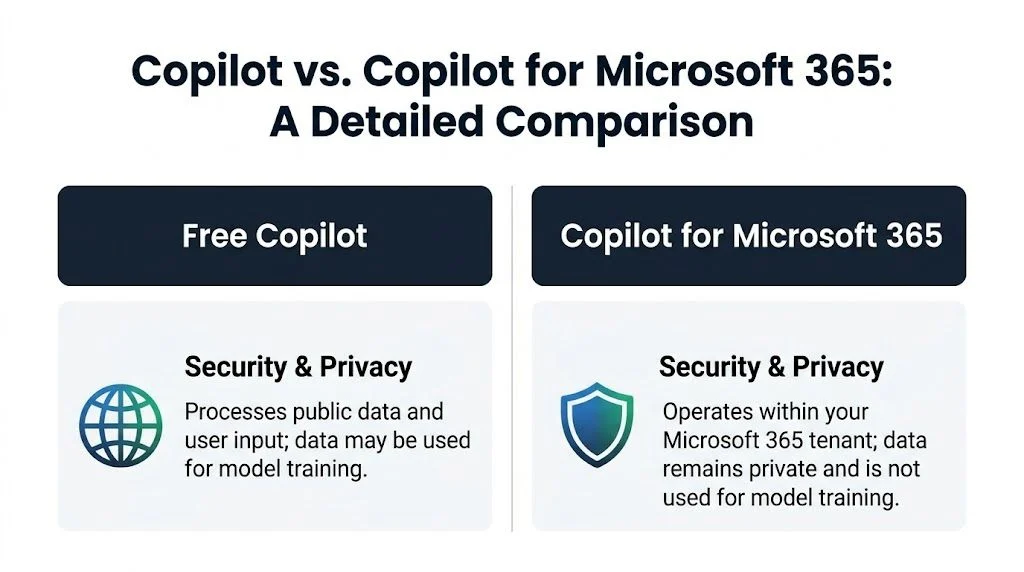
Security is the first filter. If you handle client records, payroll, student information, board papers, or internal pricing, free Copilot should stay out of that workflow.
Free Copilot suits generic prompts, public research, and rough drafting that does not involve sensitive business context. It is a poor choice for operational content covered by privacy obligations. For Australian organisations, that includes information you are expected to protect under the Privacy Act, school policies, contracts, and internal governance rules.
Copilot for Microsoft 365 works inside your tenant and follows existing permissions. Staff can only get results from content they already have access to in Microsoft 365. That gives you a controllable boundary for AI use. It also makes auditing, policy settings, and user management far more practical than letting staff paste work data into public tools.
Application integration
At this point, the daily productivity difference becomes obvious.
Free Copilot sits off to the side. Staff ask a question, copy the answer, then paste it into Word, Outlook, Excel, or Teams. That extra handling sounds minor, but it adds friction, loses context, and encourages inconsistent work habits.
Copilot for Microsoft 365 is built into the apps your team already uses. It can draft emails in Outlook, summarise meetings in Teams, help shape documents in Word, and assist with analysis in Excel. For a business owner, that matters because admin time is expensive. If a paid tool removes repeated writing, summarising, and searching inside the apps your staff live in all day, the value is real.
The quality of the result still depends on the quality of your Microsoft 365 environment. Messy folders, unclear permissions, and poorly structured document libraries lead to weaker answers. A well-organised SharePoint environment for document management and collaboration makes Copilot for Microsoft 365 far more useful.
Cost and licensing
Free Copilot has no licence cost. That makes it attractive for individuals and very small teams testing basic AI use.
Copilot for Microsoft 365 is a paid business add-on. The licence cost is the obvious line item, but it is not the full cost. You also need the right Microsoft 365 plan, sensible permissions, clean file locations, user training, and someone to govern rollout properly. Ignore those pieces and you pay for a premium tool while staff get average results.
Small businesses should judge the spend against labour savings and risk reduction. If your team only wants help with public web questions, the free version is enough. If they need help writing from internal documents, summarising tenant data, or working faster across Microsoft 365, the paid version is the one worth evaluating.
Admin controls and rollout
Free Copilot is mostly an individual user decision. That is exactly why it becomes messy in business. One staff member uses it carefully, another pastes in confidential content, and nobody has a clear policy.
Copilot for Microsoft 365 is an organisational deployment. You assign licences, review permissions, configure policies, train staff, and decide where it should and should not be used. That sounds heavier because it is. It is also the only sensible way to introduce AI into a business or school that cares about privacy, consistency, and support overhead.
The practical recommendation is simple. Use free Copilot for low-risk, general-purpose tasks. Use Copilot for Microsoft 365 when the work involves your organisation’s data, your Microsoft 365 apps, and your compliance obligations.
When to Ask for Help With Your Copilot Strategy
A school business manager turns on Copilot for a few staff, a director starts pasting client notes into free AI tools, and nobody has checked who can access the shared folders in Microsoft 365. That is usually the moment an AI trial stops being a tech experiment and becomes a governance problem.
If your organisation is subject to the AU Privacy Act, handles student records, stores payroll data, or works with confidential client files, get advice before you scale Copilot use. The fundamental risk is rarely the prompt itself. It is poor permissions, unmanaged data sprawl, unclear staff rules, and a rollout that costs more to clean up than it did to start.
Signs you should bring in outside help
Get help early if any of these apply:
- Staff are already using AI at work without a clear policy. That creates privacy, records, and support issues fast.
- Your Microsoft 365 setup is untidy. Old SharePoint sites, broad access rights, and messy Teams files will carry straight into Copilot results.
- You need a business case, not just a demo. Small businesses and schools need to know whether the gains will justify licences, setup, training, and ongoing support.
- You have compliance obligations. Schools, healthcare providers, NDIS operators, accountants, and legal firms need tighter controls and clearer audit trails.
- You are considering custom agents or automations. That can be worthwhile, but only after the core Microsoft 365 environment is secure and well organised.
Here is the plain-English rule. If you would not let a junior staff member wander through every filing cabinet in the office, do not roll out Copilot before checking your permissions model.
That is why readiness work matters more than clever prompting. A good adviser will review data access, decide where Copilot is appropriate, identify low-risk pilot groups, and stop you paying for premium AI on top of a messy tenant. For many SMBs, that is the difference between a useful rollout and an expensive distraction.
If you are not sure who should help, start with a practical guide to what managed service providers do for Australian businesses. Then assess your Copilot plan against three things only. Security, productivity, and total cost of ownership. If the rollout does not stand up on all three, fix the foundation first.
Real World Copilot Scenarios for Your Business or School
Monday morning. You have missed a Teams meeting, a parent email needs to go out, and someone wants AI to “just sort it out”. The right Copilot choice depends on one thing. Whether the job needs access to your organisation’s Microsoft 365 data, or only public information.

A small business owner who missed a Teams meeting
You were on site. The meeting happened without you. Now you need the decisions, action items, open risks, and the follow-up email.
Use Copilot for Microsoft 365.
The paid version works inside Teams, Outlook, Word, and your other Microsoft 365 apps. It can pull the meeting discussion into a useful summary and turn that into next steps without forcing you to copy content into a public tool. For an Australian SMB, that matters for two reasons. Staff time is expensive, and loose handling of client information creates risk under the Privacy Act.
Free Copilot can help draft a generic follow-up. It cannot work from your tenant data in the same practical way.
A school administrator handling enrolments and parent communication
A school office often has student details in Excel, draft notices in Word, and context buried in Outlook and Teams. Staff do not need flashy AI. They need help turning internal information into a clear, accurate message without retyping the same material three times.
Paid Copilot fits that job because the work stays within the Microsoft 365 environment your school already uses. That is the safer option for student records, staff records, and internal correspondence.
Here is the simple rule. If the task touches personal information about students, families, or staff, keep it inside your managed Microsoft 365 environment. Free Copilot is the wrong tool for that work.
A sole trader writing marketing copy
A sole trader building service pages, FAQs, blog ideas, or social captions usually has a simpler decision. If the task is based on public information and your own notes, start with free Copilot.
That keeps costs down.
For many micro-businesses, the free version is enough for first drafts, brainstorming, and quick editing. You do not need a premium licence to write a better LinkedIn post or tidy up website copy. Buy Copilot for Microsoft 365 only when the work starts depending on your emails, files, meetings, and business records.
A family or home user organising everyday tasks
Free Copilot suits home use as well. Homework research, meal planning, holiday ideas, gift lists, and household admin are all reasonable uses.
Keep private records out of it. Do not paste in passport details, Medicare information, finance documents, or anything else you would not hand to an unknown website form.
A specialised team with workflow-specific AI needs
General-purpose AI is useful, but specialised tools can be better when the workflow is narrow and high-value. Healthcare is a good example. A tool like HCP Engagement Co Pilot is built for a specific engagement process, not generic office work.
That is the broader lesson for SMBs and schools. Buy the tool that matches the job. Use free Copilot for low-risk public content. Use Copilot for Microsoft 365 when staff need help with your real business data, your real school records, and your actual day-to-day work.
How Tbourke Solutions Deploys Copilot Securely
Buying Copilot without fixing your Microsoft 365 setup first is like installing a faster engine in a ute with faulty brakes. You will get results faster, but you will also expose problems faster.

We start with risk, access, and data hygiene
For Australian SMBs and schools, the first job is checking what Copilot could already see if it were switched on today. That means reviewing your Microsoft 365 licensing, file permissions, SharePoint and OneDrive structure, Teams access, Exchange data, and the condition of your security controls.
Copilot follows the rules already in your tenant. If a staff member can open a folder they should not have, Copilot can surface that content in seconds. The AI did not create the problem. Poor access control did.
We also check whether your environment lines up with your privacy obligations. If your organisation handles student records, HR files, finance data, health information, or client documents, your rollout needs to reflect the Privacy Act expectations around handling sensitive information properly.
Then we choose the right licence mix
A secure rollout does not mean buying a licence for everyone on day one. That is usually wasteful.
The better approach is to match licences to work that benefits from them. Admin staff handling meeting notes, inbox triage, and document drafting often see quick gains. Finance, leadership, and educators may benefit too, but only after permissions and review steps are cleaned up. Some teams should stay on low-risk public AI use until there is a business case for more.
That keeps total cost of ownership under control. You spend money where Copilot saves real time, reduces manual work, or improves consistency.
Deployment is configuration, policy, and user boundaries
Turning Copilot on is the easy part. Setting it up properly is where the value is won or lost.
We configure the environment, align it with your existing security policies, and set clear rules for use. Staff need to know what they can paste into prompts, which tasks need human checking, and where Copilot fits into everyday work. Schools need extra care here, especially around student data and staff records. Small businesses need the same discipline for payroll, contracts, customer files, and internal commercial information.
Copilot is only as trustworthy as the Microsoft 365 tenant underneath it. That is why our deployment approach follows the same security-first discipline used in managed Microsoft 365 security services for business.
Businesses adopting Copilot often require managed IT services in Melbourne to ensure proper configuration, security, and ongoing support.
Training is what turns licences into usable output
Licences alone do not improve productivity. Staff need practical examples they can use in their own role, not generic demo prompts from Microsoft marketing.
A proper rollout includes:
- Role-based use cases for admin teams, managers, finance staff, and educators
- Prompting rules that improve output without exposing sensitive information
- Review checkpoints so AI-generated work is checked before it is sent or filed
- Ongoing adjustment as your team finds what saves time and what creates risk
That is the difference between a controlled rollout and an expensive experiment.
Frequently Asked Copilot Questions
Is free Copilot safe for business use in Australia
For low-risk public tasks, yes. For sensitive business work, no.
A critical compliance issue for Australian organisations is that free Copilot, grounded in Bing, can risk cross-border data flows, which may not align with the Privacy Act 1988 for sensitive information. By contrast, Copilot for Microsoft 365 can be configured to use AU-East Azure data sovereignty, and an ACCC probe in 2025 found 30% of free AI tools risk breaching AU privacy laws versus 5% for enterprise-grade tools, as noted in this coverage of Australian AI compliance concerns via the referenced compliance discussion.
Does Microsoft use my business data to train the paid Copilot
For Copilot for Microsoft 365, the core point is that your organisation’s data stays within the business environment and isn’t treated like public prompt content. That’s one of the main reasons businesses choose it over free AI tools.
If you’re serious about protecting sensitive information, pair Copilot with governance controls such as Microsoft Purview Data Loss Prevention.
Can families use free Copilot safely
Yes, for normal household use. Homework help, general research, planning, and everyday writing are reasonable uses.
Still, don’t paste in identity documents, detailed financial records, medical information, or anything else highly sensitive. Families should treat it like a smart public tool, not a private vault.
We already have Microsoft 365. Do we automatically get the paid Copilot
No. Having Microsoft 365 doesn’t mean the paid Copilot licence is included.
The paid version is an additional licence and requires a qualifying Microsoft 365 plan. That’s why licence review matters before rollout.
Should a business ever use both free and paid Copilot
Yes, sometimes. A sensible model is to reserve paid Copilot for roles that need business context inside Microsoft 365, while allowing free Copilot only for clearly non-sensitive tasks.
That hybrid model works best when the boundaries are written down and staff know the difference.
If you want straight advice on whether your organisation should use free Copilot, Copilot for Microsoft 365, or a controlled mix of both, Tbourke Solutions can help you assess licensing, security, Microsoft 365 readiness, and rollout planning.
For many businesses, Copilot is just one part of a broader Microsoft 365 environment that needs to be properly secured, managed, and maintained over time. That’s why organisations often rely on managed IT services in Melbourne to ensure new technologies like Copilot are implemented safely and supported long-term.
Learn more about our managed IT services in Melbourne and how we support businesses with Microsoft 365, security, and ongoing IT management.
For specific guidance, you can also submit an enquiry through our contact page.
Share This Story, Choose Your Platform!