
It usually starts with a small annoyance. A staff member can’t print. Shared files open slowly. Backups are “probably fine”. Then one Tuesday morning, email stalls, the server drops out, and half the office stands around waiting for someone to fix it. If your business or school in Melbourne still relies on break-fix IT support, that scenario isn’t bad luck. It’s the model working exactly as designed.
That’s why Melbourne businesses are replacing break-fix IT support. The old approach waits for failure, bills by the hour, and leaves too much to chance. In a city where SMBs, schools, clinics, and professional firms depend on stable systems every day, reactive IT has become an expensive habit.
The Ticking Clock of Traditional IT Support
At 9:30 AM, your team should be answering customers, processing invoices, teaching classes, handling enrolments, or finishing project work. Instead, they’re asking the same question: “Has anyone heard back from IT yet?”
That’s the break-fix model in one sentence. You wait until something breaks, then you start the clock. No prevention. No continuous oversight. No one checking whether warning signs were already there last week.
For Melbourne operators, this isn’t just frustrating. It’s wasteful. The Owl reports that each hour of unmanaged IT downtime costs Australian businesses an average of $1,250 due to lost productivity and customer churn, while 74% of Melbourne SMBs using break-fix report unplanned major failures annually. If you’ve had recurring outages, flaky Wi-Fi, failing backups, or systems that grind to a halt at the worst time, you’re already paying the price.
TLDR Why you need to move on from break-fix
TLDR: Melbourne businesses are moving away from break-fix IT because it’s unpredictable, expensive, and weak on security. Reactive support means you pay after the disruption has already damaged productivity, service quality, and often customer trust. A proactive managed IT model gives you a predictable monthly cost, ongoing maintenance, and far fewer nasty surprises. For most SMBs and schools, that’s the smarter operational decision.
Why this matters more in Melbourne
Melbourne businesses don’t have much tolerance for downtime. A legal practice can’t lose document access for half a day. A school can’t run classes smoothly if devices, printers, or cloud platforms fail. A healthcare or finance business can’t shrug off patching delays and say they’ll fix it later.
Break-fix support made more sense when systems were simpler. That world is gone. Now you’re managing Microsoft 365, cloud storage, staff laptops, mobile devices, line-of-business software, cybersecurity tools, internet links, backups, and compliance obligations all at once. Waiting for something to fail before taking action is like maintaining a school bus fleet by only calling the mechanic after a breakdown on the freeway.
What Is Break-Fix IT Support Really Costing You
Break-fix sounds cheap because there’s no monthly commitment. That’s the trap.
It works like hiring an emergency plumber every time a pipe bursts instead of paying someone to inspect the building, maintain the pressure, and replace weak fittings before they fail. You only see the invoice for the repair. You don’t see the cost of the flood until later.
In IT, those hidden costs stack up fast. In Australia, the average hourly rate for Break-Fix IT support ranges from $150 to $250 per hour, with a single server failure event typically requiring 8 to 16 hours to resolve, resulting in labour costs between $1,200 and $4,000 per incident. That’s just labour. It doesn’t include the stalled work, delayed service, or the time your staff spend waiting.
You’re paying for failure
A break-fix provider earns money when things go wrong. That incentive matters.
If a workstation keeps crashing every few months, a reactive provider gets called every few months. If a server is overdue for replacement, that problem can keep generating billable hours. The model doesn’t reward prevention. It rewards recurring incidents.
The invoice never shows the full damage
The line items on a break-fix bill can look manageable in isolation. One urgent call-out. A few hours of troubleshooting. A replacement part. But the true cost sits outside the invoice:
- Staff disruption: your people stop doing the work you pay them to do
- Management distraction: someone from leadership gets dragged into chasing updates
- Customer impact: delays become visible to clients, parents, students, or suppliers
- Repeat problems: the same unresolved issue keeps resurfacing because nobody owns the environment long term
Practical rule: If your IT support only becomes visible when something has already failed, you don’t have an IT strategy. You have an emergency response plan.
Budgeting gets harder, not easier
Most business owners think break-fix protects cash flow because there’s no retainer. In practice, it makes budgeting harder. You can’t plan around random outages, mystery faults, or aged equipment finally giving up under load.
That’s why proper planning matters. A structured IT budget planning guide from Tbourke Solutions is useful because it shifts the conversation from “What broke this month?” to “What should we fund to avoid disruption next quarter?” That’s a far better way to run a business, especially when your systems are central to teaching, service delivery, payroll, records, and communication.
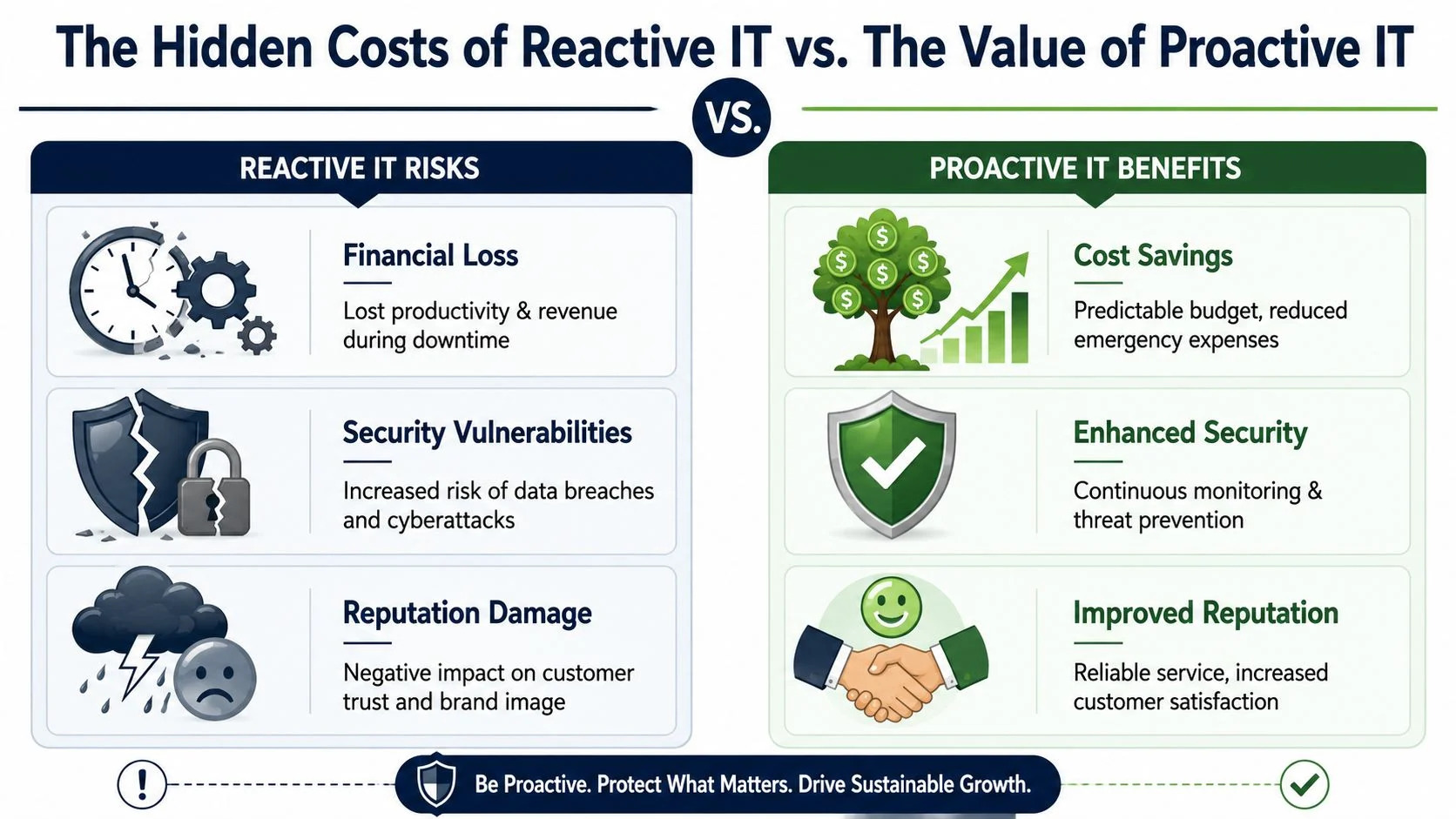
The Financial and Security Risks of Reactive IT
The biggest problem with break-fix isn’t the hourly rate. It’s the business exposure.
When systems fail, you don’t just lose access to a device or a file. You lose time, momentum, confidence, and often revenue. In larger environments, the stakes get extreme. Acctek notes that 90% of firms in the Australian market face hourly downtime costs exceeding $300,000 during IT failures, and 41% of enterprises report losses between $1 million and $5 million per hour. Even if your business is much smaller than that, the lesson is obvious. Downtime is expensive, and the wait-and-fix model invites it.
Security gaps don’t stay small
Reactive IT usually means patching happens late, monitoring is inconsistent, and backup checks are irregular. That leaves obvious openings for ransomware, credential theft, and data loss. If nobody is watching your environment day to day, small security issues can sit there until they become a major incident.
For Melbourne SMBs and schools, that risk is practical, not theoretical. A missed patch on one machine can become an entry point. A failed backup job can remain unnoticed until someone needs a restore. A staff member clicking the wrong email can turn into a broader compromise if there’s no layered protection around them.
If you want a plain-English breakdown of those defensive layers, this guide on how to protect against cyber attacks is a sensible starting point.
Compliance doesn’t work on a “we’ll deal with it later” basis
Schools, clinics, finance firms, and legal practices all handle sensitive information. Even smaller businesses now hold enough customer and staff data to create real obligations around access, retention, backup, and security hygiene.
That’s where break-fix falls apart. Compliance needs repeatable processes. Patch schedules. Access control. Monitoring. Backup verification. Device management. Documentation. Reactive support rarely delivers those consistently because it wasn’t built for that purpose.
A simple 12-month comparison
Here’s the practical difference for a 15-person business.
| Cost Factor | Break-Fix (Reactive) | Managed IT Services (Proactive) |
|---|---|---|
| Billing model | Hourly, variable | Fixed monthly fee |
| Support trigger | After something breaks | Ongoing monitoring and support |
| Budget predictability | Poor | Strong |
| Downtime exposure | Higher | Lower |
| Security posture | Inconsistent | Managed continuously |
| Planning | Minimal | Built into service |
| Team impact | Frequent interruptions | Fewer disruptions |
The question isn’t whether your business will pay for IT. It’s whether you’ll pay in planned monthly costs or in downtime, emergency call-outs, and security exposure.
When to Get Help With Your IT Support
It usually starts with a Monday problem that should not be a crisis. Payroll is delayed because staff cannot log in. A classroom loses internet before the first lesson. The office manager is on the phone to a technician asking whether the backup ran over the weekend. If that sounds familiar, you are already getting the signal.
Melbourne businesses and schools wait too long to act because they get used to limping along. People restart devices, tether to mobile data, save files locally, and avoid reporting recurring faults because they expect a temporary patch instead of a real fix. That behaviour hides risk. It also costs money in staff time, missed work, and avoidable stress.
Get help when IT problems stop being isolated and start becoming part of daily operations.
You need help if these signs are showing up
- The same fault keeps coming back: recurring outages, flaky Wi-Fi, login failures, and shared printer issues usually mean nobody owns the underlying cause.
- Your backups are a belief, not a verified process: if no one can confirm restore testing, backup success, retention, and who checks the reports, you have a real exposure.
- Security responsibility is unclear: if staff assume someone is watching alerts, approving patches, managing devices, and reviewing access, but no one can name that person, the gap is already there.
- Small decisions keep getting postponed: replacing old laptops, renewing firewalls, cleaning up Microsoft 365 access, and planning upgrades should not feel like risky one-off projects.
- You would struggle through an audit or insurance questionnaire: schools and regulated SMBs are being asked sharper questions about patching, MFA, backups, device control, and incident response. Guesswork does not survive that process.
This matters more in Melbourne than many owners realise. A small business in Bayside or a school in the eastern suburbs faces the same pressure as larger organisations when cyber insurers, boards, or leadership teams ask for proof. They do not want a verbal assurance that “the IT guy handles it.” They want records, ownership, and a clear process.
Looking outside your own office helps. This article from Beyond Surplus on Atlanta data security is useful because it shows a pattern seen in every market. Ordinary organisations become easy targets when maintenance slips, systems age, and nobody is watching consistently.
If your setup feels ad hoc, use this guide on signs your business has outgrown ad-hoc IT support to test it properly.
A simple rule works well here. If one outage, failed restore, or security scare would trigger leadership attention, parent complaints, missed revenue, or a scramble to answer compliance questions, bring in help before the next incident forces the decision for you.
The Modern Alternative Proactive Managed IT Services
Managed IT changes the relationship completely. Instead of paying someone to rush in after a failure, you pay for ongoing care designed to stop failures from happening in the first place.
That’s why this shift is happening. Businesses aren’t buying “support” anymore. They’re buying continuity, security, and predictability.
What proactive service actually includes
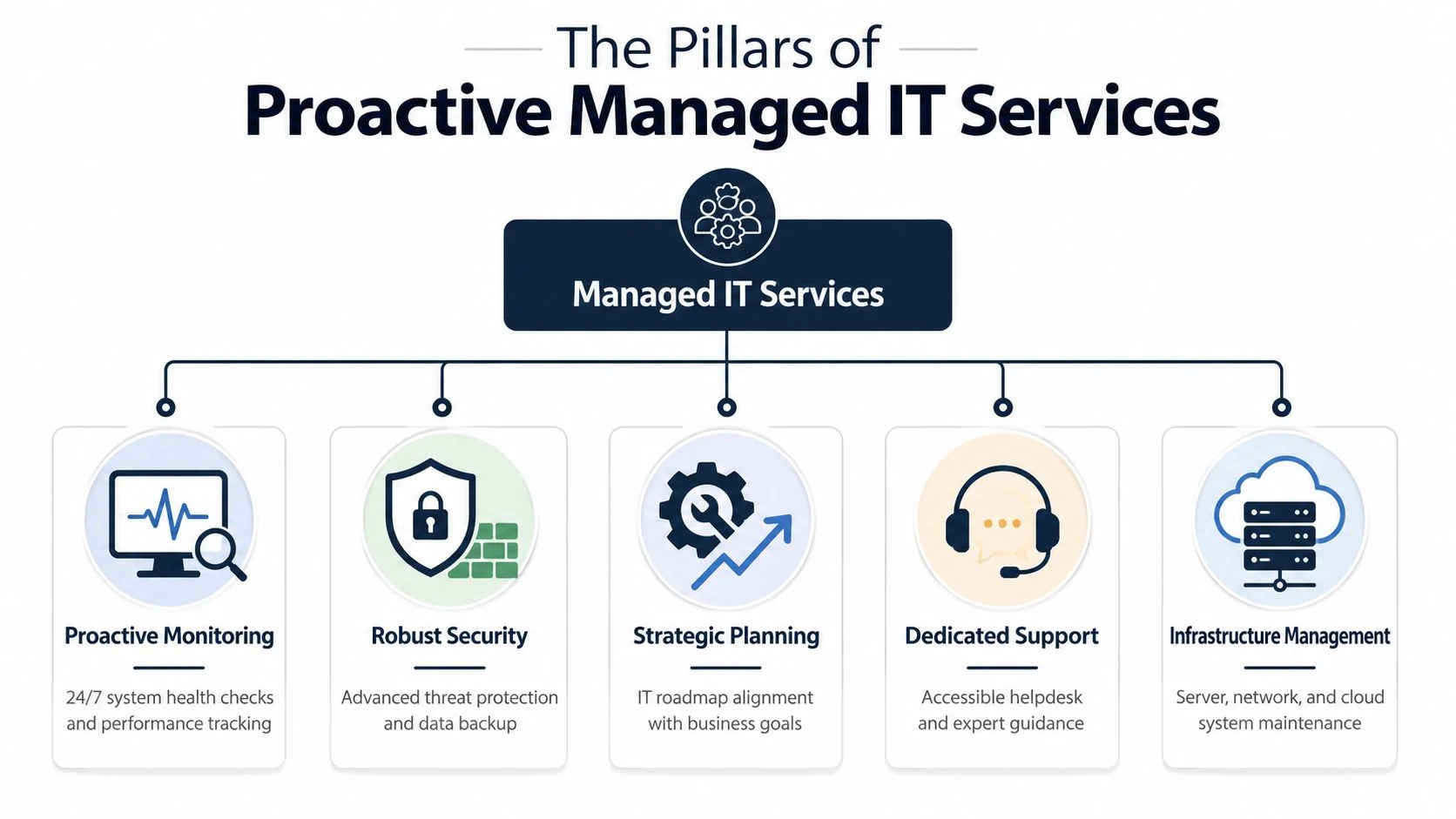
A proper managed service usually covers the foundations that break-fix ignores:
- Monitoring: systems are watched continuously so warning signs are picked up early
- Patch management: updates are scheduled and applied instead of forgotten
- Helpdesk support: staff can raise issues before they become outages
- Security controls: antivirus, endpoint protection, firewall oversight, and user protection are managed as part of the service
- Backup oversight: backups aren’t just configured once and forgotten
1300 InTech states that break-fix support is fundamentally incompatible with modern cybersecurity requirements in Australia due to its reactive nature; it lacks continuous monitoring and patch management, leaving businesses vulnerable. That’s the key point. Modern environments need ongoing operational discipline, not occasional repairs.
The provider’s incentives finally line up with yours
This is the part many business owners miss. Under managed services, the provider benefits when your systems stay healthy. Fewer incidents means smoother service delivery. Under break-fix, incidents generate revenue.
That difference changes everything. It encourages standardisation, lifecycle planning, security baselines, cleaner documentation, and regular maintenance.
If you want another plain-language explanation of service scope, Premier Broadband has a useful overview of what are managed network services. It helps clarify how proactive support extends beyond just fixing desktops.
Why schools and SMBs benefit most
Schools and smaller businesses often don’t need a large internal IT department. They need dependable access to teaching tools, cloud systems, internet services, student or client records, and secure devices. Managed services fit that need well because they provide day-to-day operational coverage without forcing the organisation to recruit a full in-house team.
For a Melbourne option, Tbourke Solutions’ managed IT services overview outlines the kind of support model many local organisations are moving toward, including monitoring, maintenance, and cybersecurity as part of ongoing service rather than ad hoc call-outs.
How to Choose the Right Melbourne IT Partner
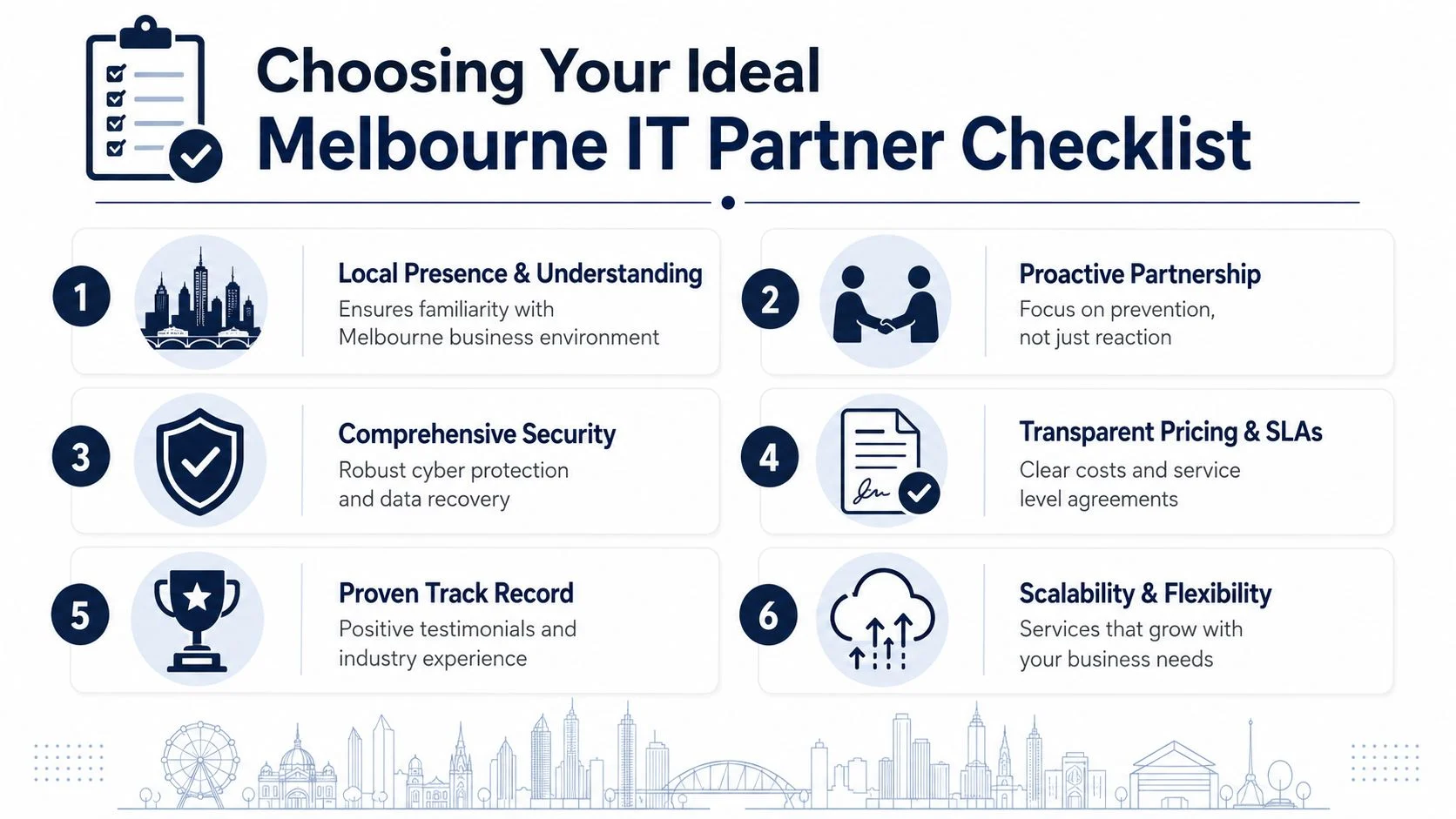
Once you’ve decided to move on from break-fix, the next mistake is choosing a provider the same way you’d choose a handyman. Cheapest hourly rate isn’t the right filter. You need a partner that can run the environment properly, communicate clearly, and support growth.
This is a practical buying decision. Treat it that way.
Start with pricing clarity
Projected pricing helps frame realistic expectations. Precision IT says that in 2026, Australian businesses should expect to invest between $100 and $350 per user per month for comprehensive Managed IT support, a figure that provides significant ROI compared to the high cost of downtime. That’s a broad range, and it should be. Security needs, support levels, cloud complexity, and compliance requirements vary.
What matters more than the headline number is what’s included.
Ask these questions directly:
- What’s covered in the monthly fee: helpdesk, monitoring, patching, backup checks, cybersecurity tools, onsite work?
- What still gets billed separately: projects, after-hours work, hardware installs, procurement?
- What are the response expectations: not vague promises, but clear service levels
- Who owns the roadmap: someone should advise on upgrades, renewals, and risk reduction
Check for local fit
Melbourne businesses and schools benefit from a provider that understands local conditions, can get onsite when needed, and has experience with organisations of a similar size. A legal office in the CBD, a school in the west, and a trades business in the north-west don’t all operate the same way.
Look for practical evidence, not sales language:
- Relevant experience: have they supported businesses or schools like yours?
- Communication style: do they explain issues in plain English?
- Operational maturity: can they document systems, standardise devices, and manage vendors?
- Security mindset: do they talk about backups, patching, endpoint security, and access controls as standard practice?
A good IT partner won’t hide behind jargon. They’ll explain what they do, what they don’t do, and what your risks look like if you delay action.
A vendor evaluation checklist like this guide to comparing IT outsourcing vendors can help you avoid choosing on gut feel alone.
Your Proactive IT Partner in Melbourne Tbourke Solutions
A school business manager in the western suburbs gets a ransomware scare on Monday. A trades office in the north-west loses access to shared files on Wednesday. A small legal practice in the CBD spends Friday chasing an internet dropout that stops staff from billing. In each case, the underlying problem is the same. IT was treated as a repair job instead of an operating function.
That is the gap Tbourke Solutions is trying to fill for Melbourne SMBs, sole traders, and schools. The company is based in Hillside and offers managed IT support, cybersecurity, cloud services, network and infrastructure support, consultancy, and web-related support. For organisations replacing break-fix, that matters because you need a provider that can handle day-to-day support and reduce the risks that create expensive interruptions in the first place.
The decision should come down to accountability and cost control. Melbourne businesses are dealing with tight margins, cyber insurance questions, vendor sprawl, and staff who cannot sit idle while systems fail. Schools face the same pressure, plus child safety, privacy, and continuity concerns. A provider with transparent pricing and a defined service structure is a better fit than ad hoc invoices every time something breaks.
A practical test is simple. Ask whether your current IT setup gives you a predictable monthly cost, clear ownership of recurring issues, documented systems, and someone actively reducing risk. If the answer is no, you are still funding downtime, staff frustration, and avoidable exposure.
Tbourke Solutions is one local option for organisations that want that shift handled properly. The value is not flashy technology. It is fewer interruptions, clearer accountability, and an IT environment that supports the business instead of repeatedly disrupting it.
Frequently Asked Questions
Is break-fix ever still suitable
Only for organisations with very little to lose from downtime. That usually means a tiny operation with a handful of devices, no meaningful compliance burden, and no pressure to keep staff or students productive every hour of the day.
For most Melbourne SMBs and schools, that description does not fit. If your team depends on Microsoft 365, shared files, Wi-Fi, cloud apps, student records, finance systems, or remote access, reactive support is a budgeting trap. You are choosing irregular invoices, slower recovery, and higher risk.
Will managed IT cost more than break-fix
In a quiet month, it can look that way. Over a year, break-fix often costs more because the true expense is not the invoice from the technician. It is lost staff time, delayed classes, interrupted customer service, failed updates, preventable security issues, and rushed after-hours work when something finally falls over.
Schools and small businesses should judge this on total cost, not ticket cost. If one outage stops ten staff for half a day, or locks teachers out of systems before first period, the financial hit is already larger than many owners expect.
Do small schools and family-run businesses really need proactive IT
Yes. Smaller organisations usually have less redundancy, fewer internal technical skills, and less room in the budget for mistakes. One failed backup, one phishing incident, or one internet outage can disrupt the entire operation.
That is why proactive support matters more, not less, at the smaller end of the market.
What should I ask before switching providers
Ask direct questions and expect direct answers:
- What is included in the monthly fee, and what triggers extra charges?
- How are backups checked, and who reviews the results?
- What cybersecurity controls are standard?
- How quickly do you respond to common issues?
- Do you document systems, vendors, passwords, and recovery steps?
- Who is responsible for recurring problems and long-term planning?
- How do you help with audit, insurance, and compliance requirements?
If the provider answers in generalities, keep looking. Vague support creates expensive surprises.
How do I know it’s time to move now
Move now if the same problems keep returning, staff have stopped trusting the systems, or leadership cannot get a clear answer on backups, patching, and security responsibility.
Do not wait for a serious incident to force the decision. In Melbourne, cyber insurance questions are getting tighter, privacy obligations are not getting lighter, and every avoidable outage costs real money.
If you want a provider that handles support with clearer accountability and a defined service model, Tbourke Solutions offers that option. The next step is simple. Compare your current annual break-fix spend, downtime cost, and compliance exposure against a fixed monthly service, then decide which model gives you better control.
Share This Story, Choose Your Platform!