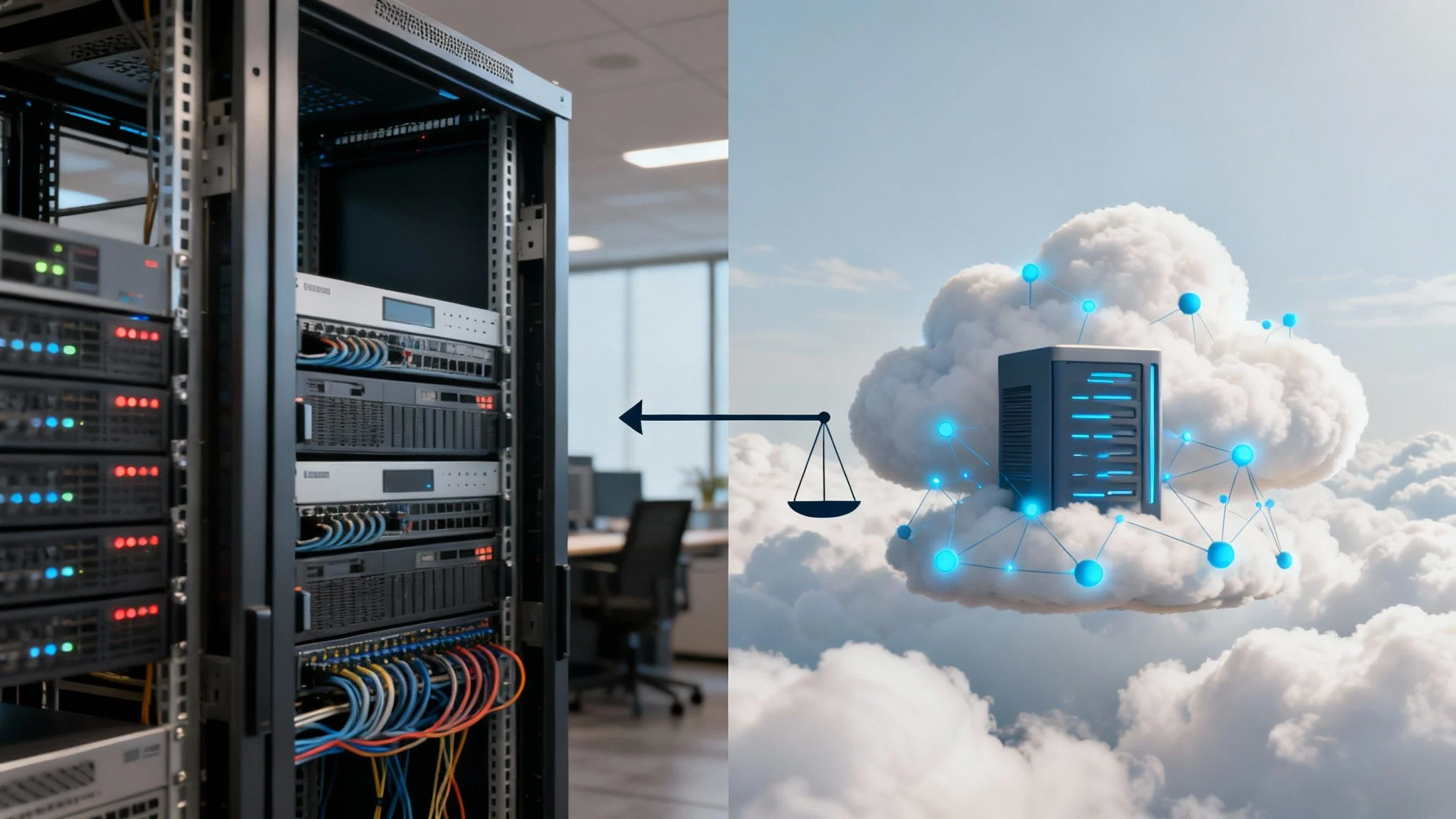
When you’re deciding between cloud and on-premises IT, it really boils down to a choice between operational agility and having direct, hands-on control. Most MSPs today, including us, often find a hybrid approach works best. This means using the cloud’s incredible scalability for applications tied to growth while keeping sensitive data or performance-hungry workloads on-site. The right strategy for you will hinge on how you balance costs, security needs, and your long-term business goals.
TL;DR: Cloud vs On-Premises Explained
This guide provides a deep dive into the cloud versus on-premises IT debate, helping you make the right choice for your business. We break down the critical factors like total cost, security, scalability, and maintenance to move beyond generic pros and cons. Ultimately, we recommend a hybrid cloud model for most SMBs, as it offers the perfect balance of cloud flexibility and on-premise control.

The Strategic Choice Between Cloud and On-Premises IT
Picking your IT foundation is one of the most critical decisions a modern business has to make. It directly shapes your budget, your security posture, and just how quickly you can adapt to new opportunities or challenges. This isn’t just a technical puzzle; it’s a core business decision with lasting consequences for any SME, school, or startup. The conversation has thankfully moved on from a rigid ‘either/or’ argument to a much smarter discussion about finding the right tool for the right job.
With over 20 years of experience under our belts, we’ve seen countless organisations in Melbourne and beyond succeed when they stop trying to fit a square peg in a round hole and instead align their infrastructure with their unique day-to-day needs. A huge piece of the puzzle is understanding the big players in the cloud space, so a strategic comparison of AWS vs Azure vs GCP is a great starting point. Our goal here is to give you a clear, practical breakdown to help you build an IT foundation that’s resilient and ready for the future.
Quick Comparison: Cloud vs On-Premises
To kick things off, let’s break down the fundamental differences in a simple format. This is the 30,000-foot view.
| Factor | Cloud Infrastructure | On-Premises Infrastructure |
|---|---|---|
| Cost Model | Operational Expenditure (OpEx) | Capital Expenditure (CapEx) |
| Control | Shared responsibility model | Complete physical and data control |
| Scalability | High and on-demand | Limited by physical hardware |
| Maintenance | Managed by the provider | Managed by an in-house team or MSP |
Getting your head around these distinctions is the first step. For a closer look at the different flavours of cloud, you might find our private vs public cloud guide helpful. The best path forward is rarely a simple choice; more often than not, it involves blending both worlds to create a system that truly works for you.
TL;DR: What We Recommend for Most Businesses
So, what’s the final verdict? For most of the small and medium businesses we work with here in Melbourne, the smartest and most flexible setup is a hybrid cloud model.
A hybrid approach gives you the best of both worlds. You can use the cloud for its fantastic scalability and remote access—perfect for things like Microsoft 365 or your CRM—while keeping your most sensitive data or specialised software on a secure server right there in your office. It’s about balance.
Of course, there’s no single right answer for everyone. The best solution always comes down to your specific day-to-day operations, any compliance rules you need to follow, and where you see your business heading in the next few years. Trying to pick one without a clear strategy is a recipe for headaches down the track.
Deciding between cloud vs on-prem IT without a clear strategy is like building a house without a blueprint. The final structure might stand, but it won’t be efficient, secure, or ready for the future.
This is exactly why getting expert advice is so important. It’s where the benefits of managed IT services really shine, helping you design and build an IT foundation that’s genuinely the right fit for your business.
When you’re trying to decide on your IT infrastructure, it’s easy to get bogged down in generic pro-and-con lists. But the reality is, the choice between cloud and on-premises IT isn’t just a technical decision—it’s a business one that hits your budget, security, and day-to-day operations.
Getting this wrong can lead to some seriously expensive mistakes. A shallow analysis might look good on paper but fail in practice. To build an IT foundation that actually supports your business for the long haul, you need to dig a bit deeper. Let’s break down the four critical areas we, as MSPs, always analyse when we’re guiding clients through this exact decision.
Total Cost of Ownership: Capex vs Opex
The most obvious difference between cloud and on-prem is how you pay for it. It’s a classic battle of capital versus operational spending.
On-premises infrastructure is a Capital Expenditure (CapEx). You’re making a big upfront investment in physical servers, networking gear, and software licences. The upside? Your costs are predictable over the hardware’s lifespan, which is usually around 5-7 years.
Cloud, on the other hand, runs on an Operational Expenditure (OpEx) model. That big capital outlay gets swapped for a recurring subscription fee, turning it into a predictable monthly expense. For many small businesses in Melbourne trying to conserve cash for growth, this is a massive drawcard.
Here’s a common trap: thinking the cloud is always cheaper. While you dodge the upfront hardware bill, a poorly managed cloud setup can lead to nasty “bill shock” from spiralling data transfer fees or resource usage. A true Total Cost of Ownership (TCO) analysis is the only way to know for sure.
There’s no doubt Australian businesses are leaning into the cloud. Spending is projected to hit $26.6 billion in 2025, which is an 18.9% jump year-over-year. What’s more, 53% of Australian companies now sink over 10% of their IT budget into cloud services. But smart businesses focus on cost optimisation, not just jumping on the bandwagon.
Security and Data Sovereignty
This isn’t about which one is “more secure”—it’s about who holds the keys. Security isn’t a location; it’s a process.
Cloud giants like AWS and Azure pour billions into physical and digital security, offering a level of protection most SMBs could never dream of affording themselves. But it’s crucial to understand this is a shared responsibility model. They secure the infrastructure, but you are still 100% responsible for securing your own data, applications, and user access.
On-premises gives you total, absolute control. You’re in charge of everything from who can walk into the server room to patching the firewall and spotting intrusion attempts. For businesses in heavily regulated fields or those with strict data sovereignty rules that demand data stays within Australian borders, this level of control is non-negotiable. If you’re managing this yourself, having the right top tools for on-premises infrastructure monitoring is essential to stay on top of things.
Scalability and Performance Dynamics
This is where the cloud really flexes its muscles. It offers almost instant elasticity, letting you spin up or dial down resources on demand. Got a business with massive seasonal spikes, unpredictable workloads, or just ambitious growth plans? The cloud is built for that. You only pay for what you use, when you use it.
On-premises infrastructure, by contrast, has a fixed ceiling. To scale up, you need to plan ahead and buy more hardware, a process that can easily take weeks or months. But here’s the flip side: for applications that need rock-solid, low-latency performance—think specialised CAD software or a local database that gets hammered all day—an on-prem server can often outperform the cloud simply by cutting out any internet-related lag.
This diagram gives a great overview of the different strategic options we consider.
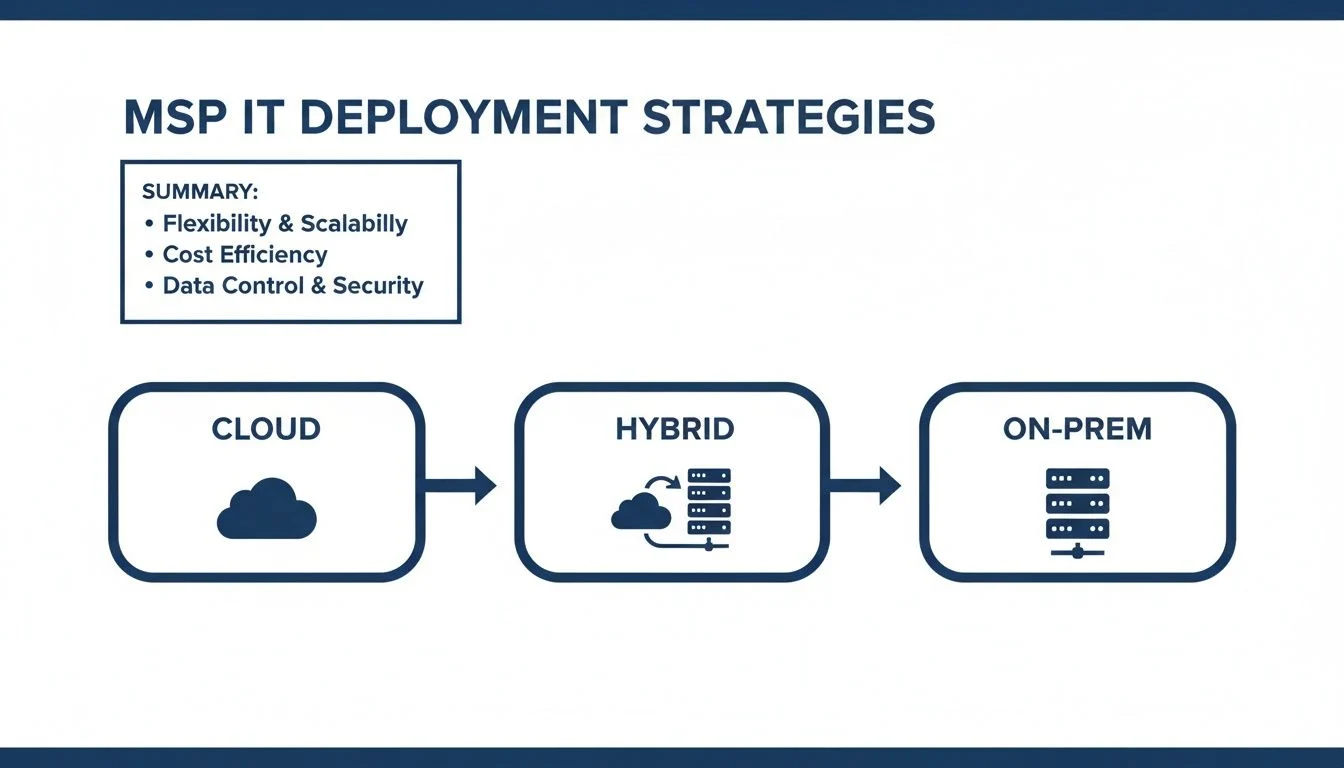
As you can see, the modern answer often isn’t one or the other. It’s about blending the strengths of both in a hybrid approach.
Management and Maintenance Overhead
Finally, you have to think about the people-power involved. An on-premises setup demands expertise. Someone has to manage everything from hardware repairs and software updates to running backups and planning for disaster recovery. That “someone” is either your in-house IT team or a dedicated MSP like us. This hands-on approach gives you deep control but definitely adds to your operational overhead.
Cloud services take a lot of that heavy lifting off your plate. The provider handles all the underlying hardware, power, cooling, and physical security. This frees your team up to focus on work that actually drives the business forward, instead of just “keeping the lights on.” For many businesses, shedding that management burden is the number one reason they move to the cloud. If this sounds like the path for you, our small business server migration service guide is a great place to learn about the process.
When to Get Help
Figuring out the right mix of cloud, on-premises, or hybrid IT is a massive decision. While going it alone might seem like it saves money upfront, a wrong turn can lead to wasted cash, gaping security holes, and missed opportunities to grow your business. Knowing when to put your hand up and bring in a professional is half the battle.
The signs that you need a strategic chat are usually pretty clear. If you’re staring down the barrel of a huge capital investment for a server hardware refresh, that’s the perfect time to pause and rethink everything. Likewise, if your team is constantly playing catch-up with the latest cybersecurity threats, you can’t afford to guess your way through it. Consider reaching out if you are:
- Struggling with Compliance: If you’re trying to navigate tricky compliance rules like data sovereignty laws or industry-specific regulations, getting it wrong simply isn’t an option.
- Supporting a Remote Workforce: Securely and efficiently supporting a growing remote or hybrid team brings unique infrastructure and security problems that need a carefully thought-out solution.
- Distracted from Core Business: Is your leadership team constantly being pulled into day-to-day IT firefights and troubleshooting? That’s a sure sign your technology is holding you back, not pushing you forward.
If any of this sounds familiar, it’s time for a strategic conversation. Don’t wait for a small issue to blow up into a major crisis.
Get in touch with our expert team through our contact page today.
The Hybrid Cloud: Getting the Best of Both Worlds
The old “cloud versus on-premises” debate is quickly becoming a thing of the past. For years, businesses were pushed to make an all-or-nothing choice, but that’s just not how modern IT works anymore. Today, a far more practical and powerful strategy has taken centre stage: the hybrid cloud model.
This isn’t about compromise; it’s about putting your workloads in the smartest possible place. A hybrid approach gives you a practical balance of flexibility and control, mixing public cloud services with your own on-site hardware.

You can use the public cloud for things that need to scale up or be accessed from anywhere, like web applications or development environments. At the same time, you can keep your most sensitive data, legacy systems, or performance-critical applications securely on-premises, right where you can see them.
Real-World Hybrid Scenarios
This model works brilliantly in the real world. We’ve set up hybrid solutions for plenty of businesses around Melbourne, and here are a couple of common examples:
- A local school: They keep their student management system running on an on-premises server. This guarantees snappy performance during peak enrolment periods and ensures sensitive student data stays under their direct physical control, meeting strict privacy obligations. At the same time, they use Microsoft 365 in the cloud so staff and students can get to email and collaboration tools from any device, anywhere.
- A growing accounting firm: Their core accounting software runs on a dedicated server right in their office for maximum speed and security. But they also use a cloud-based disaster recovery service that constantly backs up this critical data to an offsite location. If anything happens to their office, they can get back up and running fast.
This approach builds resilience into your IT from the ground up, so you’re not putting all your eggs in one basket. Recent global cloud outages have been a stark reminder of the dangers of relying on a single provider. A hybrid model provides a vital layer of insulation against those kinds of disruptions. The specifics can get technical, but our guide on Exchange Server hybrid deployment offers a deeper look at a common setup.
The Return of On-Premises Control
The conversation around IT infrastructure is evolving yet again, with many businesses rediscovering the value of on-premises hardware. Recent analysis points to a ‘renaissance’ in hybrid infrastructure that is reshaping Australia’s IT landscape, with total spending predicted to top $172 billion by 2026.
Global outages have highlighted the vulnerabilities of an all-in strategy. Enterprises now demand the ability to move workloads between on-premises and multi-cloud environments without friction, ensuring business continuity no matter what.
This isn’t just a feeling; it’s backed by data showing a major resurgence in data centre and server investments, partly driven by the huge processing demands of AI. For many businesses, the hybrid model isn’t just an option anymore—it’s the key to building a truly resilient and future-ready IT foundation. You can read more about the predictions for Australia’s industrial AI boom to get a sense of the forces driving this shift.
Your Decision Checklist: Finding the Right Path
Making the call between cloud and on-prem IT isn’t something you can do on a whim. It requires a bit of honest self-assessment. To help you get there, we’ve put together the key questions any experienced IT provider would ask to really understand your business and point you in the right direction.
Walk through these with your team. Getting clear on these answers will make any conversation you have with an IT partner—like us here at Tbourke Solutions—far more productive. More importantly, it ensures the solution you end up with actually helps you get where you want to go.
Assess Your Workloads and Applications
First up, let’s look at what you’re actually running day-to-day. Not all software is the same, and where it performs best can vary wildly.
- What are your non-negotiable applications? Pinpoint the top 3-5 software platforms your business can’t operate without. Is it industry-specific software like a student management system or CAD program, or general business tools like your CRM?
- Are these applications built for the cloud? Modern, “cloud-native” software is designed to thrive in the cloud. Older, legacy programs might struggle, or worse, not even work without some serious, and often costly, tweaks.
- Where are the performance bottlenecks right now? When staff complain about slow file access or laggy apps, is it because of your local network or your internet connection? The answer is a huge clue.
Analyse Your Budget and Financial Model
The money side of things is often the biggest factor. How you prefer to pay for your IT—as a large upfront purchase or a monthly bill—will steer you heavily one way or the other.
The question isn’t just “What does it cost?” but “How do we want to pay for it?” A huge one-off capital expense might be a non-starter for a new business, whereas a predictable monthly operational cost is perfect for managing cash flow.
- Can you handle a large upfront Capital Expenditure (CapEx)? Does the business have the cash on hand to comfortably invest in new servers, networking gear, and software licences right now?
- Is a predictable monthly Operational Expenditure (OpEx) a better fit for your cash flow? Would you rather have a consistent, subscription-style fee that bundles everything—hardware, support, and maintenance—into one bill?
- Have you thought about the “hidden” costs? For on-prem, that’s power, cooling, physical space, and the staff hours spent on maintenance. For the cloud, watch out for potential data egress fees (the cost to download your own data) and the price of premium support.
Evaluate Security and Compliance Needs
Security is a dealbreaker, but how you achieve it is different for each option. This is especially critical for businesses here in Melbourne and across Australia, where we have specific laws about data.
- Are you bound by data residency laws? Does something like the Privacy Act demand that your client or patient data must physically stay within Australian borders?
- What industry regulations do you need to meet? If you’re in healthcare or finance, you’ll have strict rules about data handling and auditing. Sometimes, having servers on-site makes proving compliance more straightforward.
- Who is ultimately responsible for your data security? Are you comfortable with the cloud’s “shared responsibility” model, or do you need absolute, direct control over every single aspect of your security?
Determine Your Scalability and Growth Plans
Finally, you have to think about where your business is heading. The IT you choose today needs to support the business you’ll be tomorrow.
- Do you have seasonal peaks or unpredictable demand? Does your workload spike at certain times of the year, needing a temporary boost in computing power?
- Do you expect to grow quickly in the next 3-5 years? A setup that’s perfect for you now could become a major bottleneck in 18 months if it can’t grow with you.
- Have you got the right people to manage an on-premise environment? Do you have the in-house expertise to properly maintain, secure, and troubleshoot physical servers and network gear? Be honest about this one.
How Tbourke Solutions Can Help
Deciding between cloud and on-premise IT isn’t just a technical puzzle; it’s a critical business decision. To get it right, you need a partner who genuinely understands your goals. At Tbourke Solutions, we bring over 20 years of experience to the table, providing clear, practical guidance for small businesses and schools right here in Hillside, Melbourne. We don’t just sell solutions—we build long-term partnerships designed to deliver your ideal IT setup.

Our approach starts with a proper conversation. We offer strategic IT consultancy to map out a clear roadmap, ensuring your technology actually supports where you want your organisation to go. This planning is more important than ever, especially with IT spending on the rise, with forecasts showing Australian IT spending set to climb past $172.3 billion by 2026.
Our Core Service Offerings
We provide the practical, hands-on support needed to turn your IT strategy into a reality.
- Strategic IT Consultancy: We help you map out a clear roadmap, ensuring your technology choices align with your long-term business goals.
- Managed Cloud Migration: We manage your entire move to a cloud or hybrid setup, ensuring it’s secure, efficient, and doesn’t disrupt your day-to-day operations.
- On-Premises & Hybrid Support: For the systems that need to stay on-site, we offer ongoing managed support for your servers and network to keep them running smoothly and reliably.
- Robust Cybersecurity: We implement strong security measures to protect your valuable data, no matter where it lives—in the cloud, on your local servers, or a bit of both.
Ready to have a chat about your IT future? Reach out and submit a query through our contact page today.
Frequently Asked Questions
When you’re weighing up cloud vs. on-prem, a lot of specific questions come to mind. We get it. To cut through the noise, here are some straight answers to the most common queries we hear from business owners right here in Melbourne.
Is the Cloud Automatically Cheaper Than On-Premises IT?
Not always, and this is a big one. The cloud’s main appeal is shifting your IT spend from a huge upfront capital expense (CapEx) to a predictable monthly operational expense (OpEx). That’s fantastic for cash flow.
But, and it’s a big but, those monthly costs can creep up if you’re not careful. Unmonitored resource use, data transfer fees, and premium support tiers can lead to a nasty case of “bill shock.”
On the flip side, on-premise gear requires a chunky initial investment. However, for a business with stable, predictable workloads, it can actually work out cheaper over a 5 to 7 year lifespan. The only way to know for sure is to run a proper Total Cost of Ownership (TCO) analysis for your specific situation.
Which Option Is More Secure: Cloud or On-Premises?
This is less about where your servers live and more about how they’re managed. Major cloud providers like Amazon Web Services and Microsoft Azure invest billions in physical and network security—a level most small businesses could never dream of affording themselves.
But here’s the catch: security in the cloud is a ‘shared responsibility’ model. The provider secures their infrastructure (the data centre, the network), but you are still responsible for securing your data, applications, and who has access to them.
With on-prem, you have total control over every single security layer. That’s the good news. The bad news is you also bear the full responsibility for everything, from locking the server room door to patching software and detecting threats. An expertly managed setup—whether it’s cloud, on-prem, or hybrid—is always the most secure option.
What Is the Biggest Mistake When Moving to the Cloud?
Without a doubt, the biggest mistake is doing a ‘lift and shift’ migration without any real planning. Just copying your on-premise servers directly into a cloud environment without rethinking their setup is a recipe for disaster. It almost always results in poor performance and eye-watering monthly bills.
A successful cloud migration is a strategic project, not just a copy-and-paste job. It’s about looking at each application and deciding if it needs to be reconfigured, re-platformed, or even replaced with a better Software as a Service (SaaS) alternative.
Planning your migration with an experienced MSP like Tbourke Solutions helps you sidestep these expensive and frustrating mistakes right from the start.
Can I Move Data Back from the Cloud?
Yes, you can absolutely move your data back from the cloud. The process is called ‘cloud repatriation’, but be warned: it can be complex and expensive. The main costs come from data egress fees, which are what cloud providers charge you to move data out of their network.
It also takes serious planning to pull off a smooth transition without disrupting your business. This potential headache is a massive reason why getting the strategy right from day one is so critical. A well-designed hybrid approach can often be the perfect middle ground, keeping your most critical data on-prem while still getting all the benefits of the cloud.
At Tbourke Solutions, our goal is to demystify these big IT decisions. We’re here to help you build an IT foundation that actually supports your business goals, not complicates them.
If you’re ready to get a clear IT roadmap in place, start a conversation with our expert team by submitting a query on our contact page.
Share This Story, Choose Your Platform!