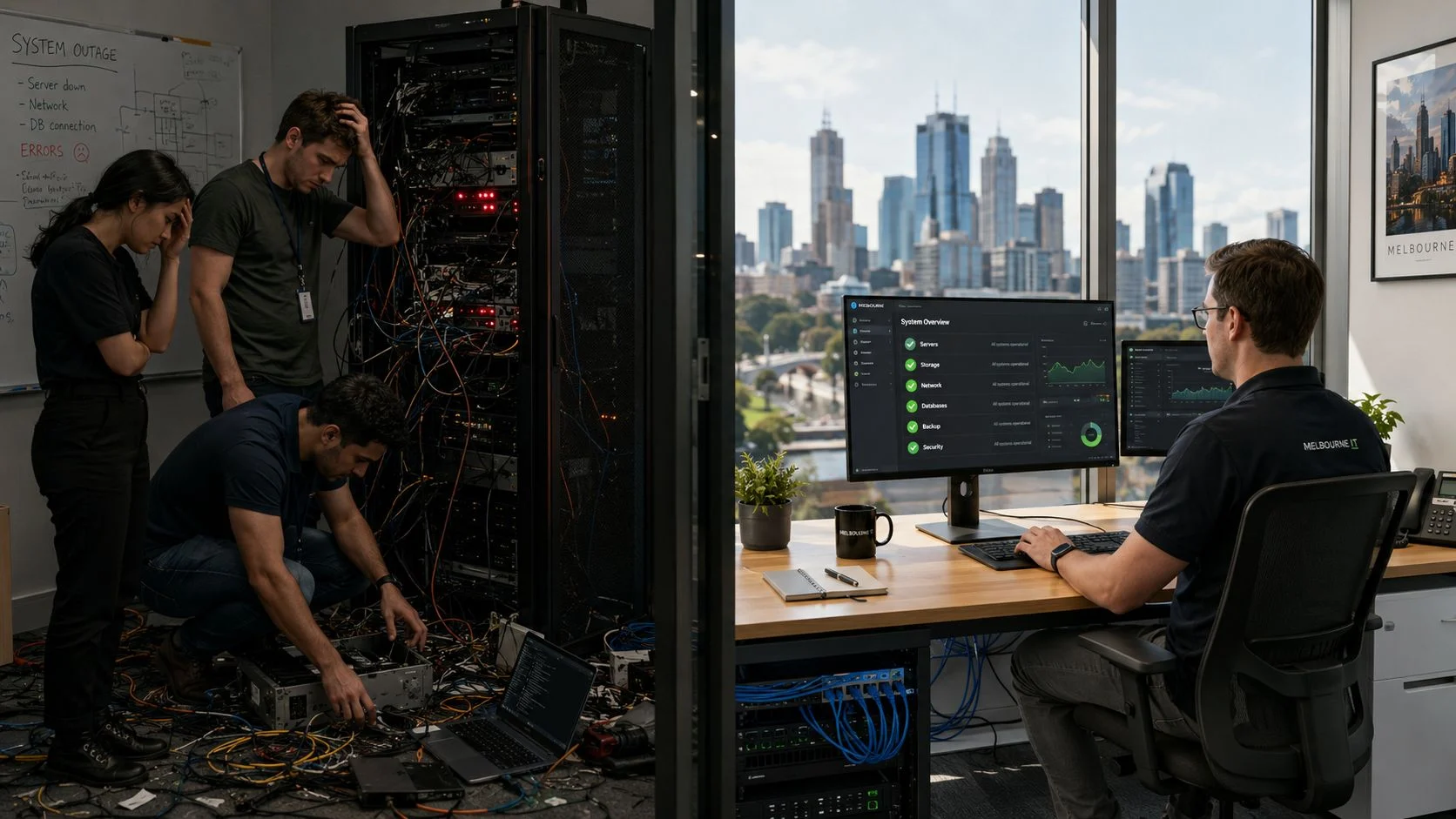
On the surface, the old-school reactive or ‘break-fix’ IT model looks like a bargain. You only pay when something breaks, right? But this is a classic false economy, one built on a mountain of hidden and unpredictable costs.
The problem with this approach is that every single failure comes with an emergency call-out fee, crippling downtime for your business, and a serious hit to your team’s productivity. It’s like only servicing your car after it has broken down on the side of the West Gate Freeway during peak hour, instead of getting it checked regularly.
Managed IT completely flips this model on its head. Instead of waiting for disaster, it focuses on preventing problems before they ever start, all for a predictable monthly cost. This proactive approach delivers stability and transforms your IT from a source of constant headaches into a genuine strategic asset.
The difference really comes down to mindset and outcome. One model is about managing crises; the other is about building resilience.
TLDR: A Quick Summary
Reactive IT support always ends up costing more. It’s not just about the unpredictable repair bills; it’s the compounding effect of business downtime, lost opportunities, and gaping security holes. Unexpected issues often lead to eye watering data recovery costs and lost productivity that you can never get back. In contrast, managed IT provides a fixed monthly cost that minimises these risks through proactive maintenance and constant monitoring. The result? A much lower total cost of ownership and a far stronger security posture for your business.
Reactive vs. Managed IT: A Direct Comparison
To really see why reactive IT costs more than managed IT, it helps to put the two philosophies side by side. The differences go way beyond simple cost structures and cut to the core of your operational stability, security, and ability to plan for the future.
| Feature | Reactive ‘Break-Fix’ IT | Proactive Managed IT |
|---|---|---|
| Cost Structure | Unpredictable, pay per incident fees | Predictable, fixed monthly subscription |
| Focus | Fixing problems after they occur | Preventing problems before they happen |
| Downtime | High and unpredictable | Minimal and often scheduled |
| Security | Vulnerable, with fixes applied after a breach | Secure, with continuous monitoring and patching |
| Budgeting | Difficult and inconsistent | Simple and predictable |
This table highlights the crucial point: the break-fix model leaves your business exposed to constant uncertainty. Beyond the immediate repair bills, there are broader, often overlooked financial consequences. For a deeper dive into these expenditures, it’s worth reading about the true cost of reactive investigations and the massive impact they can have.
Proactive monitoring and consistent updates are your best defence against these scenarios. Our comprehensive http://tbourke-solutions.com.au/windows-patch-management-guide/ explains exactly why keeping your systems updated is such a critical first step.

The Financial Bottom Line in Under a Minute
If you’re short on time, here’s the core takeaway. The old school, reactive “break-fix” IT model almost always ends up costing you more. It’s a constant cycle of unpredictable repair bills, frustrating downtime, and gaping security holes that leave your business exposed. You’re not just paying for the fix; you’re losing money on lost productivity and expensive data recovery efforts.
In contrast, managed IT flips the script. You get a predictable, fixed monthly cost that focuses on preventing problems before they start. Through proactive maintenance and constant monitoring, this approach gives you a lower total cost of ownership, makes your operations far more resilient, and hardens your security.
Planning for these predictable expenses is just smart financial management. To get a better handle on this, check out our comprehensive IT budget planning guide for some practical tips. Think of it as a strategic investment to protect your bottom line from those nasty, unexpected shocks.
A Detailed Cost Comparison of IT Support Models
To really get why reactive IT ends up costing more than managed IT, you have to look past the simple hourly rates and see the whole financial picture. The ‘pay as you go’ nature of the break-fix model seems appealing at first, but it cleverly hides the huge, often unexpected, costs that pile up over time.
When you put them side by side, the difference between a model built on crisis and one built on stability becomes crystal clear.
Direct costs are the easiest to spot. With reactive support, you’re hit with unpredictable call out fees, often at a premium for emergencies or after hours work. These invoices are impossible to budget for, turning every technical glitch into a financial gamble.
The True Cost Beyond the Invoice
The real damage, though, comes from the indirect costs. These are the expenses that never show up on an IT invoice but drain your resources all the same.
Lost productivity is the biggest culprit here. When a server goes down or a critical application fails, your team is stuck, unable to do their jobs. Studies show small businesses can lose over $427 every minute their systems are offline, a staggering figure that puts the price of waiting for things to break into perspective.
Beyond just lost work hours, think about these other hidden costs:
- Reputational Damage: System failures that affect your customers can quickly erode trust and tarnish your brand’s reputation, leading to lost business down the track.
- Opportunity Costs: While your team is busy putting out IT fires, they aren’t focusing on innovation, improving customer service, or driving strategic growth.
- Employee Morale: Nothing kills morale faster than constant IT frustrations and interruptions. It leads to a stressed, inefficient workforce and can even affect staff retention.
This chart gives you a quick visual summary of how these costs stack up, comparing the high, unpredictable expenses of reactive IT with the lower, more stable costs of a managed approach.
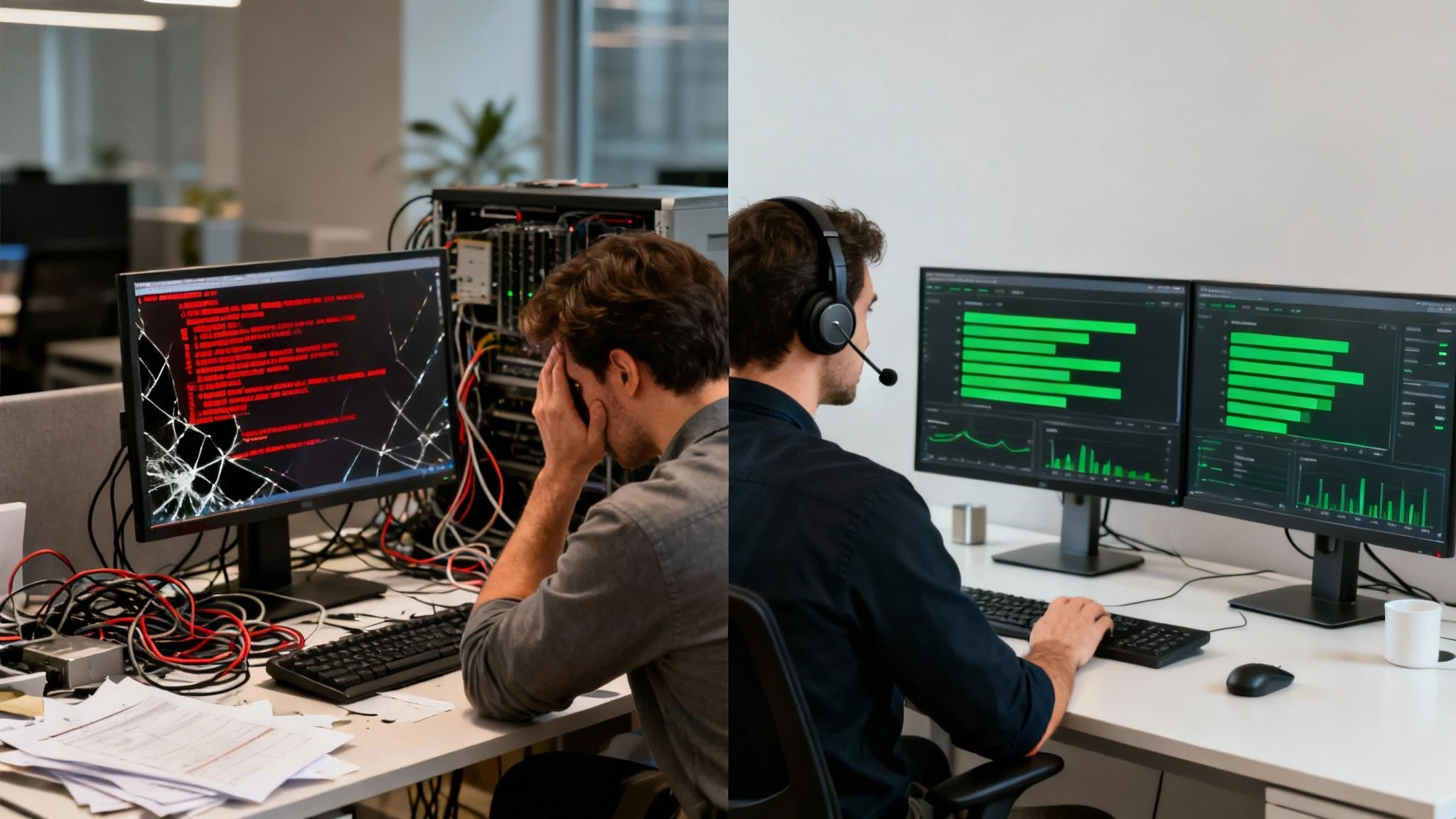
As you can see, while managed IT requires a consistent investment, the total cost of ownership is significantly lower because you’re preventing those expensive emergencies and crippling downtime from ever happening.
A Side by Side Financial Breakdown
Let’s break these concepts down with a practical comparison. The table below lays out the financial realities of both models for a typical small or medium business, showing exactly where the money goes.
Cost Analysis: Reactive ‘Break-Fix’ IT vs Proactive Managed IT
| Cost Factor | Reactive ‘Break-Fix’ IT | Proactive Managed IT |
|---|---|---|
| Service Fees | High, variable hourly rates, plus emergency call out charges. | Predictable, fixed monthly subscription fee covering all support. |
| Downtime Costs | Significant and frequent. Lost productivity and revenue during outages. | Minimal and often scheduled during off hours for maintenance. |
| Security Expenses | Expensive, one off costs for data recovery and breach remediation. | Included in the monthly fee with continuous monitoring and patching. |
| Budgeting | Extremely difficult. Costs are unpredictable and fluctuate wildly. | Simple and predictable, allowing for accurate financial planning. |
| Hardware Lifespan | Shorter due to lack of regular maintenance and optimisation. | Extended through proactive care, maximising your investment. |
The fundamental difference is how you treat your technology. Reactive IT sees it as a disposable tool you fix when it fails. Managed IT treats it as a critical business asset to be nurtured, protected, and optimised for peak performance.
To get a better sense of how this all works behind the scenes, it’s helpful to understand the tools that power these services. A look into Managed Service Provider (MSP) platforms like Atera reveals the operational efficiency that allows providers to monitor systems, automate maintenance, and resolve issues before they ever affect your operations.
Ultimately, the choice comes down to the total cost of ownership. While a managed services plan requires a consistent monthly investment, the savings from drastically reduced downtime, better security, and predictable budgeting almost always result in a lower overall cost.
For a more detailed look at how these services are structured, you can learn more about our IT managed services and how they are designed to protect your bottom line. When you look at the full financial picture, the evidence is clear.
When to Get Help
If you find yourself constantly putting out IT fires, dealing with staff complaints about slow systems, or feeling uneasy about your data security, those are clear signals the break-fix model is failing you. An unstable IT environment isn’t just an annoyance; it’s a direct threat to your bottom line. Don’t wait for a major disaster to force your hand.
It’s time to stop firefighting and start building a stable foundation for your business. Reach out to our team at Tbourke Solutions via our contact page to discuss how a proactive strategy can save you money and stress.
The Telltale Signs Your IT Approach Is Failing
Recognising there’s a problem is always the first step. For a lot of small and medium businesses, a certain amount of IT friction just becomes part of the daily grind. They get used to slow performance and those same old glitches, not realising these are flashing red lights warning them their break-fix model is costing them a fortune.
If your team feels like they’re constantly battling the same tech issues day in and day out, that’s a huge red flag. These repetitive problems are the classic symptom of an IT approach that only slaps a band aid on the symptom instead of digging in and fixing the root cause. This endless cycle of firefighting is precisely why reactive IT is so much more expensive in the long run.
Recurring Problems and Frustrated Staff
Does this sound familiar? Your staff are complaining again about the slow network, apps crashing, or that one printer that never seems to work for more than a day. These aren’t just minor annoyances; they’re direct hits to your team’s productivity.
Every moment an employee spends wrestling with technology is a moment they aren’t helping a customer or moving the business forward. That constant frustration also grinds down morale. When the tools you give your team feel more like a barrier than a help, it creates a stressful workplace and can even lead to good people leaving.
Uncertainty and Data Risks
Another critical warning sign is that quiet, nagging feeling of uncertainty about your core systems. Be honest and ask yourself these questions:
- Are you 100% certain your data backups are actually working? Without someone testing and monitoring them, a backup can fail silently, leaving you completely exposed when a disaster strikes.
- Do you know for a fact that every single one of your devices has the latest security patches installed? An unpatched computer is one of the easiest ways for a cybercriminal to walk right into your network.
- What’s the plan for a sudden server failure? A reactive model means you only find out something is wrong when it’s already down, leading to hours or even days of costly downtime.
If the answer to any of these is “I’m not really sure,” then your current IT approach is creating massive, unnecessary risks for your business.
For a deeper look into this, check out our article on the signs your business has outgrown ad-hoc IT support, which breaks down the tipping point many businesses hit. Seeing these symptoms is the first move towards building a more resilient, reliable, and ultimately more profitable technology foundation for your business.
Looking at the Unseen Security and Compliance Risks
Beyond the obvious financial hits from downtime and emergency call outs, a reactive IT model quietly opens your business up to far more expensive threats. These unseen security and compliance risks are where the real cost of waiting for things to break becomes dangerously high. Sticking to a break/fix approach inherently leaves your systems exposed to cyberattacks and the potential for significant regulatory penalties.
When IT support is treated as an afterthought, fundamental security practices like patching, monitoring, and strategic planning just don’t happen. This neglect creates a perfect storm for cybercriminals.

The Steep Price of Unpatched Vulnerabilities
Unpatched software is one of the most common ways cybercriminals get in. A reactive model means security updates are often applied late, inconsistently, or not at all, leaving known vulnerabilities wide open for exploitation. Research consistently shows that a staggering 60% of cyberattacks exploit these kinds of unpatched security flaws.
This isn’t about some sophisticated, movie style hacking; it’s about criminals walking through an unlocked door. For a small business, a single ransomware attack stemming from a missed patch can cost tens of thousands of dollars in recovery, fines, and serious reputational damage. Managed IT services practically eliminate this risk by making sure patches are tested and rolled out systematically across every single device.
Compliance Failures and Regulatory Fines
If your business or school handles sensitive information from client financial data to student records compliance isn’t optional. Regulations like the Privacy Act in Australia impose strict requirements for protecting data. A reactive IT approach makes it nearly impossible to meet these standards.
Without continuous monitoring and properly documented security protocols, you can’t prove you’ve done your due diligence. A data breach under a reactive model isn’t just a technical failure; it’s a compliance disaster that can result in substantial fines and legal action.
Managed IT isn’t just about convenience; it’s a fundamental part of modern business security. It gives you the continuous vigilance and documented processes needed to protect your digital assets and stay on the right side of regulations.
The Lack of a Unified Security Strategy
A reactive model means security is handled in bits and pieces. You might have an antivirus subscription here and a firewall there, but there’s no single, cohesive strategy holding it all together. This creates dangerous blind spots that attackers are incredibly quick to exploit.
A managed IT provider acts as your dedicated security officer, putting a layered defence in place that includes:
- Continuous Network Monitoring: Actively watching for suspicious activity and potential threats 24/7, not just after someone reports a problem.
- Proactive Threat Hunting: Finding and neutralising threats before they can launch an attack.
- Employee Security Training: Teaching your team how to recognise phishing attempts and other social engineering tricks.
This strategic oversight is essential for building a resilient defence. By following frameworks like the recommendations in our guide to the ACSC Essential 8, we help businesses build a robust security foundation. The reactive model, by its very nature, lacks the resources and foresight to implement this kind of strategy, leaving you perpetually vulnerable and proving once again why reactive IT costs more than managed IT in the long run.
A Real World Cost Scenario for Your Business
Comparison tables and abstract ideas are helpful, but nothing hits home like seeing the real numbers. Let’s make this tangible by breaking down a realistic scenario for a small business or school in the Melbourne area with 20 employees. Using industry average figures, we can model the annual cost of a reactive IT model and see exactly why it’s the more expensive option.
This isn’t just theory; it’s a data driven example that clearly shows the total cost of ownership. The numbers prove that a managed, proactive approach is the smarter, more economically sound choice for long term stability.

The Unpredictable Break-Fix Budget
Imagine your 20 person team relies on a break-fix IT provider. You only call them when something goes wrong, which feels like you’re saving money on the surface. But over a year, the true costs creep in, and they’re almost impossible to budget for.
First, you’ve got the direct repair bills. Even for what seem like minor issues, you’ll likely have several call outs during the year. These unpredictable invoices for hardware failures, software glitches, and network problems add up fast.
Then there’s the crippling cost of downtime. Without anyone proactively monitoring your systems, a small server issue can quickly snowball into a full blown outage. The moment your systems go down, your entire team is left idle unable to serve clients, access critical files, or do their jobs. The financial bleeding starts immediately.
A Data Driven Financial Comparison
Let’s get down to the brass tacks and compare the annual costs for our hypothetical 20 person business, pitting the reactive model against a proactive managed IT plan.
For an SME with 20 staff, the break-fix model racks up $8,000 annually in average repairs, and that’s before you factor in unpredictable hourly rates. Then come the downtime hits: two major incidents totaling 8 hours, with each hour costing $150 per staff member in lost productivity, adding up to a staggering $24,000. Throw in an estimated lost revenue of $10,000 from the disruption, and your total annual IT spend balloons to $42,000.
In stark contrast, managed IT services from a provider like Tbourke Solutions would cost a predictable $2,000 per month or $24,000 for the year. This covers proactive maintenance, security, and support. Downtime drops to just one minor hour ($3,000 cost) with only $1,000 in lost revenue, for a total spend of $28,000.
That’s a 33% saving right there, even using conservative estimates. You can explore a more detailed breakdown in our break-fix vs. managed IT cost guide.
This comparison shows a clear financial winner. The reactive model’s total annual cost is unpredictable and significantly higher.
The real story isn’t just about the $14,000 in direct savings. It’s about transforming an unpredictable, high risk expense into a stable, strategic investment that fosters growth and resilience.
By switching to a managed plan, the business not only saves a substantial amount of money but also gains:
- Budget Predictability: A fixed monthly fee eliminates surprise invoices and allows for accurate financial planning.
- Enhanced Security: Continuous monitoring and proactive patching significantly reduce the risk of a costly data breach.
- Improved Productivity: With minimal downtime and optimised systems, the team can focus on their core responsibilities without IT frustrations.
This scenario isn’t an exaggeration; it’s a conservative model of what thousands of small businesses experience every year. The numbers confirm that waiting for things to break is a costly gamble that rarely pays off.
How Tbourke Solutions Can Help
It’s clear that sticking with a reactive, break-fix IT model is a financial drain and an operational gamble. The real solution isn’t just about changing your approach it’s about finding the right partner to guide you. For businesses and schools in Melbourne, that’s where Tbourke Solutions comes in. Making the move from unpredictable IT bills to a stable, managed service is one of the smartest strategic decisions you can make. It’s an investment in reliability, security, and long term growth.
With over two decades of experience, we’ve learned that cookie cutter solutions just don’t cut it. Our process starts with a conversation to understand your daily operations, your pain points, and your future goals. This lets us build a managed IT strategy that fits your unique needs and budget. Our core services include:
- Proactive Managed IT Services: We monitor, maintain, and support your systems to fix problems long before they can disrupt your workday.
- Layered Cybersecurity: We use a multi-layered security approach to protect your critical data from modern threats.
- Smart Cloud Solutions: We help you use the cloud to become more flexible, collaborative, and efficient.
To discuss how we can help your business, reach out and submit a query via our contact page at http://tbourke-solutions.com.au/contact.
Frequently Asked Questions
Moving from a reactive, break-fix approach to a managed IT model is a big step, and it’s natural to have questions. Here are some of the most common queries we hear.
Is Managed IT Too Expensive for a Small Business?
Not at all. This is the biggest myth out there. Modern managed services are built to scale, with plans that can be shaped to fit the exact budget and needs of even the smallest businesses. A predictable monthly cost is far easier to budget for than a sudden, massive repair bill, turning a chaotic expense into a stable, planned investment.
What if We Don’t Have Many IT Problems?
This gets to the heart of the difference between the two models. The real value of managed IT isn’t just in fixing things that break; it’s in preventing them from breaking in the first place. A good managed services provider is always working in the background, handling critical but invisible tasks like applying security patches, testing data backups, and optimising system performance to stop issues before they impact your workday.
How Hard Is It to Switch from Our Current Provider?
Making a change can feel daunting, but a professional provider ensures the process is smooth and painless. Tbourke Solutions, for example, handles the entire onboarding process. We start with a thorough audit of your current setup, then carefully roll out our monitoring tools and integrate our systems with yours, all with minimal disruption to your daily operations.
Ready to move to a more predictable and secure IT model? Tbourke Solutions is here to help. With over 20 years of experience serving businesses and schools in Hillside and across Melbourne, we provide expert guidance and solutions that just work. Visit our contact page to submit a query and schedule your personalised consultation today.
Share This Story, Choose Your Platform!