
A good managed IT provider does a whole lot more than just fix things when they break. Their real value lies in the proactive, behind-the-scenes work they do every single month, things like monthly security checks, system updates, and verifying your data backups, to stop problems before they can ever affect your business.
It’s this consistent, quiet effort that keeps your technology secure, efficient, and reliable.
So, What Does a Managed IT Provider Actually Do Each Month?
Ever wondered what really happens behind the curtain with your managed IT service? You see the results, fewer glitches, stronger security, and smooth-sailing operations, but the monthly grind that makes it all happen often stays invisible. This guide pulls back that curtain to reveal the essential, proactive tasks that keep your business technology in top shape.
Think of it as a comprehensive health and security check-up for your entire digital setup, performed month in, month out. We’ll skip the heavy technical jargon and explain the strategic, preventative work that defines modern IT support. If you want to dig a bit deeper into the role of these providers, you can explore our detailed guide on what Managed Service Providers (MSPs) are.
TL;DR: What Your IT Provider Does Monthly
A managed IT provider acts as your proactive technology partner, performing a crucial monthly checklist to keep your business safe and efficient. This includes 24/7 system monitoring to catch issues early, applying critical security patches to prevent cyberattacks, and verifying your data backups to ensure business continuity. They also provide ongoing helpdesk support for your team, manage cloud services, and deliver clear reports on your IT health.
This diagram breaks down the core pillars of what we do each month, focusing on Monitoring, Cybersecurity, and Support.
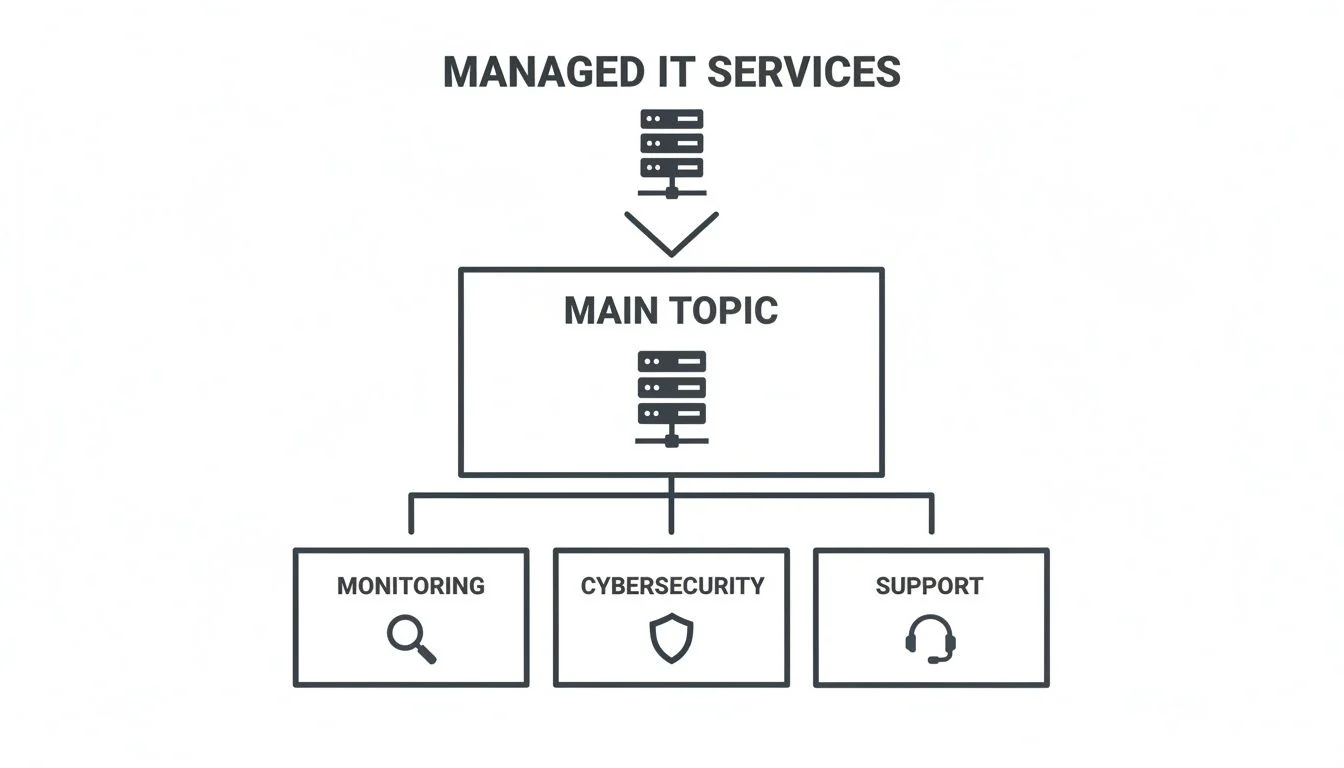
This structure shows how every monthly task slots into one of these three critical areas, all working together to deliver a complete technology management solution.
The Proactive Foundation: Monitoring and Maintenance
The best kind of IT support is the kind you never notice. It’s the art of solving problems before they even have a chance to disrupt your workday. This isn’t magic; it’s the result of diligent, proactive monitoring and maintenance, the absolute bedrock of any good managed IT service agreement. It’s all the behind-the-scenes work that keeps your business running smoothly.

Think of it like having a security guard who never sleeps. Specialised software keeps a constant, 24/7 watch over the health and performance of your entire technology environment. This includes everything from your servers and network gear to your computers and even mobile devices.
Catching Problems Before They Start
These monitoring systems are tuned to detect the earliest warning signs of trouble, automatically flagging potential issues for a technician to investigate. This could be something as simple as a server’s hard drive nearing its storage limit, or as subtle as unusual network traffic that might hint at a security breach.
By catching these red flags early, technicians can step in and resolve the issue before it escalates into something serious. A minor alert about low disk space is a quick fix. A complete server crash from a failed drive? That’s a business-halting disaster.
The importance of this proactive approach is reflected in its rapid growth. Across Australia’s bustling IT scene, managed service providers start each month with these rigorous checks to prevent disruptions for small businesses, schools, and families. In fact, Australia’s IT services market is projected to hit USD 72,619.2 million by 2030, with proactive services leading the charge as the fastest-growing segment. You can explore more about Australia’s IT services market growth on grandviewresearch.com.
A proactive approach turns IT management from a reactive firefight into a controlled, strategic process. It means your provider isn’t just waiting for things to break; they’re actively working to make sure they don’t.
This constant vigilance also extends to the growing number of company and personal devices used for work. Making sure these endpoints are secure and running properly is a key part of the monthly maintenance routine. You can learn more about how this is managed in our guide on Intune Mobile Device Management.
Keeping Your Systems at Peak Performance
Beyond just watching for alerts, monthly maintenance involves routine “tune-up” tasks to keep your technology operating at peak efficiency. Just like a car needs regular oil changes to perform well, your IT systems require consistent care.
These tasks typically include:
- System Clean-ups: Removing temporary files, clearing old logs, and tidying up the digital clutter that slows systems down over time.
- Performance Tuning: Analysing system metrics to identify and address bottlenecks, ensuring applications run quickly and smoothly.
- Firmware Updates: Applying updates to network hardware like routers and switches to improve performance and patch security vulnerabilities.
This ongoing optimisation ensures your technology not only works but works well, supporting your team’s productivity instead of getting in the way. It’s this proactive foundation that allows your business to operate with confidence, knowing an expert team is constantly looking out for your digital wellbeing.
When to Get Help
If your team is constantly sidetracked by IT glitches, you’re losing sleep over cybersecurity, or you’re spending more time troubleshooting than focusing on your actual business goals, it’s time to get help. These are all clear signs that a reactive, “fix-it-when-it-breaks” approach just isn’t cutting it anymore.
Don’t wait for a major disaster to strike. When you notice that technology is becoming a bottleneck instead of an asset, it’s a clear signal to partner with a professional. If you’re experiencing frequent downtime, nagging technical issues, or growing security concerns, we encourage you to explore our managed IT services in Melbourne.
Fortifying Your Digital Defences: Cybersecurity and Patching
In today’s world, cybersecurity isn’t a task you can just “set and forget.” It’s a constant process, and this is where your managed IT provider really earns their keep, acting as the digital guards for your business. A massive chunk of their monthly work is dedicated to shielding your operations from the relentless stream of cyber threats.

This constant vigilance is non-negotiable. Every single month, your provider is on the front lines, strengthening your defences against threats that are only getting smarter and more aggressive. It’s no surprise that Australia’s IT Security Consulting industry is now valued at a whopping $8.0 billion and continues to grow. That figure is a direct reflection of how much businesses across the country rely on their digital systems.
The Crucial Role of Patch Management
One of the most vital security routines your provider handles every month is patch management. Think of it like routinely checking the locks and windows on your office building. Software developers are always finding vulnerabilities, weak spots, in their code, and you can bet hackers are actively looking for those same weaknesses to sneak in.
A “patch” is simply an update released by the developer to fix those security gaps. Your IT provider’s job is to systematically test and roll out these patches across all your computers and servers, month in, month out. This is more than just clicking “update.” It involves careful planning to make sure a patch doesn’t accidentally break one of your critical business applications.
This proactive process slams the door shut on the entry points criminals love to use, dramatically lowering your risk of a breach. For a deeper dive into how this all works, check out our comprehensive Windows Patch Management Guide.
By consistently applying security patches month after month, an IT provider moves your business from being a vulnerable, easy target to a hardened, resilient one. It is one of the single most effective security measures you can implement.
Beyond Patches: Other Key Monthly Security Routines
While patching is the cornerstone of good security, a complete monthly strategy involves several other layers of defence. Your provider will run through a series of checks and scans to ensure your digital fortress is holding strong. Staying on top of the ever-changing challenges in the Cyber Security industry is key to staying one step ahead of new threats.
These additional monthly routines often include:
- Firewall Rule Review: Your firewall is the gatekeeper of your network. Your provider reviews its rules monthly to ensure they’re still relevant, effectively blocking unauthorised traffic while letting legitimate business activity flow freely.
- Comprehensive Malware Scans: Beyond the real-time antivirus that’s always running, deep system scans are performed on servers and key computers. This is to hunt for any dormant malware that might have slipped past the initial defences.
- Security Log Analysis: Your systems generate thousands of logs every day. Technicians use specialised tools to sift through this data, looking for suspicious patterns like repeated failed login attempts or unusual data access, tell-tale signs of a brewing attack.
- Email Security Checks: Providers will also review the settings on your email filtering systems. Since phishing and spam are the most common ways ransomware gets in, they make sure the filters are catching the latest scams.
This disciplined, multi-layered approach isn’t a one-time project; it’s a continuous monthly cycle. It’s this persistent effort that provides the robust defence needed to protect your business’s data, reputation, and finances from harm.
Ensuring Business Continuity: Backups and Disaster Recovery
What would happen if your critical business data just vanished overnight? A server failure, a nasty ransomware attack, or even a simple human mistake could wipe out years of financial records, client information, and operational history. This is exactly why one of the most vital jobs a managed IT provider handles each month is making sure your business can survive a digital disaster.

This isn’t just about setting up a backup and hoping for the best. It’s a disciplined, monthly cycle of checking, testing, and verifying that delivers genuine peace of mind.
Verifying Your Digital Safety Net
Every single month, your provider meticulously checks that your backups are actually completing successfully. This is far more than a quick glance at a green light. It’s a detailed review to confirm every critical file and folder is being captured correctly, without any corruption.
They make sure these backups are stored securely, typically following the tried-and-true 3-2-1 backup rule:
- Three copies of your data.
- On two different types of media (like a local server and the cloud).
- With one of those copies stored safely offsite.
This layered approach is your ultimate protection against localised disasters like a fire, flood, or theft. If something happens to your office, your data is still safe and sound in a secure data centre, ready to be brought back online.
Backups are completely worthless if you can’t restore them. Monthly verification is what turns a backup from a hopeful theory into a reliable business continuity tool.
Testing the Recovery Plan
Checking the backups is crucial, but the real test is whether you can actually get that data back when you need it most. This is where disaster recovery (DR) testing comes in. At least once a month, your provider will run a test restore of a selection of files, or even an entire server, to an isolated, sandboxed environment.
This simulation confirms two critical things:
- Data Integrity: The backed-up data isn’t corrupted and can be opened and used as normal.
- Recovery Speed: The whole process of restoring the data meets the timeframes you’ve both agreed on, known as the Recovery Time Objective (RTO).
This monthly fire drill ensures that when a real disaster strikes, the recovery process is a well-practised routine, not a frantic, stressful scramble. Understanding how these strategies are put together is key, and you can explore some excellent disaster recovery plan examples to see what a solid plan looks like.
This disciplined approach to backups and DR is a cornerstone of what a managed IT provider does behind the scenes each month. It’s the essential work that guarantees your business can bounce back from the unexpected with minimal fuss, protecting your operations and your reputation. By shouldering this critical responsibility, they let you focus on what you do best, confident that your digital assets are secure.
The Strategic Advantage: Reporting and Cloud Management
Great IT management isn’t just about fixing things when they break; it’s about giving your business a genuine strategic advantage. Beyond the day-to-day monitoring and monthly security checks, a huge part of what a managed IT provider does is deliver transparency and forward-thinking advice. This is where reactive support evolves into a true technology partnership.
This strategic oversight really comes to life through two core monthly activities: comprehensive reporting and smart cloud management.
Unpacking Your Monthly IT Report
Every month, you should get a clear, easy-to-read report from your IT provider. Think of this document as your window into the health, security, and performance of your entire technology setup. It’s designed to turn all that technical activity into real business insights, proving the value of your investment.
A quality report cuts through the jargon and gives you a straightforward summary of the important stuff, like:
- System Health Summary: A quick look at server uptime, network performance, and any hardware that might be showing early signs of trouble.
- Security Posture: A snapshot of threats blocked, critical patches applied, and the overall security status of your network.
- Support Tickets: A breakdown of helpdesk requests, showing how many tickets were opened, closed, and the average time it took to solve them.
- Key Performance Metrics: Hard data on things like backup success rates, system resource usage, and other vital health indicators.
This isn’t just a list of completed tasks. It’s an accountability tool that gives you a clear picture of your technology’s stability and a solid baseline for future strategic decisions.
Mastering the Cloud for Business Growth
These days, managing your cloud resources is one of the most important things an IT provider does each month. The cloud offers incredible power and flexibility, but without an expert keeping a close eye on it, costs can spiral out of control and security gaps can easily appear. A big part of a provider’s monthly work often involves deep expertise in platforms that enable Microsoft 365 and Azure management.
This is a massive focus area, as cloud management and optimisation are now central to what we do. Australian businesses are leaning more and more on these platforms. In fact, Gartner forecasts that public cloud spending will rocket to $26.6 billion in 2025.
Effective cloud management is not about just ‘using the cloud.’ It’s about using it wisely, ensuring every dollar spent on cloud services directly supports your business goals and drives efficiency.
Your provider’s monthly cloud duties should absolutely include:
- Cost Optimisation: Actively analysing your usage to find and cut out wasted spending, like paying for oversized servers or resources that are just sitting idle.
- Security Management: Regularly reviewing access controls, configurations, and security settings to lock down the data you store in the cloud.
- Performance Alignment: Making sure your cloud setup is perfectly tuned for your business applications, giving your team the speed and reliability they need to get their work done.
By proactively managing these elements, your provider ensures your cloud environment is a powerful asset, not an unpredictable expense. If you’re wondering how this could apply to your own setup, our team can help you explore different infrastructure and cloud services. This hands-on approach to reporting and cloud oversight is what separates a basic IT vendor from a strategic partner who’s genuinely invested in your success.
Frequently Asked Questions (FAQ)
Here are a few common questions business owners have about working with a managed IT provider.
What is the main goal of monthly managed IT services?
The primary goal is proactive prevention. By constantly monitoring, updating, and securing your systems, a provider aims to stop problems like data loss, cyberattacks, and downtime before they can impact your business. It’s about ensuring operational continuity and stability for a predictable monthly cost.
How is this different from calling an IT guy when something breaks?
That’s the “break-fix” model, which is entirely reactive. You wait for a problem, experience downtime, and then pay for an emergency fix. Managed services are proactive and subscription-based, focusing on long-term stability and preventing issues from happening in the first place, which is almost always more efficient and cost-effective.
What if we already have an internal IT person?
That’s great. An MSP doesn’t have to replace your internal team. We can work alongside them in a co-managed IT model, taking over the time-consuming daily maintenance, monitoring, and security tasks. This frees up your internal staff to focus on more strategic, business-specific projects.
How do you ensure our data is kept secure?
Security is at the core of everything we do. We implement a multi-layered security strategy that includes proactive patch management, advanced endpoint protection, firewall management, and regular security audits. All data, especially backups, is encrypted both in transit and at rest to ensure it remains confidential and protected.
How Tbourke Solutions Can Help
At Tbourke Solutions, we transform your IT from a reactive headache into a strategic asset. We don’t just fix problems; we prevent them. Our approach is built on providing tailored, proactive managed IT services that align directly with your business goals. Whether you’re a small business needing a complete IT department or a larger organisation looking to support your internal team, we have a solution for you.
Our services include:
- Comprehensive Managed IT: We handle everything from 24/7 monitoring and helpdesk support to cybersecurity and strategic planning — explore our managed IT services in Melbourne to see what’s included..
- Co-Managed IT Support: We partner with your existing IT staff, handling the daily grind of maintenance and security so they can focus on high-value projects.
- Cloud Services & Optimisation: We ensure your cloud environment is secure, cost-effective, and perfectly tuned for performance.
- Cybersecurity & Compliance: Our multi-layered security approach protects your business from modern threats and helps you meet industry regulations.
Feeling clearer on what a managed IT provider actually does each month? If you’re ready to move from reactive firefighting to a proactive IT strategy, Tbourke Solutions is here to help. We provide the expertise and support to keep your technology secure, efficient, and perfectly aligned with your business goals.
To discuss how we can build an IT solution that fits your organisation, please submit a query through our contact page and our team will be in touch.
Share This Story, Choose Your Platform!