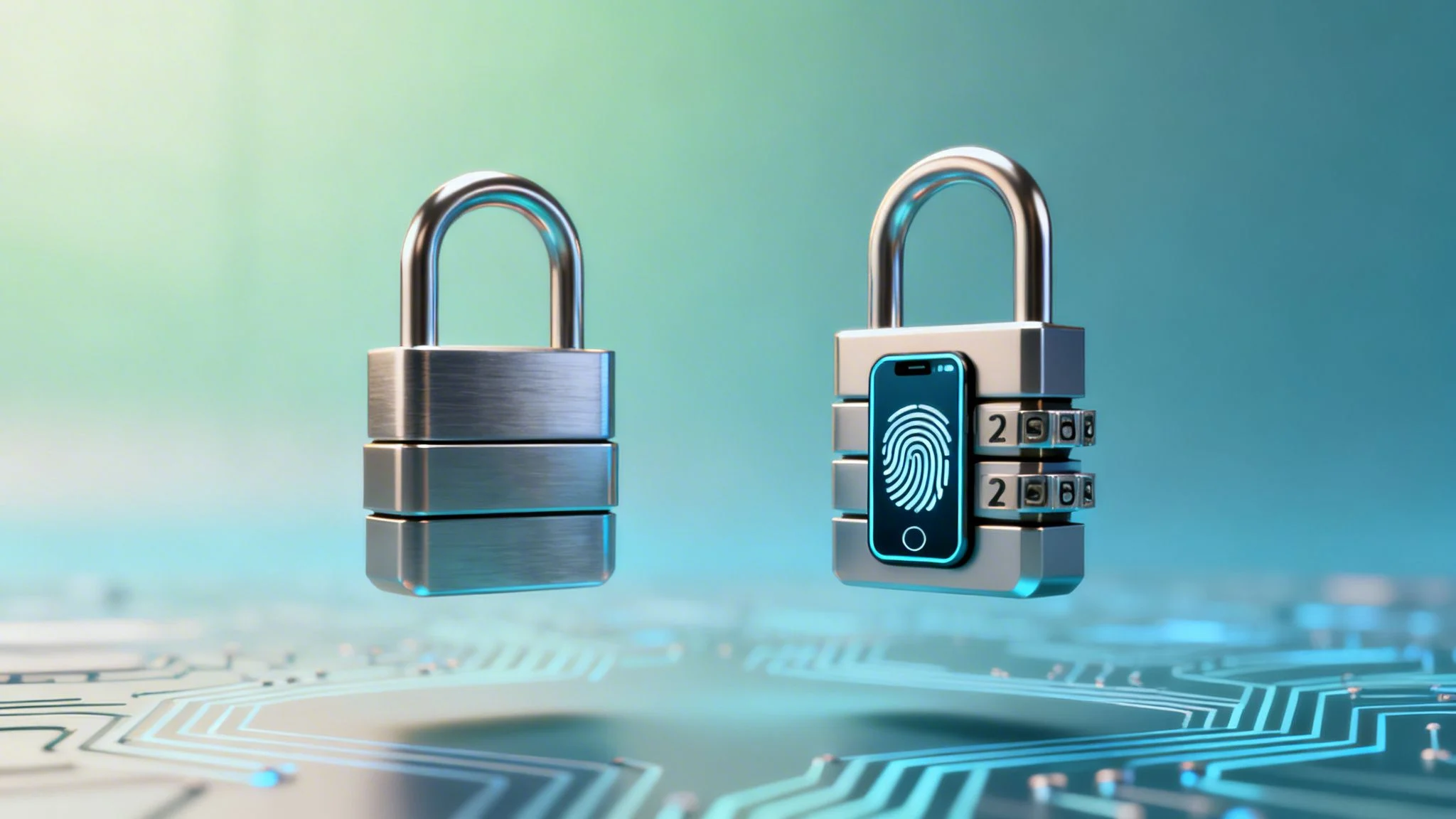
People often use the terms Two-Factor Authentication (2FA) and Multi-Factor Authentication (MFA) interchangeably, but there’s a key distinction that’s important for your security strategy. In simple terms, all 2FA is a type of MFA, but not all MFA is limited to just two factors. The core difference is in the numbers: 2FA always uses exactly two verification steps, while MFA is the broader umbrella term for using two or more.
TL;DR: 2FA vs. MFA in a Nutshell
At its core, the debate between two factor authentication vs multifactor authentication is about layers of security. Two-Factor Authentication (2FA) is a specific method requiring exactly two verification steps, such as your password plus a code from your phone. Multi-Factor Authentication (MFA) is the broader, more flexible framework that uses two or more factors, allowing for stronger combinations like a password, an app notification, and a fingerprint scan. While 2FA offers a significant security boost over passwords alone, MFA provides a more robust and adaptable defense suitable for any organization serious about protecting its data.
Securing Your Digital Front Door with 2FA and MFA
In a world of constant cyber threats, relying on just a password to protect your accounts is like using a simple padlock on a bank vault. It’s a start, but it’s just not enough anymore. Stronger security isn’t just an option; it’s a necessity, and this is where layering your authentication methods comes in.
Two-Factor Authentication (2FA) is a security process that demands two separate ways to prove your identity before granting access. Think of it as a double check. A classic example is entering your password and then having to type in a one time code sent to your phone.
Multi-Factor Authentication (MFA) is a more flexible and powerful framework. It requires a user to provide two or more verification factors to log in. This can be as simple as a 2FA setup, but it can also extend to three or more layers, like adding a fingerprint scan on top of a password and a code.
It’s no surprise that implementing MFA is a core requirement of the ACSC Essential 8. According to Microsoft, it can block more than 99.2% of account compromise attacks, making it one of the single most effective security measures you can adopt.
Core Authentication Categories
Both 2FA and MFA draw from the same three categories of evidence to verify who you are. The only difference is how many of these categories you’re required to use.
- Knowledge (Something you know): This is the most common factor. It includes anything you memorise, like a password, a PIN, or the answer to a security question.
- Possession (Something you have): This refers to a physical item in your control. It could be your smartphone receiving a text, a dedicated hardware token, or a company smart card.
- Inherence (Something you are): This category is all about your unique biological traits. Think of it as proof that is physically part of you, like your fingerprint, a facial recognition scan, or even your voiceprint.
A Deep Dive into the Core Differences
It’s easy to think the difference between 2FA and MFA is just a numbers game—two factors versus “many.” But the real distinctions run much deeper, touching on security strength, user experience, and how well the solution can grow with your organisation.
The simplest way to put it is that 2FA is a specific type of MFA. It always uses exactly two factors. MFA, on the other hand, is a flexible framework that can require two or more proofs of identity, creating a security posture that’s much tougher to crack.
This chart breaks down the core concepts visually.

As you can see, while 2FA is a fantastic step up from passwords alone, MFA represents a more layered and comprehensive approach to keeping your digital front door locked.
2FA vs MFA: A Side by Side Comparison
To help you decide which approach is right for you, this table breaks down the key attributes of Two-Factor Authentication and Multi-Factor Authentication. It’s a quick way to see how they stack up in the areas that matter most.
| Feature | Two-Factor Authentication (2FA) | Multi-Factor Authentication (MFA) |
|---|---|---|
| Factors Required | Exactly two authentication factors. | Two or more authentication factors. |
| Security Level | Good. Significantly better than passwords alone. | Excellent. Offers layered, robust protection. |
| Flexibility | Static. The same two factors are required for every login. | Dynamic. Can adapt based on risk (e.g., location, device). |
| Threat Protection | Protects against basic credential theft and phishing. | Protects against advanced threats like SIM-swapping. |
| User Experience | Consistent but can be rigid. Every login requires two steps. | Can be more seamless with adaptive policies (fewer prompts in safe contexts). |
| Scalability | Good for individuals or very small teams. | Excellent for growing organisations with diverse user groups. |
Ultimately, the choice comes down to your specific security needs. For basic protection, 2FA is a solid starting point. But for comprehensive, scalable, and future ready security, MFA is the clear winner.
Security Strength and Threat Protection
The most important difference between 2FA and MFA comes down to the level of protection they offer. Standard 2FA, which often combines a password with an SMS code, provides a solid defence against basic password theft. It’s a huge improvement over using just a password.
However, MFA’s ability to stack additional factors creates a much higher barrier for attackers. For example, an MFA policy could demand a password (something you know), a code from an authenticator app (something you have), and a fingerprint scan (something you are). This three factor approach protects against more sophisticated threats like SIM-swapping, where a criminal hijacks your phone number to intercept those SMS based 2FA codes.
Microsoft reports that implementing MFA blocks over 99.9% of account compromise attacks. That’s a powerful statistic that shows just how effective layering your security can be.
Adaptive Policies and User Experience
Modern MFA solutions often come with a clever feature called “adaptive” or risk based authentication. This intelligence allows the system to adjust the number of verification steps based on the context of the login attempt.
For example, an employee logging in from the office network on a company owned device is a low risk situation. The system recognises this and might only ask for their password and a simple push notification. It’s secure but doesn’t get in the way.
But what if that same employee tries to log in from a new device on a public Wi-Fi network overseas? The system flags this as a high risk event and can automatically step up security, demanding an extra factor like a biometric scan before granting access. Most 2FA systems lack this dynamic capability, applying the same rigid two factor rule to every single login, regardless of the risk.
Scalability and Future Proofing
For a sole trader or a small family, a simple 2FA setup might be enough to get started. But as an organisation grows, its security needs naturally become more complex, and that’s where MFA truly shines.
Imagine a business expanding to include remote workers, external contractors, and access to sensitive cloud platforms like Microsoft 365. A proper MFA framework lets the IT team create unique security policies for different people and different apps, all managed from one central place.
- Standard Users: Might need 2FA for general access to their daily apps.
- Privileged Admins: Could require three factors, including a physical hardware key, to access critical systems.
- Contractors: May be given time limited access that is controlled by MFA with location based restrictions.
This kind of fine grained control is essential for managing security at scale. As you add more accounts, particularly within environments like Microsoft 365, understanding how MSPs manage Microsoft 365 securely becomes crucial.
While MFA adds powerful protection, it’s also important to be aware of how attackers are adapting. A growing threat is the MFA Fatigue Attack, where criminals spam users with authentication requests, hoping they’ll eventually just approve one out of frustration. Choosing a robust MFA solution means you’re better prepared to defend against these tactics and adopt new authentication technologies as they emerge, future proofing your security investment.
Practical Use Cases for Your Organisation

It’s one thing to understand the tech behind 2FA and MFA, but it’s another to see how it works on the ground for a real business or family. Let’s look at how these security tools apply in everyday scenarios for small businesses, schools, and even in your own home.
Worryingly, the adoption of even basic 2FA has been slow across the Australian cybersecurity landscape, with only one in three organisations bothering to require it. This is a huge gap when you consider that a staggering 81% of breaches come from weak or stolen passwords—the exact problem 2FA and MFA are designed to solve. You can explore the full research on this and other key two factor authentication statistics to see just how critical this is.
For the Melbourne Based SMB with a Hybrid Workforce
Imagine a growing Melbourne marketing agency. The team is spread out, working from the office, from home, and on the road. They’re all accessing shared drives, confidential client files, and the company’s financial software. The biggest threat is a single compromised password giving an outsider the keys to the kingdom.
A simple password just doesn’t cut it anymore. This is where MFA becomes essential.
- Low-Risk Access: An employee logging in from the office on a company managed laptop might just need their password and a quick push notification sent to their phone app. Simple and fast.
- High-Risk Access: But what if that same employee tries to log in from an unknown Wi-Fi network at a local cafe? The system can automatically step up its defences, demanding the password, the app notification, and a fingerprint scan to be sure it’s really them.
This adaptive approach secures client data without driving your staff mad with constant security checks. For any business with a distributed team, knowing the strategies for securing remote workforces with VPN MFA is non-negotiable.
By layering authentication factors based on risk, a business can maintain high security standards for remote access, which is critical in today’s flexible work environment. This prevents a single stolen password from becoming a catastrophic data breach.
For the Local School Protecting Student Data
Schools are goldmines of sensitive information, from student records and medical details to staff payroll data. They’re also prime targets for phishing attacks, where a clever fake email tricks a teacher or administrator into giving away their login details.
In this environment, MFA isn’t just a good idea; it’s an essential shield.
- Protecting Staff Accounts: Every single staff member, from teachers to the principal, must have MFA enabled on their email and student information systems. This ensures that even if a password gets phished, the attacker hits a brick wall.
- Stopping Account Takeovers: A simple combination of a password and a code from an authenticator app can stop an account takeover cold. This protects the entire school community from data leaks or malicious emails sent from a trusted school account.
- Managing School Devices: If you’re also looking to secure school owned devices like tablets and laptops, you might find it useful to learn how Intune Mobile Device Management can add another layer of control.
When to Get Help
Feeling a bit lost in all the options? Not sure how to get these tools working with the systems you already have? If you’re managing a growing team, trying to meet compliance rules, or just don’t feel confident setting up MFA correctly, it’s time to call in an expert.
A misconfigured security setting can often be worse than having none at all. For professional help tailored to your organisation, reach out to us via our contact page. We’ll help you build a security strategy that actually works.
For the Family Securing Their Digital Life
Authentication security isn’t just for businesses. The average family juggles dozens of online accounts for banking, email, social media, and online shopping. A straightforward 2FA setup provides a huge and very practical layer of security for your personal life.
- Protect Your Money: Switch on 2FA for all your banking and financial apps. This usually involves your password plus an SMS code or an app notification, making it much tougher for criminals to access your accounts.
- Lock Down Your Email: Your main email account is the master key to everything else. If a hacker gets in, they can reset all your other passwords. Protect it with at least 2FA to prevent a total digital identity takeover.
- Secure Your Social Media: Enable 2FA on platforms like Facebook and Instagram. It’s a simple step that stops hackers from hijacking your profile and impersonating you to your friends and family.
Making the Right Choice for Your Security
Deciding between two factor and multifactor authentication isn’t just a tech for tech’s sake argument; it’s a practical business decision. The best choice comes down to your real world needs, balancing strong security with how your team actually works every day. While it’s easy to assume MFA is always the superior option, the reality on the ground is a bit more textured.
Here’s the absolute, non negotiable starting point for any organisation, no matter its size: implement at least 2FA on every critical account. We’re talking email, accounting software, and any administrative logins. This one change immediately throws a massive spanner in the works for the most common types of cyber attacks.
From there, deciding whether to make the leap to a full MFA solution depends entirely on your risk profile and how complex your operations are.
When 2FA Is a Practical Starting Point
For many, a solid 2FA setup provides more than enough protection. If you’re a sole trader or a tiny business with just a few online accounts, app based 2FA gives you a huge security uplift without adding unnecessary complexity or cost.
Think about these common scenarios where 2FA is a strong and sensible first step:
- Sole Traders: Securing your primary email and Xero account with a password plus an authenticator app code is a fantastic way to shield your business’s core assets.
- Small Teams: For a small crew with simple access needs, enforcing 2FA across shared tools like your project management software adds a solid defensive layer.
- Personal Use: For your family accounts, switching on 2FA for banking, email, and social media is a simple and highly effective way to shut down personal account takeovers.
But as your business grows, so does your attack surface. That’s the trigger point where you need to seriously start evaluating the move to MFA.
When to Upgrade to a Full MFA Solution
The push to MFA becomes essential the moment you start handling more sensitive data, managing a bigger team, or have to meet specific industry compliance rules. The real power of MFA is its ability to layer different authentication factors and adapt based on risk.
You should be prioritising a scalable, adaptive MFA system if:
- You Handle Sensitive Data: If your business manages client financial records, personal health information, or valuable intellectual property, MFA is non-negotiable.
- Your Team Is Growing or Remote: As more people need access from different locations and devices, MFA gives you the granular control to keep things secure without getting in the way.
- You Need to Meet Compliance Standards: Industries like finance, healthcare, and government often have strict rules that specifically mandate the use of MFA.
MFA’s advantage over 2FA really comes into focus when you look at Australia’s current threat environment. While 2FA adoption has helped, MFA’s multi layered defence is proven to stop 99.9% more attacks. The Australian government is increasingly prioritising MFA, making it a future proof choice for any business serious about security and compliance. You can dig into more of the data with these Australian authentication statistics.
At the end of the day, a growing business that handles sensitive information shouldn’t see MFA as just another expense. It’s a core operational investment. It provides the flexibility to secure different user groups properly—from your standard employees to privileged administrators—and ensures your defences can evolve right alongside the threats.
Frequently Asked Questions
Navigating the world of 2FA and MFA brings up a lot of practical questions. To help you get a clearer picture, we’ve put together straightforward answers to the queries we hear most often from our clients.
Is SMS-Based 2FA Still Safe to Use?
While getting a code via SMS is definitely better than just using a password, it’s no longer the gold standard for security. Its biggest weakness is something called a SIM swapping attack, where a criminal tricks your mobile provider into moving your number to a SIM card they control. Once they have your number, they get your 2FA codes.
For real peace of mind, it’s much safer to use an authenticator app like Google Authenticator or Microsoft Authenticator. These apps generate time sensitive codes right on your device, making them completely immune to SIM swapping. It’s a simple switch that makes a huge difference.
Can MFA Be Too Complex for My Employees?
That’s a very common worry, but modern MFA systems are designed to be as seamless as possible. Many now use adaptive MFA, which cleverly assesses risk in the background. For a low risk login—like an employee signing in from their usual desk—they might just get a simple, one tap push notification on their phone.
Extra verification steps only appear when the system flags something unusual, like a login attempt from an unrecognised location. With a bit of planning and a quick training session, MFA easily becomes second nature and boosts security without getting in anyone’s way.
How Much Does MFA Cost for a Small Business?
The cost of MFA can vary, but many powerful and affordable options are already baked into the platforms you probably use, like Microsoft 365 and Google Workspace. The investment is almost always far less than business owners expect.
It’s crucial to weigh this cost against the potential expense of a single data breach. The financial and reputational damage from a security incident will always dwarf the price of implementing a strong MFA solution.
Ready to implement a security strategy that works? Reach out to us through our contact page to submit a query and schedule a consultation.
Share This Story, Choose Your Platform!