
When you’re trying to pick between Microsoft Teams and Zoom, it’s easy to get bogged down in feature lists. But the real choice comes down to a fundamental difference in philosophy. Think of it this way: Teams is an all-in-one digital office, designed to be the central hub for everything you do, while Zoom is a best-in-class meeting tool that excels at one thing: video communication.
Your decision hinges on what your business values more. Do you want a single, deeply integrated ecosystem tied to your Microsoft 365 subscription? Or do you need a super-reliable, easy-to-use video platform that can plug into almost anything?
TL;DR: The Quick Answer
This guide compares Microsoft Teams, an all-in-one collaboration hub, with Zoom, a specialised video meeting tool. For businesses already using Microsoft 365, Teams is the logical choice, offering deep integration and a unified workflow. If your priority is best-in-class, easy-to-use video conferencing that works seamlessly with external clients and various other software, Zoom is often the better fit. The right platform depends entirely on your existing IT ecosystem and primary business needs.
Choosing Your Collaboration Platform
Picking the right platform isn’t just about video calls; it’s a decision that shapes how your team works every single day. This guide cuts through the noise, comparing Microsoft’s integrated powerhouse, Teams, with the undisputed leader in dedicated video conferencing, Zoom.
We’re not just listing pros and cons. We’re diving into how each platform is designed and where it truly shines, helping you see the crucial difference between an all-in-one system (Teams) and a specialised tool (Zoom). Everything is framed specifically for Australian small-to-medium businesses, schools, and growing enterprises.
The goal here isn’t to declare a winner, but to help you figure out which platform genuinely aligns with your day-to-day operations, security needs, and future plans. To see how these tools fit into the bigger picture, you can explore our complete guide to video conference systems.
A Quick Verdict for Decision-Makers
Let’s cut right to the chase. If you’re a busy decision-maker, you don’t have time for a feature-by-feature slog. You need a straight answer.
The choice between Microsoft Teams and Zoom really boils down to one core question: are you already invested in the Microsoft world?
If your business runs on Microsoft 365 using Outlook for email, SharePoint for files, and the Office suite for documents then Teams is the logical fit. It’s not just a meeting tool; it’s a central hub that pulls your entire workflow together into one secure, unified platform.
On the other hand, if your priority is simply best-in-class video meetings that just work, especially with external clients, Zoom is often the winner. It excels at reliable, easy-to-use video conferencing and integrates cleanly with a wide range of other software, not just Microsoft’s.
This flowchart breaks down that fundamental decision between an all-in-one ecosystem and a specialised tool.
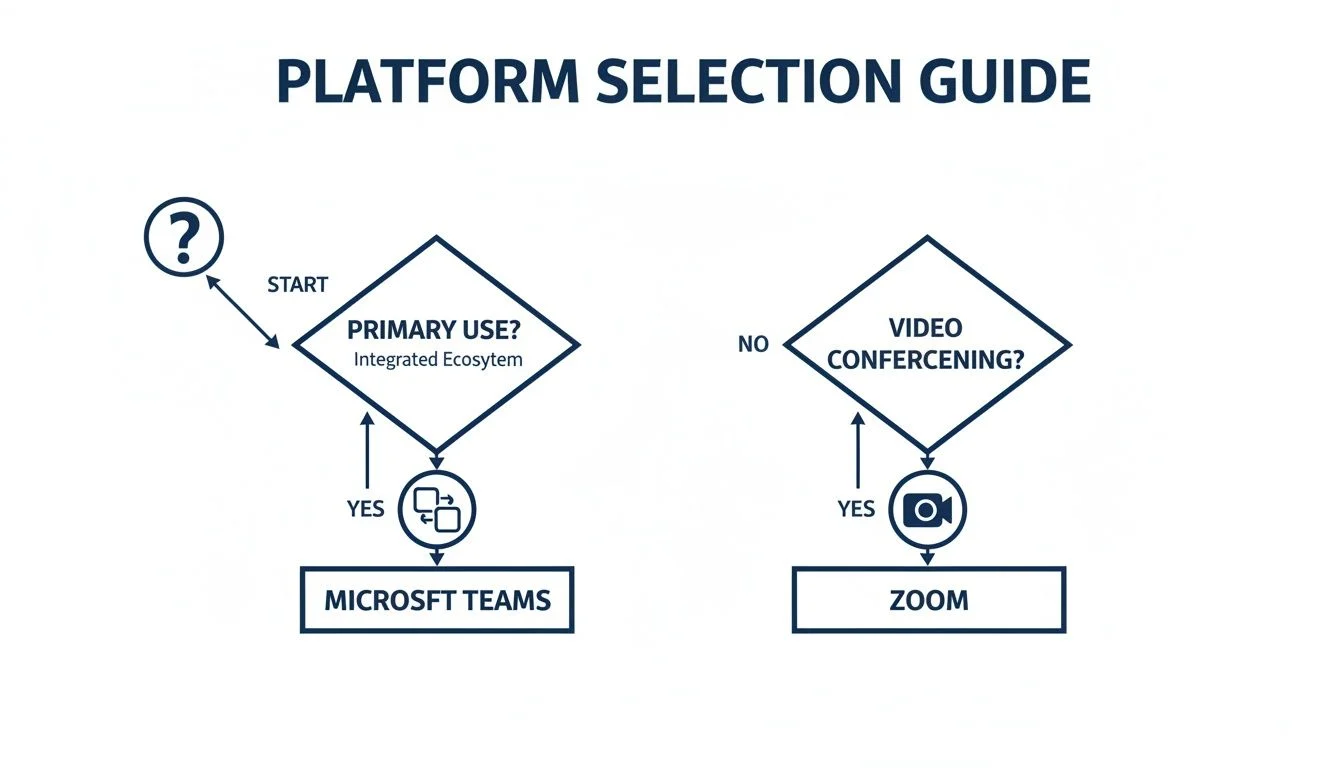
Ultimately, you’re choosing between a deeply integrated collaboration suite (Teams) and a dedicated, high-performance meeting solution (Zoom). Your existing setup and primary needs will point you to the right answer.
The Day-to-Day Experience: Teams vs. Zoom
When you get down to it, the choice between Microsoft Teams and Zoom often comes down to one simple question: what do you actually do with it every day? This is where the two platforms show their true colours.
Zoom’s biggest strength has always been its single-minded focus. It was built to do one thing exceptionally well: launch and run video meetings with minimal fuss. The interface is clean and immediately understandable, which is why it’s a brilliant choice for calls with external clients, customers, or anyone who isn’t particularly tech-savvy. It just works.
Microsoft Teams, on the other hand, is a different beast entirely. It isn’t just a meeting tool; it’s designed to be the central hub where your team’s entire workday happens. Its popularity here in Australia is a testament to this, with 612 companies using it as their go-to platform as of early 2024. For businesses already invested in the Microsoft 365 suite, Teams is a natural fit, pulling everything from file sharing to project planning into one place.
Because it does so much more, there’s a bit more to learn. Getting the most out of it means understanding its deeper features, like knowing how to record a Teams meeting for training or compliance. If you’re looking to see how it can fit into your business, our guide on Microsoft Teams for businesses offers more specific, practical advice.
The Ecosystem and Integration Showdown

This is where the two platforms reveal their fundamentally different philosophies. How a tool connects with your other software isn’t just a nice-to-have feature; it defines your entire workflow and is a crucial part of the microsoft teams vs zoom debate.
Microsoft’s approach is all about creating a single, walled garden. Teams is woven directly into the fabric of the Microsoft 365 suite, acting as the central hub that pulls together Outlook, SharePoint, OneDrive, and everything in between.
This native integration is a huge part of its success in the Australian market, as shown by collaboration software trends from Statista. For businesses already invested in Microsoft’s ecosystem, the appeal is obvious. It simplifies things, and market analysis shows it can cut IT overheads by up to 30%.
Zoom, on the other hand, takes a completely different path. It was built to be the best-in-class tool for video and connect with everything else. Its massive app marketplace and open API mean you can plug it into almost any other software your team relies on, from Slack to Salesforce.
This flexibility is a game-changer for organisations that aren’t tied to a single vendor. For a deeper look at how these connections work, it’s worth understanding app integrations and how they can create a seamless setup. It’s a key principle we cover in our unified communications guide.
When to Get Help
Choosing between Microsoft Teams and Zoom can feel straightforward, but implementing either platform effectively requires real IT experience. A poor rollout can lead to security vulnerabilities, user frustration, and wasted investment. If you’re managing sensitive data, need complex integrations, or are migrating a large team, it’s time to bring in an expert.
Consider seeking professional help if you are:
- Migrating from an existing system: Ensuring data integrity and minimising downtime during a platform switch is critical.
- Needing advanced security configuration: Aligning the platform with Australian privacy laws and industry standards requires technical knowledge.
- Integrating with custom or legacy software: Making new and old systems talk to each other is a common IT challenge that needs a strategic approach.
- Struggling with user adoption: An expert can design a training program that ensures your team uses the platform to its full potential.
A professional IT partner doesn’t just fix problems; they design a solution that fits your business from day one, preventing costly issues down the line. If you are facing these challenges, you can submit a query on our contact page.
Security and Compliance for Australian Businesses

When it comes to choosing a communication platform, security isn’t just another feature on a checklist it’s the foundation. For any Australian business, how your data is handled is a dealbreaker, and this is where the Microsoft Teams vs Zoom discussion gets serious.
Microsoft Teams doesn’t just have security features; it’s built directly into the massive Microsoft 365 security stack. Think of it as a fortress where every brick works together. This gives you incredibly granular control over your data and, crucially, offers data residency options right here in Australia, which is a huge tick for compliance.
Zoom, for its part, has come a long way. After some early stumbles, they now offer robust end-to-end encryption (E2EE) and have a stack of independent security certifications to prove their commitment. It’s a solid, secure platform.
However, for any organisation already living within the Microsoft world, Teams has a home-ground advantage. Its native integration with your existing company-wide security policies creates a single, unified defence. This makes it far simpler to align with critical frameworks like the ACSC Essential 8, giving you a much more cohesive and manageable security posture across your entire organisation.
A Practical Look at the Price Tag
When you’re comparing Microsoft Teams and Zoom, looking at the price isn’t just about the number on the tin. You need to think about the total cost of ownership, and this is where the two platforms take very different approaches.
For many small businesses, Microsoft Teams almost feels “free” because it’s already bundled into their Microsoft 365 subscription. If you’re already paying for Word, Excel, and Outlook, Teams is part of that single, predictable monthly fee. This makes it a no-brainer for businesses already invested in the Microsoft ecosystem.
On the other hand, Zoom uses a tiered pricing model that offers a lot of flexibility, which can be great if you’re just starting out or have very specific needs. But you have to watch out for the add-ons. The costs for features like webinar hosting, extra cloud storage, or traditional phone calling (PSTN) can stack up quickly, turning what looked like a bargain into a much bigger expense.
Zoom’s simple, get-started-now approach has seen it explode in popularity across Australia, grabbing a huge slice of the local USD 49.65 million video conferencing market. It’s easy to see why startups love it, but it pays to look beyond the initial price tag and consider how your needs might grow. You can find out more about these market trends from recent research.
How Tbourke Solutions Can Help
Choosing between Microsoft Teams and Zoom is a strategic decision that impacts productivity, security, and budget. At Tbourke Solutions, we provide expert IT guidance to help Australian businesses make the right choice and implement it seamlessly. With over 20 years of hands-on experience, we go beyond simple recommendations to deliver real-world results.
Here’s how we can assist:
- Strategic Assessment: We start by understanding your unique business workflows, existing IT infrastructure, and long-term goals. This is a core part of our business IT consulting services.
- Seamless Implementation & Migration: We manage the entire setup, from data migration to user configuration, ensuring a smooth transition with minimal disruption to your daily operations.
- Ongoing Managed IT Services: We offer tailored support plans to handle security, updates, licensing, and day-to-day management, all with transparent, predictable pricing. Our goal is to ensure your collaboration platform remains a powerful asset, not an IT burden.
Ready to move past the debate and get a clear, practical solution tailored for your business? Submit a query on our contact page to connect with our team.
Frequently Asked Questions
Which is better for small businesses, Teams or Zoom?
It depends on your existing software. If your business already runs on Microsoft 365, Teams is the more cost-effective and integrated choice. If you operate in a mixed-software environment and prioritise ease of use for external calls, Zoom’s simplicity and strong third-party integrations may be a better fit.
Do I need a Microsoft 365 subscription to use Teams?
While Teams is best experienced as part of a Microsoft 365 subscription, there is a free version of Microsoft Teams available with limited features. However, for business use, the full integration and security benefits come with the paid subscription.
Can Zoom and Teams work together?
Yes, you can integrate them to a certain extent. For example, you can launch a Zoom meeting directly from a Teams channel using the Zoom integration from the Teams app store. This can be a good compromise for businesses that need the internal collaboration features of Teams but prefer Zoom’s video interface for external meetings.
Which is more secure for a business in Australia?
Both platforms offer robust security features like end-to-end encryption. However, for businesses concerned with data sovereignty and regulatory compliance, Microsoft Teams has a distinct advantage. It offers data residency in Australian data centres and integrates deeply with the comprehensive Microsoft 365 security framework, making it easier to manage compliance with frameworks like the ACSC Essential 8.
Share This Story, Choose Your Platform!