
Think about your business communications for a moment. Are they a jumble of different tools? A separate app for phone calls, another for video meetings, a third for team chat, and of course, good old email. It’s a bit of a mess.
Unified Communications (UC) takes that cluttered toolkit and swaps it for a single, elegant multi-tool. It’s a platform that brings all your communication channels together into one place, making teamwork feel natural and effortless.
TL;DR
This guide explains how unified communications (UC) can transform your business by merging tools like phone calls, video meetings, and chat into a single platform. We’ll explore the core components, compare on-premises vs. cloud-based (UCaaS) models, and provide a step-by-step checklist for a smooth implementation. Ultimately, you will see how a well-planned UC strategy can boost productivity, cut costs, and empower your team for modern hybrid work.
What Is Unified Communications, Really?

But UC is more than just a piece of software; it’s a whole new way of working. It’s a strategy designed to break down the walls between different ways of talking, creating one seamless environment where your team can connect and get things done.
Instead of constantly switching between your phone, a video app, and a chat program, UC combines them all. This is a game-changer for Australian businesses figuring out the hybrid work model, with staff spread across the office, home, and client sites.
The whole point is to make communication so simple that the technology just fades into the background. Your team can then focus on their actual work, not on figuring out which app to use next.
How UC Unclutters Your Workflow
A well-implemented unified communications system has an immediate, positive impact on day-to-day operations. It cuts out the wasted time and mental drain of app-switching, creating a much smoother and more productive flow.
For instance, a conversation that begins as a quick chat message can escalate into a voice call or even a full-blown video meeting with a single click, all without ever leaving the application. This is exactly the kind of seamless experience you get with platforms like Microsoft Teams for businesses.
This ability to move between communication types offers some serious benefits:
- Reduced App Fatigue: Staff no longer have to juggle multiple logins and interfaces, which cleans up their digital workspace and reduces frustration.
- Improved Context: Conversations stay in one continuous thread, so important details don’t get lost in the shuffle between different apps.
- Faster Decision-Making: Teams can jump from text to voice or video in an instant, helping them solve problems and make decisions much more quickly.
By bringing voice, video, and messaging into one platform, unified communications acts as the central nervous system for an organisation. It ensures information flows efficiently, keeping everyone aligned regardless of their physical location and making collaboration truly effortless.
So, what’s this guide all about?
Think of it as your roadmap to understanding unified communications. We’ll break down exactly how bringing all your communication tools, from phones to video calls to instant messaging, into one place can seriously boost your team’s productivity and make flexible work actually work.
We’ll start by looking at the core pieces of a modern UC system, like VoIP and video conferencing, so you get a clear picture of how everything fits together.
From there, we’ll dig into the big decision: do you stick with a traditional on-premise setup or move to a more flexible, cloud-based system (often called UCaaS)? We’ll cover the specific wins for Aussie businesses and schools, and give you a straightforward checklist to make sure your transition is a smooth one.
And to wrap it all up, we’ll show you how Tbourke Solutions can guide you through every step of the process.
The Core Components of a Modern UC Platform

To really get what makes unified communications tick, you have to look under the bonnet at the individual parts working together. Think of a UC platform like a high-performance engine; it’s not just one part, but the seamless combination of many that delivers a smooth, powerful ride.
Each component has its own job, but they’re all designed to sync up perfectly. At its core, a modern UC system is all about integrating these essential tools to cut out the friction and make teamwork feel completely natural.
Let’s break down the key pieces that make it all happen.
Enterprise Telephony and VoIP
The absolute foundation of any solid UC platform is its ability to handle voice calls, reliably and efficiently. This is where Enterprise Telephony, powered by Voice over Internet Protocol (VoIP), comes in. Instead of being chained to traditional, costly phone lines, VoIP routes all your calls straight over the internet.
But this is so much more than just a new way to make calls. It transforms your phone system into a flexible, software-based tool that plugs directly into your other applications. You can make and receive calls from a desk phone, your laptop, or a mobile app, all while using the same business number. This is a game-changer for small businesses needing a professional image without the hefty price tag of complex hardware.
You can see how a modern phone system for small business is built on these exact principles for ultimate flexibility.
Integrated Video Conferencing
In today’s world of hybrid work, video conferencing isn’t just a nice-to-have; it’s essential. When your video solution is integrated directly into a UC platform, you can launch a face-to-face meeting right from a chat conversation or an email thread with a single click.
No more fumbling around to generate separate meeting links, sending out calendar invites, and then crossing your fingers that everyone has the right software installed. It just works. This tight integration makes video a core part of the daily workflow, not an afterthought, making it effortless for teams to connect, share screens, and collaborate in real-time, no matter where they are.
Instant Messaging and Presence
Sometimes, all you need is a quick, text-based answer. Instant Messaging (IM) gives you a fast, informal way to communicate in real-time, perfect for sorting out simple queries or sharing updates without clogging up email inboxes.
Paired with this is Presence, a simple but incredibly powerful feature that shows you if your colleagues are available. A small status icon, like available, busy, in a meeting, or away, gives you instant context, so you know if it’s a good time to reach out. This small detail prevents constant interruptions and helps teams respect each other’s focus time.
Unified communications isn’t about replacing old tools with new ones. It’s about making the tools you already use work together intelligently, creating a single source of truth for all team interactions.
To make this clearer, let’s compare how a traditional setup stacks up against a unified one.
Traditional Communications vs Unified Communications Features
The table below shows the practical difference between juggling separate tools and having everything under one roof. It’s a shift from clunky and disconnected to smooth and integrated.
| Feature | Traditional Siloed Approach | Unified Communications Approach |
|---|---|---|
| Voice Calls | Separate desk phone, tied to a physical line and location. | Integrated VoIP, accessible on any device (desk phone, PC, mobile). |
| Meetings | Requires a separate video conferencing app with unique links. | Video calls can be started instantly from a chat or email thread. |
| Messaging | Communication is scattered across email, SMS, and various chat apps. | All messages are centralised in one platform with persistent chat history. |
| Availability | Guesswork or sending an email to check if someone is free. | Real-time presence status shows who is available, busy, or away. |
As you can see, the UC approach doesn’t just offer new features; it fundamentally reorganises how communication flows, saving time and reducing the mental load of switching between different apps all day.
Why Australian Businesses Are Jumping on Board with UC
Unified communications isn’t some niche tech for big corporations anymore; it’s fast becoming the standard for Australian businesses and schools. The reason for the shift is pretty straightforward: UC solves the real-world problems we’re all facing in a changed working world, and the benefits are tangible.
At its heart, this move is about connecting people. UC gives teams the power to work together seamlessly, whether they’re in a Sydney high-rise, a regional office, or working from the kitchen table.
Powering the Modern Hybrid Workforce
The explosion of hybrid work is probably the single biggest reason for the UC boom in Australia. When your team is split between the office and home, old-school communication tools just don’t cut it. They create confusion, leave people out of the loop, and kill efficiency.
A unified platform fixes this by becoming the digital hub that brings everyone together. It means an employee working remotely has the exact same tools and access as someone sitting at a desk in the main office. No more second-class citizens.
This creates a genuine sense of connection and a more inclusive culture. It knocks down the walls between on-site and remote staff, making collaboration feel as natural and immediate as walking over to a colleague’s desk.
Driving Real Productivity and Efficiency
Beyond just keeping teams connected, businesses are switching to UC to seriously improve team productivity. When all your communication tools talk to each other, workflows just… flow.
Think about the time you save when you can flip a chat message into a video call with a single click, instead of having to book a meeting and send out links. That ability to instantly escalate or de-escalate a conversation removes friction and gets problems solved faster.
- Faster Decision-Making: Teams can get the input they need and make calls in real-time.
- Less App-Hopping: Employees stay focused because they aren’t constantly jumping between different programs.
- One Source of Truth: Important files and conversations live in one searchable place, not scattered across five different apps.
The real magic of unified communications is how it simplifies everything. By bringing all these separate systems under one roof, organisations save a surprising amount of money and become far more agile. It frees up resources you can then pour back into growing the business.
Unlocking Significant Cost Savings
Another massive driver for the switch is the bottom line. Juggling separate vendors for your phone system, video conferencing, and team messaging is not only a headache, it’s expensive.
Rolling all these services into a single UC platform simplifies everything and almost always leads to a lower total cost. You can ditch redundant subscription fees, slash hardware maintenance costs, and cut the cord on old-school phone lines. The numbers back this up: Australia’s UC market was valued at USD 2.9 billion and is expected to hit nearly USD 11.6 billion by 2033. You can explore more data on Australia’s UC market growth to see the full analysis.
Transforming Australian Education
The impact of UC goes well beyond the corporate world, making a huge difference in our schools and universities too. Educators are using these platforms to create far more engaging and accessible learning environments.
For instance, teachers can run live virtual classes, share learning materials instantly, and jump on a quick one-on-one video call with a student who needs a bit of extra help. It also streamlines communication with parents, allowing for secure messages, quick updates, and virtual parent-teacher interviews.
This technology is a game-changer for bridging the city-country divide, giving regional and remote students the exact same quality of education and collaborative tools as their peers in major cities. It makes learning more flexible, inclusive, and fit for the modern world.
Choosing Your Model: On-Premises vs. Cloud (UCaaS)
One of the biggest decisions you’ll make when bringing in a unified communications system is how it’s actually delivered. This choice really comes down to two main models: the traditional on-premises setup or a modern cloud-based service. Each one has major implications for your budget, your IT team’s workload, and your business’s future flexibility.
The easiest way to think about it is like buying a house versus renting an apartment. Both give you a place to live, but they are worlds apart in terms of ownership, maintenance, and how you pay for it all.
On-Premises UC: The Homeowner Model
The old-school on-premises model is just like buying your own house. You purchase all the hardware yourself, the servers, the gateways, the phones, and you host it all at your physical location.
This approach gives you complete and total control over your communications environment. You own the gear, you manage the software, and your team is on the hook for every bit of maintenance, every update, and all the security.
- Financial Model: This is a Capital Expenditure (CapEx). You’re looking at a large upfront investment in hardware and software licences, followed by ongoing costs for power, maintenance, and the IT staff needed to run it.
- Control and Customisation: You have ultimate control to tweak the system to your exact needs. This can be a deal-breaker for organisations with very specific or complex integration requirements.
- Security: With everything running on your own network, you have direct oversight of all security protocols. The flip side? The responsibility for securing it lands squarely on your shoulders.
An on-premises solution offers unmatched control, but it comes with the full weight of responsibility. You are the owner, the manager, and the maintenance crew all in one.
This model used to be the only option, but it demands serious in-house IT expertise and resources to manage properly. For a lot of growing Australian businesses, the constant maintenance and high initial cost can be major roadblocks.
UCaaS: The Renter Model
Unified Communications as a Service (UCaaS) is the cloud alternative, and it’s much more like renting an apartment. Instead of buying and managing everything yourself, you pay a monthly subscription fee to a provider who hosts and maintains the entire system for you.
You get access to all the features of a powerful UC platform over the internet, without needing any complex hardware cluttering up your office. This model shifts the financial burden from a big upfront purchase to a predictable, ongoing operational cost.
- Financial Model: This is an Operational Expenditure (OpEx). You pay a predictable monthly or annual fee for each user, which makes budgeting a whole lot easier.
- Scalability and Flexibility: Need to add a new team member or downsize for a season? Adding or removing users is simple. This agility is a massive advantage for dynamic businesses.
- Maintenance and Updates: The provider handles all the backend stuff, maintenance, security patches, and software updates happen automatically. This frees up your IT team to focus on work that actually grows the business.
The infographic below really drives home the key reasons businesses are making the switch to UC, with flexibility and cost being right at the top of the list.
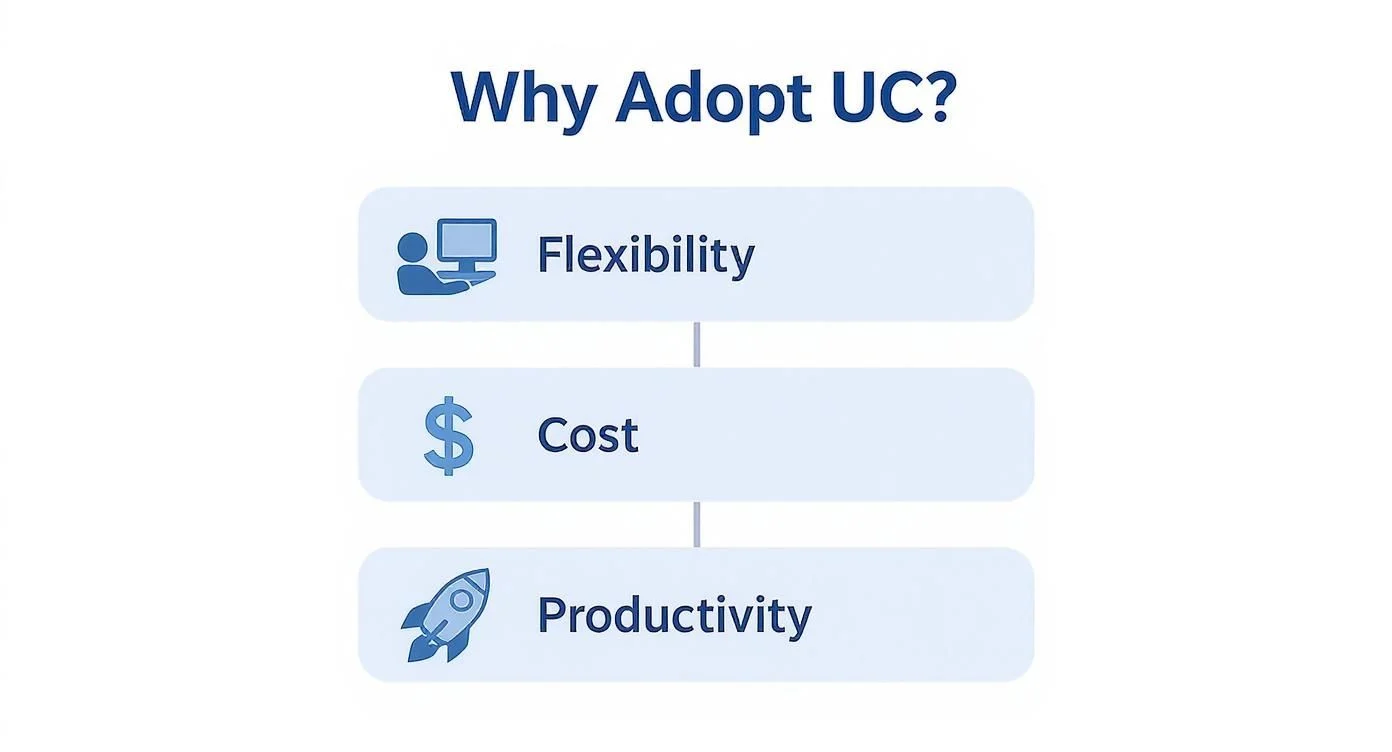
This visual shows that businesses are mostly drawn to the agility, savings, and efficiency gains that UC offers, benefits that are strongly tied to the modern UCaaS model.
The momentum towards this model is undeniable. The Australian UCaaS market is projected to grow at a compound annual rate of 19.1% between 2025 and 2030, showing just how much local organisations prefer the flexibility of the cloud. For businesses evaluating the shift to a cloud-based Unified Communications as a Service (UCaaS) model, it’s crucial to understand offerings from major providers by exploring cloud-based UCaaS providers such as Vonage.
Of course, some organisations want a bit of both worlds. For those wanting to keep some on-site infrastructure while still gaining cloud benefits, a hybrid approach can be the perfect solution. To get a better idea of how this works, check out our guide on Exchange Server hybrid deployment.
Your Step-by-Step Implementation Checklist

Moving to a new unified communications system can feel like a massive undertaking. But with the right roadmap, what seems like a complex project breaks down into a series of clear, manageable steps. This checklist is designed to be that roadmap, guiding you from the first spark of an idea all the way to a successful launch.
Following a structured process takes the guesswork out of the equation. It ensures you don’t just get a new piece of tech, but a solution that actually fits the way your organisation works, leading to a smooth transition for everyone involved.
Phase 1: Define Your Goals and Scope
Before you even think about technology, you need to get a handle on where you are now and where you want to go. This is the foundational stage, and getting it right sets your entire project up for success.
Start with a proper audit of your current communication tools and network infrastructure. What systems are people using? What are the biggest daily frustrations your team faces with them? Pinpointing these pain points early is crucial.
From there, you need to define what “success” actually looks like for your business. Outlining clear objectives will be the compass that guides every decision you make down the line.
- Audit Your Current Systems: Make a list of every tool your team uses for communication, from the old phone system in the corner to the various video conferencing apps. Note their costs and any known issues.
- Define Success Metrics: Set measurable goals. Are you aiming to cut communication costs by 15%, improve team response times, or see more people using video calls?
- Engage Key Stakeholders: Get department heads and team leaders involved from day one. Their on-the-ground insights will ensure the solution meets the real-world needs of the whole organisation.
Phase 2: Choose the Right Partner and Plan the Migration
With your goals clearly defined, it’s time to pick the technology and, just as importantly, the partner who will help you get it up and running. This is a critical choice, the right partner brings expertise and ongoing support, not just software.
Take your time evaluating potential vendors and their platforms. Don’t get blinded by a long list of features; look at their reputation for reliability, security, and customer support. A local partner who understands the Australian business landscape can offer invaluable guidance.
Once you’ve made your choice, the real planning begins. You’ll need a detailed migration plan that outlines the technical steps, a realistic timeline, and how you’ll manage the switch with minimal disruption. For businesses with complex network needs, understanding how UC will work with your other tech is vital; you can learn more by reading our SD-WAN guide to see how modern networks are built to support these systems.
A successful unified communications project is 20% technology and 80% planning. Taking the time to build a detailed roadmap before you start will prevent major headaches down the line and ensure a much smoother rollout for everyone involved.
Phase 3: Execute the Rollout and Drive Adoption
This final phase is all about execution. It’s where the planning pays off, but it’s also about training your team and making sure they actually embrace the new system. After all, the best technology in the world is useless if no one uses it properly.
Kick things off with a pilot program. Get a small, tech-savvy group of users to test the system first. Their feedback is gold, it will help you iron out any kinks before you go live across the entire company.
Next, develop a comprehensive training plan that works for different learning styles. Think about a mix of live workshops, on-demand videos, and quick-reference guides people can look at later. Crucially, make sure ongoing support is available to build confidence and keep adoption rates high long after the launch buzz has faded.
Frequently Asked Questions
Navigating unified communications brings up a lot of questions. To help you feel confident about your next steps, we’ve put together some clear, straightforward answers to the queries we hear most often from our clients.
What Is the Main Difference Between UC and UCaaS?
This is a frequent point of confusion, but the distinction is actually quite simple.
Think of Unified Communications (UC) as the what, it’s the overall strategy and the technology that brings all your communication tools together. It’s the big idea.
UCaaS (Unified Communications as a Service) is the how. It’s a delivery model where a provider like us hosts the platform in the cloud, and you access it for a simple subscription fee. One is the blueprint for the house; the other is the finished building you rent space in.
Is Unified Communications Secure for My Business?
Absolutely. Any reputable UC provider puts security at the very top of their priority list. Modern platforms are built from the ground up with robust, multi-layered security measures to protect your data and conversations from prying eyes.
These aren’t just buzzwords; they’re real protections that include:
- End-to-End Encryption: Scrambles your calls and messages during transit, making them unreadable to anyone who isn’t supposed to see them.
- Multi-Factor Authentication (MFA): Adds that crucial extra layer of security to user logins, requiring more than just a password to get in.
- Compliance Certifications: Providers often stick to strict industry standards like ISO 27001 to prove they’re serious about keeping your data safe.
How Much Does a Unified Communications System Cost?
There’s no one-size-fits-all price tag here, as the cost varies widely based on a few key factors.
For a cloud-based UCaaS model, you’ll typically pay a monthly per-user fee, which is often far more budget-friendly for small to medium businesses. It’s predictable and avoids a massive upfront hit.
An on-premises system, on the other hand, requires a significant upfront investment in hardware and software licences. The final cost will always depend on the number of users you have, the specific features you need, and the level of support you choose.
Can UC Integrate with Our Existing CRM Software?
Yes, and this is where a UC system really starts to shine. Most leading platforms are designed to integrate smoothly with hundreds of other business apps, including popular CRMs like Salesforce and HubSpot.
This creates some seriously powerful efficiencies. Imagine a client calls, and your UC system automatically pulls up their entire history from the CRM right on your screen. No more fumbling for details. The massive shift to mobile devices and Bring Your Own Device (BYOD) policies has also pushed providers to ensure this integration works seamlessly everywhere.
This, combined with the power of modern VoIP and cloud solutions, has made unified communications more accessible and cost-effective than ever for Australian organisations. You can learn more about these market trends and their impact on productivity.
How Tbourke Solutions Can Guide Your Transition
Jumping into the world of unified communications can feel overwhelming. You need more than just a software vendor; you need a local partner who gets the tech and, more importantly, gets your organisation. That’s where we come in.
At Tbourke Solutions, we specialise in designing and rolling out UC strategies that make sense for Australian businesses and schools. Our first step is always to listen. We want to understand the real-world communication headaches you’re facing so we can build a solution that actually solves them, not just pile on more software.
Our expert-led services include:
- Strategic Planning: We assess your needs to match the right technology to your specific business or school objectives.
- Seamless Integration: We ensure your new UC platform works perfectly with the tools you already use every day.
- Managed Migration: Our team handles the technical heavy lifting, moving you to the new system with minimal fuss.
- Ongoing Support: We stick around to provide continuous management, keeping your system optimised and running smoothly.
As part of our broader business IT consulting services, we build lasting partnerships to ensure your technology supports your long-term growth.
Ready to simplify your communications and empower your team? Start the conversation today.
To discuss your specific needs and get a clear, no-obligation plan, visit our contact page at http://tbourke-solutions.com.au/contact and submit a query today. We’re here to help.
Share This Story, Choose Your Platform!