In today’s connected world, a video conference system is the central hub for team collaboration, not just a tool for the odd call. These systems have become absolutely essential for connecting teams, driving productivity, and making modern hybrid work models actually work. For any Australian business, school, or organisation, choosing the right setup is a critical decision.
TLDR; A Quick Summary
This guide explains that a modern video conference system is a blend of hardware, software, and a reliable network connection. We cover the different types available, from simple software to dedicated room setups, and highlight key features like screen sharing and HD video. The article also dives into essential security measures like encryption and provides practical advice to help you choose a system that truly benefits your organisation.
Why Your Business Needs the Right Video Conference System
Moving Beyond Simple Video Calls
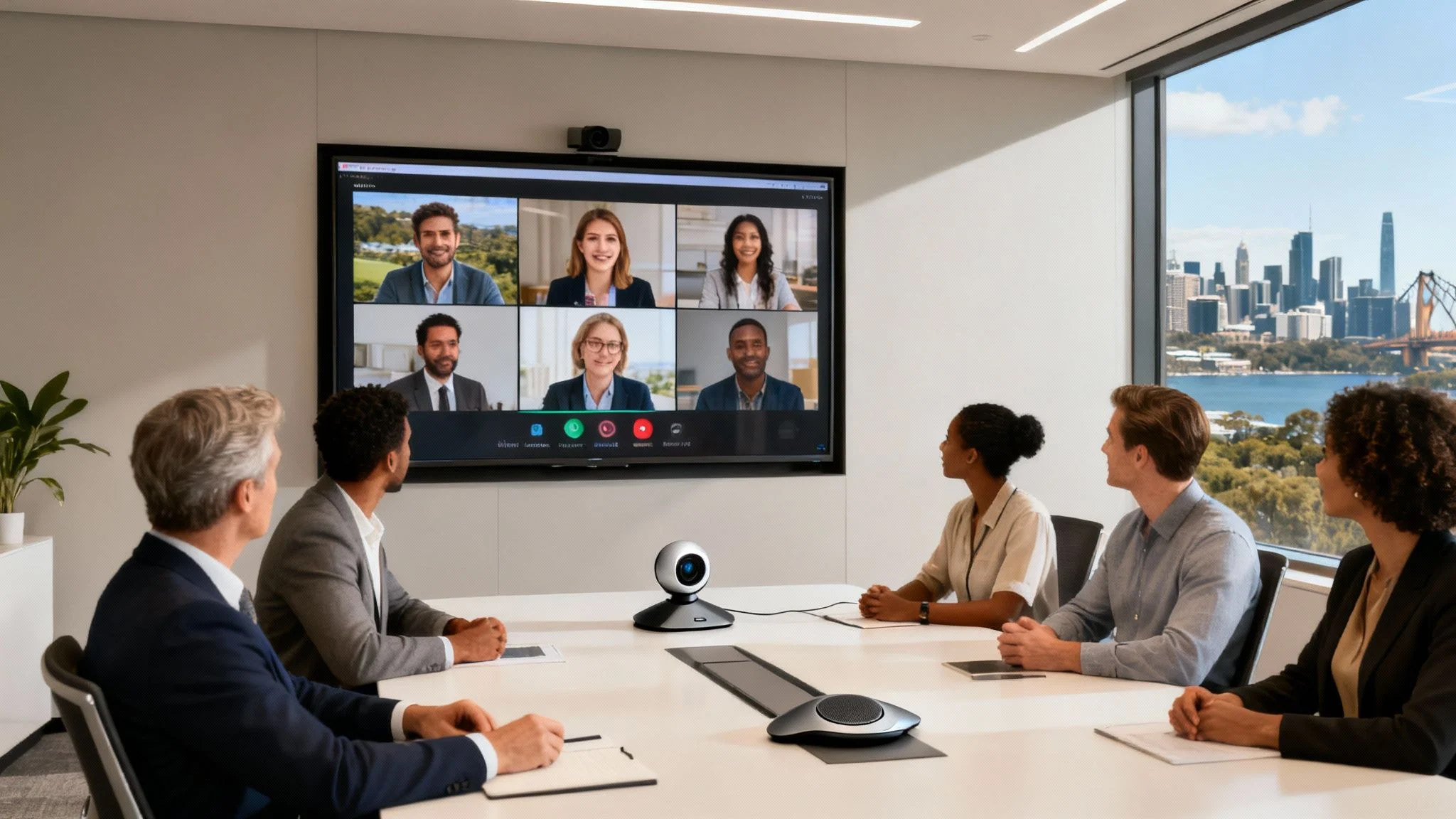
It wasn’t long ago that video conferencing was a frustrating mess of bad connections and clunky software. Today, these systems have evolved into powerful, all-in-one platforms that form the very backbone of modern business communication. They’re no longer a luxury but a fundamental tool for getting work done.
A well-chosen system does so much more than just put faces on a screen. It enables seamless collaboration, breaks down geographical barriers, and fosters a more inclusive work environment for team members, whether they’re in the office or working remotely.
The Real Impact on Productivity
The right video conference system has a direct impact on your efficiency and your bottom line. It cuts down on the need for costly and time-consuming travel, empowers quick decision-making, and ensures business can carry on, no matter what. For many organisations, this technology is now central to their success.
- Improved Team Cohesion: It connects remote and hybrid teams, making sure everyone feels like they’re part of the same conversation.
- Increased Efficiency: It allows for quick meetings, screen sharing, and real-time problem-solving without all the logistical headaches.
- Enhanced Client Relations: It provides a professional and personal way to engage with clients and partners, no matter where they are in the world.
Understanding the various components is the first step toward building a reliable communication network. As you explore the possibilities, it’s important to consider how these platforms fit into your broader operations. You can learn more about integral IT solutions for small business that support this kind of growth.
A Quick Peek at Choosing Your System
Right, so you need a video conferencing setup and want the fast version? Here’s the bottom line.
A modern video conference system isn’t just one thing. It’s a mix of hardware (cameras, mics), software (like Teams or Zoom), and most importantly, a rock-solid network connection holding it all together. The secret isn’t picking the fanciest brand; it’s about figuring out what your team actually needs, whether that’s a slick boardroom setup or just making sure your remote staff can join calls without a hitch.
This guide will walk you through the different types of systems out there, the security features you can’t afford to skip, and what it’s all likely to cost.
A stable internet connection is the absolute foundation of good video conferencing. Before you do anything else, it’s worth making sure your connection is up to scratch. Our guide on selecting an ISP for your business is a great place to start.
We’ll also show you how getting a local IT expert like Tbourke Solutions involved takes all the guesswork out of the process. We can design, set up, and support a secure, reliable system that’s a perfect fit for your goals, making sure you get it right the first time.
Understanding the Different Types of Video Conference Systems
Trying to get your head around video conference systems can feel a bit much at first, but it really boils down to a few key approaches.
Think of it this way: a dedicated room-based system is like a custom-built home cinema. It’s designed from the ground up for the absolute best experience in one specific location. On the other side of the coin, a cloud-based software solution is more like your Netflix subscription. It’s incredibly flexible and works wherever you have an internet connection.
Each type has its own strengths and is built for different business needs and spaces. Getting these core differences is the first step to putting together a communication setup that actually works for your team.
This diagram shows the basic structure, breaking down any system into its essential hardware, software, and network parts.
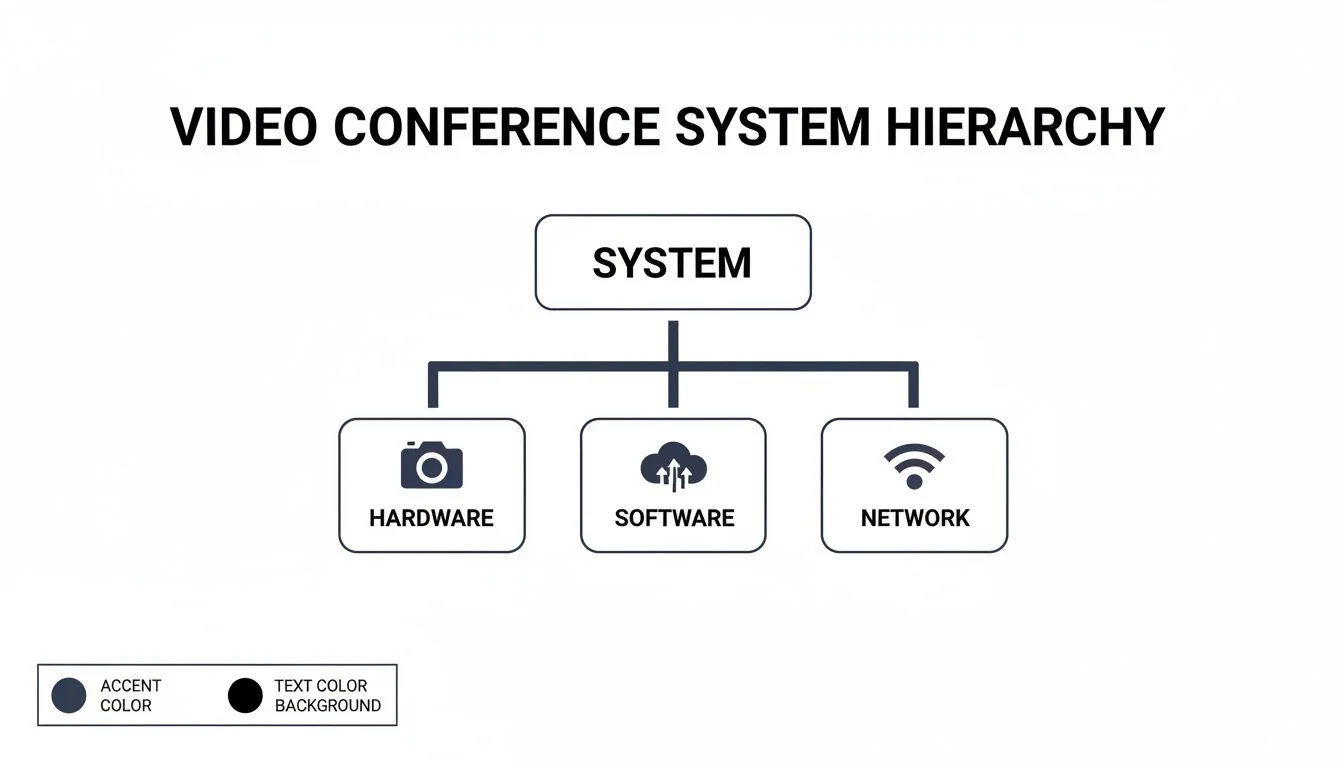
As you can see, a great system is always a balancing act between these three elements. Get that balance right, and you’ll deliver a smooth and reliable experience every time.
To help you figure out what’s best for your organisation, we’ve put together a simple table comparing the three main system types. It breaks down what each is good for, the likely cost, and its biggest advantage.
Comparing Video Conference System Types
| System Type | Best For | Initial Cost | Scalability | Key Advantage |
|---|---|---|---|---|
| Room-Based Hardware | Boardrooms, large conference rooms, high-stakes client meetings. | High | Low | Unmatched audio/video quality and reliability. |
| Software/Cloud-Based | Remote teams, hybrid work, businesses needing flexibility. | Low (Subscription) | High | Connect from anywhere, easy to scale up or down. |
| Integrated Endpoints | Small-to-medium meeting rooms, huddle spaces. | Medium | Medium | Professional quality with simple, plug-and-play setup. |
This table gives you a quick snapshot, but let’s dive into what each of these really means in practice.
Room-Based Hardware Systems
These are the traditional powerhouse setups you’d expect to find in a corporate boardroom or a dedicated meeting space. We’re talking high-quality, integrated gear like PTZ (pan-tilt-zoom) cameras, sophisticated microphone arrays that capture every voice, and large, crystal-clear displays.
These systems are built for one thing: performance. They deliver superior audio and video quality that’s tough to replicate with software alone, creating a professional and consistent experience for those big client presentations or crucial team collaborations. The trade-off? A higher upfront cost and less flexibility, since the whole setup is fixed to one room.
Software and Cloud-Based Solutions
Cloud-based solutions have absolutely exploded in popularity, mainly because they offer incredible flexibility and can grow with your business. Platforms everyone knows, like Microsoft Teams and Zoom, run on a subscription model. This lets your team connect from anywhere, using the laptops, tablets, or smartphones they already have.
This approach is a perfect fit for businesses with remote or hybrid teams. Getting started is fast, it’s cost-effective, and you can easily add or remove users as your needs change. Of course, the quality of the call often depends on each person’s device and internet connection, but the sheer convenience is undeniable. This model is now the backbone of modern workplace communication, a topic we explore more in our unified communications guide.
Integrated Hardware Endpoints
Sitting nicely in the middle is a third option that aims to give you the best of both worlds: integrated hardware endpoints. These are often all-in-one devices, sometimes called “video bars,” that cleverly package a camera, microphone, and speakers into a single unit. The real magic is that they’re designed to work seamlessly with cloud software like Teams or Zoom.
This approach gives you a significant step up in quality from a standard webcam and laptop mic, but without the cost and complexity of a full-blown room system. They’re ideal for small to medium-sized meeting rooms, giving them a professional feel with a simple, plug-and-play installation. As more businesses adopt flexible work, understanding options like hybrid streaming solutions is key to creating experiences that feel just as good for people in the room as they do for those dialling in from home.
Key Features and Essential Security Measures
Once you’ve decided between a room system or a software solution, the real work begins. The difference between a basic video conferencing tool and a genuine business asset lies in the features you choose and the security you wrap around it. Getting this right is what makes every virtual meeting productive, collaborative, and completely private.
Think of it this way: an unencrypted meeting is like holding a confidential board meeting in a packed café. You just wouldn’t do it. That’s why security isn’t just another feature on a list; it’s the absolute foundation of any professional setup.
Core Features That Drive Efficiency
While manufacturers love to list dozens of features, a few truly stand out as non-negotiable for most businesses. These are the tools that have a direct impact on how smoothly your meetings run and what your team can actually get done.
- HD Video and Audio: This one’s a given. Crystal-clear video and crisp, understandable audio are the bare minimum. If participants are struggling to see or hear, they’ll quickly disengage and your message will be lost. You should be looking for systems that offer at least 1080p video and smart audio that can filter out background noise.
- Seamless Screen Sharing: The ability to share a desktop, a specific app, or a presentation in a single click is vital for true collaboration. A good system makes this feel instant and reliable, letting teams work through documents or review data together in real time without any frustrating glitches.
- Recording and Transcription: Being able to record meetings is a huge productivity win. It’s perfect for team members who couldn’t make it or for reviewing key decisions later on. For businesses using popular platforms, knowing how to generate a perfect Zoom meeting transcript can make follow-ups and action items incredibly easy to track.
- Calendar Integration: This is a simple feature that saves a surprising amount of time. Linking your video conference system directly to your company’s calendar, whether it’s Outlook or Google Calendar, automates scheduling, sends out invites, and cuts down on all that administrative busywork.
Non-Negotiable Security Measures
In today’s world of constant digital threats, securing your virtual meeting rooms is just as critical as locking the office doors at night. Weak security can expose sensitive conversations, company data, and client information to massive risks.
Protecting your communications is a core part of your overall cybersecurity strategy. A breach during a video conference can be just as damaging as a traditional network intrusion, making robust security measures essential for any business.
Here are the security protocols you absolutely must have in place:
- End-to-End Encryption (E2EE): This is the gold standard, period. E2EE ensures that only the people in your meeting can see or hear what’s being shared. Not even the service provider can access the data, giving you complete privacy.
- Multi-Factor Authentication (MFA): Adding a second layer of verification for hosts to log in makes it significantly harder for an unauthorised person to hijack your account and gain control of your meetings. It’s a simple step with a huge security payoff.
- Secure Meeting Controls: The host needs to be in the driver’s seat. Features like waiting rooms, meeting passwords, and the ability to lock a meeting once everyone has joined provide total control over who can get into your virtual space.
Implementing these measures is a fundamental part of building a strong security posture. For Australian businesses, it’s crucial to align with recognised security frameworks. You can learn more about building a resilient defence by exploring the principles of the ACSC Essential 8. Following these practices ensures your video conference system is a secure asset, not a potential vulnerability.
A Practical Checklist for Choosing the Right System
Picking the right video conference system isn’t about chasing flashy marketing claims. It’s about taking a hard look at your team’s day-to-day needs and finding a solution that genuinely solves your communication problems.
This checklist is designed to cut through the noise. It will guide you through the key questions to ask before you even look at a quote or a demo, helping you choose a system that’s secure, reliable, and actually delivers a return on your investment.
Defining Your Core Needs
Before you get bogged down in features, start with the fundamentals of how and where the system will be used. A clear picture of your daily operations will instantly narrow the field and point you towards the right technology.
- Who and How Many? Are you equipping a small team of five, or an entire organisation of fifty? The scale of daily users is the first filter.
- Where Will It Be Used? Think about the physical spaces. A large boardroom has completely different audio and video requirements compared to a small, two-person “huddle” space.
- Is Mobility a Priority? If your staff are frequently on the road or working from home, a slick, dependable mobile app experience isn’t a nice-to-have, it’s non-negotiable.
It’s a bit like designing a kitchen. You wouldn’t install a massive commercial-grade oven in a small apartment. You have to match the scale and capability of your video conference setup to the room and the people who will actually be using it every day.
Understanding the Total Cost of Ownership
One of the most common traps is to focus only on the monthly subscription fee. The real cost of a video conferencing system runs much deeper. To budget accurately and avoid nasty surprises down the track, you need to understand the total cost of ownership (TCO).
This includes not just the software licence, but also any upfront hardware costs, professional installation fees, and the price of ongoing technical support. Businesses are increasingly realising that quality hardware has a massive impact on the meeting experience, and they’re investing accordingly.
In fact, the Asia Pacific market for video conferencing gear like cameras and microphones is set to grow at a compound annual rate of 15.0%. This surge shows that a high-quality, reliable meeting is now a clear business priority. You can find more insights on this growing hardware trend and how it’s shaping business communication.
Ensuring Network Readiness
Finally, remember that even the most expensive, top-of-the-line system is useless without a stable network to run it on.
Consistent, high-quality video calls are completely dependent on a reliable internet connection with enough bandwidth and low latency. This is where your network infrastructure becomes the hero of the story. For any organisation with more than one site, taking stock of your network’s capability is a critical first step. Check out our guide on how SD-WAN solutions can optimise your network’s performance and ensure your calls are always crystal clear, no matter where your team is.
How We Help You Connect with Confidence
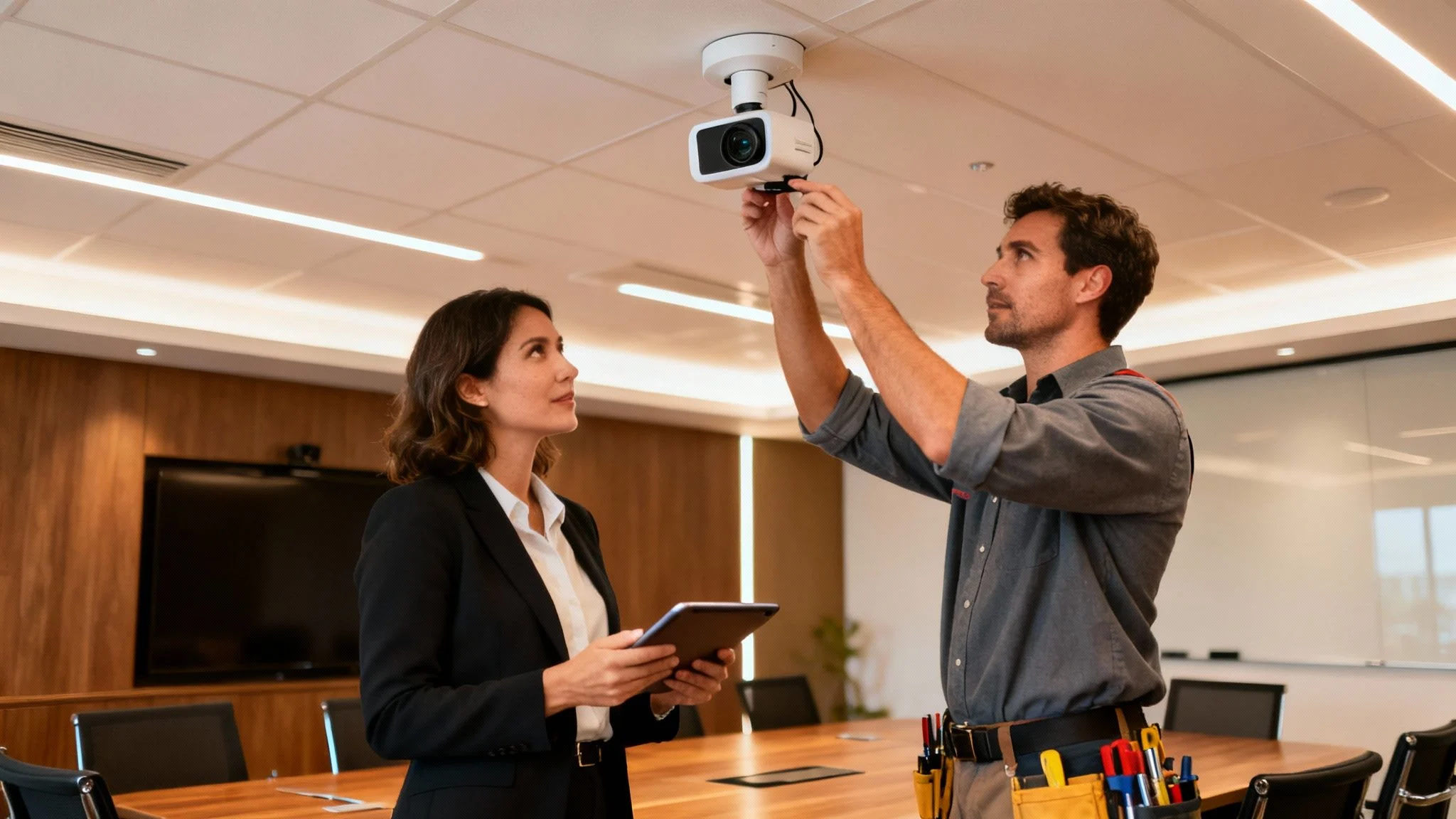
Turning advice into action is where the real results happen. At Tbourke Solutions, we’re your local IT partners right here in Melbourne. With over 20+ years of experience, we don’t just sell you a box; we design and install a video conference system that genuinely works for your organisation.
We make technology straightforward. Our process is personal and puts your needs first, delivering a solution that feels like a natural part of your team, not another technical headache you have to manage.
Our Proven Process for Success
We’ve refined a clear, step-by-step approach to make sure you get a system that fits both your budget and your goals. It all starts with us listening to what you actually need to achieve day-to-day.
Our method is simple and effective:
- Detailed Needs Analysis: First, we sit down with you to understand your daily workflow, the kinds of meetings you run, and the specific quirks of your rooms.
- Expert Recommendations: Based on what we learn, we’ll suggest the right mix of hardware and software, no upselling, just what fits.
- Professional Installation: Our team handles the entire setup, from mounting cameras and mics to configuring the software for rock-solid performance.
Choosing the right technology is only half the battle. Professional installation and ongoing support are what transform a good system into a truly reliable business asset you can count on, day in and day out.
Ongoing Support and Management
Our relationship doesn’t end once the system is installed. Through our managed IT services, we provide the proactive support needed to keep everything running smoothly. Think of us as your on-call tech team, handling security monitoring, software updates, and maintenance to prevent glitches before they interrupt an important meeting.
We make sure your video conference system remains a powerful tool that helps your team connect and collaborate with absolute confidence.
Ready to improve how your team communicates? Reach out for a no-obligation chat about your needs. You can get in touch by visiting our contact page.
Frequently Asked Questions
When you’re looking into video conference systems, the same questions tend to pop up. Getting straight answers is the key to picking a solution that’s secure, reliable, and actually works for your organisation. We’ve pulled together the most common queries to give you the clear information you need.
What Is the Real Difference Between Free and Paid Systems?
While free video conferencing tools are fine for a quick catch-up, they often fall short when it comes to professional business use. The difference isn’t just about the price tag; it’s about performance, security, and knowing someone is there to help when things go wrong.
Paid systems almost always deliver a better, more professional experience. Here’s why:
- Advanced Security: Features like end-to-end encryption, single sign-on (SSO), and proper admin controls are standard in paid tiers. This is crucial for protecting sensitive business conversations.
- Dedicated Customer Support: When a critical meeting is on the line, having a support team to call is priceless. Free services usually leave you to figure it out on your own.
- Larger Meeting Capacities: Paid plans can handle more people for longer, which is essential for things like all-hands meetings, webinars, or large training sessions.
- Professional Tools: You get access to the good stuff. In-depth analytics, recording transcripts, and integrations with the other business software you already use, like your CRM or project management tools.
How Much Internet Speed Is Needed for Quality Video?
This is a classic question, but the answer is more about stability than raw speed. A consistent, stable connection will always beat a super-fast but patchy one. Dropped packets and high latency are the real enemies of clear video, causing that frustrating stuttering and freezing.
That said, as a general guideline for reliable HD video quality (1080p), you should aim for a dedicated speed of at least 2-4 Mbps for both upload and download, per user. If you have several people on video calls at once, those numbers multiply fast. The only real way to know for sure is with a professional network assessment to make sure your infrastructure can handle the load.
Can a New System Work with Our Existing Equipment?
This is a big concern, especially for organisations that have already spent good money on high-quality cameras or microphones. The good news is that interoperability, the ability for different systems to work together, has improved a lot. Many modern cloud-based platforms are designed to play nicely with a wide range of third-party hardware.
However, compatibility isn’t always a given, especially with older or very specialised equipment. An IT partner can take a look at your current setup to see what can be integrated. This helps you get the most out of your existing investment and avoid throwing away perfectly good gear. Often, a new integrated video bar can replace multiple older components while working seamlessly with your chosen software.
How Do I Keep Our Virtual Meetings Secure?
Securing your virtual meeting space is just as important as locking the door to your physical office. Thankfully, putting strong security practices in place is pretty straightforward.
“Your virtual meeting room contains some of your most sensitive business data. Treating its security as an afterthought is a risk modern organisations simply cannot afford to take.”
Here are four fundamental habits to get into:
- Use Unique Meeting IDs and Passwords: Never use your personal meeting ID for public or external meetings. Always generate a unique ID and a strong password for every single session.
- Enable the Waiting Room: This feature is your virtual bouncer. It gives you, the host, complete control over who gets into the meeting. No one comes in until you manually let them.
- Keep Your Software Updated: Software updates often contain critical security patches that protect you from the latest threats. Don’t ignore them.
- Confirm End-to-End Encryption (E2EE) is Active: Always use a service that offers E2EE and double-check that it’s turned on. This is what keeps your conversations completely private from eavesdroppers.
How Tbourke Solutions Can Help
At Tbourke Solutions, we take the complexity out of choosing, installing, and securing the right video conference system for your business or school. We understand that every organisation has unique needs, and a one-size-fits-all approach doesn’t work. Our goal is to provide a tailored solution that empowers your team to communicate effectively and securely.
From assessing your network’s readiness and recommending the ideal hardware to handling professional installation and providing ongoing local support, we deliver solutions that just work. Whether you need a simple, reliable setup for a small team or a sophisticated integrated system for a large boardroom, we have the experience to get it right.
Ready to improve your team’s communication? Submit a query through our contact page to start the conversation and find out how we can help.
Share This Story, Choose Your Platform!