
You’ve probably seen it in movies, a submarine’s entry chamber or a scientist’s cleanroom. A secure little space with two doors that are never, ever open at the same time. That’s the exact idea behind a cybersecurity airlock. It creates a strictly controlled, isolated buffer to move data between two different networks, like your trusted internal system and the wild west of the internet, without letting them shake hands directly.
TLDR
This guide explains what a digital airlock is and how it functions as a secure gateway to protect your business or school’s sensitive data. We’ll clarify the key differences between a controlled airlock and a completely isolated air gap, showing how each is used in the real world. You will learn the strategic steps for implementing an airlock and discover how Tbourke Solutions can provide the expert support needed to secure your organisation effectively.
What Is a Digital Airlock
At its heart, an airlock is a security mechanism that works like a digital waiting room or a secure gateway for your data. Instead of information flowing straight from an untrusted source into your sensitive network, it first has to stop in this neutral zone.
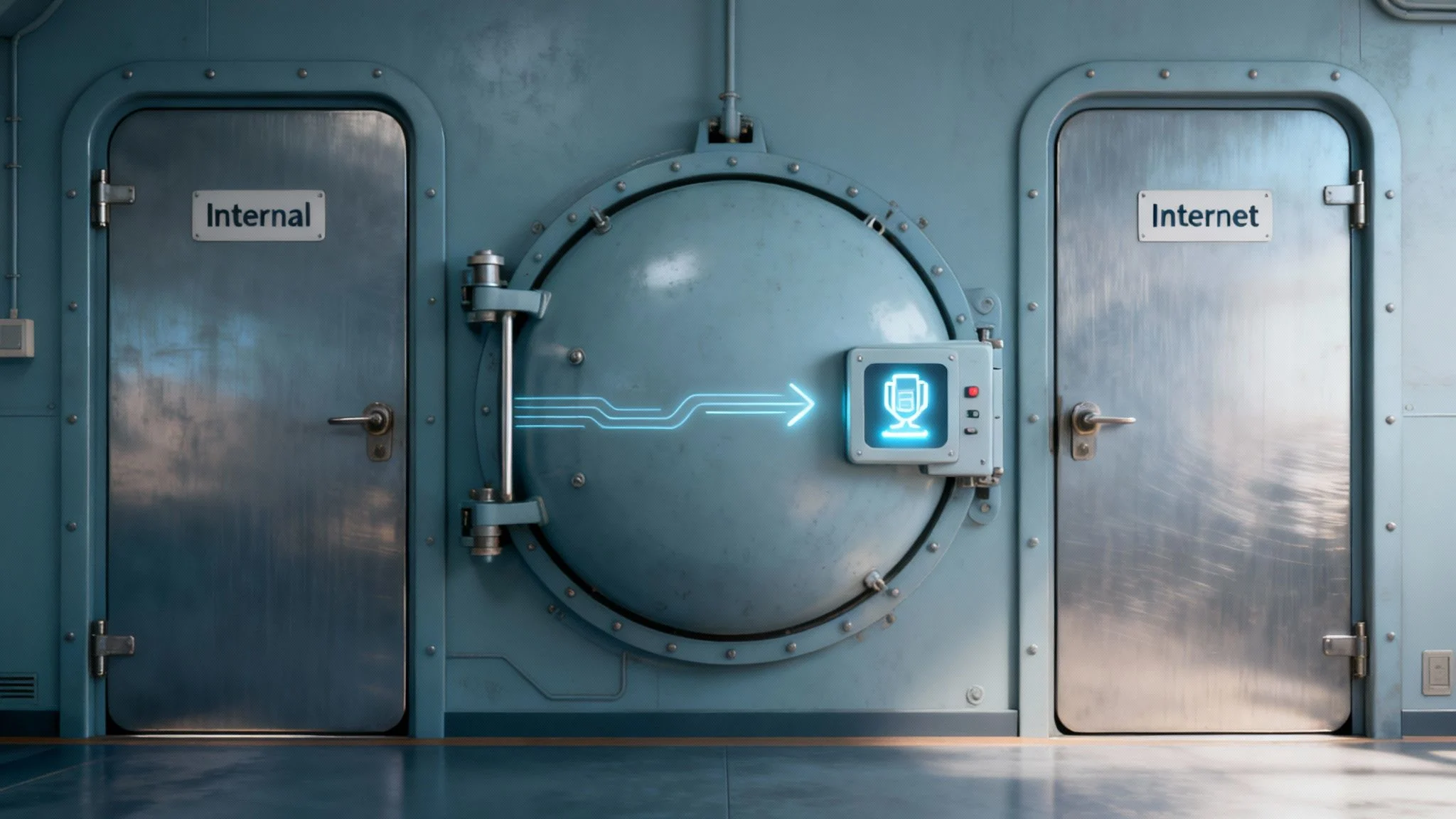
Inside this isolated space, the data gets a full security screening. It’s thoroughly inspected, scanned for malware, and verified before it’s allowed to move any further. Only when the data is given the all-clear does the “inner door” to your secure network open to complete the transfer. Crucially, a direct, open connection between the outside world and your internal network is never made.
From Physical to Digital Security
The airlock concept isn’t a new invention from the tech world; it’s borrowed from physical environments where stopping contamination is a matter of life and death. These systems are non-negotiable in places like:
- Cleanrooms: In pharmaceutical or electronics manufacturing, airlocks are essential to keep microscopic dust and germs from ruining sensitive products.
- Spacecraft: Astronauts rely on airlocks to move between the vacuum of space and the pressurised cabin without losing all their breathable air.
- Aviation: Airlock principles are fundamental to maintaining cabin pressure at high altitudes. In Australia between 2010 and 2019, general aviation made up over 90% of aircraft accidents, a sector where pressurisation systems in specialised aircraft are critical for survival.
In the digital world, the same principle holds true, but the “contaminants” we’re trying to block are malware, ransomware, and other nasty cyber threats.
An airlock enforces a strict “one door at a time” policy for your data. This simple but powerful rule prevents a direct pathway for attackers to exploit, fundamentally strengthening your network’s defences against external threats.
How an Airlock Functions
Under the hood, an airlock system is a very disciplined form of network isolation. It’s a close cousin to the broader strategy of network segmentation, where you chop a larger network into smaller, self-contained sub-networks to stop threats from spreading.
By creating a purpose-built buffer zone, an airlock gives you a far deeper level of control than a standard firewall ever could. For anyone interested in this foundational security practice, our guide on network segmentation offers a great starting point. To get a handle on the bigger picture, you can also explore how to implement network segmentation for security. This controlled passage is a real, tangible security strategy that makes a world of difference for any business handling important information.
Right, let’s cut through the jargon. You’ve probably heard the term ‘airlock’ floating around in sci-fi movies, but what does it actually mean for your business or school’s IT security?
This guide is your straightforward starting point. We’ll break down what a digital airlock is and how it acts as a controlled gateway for your important data.
We’ll also clear up a common point of confusion: the difference between an airlock and a completely offline ‘air gap’. You’ll see real-world examples of how organisations use them to protect sensitive information, and we’ll walk through the practical steps to implement one yourself. Finally, we’ll weigh up the pros and cons, helping you decide if this is the right move to seriously strengthen your digital defences.
Understanding Airlock vs Air Gap

People often throw the terms airlock and air gap around as if they mean the same thing, but they describe two completely different security strategies. Getting them mixed up isn’t just a technical mistake; it can leave huge holes in your defences.
Figuring out the difference is the first step to making the right call for your school or business.
An air gap is all about total, absolute isolation. Imagine a digital fortress with no bridges, no tunnels, and no secret passages. A computer or network that is properly air gapped has never been connected to another network, especially not the internet, and it never will be. It’s a sealed vault, plain and simple.
It’s All About Connectivity
The real difference comes down to how they handle data transfer.
An air gapped system is defined by its complete lack of connections. The only way to get data in or out is physically, usually by walking a USB drive from one machine to another. This old-school method is often called “sneakernet,” and it’s as manual as it sounds.
A digital airlock, on the other hand, is designed to manage connections, not cut them off entirely. Think of it as a secure, sterile chamber between the outside world and your protected network. It allows data to pass through in a carefully controlled and automated way, but it makes sure the two networks never actually touch.
A Quick Comparison Table
To make things even clearer, let’s break down the key differences between a digital airlock and a traditional air gap. This table highlights their distinct functions and helps you see where each one shines.
Airlock vs Air Gap At a Glance
| Feature | Digital Airlock | Air Gap |
|---|---|---|
| Connectivity | Manages controlled, indirect connections | No network connectivity at all |
| Data Transfer | Automated and controlled through a secure buffer | Manual, physical transfer (e.g., USB) |
| Best For | Secure, automated data flows between networks | Maximum isolation for highly sensitive data |
| Security Focus | Preventing direct contact while allowing data exchange | Total isolation from all external network threats |
| Usability | High, supports ongoing business operations | Very low, impractical for daily use |
While both provide high levels of security, their applications are worlds apart. An airlock is built for controlled interaction, whereas an air gap is designed for static, complete isolation.
The Trade-Off: Security vs. Usability
Choosing between an airlock and an air gap is a classic balancing act between bulletproof security and day-to-day practicality.
An air gapped network offers the strongest possible protection from any network-based attack. But let’s be realistic, it’s completely impractical for any organisation that needs to exchange data to function.
An airlock strikes a practical and robust middle ground. It maintains an extremely high level of security by keeping networks separate, while still allowing for the controlled, automated data transfers that modern schools and businesses depend on.
Before you can decide on transfer methods like airlocks, you need to know what data you’re protecting. Our guide to Microsoft Purview is a great starting point for classifying and labelling your sensitive information.
The concept isn’t just limited to IT, either. It’s fundamental in highly controlled scientific fields where preventing contamination is critical. For instance, Australia’s growing space and research sectors use physical airlocks in cleanrooms and labs to keep environments sterile, a perfect real-world parallel to what a digital airlock does for your network.
Ultimately, an airlock is a dynamic security gateway built for controlled interaction. An air gap is a static security vault built for complete isolation.
How Airlocks Work in the Real World for Businesses and Schools
Okay, let’s move past the theory. Where does a digital airlock actually make a difference in the day-to-day grind? For any organisation handling sensitive information, whether that’s a small business or a local school, it acts as a secure checkpoint for data coming in and going out. Think of it as a vital buffer zone protecting you from the wild west of the internet.
Imagine a typical scenario: a supplier needs to send you a bunch of critical project files. Without an airlock, those files land directly on your company’s network. If one of them is hiding malware, it’s already inside your walls. With an airlock, the files are first uploaded to this isolated digital room. Here, completely separate from your main systems, they’re thoroughly scanned and scrubbed clean before being safely passed through.
Protecting Your Most Critical Business Assets
This controlled, step-by-step approach is fundamental to protecting a company’s crown jewels. By forcing all external data to pass through this checkpoint, businesses can put a lock on their most valuable information.
- Financial Records: This keeps prying eyes away from your accounting data, payroll details, and client invoices, all prime targets for a ransomware attack.
- Intellectual Property: It ensures that your secret sauce, proprietary designs, source code, or strategic plans, isn’t stolen by malware piggybacking on an incoming file.
- Client Data: It’s all about maintaining the confidentiality and integrity of customer information, which is the bedrock of trust and a non-negotiable part of regulatory compliance.
Securing the Unique Environment of a School
Schools are a different beast altogether. They handle a massive volume of data from countless sources while having a duty of care to a vulnerable population. A digital airlock offers a surprisingly practical fix for some of their biggest headaches.
Take student assignment submissions, for instance. A school can set up a secure airlock dropbox. Students upload their assignments into this isolated space, where every single file is automatically scanned for viruses before it gets anywhere near the school’s main administrative network. This one simple step prevents a student’s potentially infected home computer from compromising sensitive student records or staff data. This becomes even more critical as schools move towards more flexible device policies. Our guide on moving from BYOD to 1-1 devices in schools digs deeper into the security challenges that make solutions like an airlock so necessary.
By creating a mandatory checkpoint for all incoming data, an airlock system effectively stops threats at the front door. This proactive defence is far more effective than trying to hunt down malware after it has already breached your network.
This whole idea of a controlled entry point isn’t just a digital concept. It directly mirrors the physical security protocols we see in high-stakes environments, like Australian immigration and quarantine control. These facilities use airlock-like procedures to screen for health and security risks at our borders, protecting everyone inside from external threats. It just goes to show that a controlled passage is a proven, commonsense method for managing risk, whether you’re dealing with people or packets of data.
Your Strategic Guide to Implementing an Airlock
Knowing what a digital airlock is and actually building one are two different things. Getting it right calls for a clear strategic roadmap, not just a technical manual. This guide breaks down the process into a structured, step-by-step framework so you can plan a deployment that’s methodical and deliberate from the very start.
First things first: you need to identify your most critical data. Not all information is created equal, so figure out what truly needs this elevated level of protection. Is it sensitive client financial records, student personal information, or proprietary business plans? Pinpointing these crown jewels is the foundation of your entire strategy.
This simple flow shows the key stages of planning out your airlock.
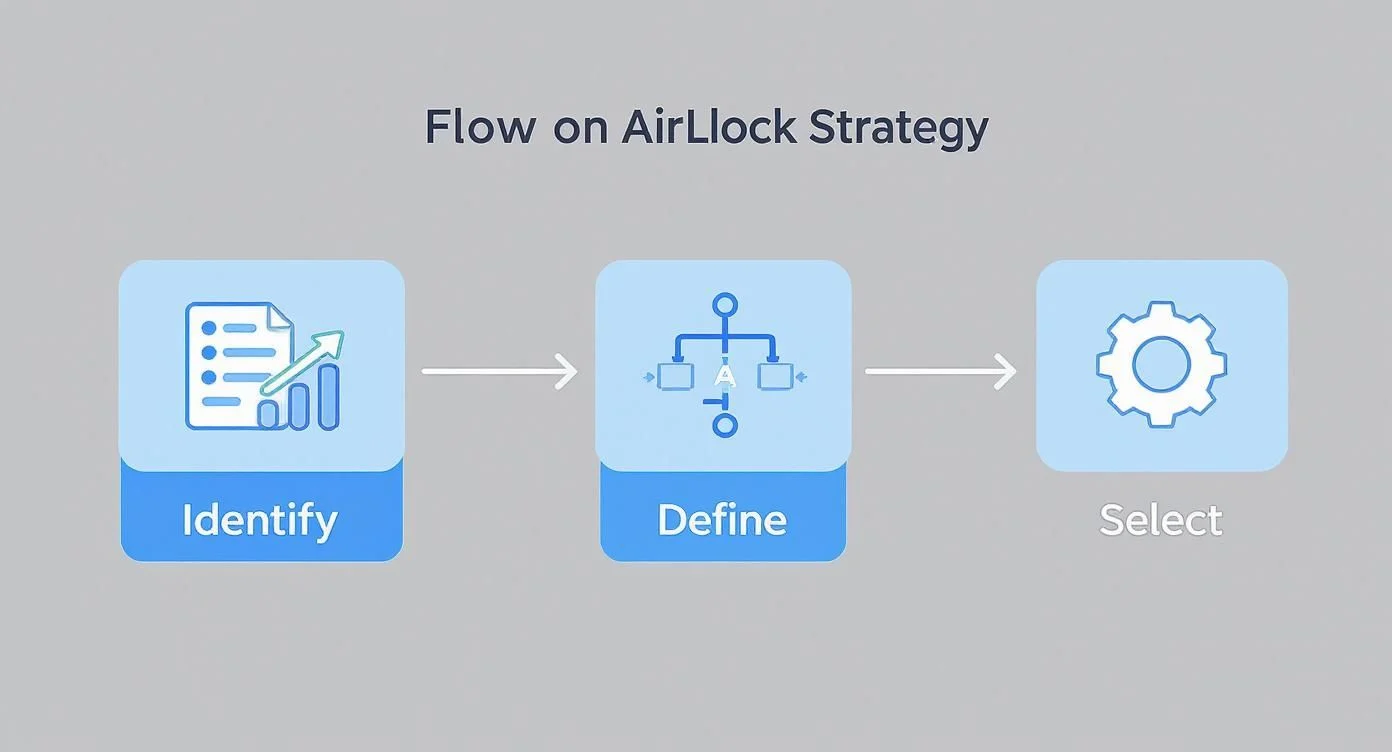
As you can see, a successful rollout starts with identifying what you need to protect, moves on to defining strict policies for it, and wraps up with selecting the right tech for the job.
Define Strict Data Flow Policies
Once you know what you’re protecting, you need to define the rules of engagement. This means creating strict data flow policies that dictate exactly what information can pass through the airlock, in which direction, and under what specific conditions. This isn’t a “set and forget” task; it’s a living policy that governs every single data transfer.
This approach fits perfectly with modern security thinking. It’s a core component of a strong defence, especially when guided by Zero Trust security principles, which operate on the simple but powerful assumption that no user or device should ever be automatically trusted.
Select and Configure Technology
With your policies clearly defined, you can now pick the right tools for the job. Your options could range from dedicated hardware appliances that offer physical network separation to more flexible software-based solutions. The key is to choose a tool that fits both your operational needs and your budget.
Configuration is the next critical phase. This is where you set up the robust scanning and verification protocols that will actually enforce your policies. Key elements to get right include:
- Multi-layer antivirus scanning to catch any known threats.
- Data sanitisation to strip out potentially malicious code hidden inside files.
- File type verification to block any unauthorised or inherently risky file formats from getting through.
Establish User Controls and Auditing
Finally, technology alone is never enough. You have to establish strict user access controls to ensure only authorised personnel can initiate or approve data transfers. This is where tools for managing devices and user permissions become absolutely essential.
For organisations using Microsoft environments, exploring what’s possible with Intune Mobile Device Management can provide the granular control needed to enforce these policies effectively.
Every single transfer must be logged and auditable. This creates a clear accountability trail, allowing you to review who transferred what, where, and when. This continuous monitoring is what ensures your airlock remains a formidable part of your security posture long-term.
Airlock Benefits vs. Potential Risks
Every security decision is a balancing act. Putting a digital airlock in place offers some seriously powerful protection, but you have to weigh the huge upsides against the potential risks and the day-to-day operational changes it will mean for your organisation.
The advantages are pretty compelling. A well-designed airlock gives you a massive leg up against ransomware and other malware by checking and cleaning every single file in a completely isolated space. This secure gateway lets you swap data with outside parties, like vendors or clients, without ever letting their files touch your core network directly. This strong separation is a huge step toward meeting compliance rules and is a core part of building a solid strategy for how to prevent data breaches.
Key Benefits of an Airlock
- Enhanced Ransomware Defence: By catching malicious files before they even get a sniff of your network, an airlock acts as your frontline defence against ransomware attacks.
- Secure Data Exchange: It creates a safe, controlled channel for receiving files from anyone outside your organisation, making sure untrusted data never directly interacts with your critical systems.
- Stronger Compliance: An airlock provides a clear, auditable paper trail of all data transfers, which is a massive help when you need to prove you’re meeting strict data protection regulations.
However, it’s not a set-and-forget solution. If an airlock is set up poorly, it can create frustrating operational bottlenecks. If the rules are too tight or the system isn’t optimised for how you work, it can slow down legitimate business processes, annoy users, and hit productivity hard.
Potential Risks and Considerations
On top of that, there’s the initial cost and complexity to think about. Setting up an airlock solution requires a real investment in either hardware or software, not to mention the technical know-how to configure it correctly. To keep it effective against the latest cyber threats, you also need to commit to ongoing maintenance, regular policy reviews, and security updates.
A successful airlock implementation isn’t just a tech project; it’s a strategic business decision. The security gains have to clearly outweigh the financial cost and any necessary tweaks to your team’s daily workflows.
A thorough risk-benefit analysis is essential. You need to be sure that the powerful security boost an airlock provides lines up with your operational needs and justifies the resources required to deploy and maintain it.
Common Questions About Digital Airlocks
The idea of a digital ‘airlock’ can sound a bit like something out of a sci-fi movie, but it’s a practical security tool that businesses are using right now. Naturally, it brings up a lot of questions. We’ve put together some clear, straightforward answers to the queries we hear most often.
Is an airlock just a more complicated firewall?
Not at all. They play fundamentally different roles. Think of a firewall as the security guard at your main gate. It checks IDs and makes sure only authorised traffic gets in or out based on a clear set of rules. It’s essential, but it’s focused on controlling access at the perimeter.
An airlock, on the other hand, is like a secure decontamination chamber inside the gate. It doesn’t just check who’s coming in; it takes the data, holds it in a completely separate, quarantined environment, and inspects it from every angle. In this isolated space, every file is scanned, sanitised, and verified before it’s allowed to proceed. It’s a far deeper and more rigorous process than a firewall’s traffic filtering.
Can a software-based airlock be as secure as hardware?
Both approaches can deliver fantastic security, but they get there in different ways. A hardware airlock is often seen as the gold standard because it creates a literal, physical gap between networks. There’s no direct connection, which makes it incredibly difficult to breach.
Software solutions, however, are usually much more flexible and easier on the budget. They create the same kind of separation logically, using clever software architecture on the same physical system. While this is still highly secure, it relies heavily on meticulous configuration and constant management to ensure no vulnerabilities creep in. The choice often comes down to budget, flexibility, and the specific risks you’re trying to mitigate.
How much does a digital airlock cost?
The cost really depends on what your organisation needs. The final price tag is shaped by a few key factors:
- Data Volume: How much information do you need to push through the airlock every day? More data means a more powerful solution is needed.
- Policy Complexity: Are you just running a simple virus scan, or do you need intricate rules that check file types, scrub metadata, and verify sender identities?
- Solution Type: A dedicated hardware appliance will have a higher upfront cost than a more flexible software-based system.
- Management Level: Do you have the in-house expertise to set it up and manage it, or will you need professional help for setup, monitoring, and maintenance?
A solution could be a manageable software investment for a small school, or it could be a significant hardware and implementation project for a business with complex security needs.
How Tbourke Solutions Can Help
Putting a serious security measure like a digital airlock in place isn’t a DIY job. It takes specialist expertise to get it right. That’s where Tbourke Solutions comes in. We bridge the gap between understanding the concept and making it a rock-solid reality for your organisation. Our process starts with a thorough security assessment to figure out if an airlock is genuinely the right fit for your unique needs. From there, we design, build, and manage a solution that’s specifically suited to your data flows and any compliance rules you need to follow.
Your Partner in Advanced Security
Our team handles all the technical heavy lifting, from the initial setup and configuration to the day-to-day monitoring that keeps your system effective against new threats. We offer a range of options, from one-off consultations to fully managed services, ensuring your airlock works seamlessly without getting in the way of your daily operations. Partnering with us means your most critical information is guarded by a professionally managed security gateway, giving you the confidence that comes from knowing your data is properly secured.
We believe that strong cybersecurity shouldn’t be a distraction from your goals. Our role is to manage the complexity so you can enjoy the security, letting you run your business or school without worry.
Ready to see how a professionally managed airlock could strengthen your defences? To discuss your security needs or to submit a query, visit our contact page. Get in touch with us today to start the conversation.
Share This Story, Choose Your Platform!