Why the Move to 1:1 Devices Is Happening Now
The momentum away from BYOD policies is building, often accelerated by new government regulations designed to standardise digital learning and ease the financial burden on families. These policies get right to the heart of the problems that have long frustrated teachers and IT administrators in a BYOD world, from device disparity and security risks to the sheer inability to deliver a consistent educational experience.
We’re seeing a prime example of this trend unfolding in Victoria. From 2027, the state government’s new digital learning policy for public primary schools will prohibit inviting families to purchase or bring their own devices (BYOD) for students in Years F-6. Instead, the responsibility falls on schools to provide devices for every student.
Key Drivers for Change
This transition is about much more than just swapping out old tech for new. It represents a fundamental change in how schools approach and manage technology to support genuine learning outcomes.
Several key factors are driving this change, aligning with policy objectives:
- Saving Money: A primary goal is to completely remove the financial pressure on parents to buy and maintain personal devices for school.
- Reducing Digital Distractions: When the school owns the device, they have better control over installed apps and web access, which helps students stay focused on their learning.
- Managing Screen Time: New policies often come with specific guidelines on device use. For example, the Victorian policy limits screen time for Years 3-6 to a maximum of 90 minutes per day, with minimal use for Prep-Year 2.
- Improving Equity: Providing every student with the same device ensures technology access is never a barrier to learning. It levels the playing field for everyone.
- Supporting All Learners: Exemptions ensure students with a disability who use a device as a reasonable adjustment can continue to do so.
- Smooth Transition: Primary students already using BYO devices before 2027 can continue using them until they need replacement, ensuring a gradual change.
This simple diagram shows the journey many schools are taking—from wrestling with BYOD issues to implementing a structured, school-managed 1:1 program.
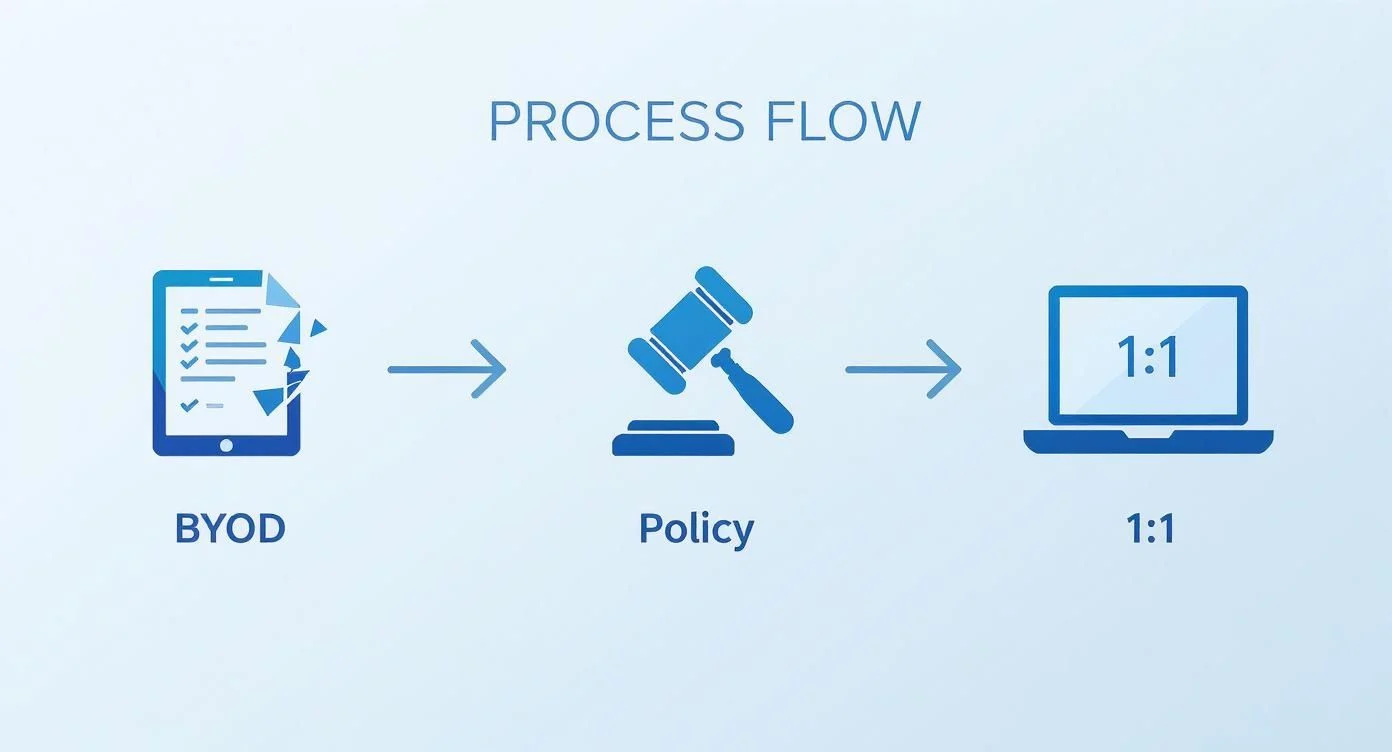
This flow from BYOD chaos to a policy-driven 1:1 model highlights a clear trend towards more centralised and equitable technology in our schools. It’s during a large-scale project like this that the benefits of managed IT services for schools really become obvious.
Your Quick Guide to This Transition
If you’re a busy administrator, here’s the bottom line on switching from BYOD to a school-managed 1:1 device program. This is more than just a tech upgrade; it’s a strategic move to close the digital divide in your classrooms and simplify how technology is used day-to-day. For many, it’s also a response to new regulations, like Victoria’s upcoming 2027 mandate.
This guide is your roadmap. We’ll walk you through the critical stages—from figuring out what your school actually needs and building a realistic budget, to choosing the right devices and getting your staff properly trained. A well-thought-out plan is the difference between a smooth rollout and a year of headaches.
Managing a whole fleet of devices is a complex job, which is why many schools look into partnering with an external provider. To get a better handle on this, you can learn more about what MSPs are and how they actually support schools like yours. Ultimately, a smart plan creates a better, fairer learning environment for every single student.
Building a Foundation for Your 1:1 Program
A successful move away from BYOD doesn’t start the day devices are unboxed. It begins with careful, deliberate groundwork. Shifting to a 1:1 program is a huge undertaking, and getting the foundation right is the single most important part of the entire process—it’s what separates a frustrating, expensive failure from a genuine educational win.
Before you even think about specific models or brands, your team needs to answer one simple question: “What do we want our students to be able to do with this technology that they can’t do now?” This isn’t about the tech; it’s about the teaching. The answer to that question will become your north star, guiding every decision that follows.
Assemble Your Planning Team
You can’t plan a project of this scale from an office. You need a dedicated planning team, bringing together different voices to make sure the program is practical, supported, and built to last. This team will be the engine that drives the whole initiative forward.
Make sure you have a seat at the table for:
- School Leadership: To provide the vision, lock in resources, and be the program’s biggest champion.
- IT Staff: To handle the nuts and bolts, from network readiness to the final rollout.
- Teachers: To keep the plan grounded in classroom reality and aligned with what students actually need.
- Parents: To build support in the community and tackle family concerns before they become roadblocks.
- Students: Where you can, get their feedback. They’ll give you honest insights on what actually works.
A team like this ensures you’re building a program for the people who will use it every day, not just for the IT department.
Conduct a Realistic Needs Assessment
With your team assembled, it’s time for a brutally honest look at where you stand right now. This is your chance to spot potential disasters before they happen. Many schools discover the hard way that the network that just about handled BYOD will completely crumble under the pressure of a fully managed 1:1 fleet.
A 2023 national education report confirmed this, finding that 56% of Australian schools said BYOD made remote learning significantly harder. The biggest hurdles? The IT skills needed to wrangle a zoo of different devices and major worries about digital equity. You can learn more by checking out the findings from this national education report.
Your assessment needs to be a candid audit of your school’s real-world capabilities:
- Network and Wi-Fi Capacity: Can your wireless network actually handle every single student and teacher hitting it at the same time?
- Security Infrastructure: Do you have solid content filtering, firewalls, and security protocols ready to go?
- Device Management: How will you configure, update, and secure hundreds—or even thousands—of new devices? This is where exploring a robust Intune mobile device management solution becomes essential.
- Staff Readiness: What’s the real tech skill level of your teaching staff?
A successful 1:1 program is built on a network that can handle the load. Underestimating your Wi-Fi needs is one of the quickest ways to undermine the entire initiative and frustrate both teachers and students.
Build a Comprehensive Budget
Finally, you need a budget that reflects the true, total cost of a 1:1 program. The sticker price on the devices is just the tip of the iceberg. A sustainable financial plan has to account for the entire lifecycle of the technology, not just day one.
Make sure you factor in these critical ongoing costs:
- Software and Licensing: This includes the operating system, productivity tools, and any specialised educational apps you need.
- Insurance and Repairs: Accidents will happen. Plan for warranties, an insurance program, or a self-funded pool for repairs.
- Accessories: Don’t forget the essentials. Cases, chargers, and charging carts all add up.
- Professional Development: Set aside real money for ongoing training to help teachers integrate the new tech effectively.
- Device Refresh Cycle: Plan to replace the devices every three to four years. Running them into the ground just creates more problems.
By planning for these costs upfront, you build a program that won’t get sideswiped by “unexpected” expenses down the road. This foundational work is what sets the stage for a rollout that is smooth, successful, and actually makes a difference.
Choosing the Right Technology for Your School
Deciding on the right device for your 1:1 program is a curriculum decision first and a hardware purchase second. This is a big one. The technology you pick will shape teaching and learning in your classrooms for years, so it’s absolutely critical that the device’s capabilities line up with your educational goals. Forget just comparing spec sheets for a moment; this is about finding the right tool to bring your school’s vision to life.
Moving to a school-provided device model immediately helps fix many of the equity problems baked into BYOD. Australian schools have known this for a while. A 2015 report pointed out that BYOD often created huge gaps in who had access to what kind of device, making it a nightmare for teachers trying to deliver a consistent lesson. A unified fleet of devices means every student starts on the same page.
Comparing Your Device Options
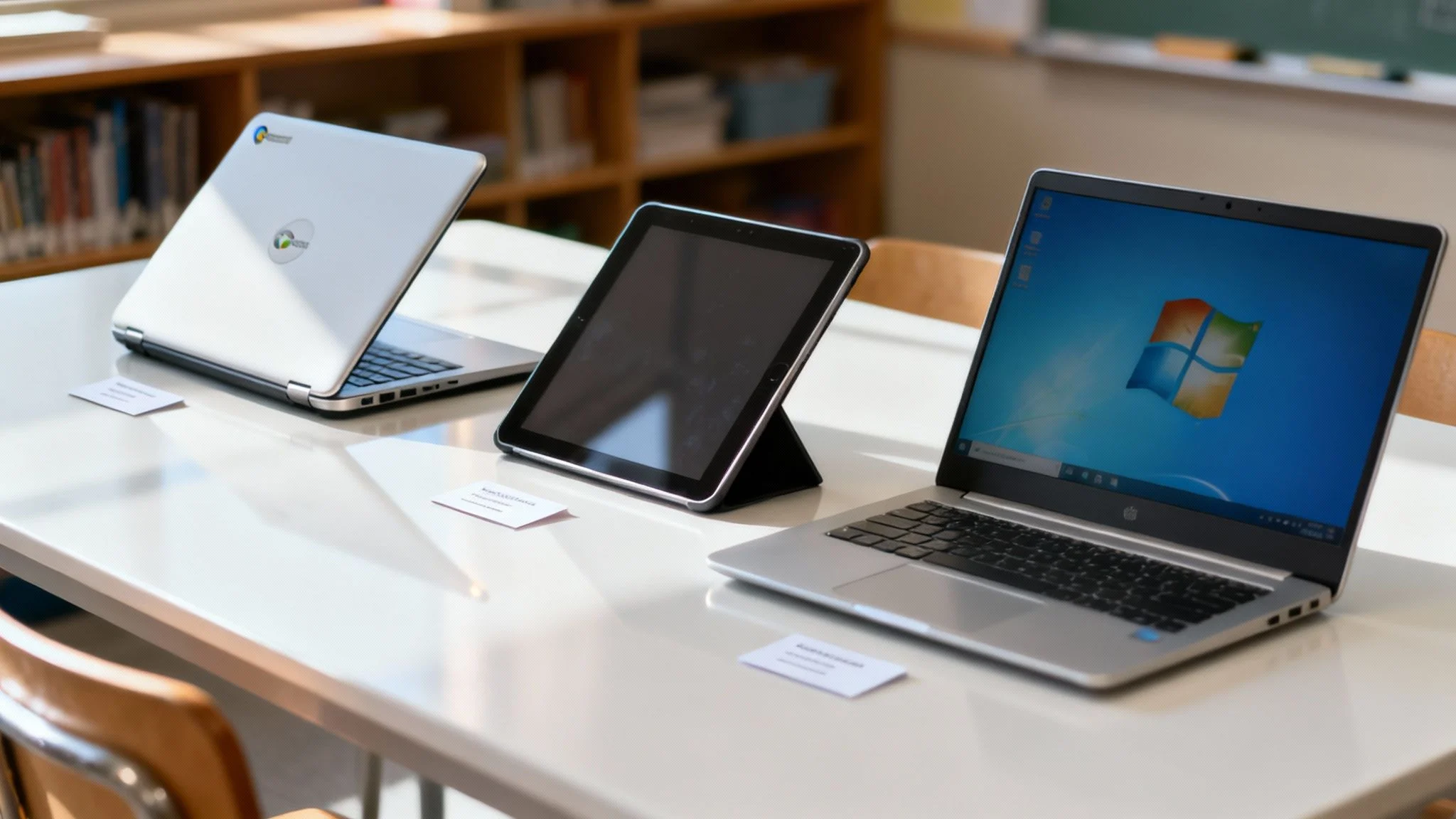
Each platform—Chromebooks, iPads, Windows laptops—brings something different to the table. There’s no single “best” device out there, only the one that best fits your school’s specific curriculum, budget, and the day-to-day reality of your classrooms.
Here’s a quick rundown of the three main contenders:
- Chromebooks: These are the champions of simplicity, security, and affordability. They are web-first, a breeze to manage through the Google Admin Console, and boot up in seconds, which means less wasted class time.
- iPads: You can’t beat them for creative apps, early years learning, and anything that requires hands-on, tactile engagement. The App Store is a treasure trove of educational tools, making them perfect for subjects like art, music, and special education.
- Windows Laptops: Easily the most versatile option. They’re compatible with an enormous range of software, from the basic productivity tools everyone knows to the high-end applications needed for STEM, design, and VET courses. They offer a traditional computing experience that directly prepares students for many future workplaces.
Here’s a clearer comparison to help you weigh up the options based on what matters most in a school setting.
Device Platform Comparison for School 1:1 Programs
| Feature | Chromebooks | iPads | Windows Laptops |
|---|---|---|---|
| Best For | Simplicity, web-based learning, younger years, tight budgets. | Creative subjects, early learning, special education, app-rich tasks. | VET, STEM, senior secondary, broad software compatibility. |
| Management | Excellent (Google Admin Console is simple and powerful). | Very Good (Apple School Manager & MDM are robust). | Good (Microsoft Intune is powerful but can be complex). |
| Cost (TCO) | Low (affordable hardware, minimal licensing costs). | Medium (higher initial cost, app costs can add up). | Medium to High (wide range of prices, software licensing can be costly). |
| Durability | Generally very good, with many education-specific rugged models. | Good, but often require robust protective cases. | Varies widely, from consumer-grade to ruggedised models. |
| Curriculum Fit | Perfect for Google Workspace for Education and online resources. | Unbeatable for creative production and specialised educational apps. | The most flexible option, supports everything from Office 365 to Adobe and CAD. |
Ultimately, your choice will come down to balancing your curriculum needs against your budget and your IT team’s capacity to manage the fleet.
When you’re running the numbers, always think in terms of Total Cost of Ownership (TCO). This isn’t just the sticker price. It includes licensing, repairs, management software, and the realistic lifespan of the device. A “cheaper” device can easily end up costing you more in the long run.
The Critical Role of Mobile Device Management
No matter which device you land on, a robust Mobile Device Management (MDM) solution is completely non-negotiable. Think of the MDM as the central nervous system of your entire 1:1 program. It’s the tool that gives your IT team the power to configure, secure, and manage every single device from one central dashboard.
Without an MDM, you’re essentially just running a BYOD program with school-owned hardware, which completely defeats the purpose of making the switch.
A solid MDM lets you:
- Push out apps and updates to all devices at once, remotely.
- Enforce security policies and content filters to keep students safe online.
- Keep track of your device inventory and know where everything is.
- Remotely lock or wipe a lost or stolen device to protect student data.
This level of control is fundamental to the success of changing from BYOD to 1:1 devices in schools. For schools already in the Microsoft ecosystem, looking into options like a virtual desktop in Azure can add another layer of streamlined management and secure access.
Smart Procurement Strategies
Once you’ve locked in your device and MDM, the next piece of the puzzle is procurement. How you get the technology can have just as big an impact on your budget and long-term sustainability as what you get.
You’ve really got two main models to consider:
- Leasing: This means paying a regular fee to use the devices for a fixed term, usually 3-4 years. The big win here is the lower upfront cost. Leases often include refresh cycles too, which means you’re never stuck with ancient, obsolete technology.
- Buying: Purchasing the devices outright gives you full ownership, but it demands a much larger initial capital investment. This can be more cost-effective over the very long haul, but only if you have a rock-solid plan for maintenance, repairs, and eventual replacement.
When you’re talking to vendors, always push for educational discounts, bulk pricing, and any bundled services they can throw in, like deployment support or pre-configuration. Don’t be shy about leveraging your school’s purchasing power to get the absolute best value for your community.
Preparing Your Staff and Community for Change
Any piece of technology is only as good as the people using it. You could have the most perfectly planned 1:1 program in the world, but it’s destined to stumble if your teachers, students, and parents aren’t brought along for the ride. Making the jump from BYOD to 1:1 devices in schools successfully comes down to a smart, human-centred strategy for communication, training, and ongoing support.

Let’s be clear: this is about more than just rolling out hardware. You’re fundamentally shifting classroom culture and daily routines. That kind of change demands crystal-clear communication, solid training, and practical policies to guide everyone involved.
Meaningful Professional Development for Staff
Handing a teacher a new device and showing them the “on” button is not training. Real professional development empowers them to weave the technology into their teaching in a way that genuinely enhances learning. The goal here is to build confidence and creativity, not just basic button-pushing skills.
A professional development plan that actually works needs to include:
- Ongoing Sessions: Forget one-off training days. They’re forgotten almost as soon as they’re over. Instead, plan for regular, bite-sized sessions throughout the school year.
- Teacher-Led Learning: Find your tech-savvy teachers and empower them. Make them mentors or “digital champions” who can offer that crucial peer-to-peer support.
- Focus on Pedagogy, Not Features: Frame every session around learning outcomes. Don’t talk about the device’s specs; show teachers how it can be used to improve literacy, deepen numeracy skills, or foster collaboration.
This isn’t a one-time cost; it’s a non-negotiable, long-term investment in your staff. A huge part of this must be ongoing security awareness and training for school staff to keep student data and the school’s systems safe from threats.
Communicating Clearly with Parents and Students
Any big change can stir up anxiety. The best way to get parents and students on board—and even excited—is through proactive, honest communication. You need to get ahead of their questions and tackle their concerns before they fester.
Start the conversation early and keep it going. Hold information nights, send regular updates in newsletters, and set up a dedicated page on your school website with FAQs and key documents. Be very clear about the “why” behind this shift, always bringing it back to benefits like improved equity, better digital safety, and new learning opportunities.
Establishing Robust Policies and Support
Think of clear rules and reliable support as the guardrails that keep your 1:1 program on the road. Before a single device goes home, you need to have a few key policies locked in.
An Acceptable Use Policy (AUP) isn’t just a list of “don’ts” anymore. A modern AUP should be a practical guide to digital citizenship, teaching students how to behave responsibly and ethically online.
Here are the key policies to get right from the start:
- Acceptable Use Policy (AUP): This needs to clearly spell out expectations for how devices are used, how to communicate online, and what it means to be a good digital citizen.
- Device Care and Responsibility: What happens if a device is damaged, lost, or stolen? This policy should detail the process, including information on any insurance or protection plans.
- Take-Home Agreements: If devices are leaving school grounds, you need a simple, clear agreement that both students and their parents have to sign.
Alongside these policies, you have to build a responsive tech support model. When things go wrong—and they will—students and teachers need a dead-simple way to get help. This was a cornerstone of the early large-scale 1:1 programs in Australia. During the Digital Education Revolution (DER), New South Wales had hired over 400 full-time school Technology Support Officers by 2012 just to make sure the program actually worked in the real world. You can read more about how these support structures were vital to Australia’s 1:1 device implementation.
Whether it’s an in-house help desk or a partnership with an external provider, fast and effective support is what stops a minor technical glitch from derailing an entire lesson.
Frequently Asked Questions (FAQ)
Making a significant change like this always brings up important questions from the school community. Here are answers to some of the most common concerns.
How will you manage student screen time?
This is a top concern for parents. Our approach combines technology with effective teaching practices. Using Mobile Device Management (MDM) software, we can implement web filters and time limits. More importantly, teachers are trained to balance digital activities with offline tasks like group work and hands-on projects, ensuring technology is used purposefully. This aligns with government policies, such as Victoria’s, which limits screen time to 90 minutes daily for Years 3-6 and minimal use for younger students. You can discover more about Victoria’s digital learning policy.
What happens if a student damages or loses their device?
Accidents are inevitable. We establish a clear and fair policy from the start. Most schools offer an optional, low-cost insurance plan for families to cover accidental damage like cracked screens. For cases of loss or neglect, a clear, tiered response is put in place. This teaches responsibility while ensuring a student is never without a learning tool for long.
How do you keep students safe online?
Student safety is our highest priority. Every school-provided device comes with robust content filtering and monitoring software that works both at school and at home. However, technology is only part of the solution. We integrate comprehensive digital citizenship lessons into the curriculum to teach students how to navigate the online world safely, identify risks, and protect their personal information.
How Tbourke Solutions Can Guide Your Transition
Making the leap from a BYOD model to a fully managed 1:1 program is a massive undertaking for any school. It’s easy to get bogged down in the details. This is where having an experienced partner like Tbourke Solutions makes a world of difference, turning a potentially overwhelming project into a well-executed success.
We specialise in helping schools navigate this exact journey. Our education technology consultants work directly with your school’s leadership to build a strategy that’s both ambitious and, more importantly, achievable. Our goal is a smooth, cost-effective rollout that works for your community.
Your Strategic Partner in Educational Technology
We get it. Changing from BYOD to 1:1 devices in schools is about far more than just hardware; it’s about reshaping the entire learning environment. Our services are designed to support your team at every single stage, from the initial “what if?” conversations right through to long-term support.
We offer a range of hands-on services to guide your transition:
- Strategic Planning & Consultation: We help you define clear educational goals and align your technology plan with your teaching vision. We assess your school’s readiness and build a comprehensive, realistic roadmap for the transition.
- Device Procurement & Management: Leveraging our industry partnerships, we assist in selecting and procuring the right devices at the best value. We also help implement robust Mobile Device Management (MDM) solutions like Microsoft Intune to secure and manage your entire fleet efficiently.
- Infrastructure & Security Audits: Our experts conduct a thorough review of your network, Wi-Fi, and security protocols to ensure your infrastructure can handle the new demand, keeping your students and data safe.
- Customised Professional Development: We design and deliver practical, ongoing training for your staff that focuses on integrating the new devices into the curriculum in meaningful and effective ways.
A successful 1:1 program isn’t just about handing out devices. It’s about building a sustainable ecosystem of technology, training, and support that empowers both teachers and students to succeed.
A Partnership Focused on Your Goals
Our whole approach is built on collaboration. We work right alongside your team to help you sidestep common pitfalls, like underestimating network capacity or letting professional development fall by the wayside after launch. We focus on creating a 1:1 program that fits your school’s unique culture, budget, and educational aims perfectly.
We’ll help you develop a clear roadmap, ensuring every decision is purposeful and every dollar is well spent. We want to make the entire process feel manageable, predictable, and ultimately, a huge success for your school.
Ready to start the conversation? Reach out to our expert team for a consultation and let us help you build a smarter, more equitable digital learning environment. You can submit a query through our contact page.
Share This Story, Choose Your Platform!