
Protecting your business with cyber security isn’t just another box to tick on your to-do list anymore; it’s a fundamental part of staying in business. The hard truth for Australian small businesses is that you’re a prime target. It’s not personal; it’s just that criminals see you as a source of easy money. Believing you’re “too small to be a target” is the single biggest risk you can take.
TLDR
Good cyber security is about building layers of defence, not just relying on a single tool. The most critical first steps are enforcing Multi-Factor Authentication (MFA), keeping secure data backups, keeping all your software updated, and using modern endpoint protection. These actions build the foundation for a strong security posture, protecting your operations, finances, and reputation from common attacks like ransomware and email fraud.
Why Cyber Security Is No Longer Just an IT Problem

The Modern Threat Facing Australian Businesses
Trying to get your head around modern cyber threats can feel completely overwhelming. Many business owners we talk to think they’re too small to be on a hacker’s radar, but the reality is starkly different. Cyber criminals don’t care about your business’s size; they’re just hunting for vulnerabilities. In their eyes, small and medium businesses are the perfect target because you have valuable data but often lack the heavy-duty defences of a massive corporation.
This isn’t about scaremongering; it’s about understanding the playing field so you can make smart decisions. Today’s biggest threats aren’t just random viruses. They are calculated, financially driven attacks designed to cause maximum chaos for maximum profit.
Key threats to be aware of include:
- Ransomware: This is where attackers encrypt all your files and demand a huge payment to give you access back. A successful attack can shut down your entire operation for days, or even weeks.
- Business Email Compromise (BEC): A clever scam where criminals impersonate someone you trust, like your CEO or a regular supplier, to trick an employee into paying a fake invoice.
- Data Breaches: The theft of sensitive customer or employee information. This leads to massive reputational damage and can attract serious fines from regulators.
Your Quick-Start Guide to Essential Defences
Feeling the pressure to get your cyber security sorted now? This is your immediate action plan. Getting good protection isn’t about finding one magic tool; it’s about building smart, overlapping layers of defence. We’ve boiled it all down to the four most critical, high-impact security controls every business needs.
Think of these as the absolute fundamentals. They’re your starting point for building a solid security posture that can stand up to the most common attacks we see hitting Australian businesses every day.
The table below breaks down what each one is and why it’s so vital. And remember, a huge part of keeping data safe is making sure old data can’t be recovered from retired equipment through proper secure data destruction.
Use this as your starting checklist to gain immediate ground. It will give you a solid foundation before we dive deeper into each area.
The Four Pillars of Modern Business Security
These are the four non-negotiable security controls that form the bedrock of a strong defence. If you’re wondering where to start, start here.
| Security Control | What It Is | Why It’s Critical |
|---|---|---|
| Multi-Factor Authentication (MFA) | Requiring a second proof of identity (like a code from your phone) on top of your password when you log in. | Stops 99% of automated password-guessing attacks. It’s the single most effective control you can switch on today. |
| Secure Data Backups | Creating regular, isolated copies of your critical business data and storing them safely, both on-site and off-site. | This is your get-out-of-jail-free card for ransomware. If criminals lock your files, you can restore them from a clean backup instead of paying a ransom. |
| Software Patching | Applying updates to your computer’s operating system, apps, and devices as soon as they’re released. | This closes the security holes that criminals are actively looking for and trying to break through. Unpatched software is like leaving a door wide open for them. |
| Endpoint Protection | Advanced security software on all your devices (computers, laptops, servers) that detects and blocks malware and suspicious activity. | This goes way beyond old-school antivirus. It’s built to protect against the sophisticated, modern threats that older software would completely miss. |
These four controls are the absolute bedrock of a strong defence. They also align closely with what the government recommends.
These controls are the foundation of a robust defence strategy, reflecting the core principles of frameworks like the Australian Cyber Security Centre’s Essential Eight, which provides a prioritised list of mitigation strategies for Australian organisations.
Putting these pillars in place is the most direct way to slash your risk. For a deeper dive into the government’s official roadmap, you can learn more about the ACSC Essential 8 in our detailed guide.
When to get help
If you’re feeling bogged down by the constant software updates, you’re not entirely sure how secure your business actually is, or you simply don’t have the time and expertise to manage it all, that’s your sign to get professional help. Realising this isn’t a failure; it’s a smart, strategic business decision. Tbourke Solutions can give you the clarity and support you need. Reach out via our contact page to start a no-obligation chat about your security.
Building Your Digital Fortress One Layer at a Time

Alright, now that we’ve covered the essential defences, let’s get our hands dirty with the how. This is your practical guide to putting those protections into action, piece by piece. Forget the idea of building a single, perfect wall. The key to protecting your business with cyber security is creating smart, overlapping layers.
Each layer has a specific job, and when they work together, they form a defence that’s far tougher to break than any one tool could ever be. We’ll walk through each of these foundational layers, explaining exactly what they are and why they matter in simple, no-jargon terms.
The Most Important Lock on Your Digital Door
If you do only one thing after reading this article, make it this: enforce Multi-Factor Authentication (MFA) on every single account you can. Honestly, MFA is your most powerful weapon against the most common attack out there: stolen passwords.
Think of it like getting into a bank vault. Your password is the physical key, but MFA is the unique PIN you have to enter once you’re at the door. Even if a thief manages to steal your key (your password), they’re stuck. They can’t get in without that second code, which is sent only to a device you trust, like your phone.
This simple step is incredibly powerful. It blocks over 99% of automated attacks that rely on stolen or weak credentials. It moves the goalposts for criminals, making your accounts vastly more difficult and costly to breach.
Most of the services you already use every day, like Microsoft 365, Google Workspace, and Xero, have MFA built-in and just waiting to be switched on. Activating it is usually free and delivers the biggest security bang for your buck, period.
Your Insurance Policy Against Ransomware
Next up is your data backup strategy. So many business owners think of backups as something you only need if a hard drive dies. In today’s world, though, backups are your primary defence and your get-out-of-jail-free card against ransomware.
When ransomware strikes, criminals encrypt all your files and demand a hefty ransom to unlock them. If you have a solid backup, you can simply refuse to pay. Instead, you wipe the infected computers and restore your business from a clean, recent copy. Problem solved.
The gold standard in the industry is the 3-2-1 Rule:
- Three Copies: Always keep at least three copies of your important data.
- Two Media: Store these copies on two different types of media (like an external hard drive and cloud storage).
- One Offsite: Keep at least one of these copies completely disconnected from your main network and in a different physical location.
That offsite copy is the hero here. It guarantees that if a fire, flood, or a network-wide ransomware attack takes down your office, you have a safe, untouched version of your data ready to go.
Turning a Nuisance into a Shield
We’ve all done it. That little pop-up appears telling you to update your software, and you instinctively click “remind me later”. But those updates, or “patches,” are one of the most critical, non-negotiable parts of protecting your business.
Think of your software, Windows, your accounting apps, your web browser, as a huge building with thousands of windows and doors. The developers who built it are constantly checking to make sure every single one is properly locked. When they find a lock that’s faulty or one that was accidentally left open, they release a “patch” to fix it.
Cybercriminals are constantly scanning the internet for these unpatched, unlocked doors. It’s an automated process. By not applying updates quickly, you’re essentially leaving a known vulnerability wide open, with a welcome mat out for attackers.
Your Digital Security Guards
Finally, let’s talk about endpoint protection. This is the modern, smarter version of the traditional antivirus software you’re used to. While old-school antivirus is still good at catching known viruses, it’s just not enough on its own anymore.
Think of traditional antivirus like a security guard holding a list of known troublemakers. It’s great at stopping them if they’re on the list, but it’s powerless against a new threat it’s never seen before.
Modern Endpoint Detection and Response (EDR) is more like a highly trained security team. It doesn’t just look for known threats; it actively monitors for suspicious behaviour.
For example, if EDR sees a random program suddenly trying to encrypt thousands of files (a classic sign of ransomware) or contact a known malicious server, it will shut that action down immediately and alert an IT professional. It’s designed to catch the sophisticated, “zero-day” attacks that slip past traditional defences, giving you a vital last line of defence on every single one of your devices.
Knowing When to Call in Cybersecurity Reinforcements
Can you really handle all this on your own? It’s a question every business owner asks themselves, and knowing the honest answer is a huge advantage. While building your own digital defences is a great start, there comes a point where the sheer complexity and speed of modern threats outpace what one person can manage while also trying to run a business.
Recognising you need help isn’t a sign of failure; it’s a sign of smart leadership. Protecting your business with cybersecurity is no longer a set-and-forget job. It’s a constant, demanding process that needs deep expertise and daily attention. Trying to juggle everything yourself often leads to burnout and, even worse, leaves critical security gaps a hacker could walk right through.
Think of it this way: you’re an expert at what you do, whether that’s construction, retail, or professional services. An IT security professional is an expert at protecting businesses like yours. Trying to do both jobs at an expert level isn’t just difficult; it’s next to impossible.
Clear Signs It’s Time to Partner with an Expert
So, how do you know when you’ve hit that tipping point? The signals are usually pretty clear if you know what to look for. If any of these challenges sound painfully familiar, it’s a strong sign that it’s time to call for reinforcements.
You should seriously consider professional help if you find yourself:
- Constantly Behind on Updates: You see software patch notifications piling up, but you never have the time or confidence to apply them properly across all your devices.
- Uncertain About Your Defences: You’ve put some measures in place but have that nagging feeling there are gaps you don’t even know about. You can’t honestly say your business is secure.
- Lacking In-House Expertise: Your team is great at what they do, but nobody has the specialised knowledge to manage a firewall, investigate a security alert, or properly configure your cloud security settings.
- Worried About Compliance: You handle sensitive data but are unsure about your legal obligations under regulations like the Privacy Act. A breach could bring serious fines and ruin your reputation.
- Reacting to Problems, Not Preventing Them: Your approach to IT is just fixing things after they break. A proactive security partner works to stop incidents from ever happening in the first place.
If these points hit a little too close to home, it’s time to act. Partnering with a Managed IT Service Provider (MSP) is a powerful business decision. It offloads the immense burden of cybersecurity, freeing you up to focus on growing your business. For a fraction of the cost of hiring a full-time security specialist, an MSP gives you access to a team of experts, advanced tools, and proactive monitoring.
If you’re ready to see how expert support can fortify your business, we can help you understand your options. To learn more about what this kind of partnership actually looks like, check out our guide on what to expect from managed cybersecurity services.
Your Team Is Your Human Firewall
All the best security technology in the world can be defeated by one person making one bad click. Technical controls are absolutely essential, but they’re only half the story. The other, equally critical part of protecting your business with cyber security is the people using those tools every day.
It’s time to realise your team can be your strongest security asset, not your weakest link.
They don’t need to become cybersecurity experts, but they do need to understand the vital role they play. A well-trained team acts as a “human firewall,” spotting the suspicious emails and odd requests that technology sometimes misses. This isn’t about creating a culture of blame; it’s about empowering your staff with the knowledge and confidence to make smart, secure decisions.
A staggering 90% of data breaches are caused by human error. That number says it all: your security is only as strong as the person making the next click. When you think about your security budget, investing in your people offers one of the best returns you can get.
This is why a single, ticked-box training session during onboarding just doesn’t cut it. Real security awareness is an ongoing conversation that builds a security-first mindset across the whole business.
Turning Your Staff into Security Assets
The goal is to make security a reflex, not an afterthought. Consistent, practical training is how you get there. By showing your team the real-world tricks criminals use, you arm them to spot threats in the wild. This constant reinforcement keeps security right where it needs to be: top of mind.
Key training topics should always include:
- Phishing Awareness: Go way beyond “don’t click strange links.” Use real examples to show your team how to hover over links, check sender addresses, and question any message that creates a sense of urgency or pressure.
- Password Hygiene: It’s not enough to just tell them to use strong passwords. You have to explain why reusing the same password everywhere is so dangerous. The best move is to enforce the use of a password manager, which makes creating unique, complex passwords a breeze.
- Data Handling: What information is sensitive? Who is allowed to see it? What’s the proper way to share it? You need to clearly define the rules for handling client details, financial records, and internal company data.
For a deeper dive into building a strong program, check out our dedicated article on security awareness and training.
Setting Clear Rules with an Acceptable Use Policy
Training gives your team the “how,” but a clear policy gives them the “what.” An Acceptable Use Policy (AUP) is a simple document that lays down the ground rules for using company technology. It’s not about micromanaging people; it’s about removing any grey areas and setting clear boundaries for safe behaviour.
A good AUP doesn’t have to be a dense, 20-page legal document. It should be a straightforward guide that anyone can read and understand, completely removing the excuse of, “I didn’t know I wasn’t supposed to do that.”
Your AUP should clearly outline expectations on things like:
- Internet Usage: What is and isn’t appropriate use of the company’s internet connection and computers.
- Device Security: Making screen locks mandatory, requiring staff to report lost or stolen devices immediately, and forbidding the installation of unauthorised software.
- Data Responsibility: Reinforcing that every single employee has a duty to protect company and client information.
When you combine ongoing training with a clear AUP, you create a powerful security culture. It’s a culture where every team member knows they have a personal stake in protecting the business, turning your entire organisation into a formidable human firewall.
Your Game Plan for When a Breach Happens
No one wants to think about a security breach, but simply hoping it won’t happen isn’t a strategy. Having a plan is what separates a manageable incident from a business-ending disaster. Knowing exactly What to Do After a Cyberattack is the foundation of your game plan.
This is your blueprint for an Incident Response (IR) Plan. Think of it as a pre-written, well-rehearsed set of instructions your team follows the moment a breach is suspected. It’s designed to remove panic from the equation, giving you a clear, logical path to minimise both financial and reputational damage.
The Four Phases of Incident Response
A strong IR plan doesn’t need to be complicated. It works by breaking a chaotic event down into four manageable phases. By preparing for each stage now, you ensure a measured and effective response when every second counts.
Preparation: This is all the work you do before an incident strikes. It involves identifying your critical systems, defining roles and responsibilities, and having the contact details for your IT support, legal team, and cyber insurance provider ready to go.
Identification and Analysis: How do you even know you’ve been breached? This phase is about spotting the tell-tale signs, like strange network activity or locked files, and then quickly figuring out the scope of the attack.
Containment and Eradication: Once an intruder is found, the immediate goal is to stop them from doing more damage. This might mean disconnecting infected machines from the network or temporarily shutting down a system to kick the attacker out and lock the door behind them.
Recovery and Post-Incident Activity: This is all about getting back to business safely. It involves restoring your systems from clean backups, notifying affected customers or authorities if required, and, most importantly, learning from the event to strengthen your defences for next time.
Putting Your Plan into Action
Your plan is only useful if it’s tested and accessible. You can’t just write it, file it away, and hope for the best.
A documented plan that has never been tested is almost as bad as having no plan at all. A simple tabletop exercise, where your key team members walk through a simulated breach scenario, can reveal critical gaps in your process before a real crisis hits.
This infographic shows how building a strong security culture through systematic training, clear policies, and good habits is a continuous process.
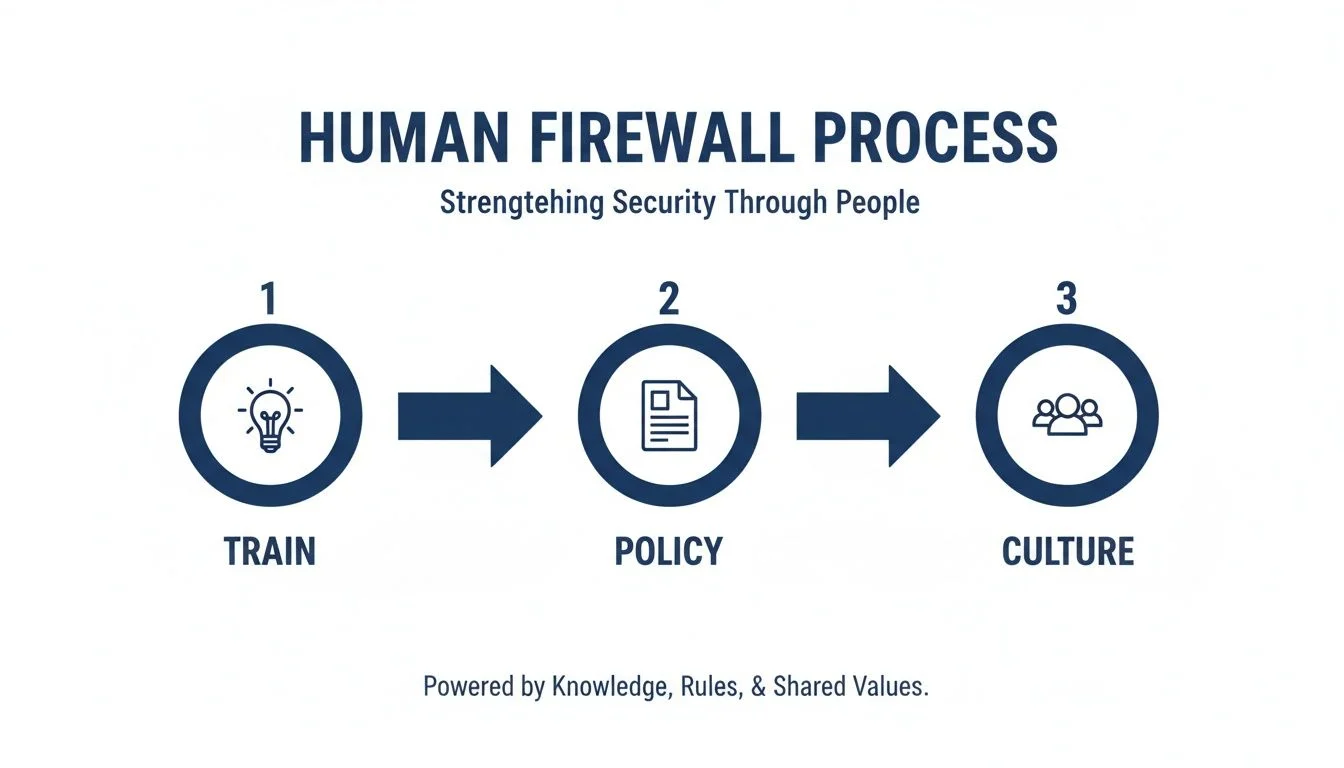
This visualises how consistent employee training and clear policies create a security-aware culture, which is essential for both preventing and responding to incidents. The goal is to make security a shared responsibility, not just another job for the IT department. For more concrete templates, you can review some disaster recovery plan examples to see how these documents are put together.
Frequently Asked Questions About Business Cyber Security
Jumping into cyber security can feel like a massive task, and it’s natural to have questions. To help you get a clear picture, we’ve put together some straightforward answers to the questions we hear most often from business owners.
Is Good Antivirus Software Enough to Protect My Business?
It’s a great start, but unfortunately, it’s no longer enough on its own. Think of your antivirus as a good, solid lock on your front door. It stops the most common threats, but it won’t stop a determined burglar who knows how to pick it or finds an open window.
Modern cyber threats are far more sophisticated. They can slip past traditional antivirus without a sound. That’s why you need a layered approach; a full security system. This means having endpoint protection that’s smarter than basic antivirus, a firewall, email filtering, and ensuring all your software is kept up to date. The most critical piece? Multi-Factor Authentication (MFA). It’s like adding a deadbolt and a security camera to that front door lock.
We’re a Small Business with a Tight Budget. How Can We Afford This?
This is a concern for almost every small business we talk to, and it’s a valid one. The key thing to remember is that the cost of preventing a cyber attack is almost always a fraction of the cost of cleaning one up. A breach can lead to downtime, lost data, and serious damage to your reputation.
You don’t need a massive budget to make a real difference. Start with the basics that give you the biggest bang for your buck. Enforce strong, unique passwords and, most importantly, turn on MFA everywhere you can; it’s often a free feature included with services you already pay for, like Microsoft 365. Make sure your software updates are automated and get a reliable backup system in place.
Investing in a chat with an MSP like us can also be incredibly cost-effective. We can help you focus your spending on the tools that will protect your specific business the most, so no money is wasted.
How Do I Create a Cyber Security Policy for My Staff?
The best policies are the ones people actually read and follow, so start simple. You don’t need a 100-page legal document that gathers dust. Your goal is to clearly set out the rules of the road for using company tech.
A good, simple policy should cover a few key things:
- Acceptable Use: What staff can and can’t do on company devices.
- Password Rules: A clear policy on password length, complexity, and why they can’t reuse old ones.
- Phishing Emails: Simple instructions on how to spot a suspicious email and who to report it to immediately.
- Handling Data: Clear guidelines on how to manage sensitive customer or company information.
We can even provide you with templates and help you craft a policy that’s easy to understand and actually works for your team.
How Tbourke Solutions can help
Feeling a bit overwhelmed by all this? That’s completely normal. Understanding cyber security is one thing, but finding the time and expertise to implement it all while you’re busy running your business is another challenge entirely.
This is where we come in.
As a local Melbourne IT provider with over 20 years of hands-on experience, we don’t just sell you software and walk away. We partner with businesses just like yours to turn complex security jargon into practical, affordable solutions that actually work. Think of us as your on-call IT department, but without the full-time overhead.
From Strategy to Day-to-Day Support
Our job is to handle the tech headaches so you can focus on what you do best. We go beyond just fixing things when they break; our whole approach is built around proactive management to stop problems before they start.
The core services we offer directly tackle the issues we’ve talked about in this guide:
- Managed IT Services: We take on the relentless work of patching, monitoring, and maintaining your systems, so you have one less thing to worry about.
- Advanced Cyber Security: We build and manage the layers of defence you need, from next-gen endpoint protection to firewalls and MFA. You can find out more about our specific cybersecurity services here.
- Secure Cloud Solutions: We make sure your data is safe, backed up, and accessible, whether you’re working in Microsoft 365 or other cloud platforms.
We act as your dedicated IT team, giving you clear advice and transparent strategies. With us, you get the know-how of a full security team for a fraction of what it would cost to hire internally.
Protecting your business isn’t a one-off project; it’s an ongoing process. Let’s start a conversation about where you’re at and build a plan that gives you real peace of mind.
To chat about your specific needs, head over to our contact page and send us a query. We’re here to help.
Share This Story, Choose Your Platform!