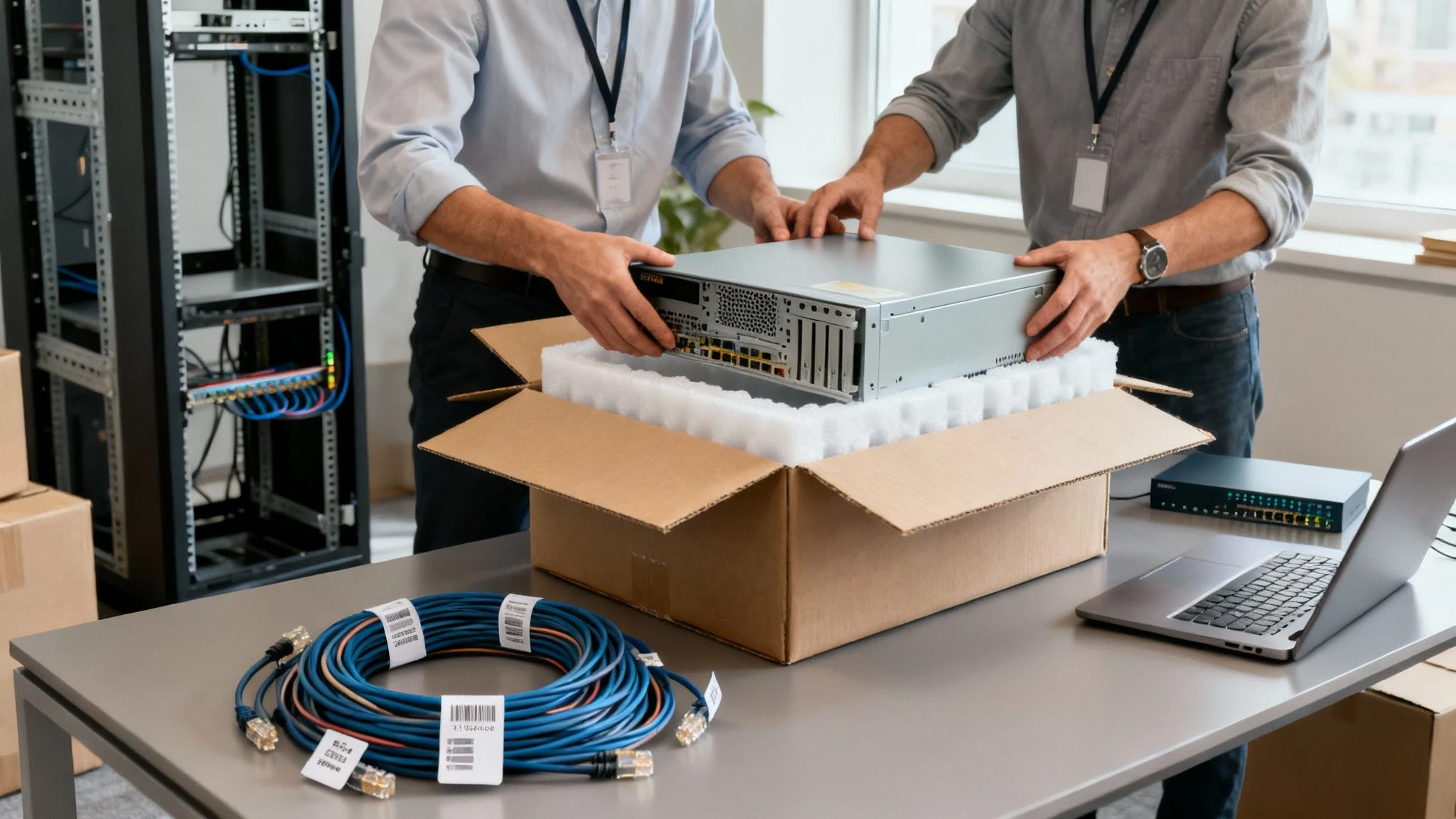
An office IT relocation service is exactly what it sounds like: a specialised team that handles the massive task of moving your business’s entire technology backbone—servers, computers, networks, and data—from one place to another with as little disruption as possible. Think of it as a blend of project management, serious tech skill, and detailed logistics, all focused on migrating the heart of your business.
This guide is designed to give you a clear, no-nonsense blueprint for making that move a success.
TL;DR: Your Quick Guide to a Smooth IT Move
Moving your office’s technology requires meticulous planning to avoid costly downtime and data loss. This guide walks you through the essential phases, from creating a detailed IT inventory and preparing the new site’s infrastructure to executing the physical move and conducting thorough post-move testing. By partnering with an expert, you can ensure a seamless transition, allowing your business to be fully operational from day one in its new location.
Understanding Your Office IT Relocation
Moving an office is so much more than just shifting desks and redirecting the mail. For any modern business, the most critical—and frankly, the most nerve-wracking—part of the whole process is the technology. An office IT relocation service is built to handle this specific challenge, ensuring your digital infrastructure is treated with the precision it demands.
This isn’t just a matter of unplugging a few PCs and plugging them back in across town. It’s a highly detailed operation that touches every single piece of tech your business relies on.
Why a Strategic Approach Is Essential
Without a solid plan, an IT move can go sideways, fast. The goal is to migrate your company’s entire tech nervous system without a hitch, and that takes experience and foresight. A strategic approach is your best defence against the common, costly mistakes we see all too often.
These are the risks that keep business owners up at night:
- Unexpected Downtime: A poorly coordinated move can easily leave your team offline for days, hitting your revenue and eroding customer trust.
- Data Loss or Corruption: If data isn’t backed up and transported correctly, it’s vulnerable. Losing critical business information can be catastrophic.
- Connectivity Failures: There’s nothing worse than arriving at your new office only to discover the internet isn’t working. It’s a classic, and completely avoidable, disaster.
- Hardware Damage: Sensitive gear like servers and networking equipment needs specialised handling. One wrong move and you could be facing expensive replacements.
The Stages of a Successful IT Move
A professional IT relocation is always broken down into clear phases, each one building on the last to ensure a smooth transition. This guide will walk you through every step, from the initial planning sessions to the final checks, making sure nothing is overlooked. It’s about more than just moving servers; it’s a complex project that needs careful coordination. You can get a deeper dive into this in our small business server migration service guide.
A successful IT move is measured by what doesn’t happen: no lost data, no extended downtime, and no surprise connectivity issues. It should feel like your business simply closed its doors in one location on Friday and reopened in another on Monday, without missing a beat.
For a broader look that covers every aspect of an office move, this ultimate office relocation checklist, including IT considerations is an excellent resource.
Strategic Planning and Inventory Management
A successful office IT move doesn’t start the day the movers show up. It begins weeks, or even months, beforehand with a rock-solid plan. Think of this initial stage as creating the central nervous system for your entire relocation. It’s where you coordinate everyone involved, from your internal team to external partners like movers, builders, and your IT provider. This isn’t just about a checklist; it’s about building a strategic roadmap.
First things first: assign clear roles. Nominate a single point of contact within your company to be the go-to person for all things IT. This person will work directly with your IT partner, making sure decisions are made swiftly and avoiding the classic “too many cooks” problem that can derail a move.
It’s crucial to get your IT provider involved right from the start. They’re the ones who can spot potential landmines—like poor internet provisioning or inadequate cabling at the new site—that could cause massive delays if discovered too late.
Building a Bulletproof IT Inventory
The heart of your relocation plan is a ridiculously detailed IT inventory. I’m not just talking about a quick headcount of computers. This needs to be a complete catalogue of every single piece of tech that your business relies on. The process gives you a perfect snapshot of what you have, its condition, and how it all fits together.
A proper inventory should capture:
- Hardware Assets: Every server, desktop, laptop, printer, monitor, router, and switch. Don’t forget serial numbers, asset tags, the name of the assigned user, and a note on its physical condition.
- Software Licences: A full list of all your software, including those pesky subscription renewal dates and licence keys. This simple step can save you from compliance headaches and stop you from paying for software you don’t even use anymore.
- Service Contracts: All the details for your internet service provider (ISP), phone systems, and any other tech vendors. Make a note of contract end dates and check for any clauses about relocation.
This isn’t just busywork. A detailed inventory is vital for getting the right insurance coverage for the move. It also helps you pinpoint old, clunky hardware that’s due for an upgrade and is essential for planning the layout of the new office. Knowing the exact number of devices, for instance, tells you precisely how many network ports, power outlets, and server rack space you’ll need.
Navigating Melbourne’s Commercial Real Estate Climate
Your timeline needs to be grounded in reality, especially in a dynamic market like Melbourne. The current commercial real estate scene has a direct impact on how you plan your IT project. Post-pandemic shifts have changed the game, and businesses need to be ready.
With a national office vacancy rate sitting at 13.7% as of January 2025 and a flood of new office space hitting the Melbourne market, tenants are taking their sweet time signing leases. We’re seeing deals for spaces around 1,000 sqm now take an average of 14 months or more to finalise. This uncertainty trickles down to your IT relocation, forcing you to schedule cabling, server installs, and managed services around a timeline that could change at any moment.
This drawn-out decision-making means flexibility isn’t just a nice-to-have in your IT plan; it’s a must. You absolutely have to build in buffer time for potential delays in lease signings or staggered move-in dates. Skip this, and you’re setting yourself up for last-minute chaos.
From Inventory to Opportunity
A meticulous inventory isn’t just for tracking assets—it’s a chance to be strategic. As you document every piece of gear, you can ask the hard questions. Is that five-year-old server really worth moving? Or is this the perfect time to decommission it and shift to a cloud solution? A move is the ideal trigger for a tech refresh.
This is also a great time to seriously consider migrating more services to the cloud. By figuring out which on-premise servers can be replaced by cloud infrastructure, you can shrink the amount of physical hardware you need to haul across town. That simplifies the logistics and can seriously cut your long-term operational costs.
Ultimately, getting this planning and inventory stage right sets the tone for the entire move. A well-organised, detailed approach minimises nasty surprises, slashes the risk of downtime, and turns what could be a logistical nightmare into a strategic upgrade for your business.
Preparing Your Digital and Physical Infrastructure
With a solid plan and inventory in hand, it’s time to get down to the nuts and bolts. We’re now moving into the phase where we prepare both your digital assets and the new physical space. This is all about safeguarding your data and laying the technological groundwork for your new office before a single server gets unplugged.
Getting this wrong is not an option. It can lead to catastrophic data loss or, almost as bad, arriving at a brand-new office with no internet. Both are scenarios no small business can afford.
The absolute first, most critical action is to secure your data. Before anything is powered down, you need multiple, verified backups of everything important. This is non-negotiable. A single backup just doesn’t cut it; you have to think in layers of redundancy.
This multi-layered approach means that even if one backup method fails (and they can!), your critical business information stays safe and recoverable.
Safeguarding Your Digital Assets
Your data is your most valuable asset, hands down. Protecting it during a move is the top priority. The goal here is to create a safety net so robust that even if a server completely fails during transit, it won’t derail your business.
Here are the essential backup strategies we always implement:
- Local Backups: The last thing you do before shutting down the old system is take a full backup of all servers and critical workstations onto a local storage device, like a Network Attached Storage (NAS) unit.
- Offsite Physical Backups: Create a second physical backup. This one gets transported to the new location completely separately from the primary servers. That physical separation is a core principle of good disaster recovery.
- Cloud-Based Backups: This is your ultimate safety net. By replicating your data to a secure cloud server, you have a geographically independent copy that’s safe from theft or physical damage during the move.
It’s not enough to just run the backup. You have to verify the integrity of your backups. We always perform a test restoration of a few critical files or a virtual machine to confirm the data is readable and not corrupted. An unverified backup is just a guess, and that’s a risk you can’t take.
Building the New Office Infrastructure
While you’re locking down your digital world, work needs to happen in parallel at the new location. The aim is to have the core infrastructure—internet, cabling, power—completely ready and tested before any of your IT gear arrives. There’s nothing worse than walking into a new office on moving day only to discover you can’t connect to the internet. It’s a completely preventable disaster.
This takes careful coordination. You need to order services well in advance. Business-grade internet connections, for instance, can have lead times of several weeks or even months. Place those orders the moment your lease is signed.
Next up is the internal network layout. This is where you map out exactly where every piece of hardware will go, from the server rack right down to individual desks and printers. Proper planning ensures you have the necessary cabling, power, and cooling precisely where you need it. An experienced IT provider can offer crucial insights here. For a deeper dive, explore our expert network infrastructure services to see how a professional setup can optimise your operations from day one.
A detailed site survey is essential. You need to confirm:
- Structured Cabling: Is there enough high-quality network cabling (like Cat6a) run to every desk, meeting room, and Wi-Fi access point location? Retrofitting cabling after the walls are painted is disruptive and far more expensive.
- Server Room Readiness: Your server room or closet must have adequate, dedicated power circuits and sufficient cooling. Overheating is one of the top causes of hardware failure.
- Rack and Patch Panel Setup: The server rack, patch panels, and network switches should be installed and configured ahead of time. This makes re-racking your servers on move-in day a much faster, more organised process.
By meticulously preparing both your data backups and the new site’s infrastructure, you’re setting yourself up for a seamless transition. This groundwork ensures that when your hardware arrives, it can be quickly connected, tested, and brought online, dramatically cutting downtime and turning move-in day into a smooth go-live event.
Executing the Move and Go Live
This is where all those months of planning finally come to life. The execution phase is the real-world test of your IT relocation strategy, turning checklists and floor plans into a fully functional new office. It’s a high-stakes weekend where precision, careful handling, and obsessive testing make all the difference between a smooth transition and a chaotic Monday morning.
Moving sensitive IT hardware isn’t like shifting desks and chairs. This gear is fragile and requires specialised handling to protect it from static, vibrations, or a clumsy drop. Once everything safely arrives at the new site, the focus immediately shifts to a methodical process of staging, installing, and testing to get your business back online without a single hitch.
The diagram below shows the high-level flow leading up to move day. It’s a simple but powerful reminder of the groundwork—data backup, site prep, and network testing—that makes the actual move successful.
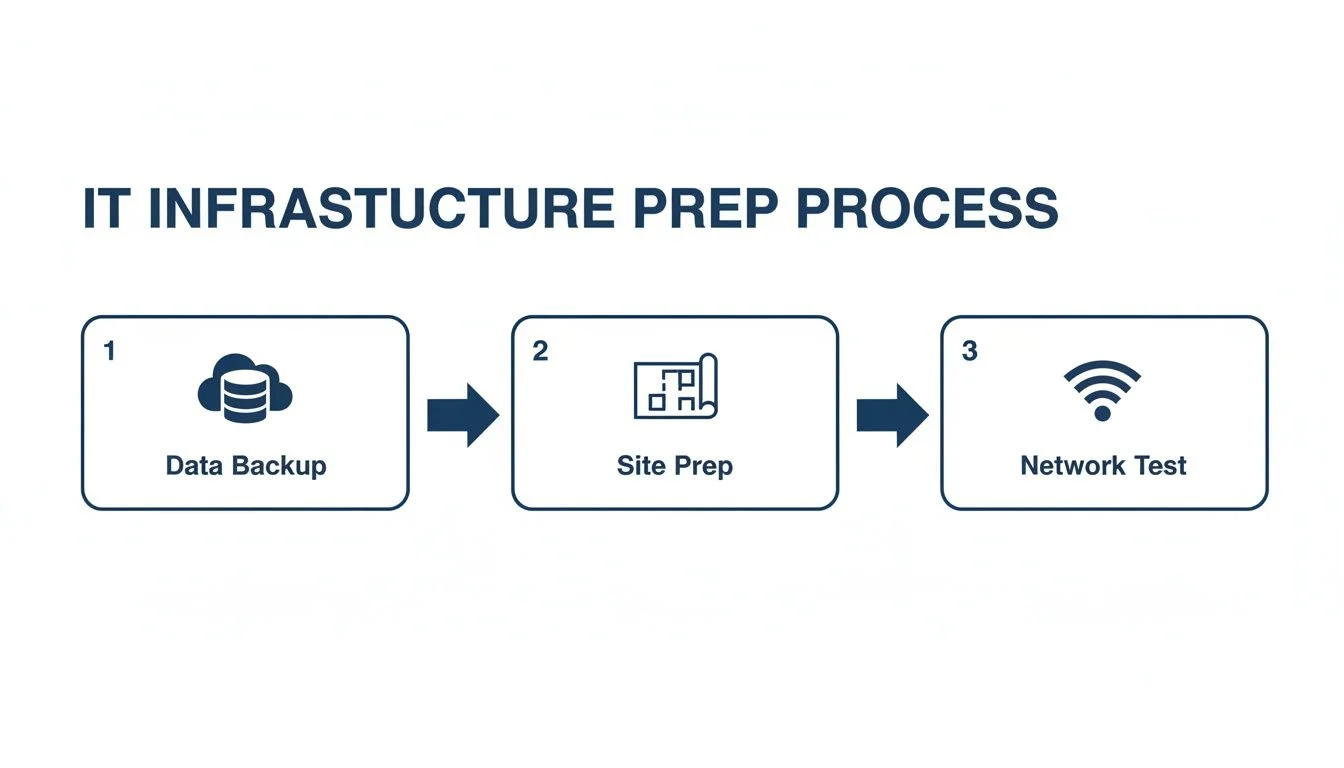
Ultimately, success on moving day is decided weeks in advance. If your data is secure and the new site is 100% ready to go, you’re already halfway there.
The Logistics of a Secure Physical Move
Transporting your company’s tech backbone needs a specialist’s touch. Your servers, routers, and switches aren’t just expensive—they hold the keys to your entire operation.
That’s why using professional movers with proven IT hardware experience is a non-negotiable. They’ll have the right gear for the job, including:
- Anti-static packaging: Specialised bubble wrap and bags are essential to shield sensitive electronics from electrostatic discharge, which can silently fry critical components.
- Custom crating and padding: Servers and rack-mounted equipment are surprisingly delicate. Purpose-built crates and secure padding prevent damage from the inevitable bumps and vibrations during transit.
- Airtight labelling and organisation: Every single box and piece of hardware must be clearly labelled to match your inventory list and the new office layout. This ensures nothing gets lost and everything lands exactly where it needs to be for a quick setup.
On-Site Staging and Installation
Once your equipment arrives, don’t just rush to plug everything in. A calm, methodical approach to staging and installation is what separates the pros from the amateurs.
First, all hardware should be moved to a designated staging area. Here, your team can carefully unpack each item, inspect for any signs of damage during the move, and tick it off the inventory list. From there, servers are carefully re-installed into their pre-cabled racks, and workstations are set up at their assigned desks as per the floor plan. This systematic process ensures every device is accounted for and in the right spot before a single cable is connected.
The table below provides a sample timeline for a typical weekend move. It helps visualise how all the moving parts come together to minimise business disruption.
Sample IT Relocation Weekend Timeline
| Day/Time | Key Task | Responsibility | Critical Check |
|---|---|---|---|
| Friday 5:00 PM | Final data backup and verification | IT Manager/Provider | Confirm backup integrity. |
| Friday 6:00 PM | Power down all servers and network gear | IT Team | All systems are gracefully shut down. |
| Friday 7:00 PM | Disconnect and label all equipment | IT Team & Movers | Every cable and device is labelled. |
| Saturday 9:00 AM | Secure transport to new location | Specialist Movers | All items loaded and secured. |
| Saturday 1:00 PM | Unpack and stage equipment in new server room | IT Team | Cross-reference against inventory list. |
| Saturday 3:00 PM | Rack servers and connect core network | Network Engineer | All hardware is physically installed. |
| Sunday 10:00 AM | Power on systems; begin core testing | IT Manager | Check for power and network link lights. |
| Sunday 2:00 PM | Application, internet, and phone system tests | All IT Staff | Verify all critical business functions. |
| Monday 8:00 AM | On-site support for staff go-live | IT Support Team | Address user login and connectivity issues. |
This schedule ensures that by the time your team walks in on Monday morning, the new office feels like it has been running for weeks.
The Critical Testing and Verification Phase
With everything physically in place, the most important part of the move begins: testing. This isn’t just a quick check to see if the internet works. It’s a deep, multi-layered process to confirm every single system is online, secure, and performing exactly as it should.
Your testing checklist needs to be exhaustive. We’re talking about covering every corner of your IT environment:
- Core Network Connectivity: Is every network port live? Are devices getting the right IP addresses? Test both wired and Wi-Fi connections from multiple locations.
- Internet Performance: Run speed tests. You need to confirm your new internet service is delivering the bandwidth you’re paying for, not just a fraction of it.
- Server and Application Access: Can employees actually log in? Can they access essential servers, shared drives, and business-critical software like your CRM or accounting platform?
- Communication Systems: Test every phone line—incoming and outgoing calls. Check that voicemail, call forwarding, and other telephony features are working correctly.
A critical but often overlooked step is having a rollback plan. What happens if a key system fails to come online? Knowing your triggers for enacting a contingency is vital. For more on this, check out our guide with disaster recovery plan examples.
Post-Move Cybersecurity and Compliance
A physical move can accidentally poke holes in your security posture. It’s absolutely essential to conduct a full security sweep of the new environment once you’re up and running. This means re-checking firewall rules, verifying the physical security of the new server room, and ensuring all security software is running correctly on every single endpoint.
This isn’t just good practice; it’s a critical step, especially as more businesses are on the move. Recent data shows a huge uptick in office relocations, with 118,756 sqm of positive take-up across Australian markets in the year to January 2025. In Sydney alone, the relocation of just 12 large tenants contributed to 10,500 sqm of net absorption. Every one of those moves required a full suite of IT services, including a final cybersecurity validation to ensure the new space was secure.
Partnering With an IT Relocation Expert
Trying to manage an office IT move on your own is a huge gamble, especially for small and medium businesses. It’s not just about unplugging computers and plugging them back in. An IT relocation is a complex project riddled with potential pitfalls, and a single mistake can lead to costly downtime.
This is where bringing in a specialist makes all the difference. You’re not just hiring movers; you’re partnering with a team that lives and breathes this stuff. With over 20 years of experience managing infrastructure projects right here in Hillside and the greater Melbourne area, a local expert knows exactly what to expect and how to handle it.
Think of it this way: a specialist frees you up to focus on what you do best—running your business—while they handle the technical heavy lifting. From initial planning and vendor coordination to the final cybersecurity checks, they’ve got it covered. And when it comes to the physical move, finding essential office movers who can work alongside your IT team is a recipe for a stress-free transition.
Frequently Asked Questions About Office IT Relocation
Here are some of the most common questions businesses ask when planning an IT move.
How Far in Advance Should We Plan Our IT Relocation?
Ideally, you should start talking to an IT partner 3 to 6 months before your move date. This gives you enough time to audit your current systems, plan the new network, and crucially, order new internet services, which often have surprisingly long lead times. A longer planning window helps prevent last-minute rushes and costly oversights.
What Is the Biggest Risk During an IT Move?
Without a doubt, the single biggest risk is unplanned downtime. This can be caused by anything from the internet not being active on day one, to failed data backups, damaged hardware, or incorrect network setups. For a business, downtime translates directly to lost revenue and productivity. Meticulous planning is the only way to get ahead of this.
Can We Handle the IT Relocation Ourselves to Save Money?
Trying to DIY an IT move often ends up costing far more in the long run. The risk of extended downtime, losing data, or creating security holes can be financially devastating for a small business. A professional service brings expertise, accountability, and peace of mind that the job will be done right the first time.
What Happens to Old IT Equipment?
An office move is the perfect opportunity to audit your technology and retire outdated hardware. A professional IT partner can manage the secure decommissioning of old equipment. This includes certified data destruction to permanently erase all sensitive information from hard drives and environmentally responsible e-waste recycling to dispose of the hardware in compliance with regulations.
How Tbourke Solutions Can Help
At Tbourke Solutions, we offer a hands-on, transparent approach to office IT relocation designed specifically for SMBs. We understand you need more than a mover; you need a strategic partner to get your technology set up and optimised in your new space, ready to support your business from day one. We handle the technical heavy lifting so you can focus on running your business.
We offer flexible support options to fit your needs:
- End-to-End Project Management: We manage the entire IT relocation from start to finish. This includes creating the project plan, coordinating with all vendors, overseeing the physical move of your technology, and providing post-move support to ensure a smooth transition for your team.
- Targeted Technical Support: If you have the project management under control but need expert help with specific technical tasks, we can assist. Our team can handle server installation, network setup and cabling, and post-move cybersecurity validation.
The best partner is one that feels like an extension of your own team. The goal is to find an IT expert who will safeguard your critical assets and ensure the move happens smoothly, with as little downtime as humanly possible.
It’s crucial to understand what different providers bring to the table. For a deeper dive on what to look for, our guide on selecting IT outsourcing vendors offers some really valuable perspective.
Getting Started With Our Team
We believe technology should be simple. Our process kicks off with a detailed chat to get to know your business, your current IT setup, and what you want to achieve in the new office. From there, we map out a clear, actionable plan that lays out every single step of the relocation.
The image below shows our contact page—it’s the first step to getting that conversation started.
If you have an office move on the horizon, don’t leave your most critical assets to chance. Let our experienced team ensure your technology relocation is a success from the start. To begin the conversation, please visit our contact page to reach out and submit a query.
Share This Story, Choose Your Platform!