When you’re setting up a home office, getting it right means creating an environment that’s secure, reliable, and genuinely productive. From an IT expert’s point of view, this boils down to three non-negotiables: business-grade connectivity, the right hardware for your workload, and rock-solid security measures like VPNs and managed endpoint protection to keep your data safe.
TLDR: Your Quick Guide
For a professional home office, start with a reliable NBN connection of at least 50/20 Mbps and secure it with a business-grade VPN or a modern Zero Trust solution. Your core hardware should be a modern laptop with at least 16GB of RAM and an SSD, paired with an ergonomic dual-monitor setup. Finally, protect everything with managed endpoint security software and automated cloud backups to ensure you can recover from any data disaster. This framework builds a secure and efficient workspace, protecting both your productivity and your business.
Your Blueprint for a High-Performing Home Office
Building a home office that can compete with a corporate workspace isn’t a luxury anymore; for modern business, it’s a dead-set necessity. This guide pulls together more than two decades of hands-on IT experience into a clear, practical blueprint. It’s built for the small businesses, sole traders, and busy families who just need their technology to work, no excuses. We’re cutting through the generic advice to give you specific, actionable recommendations you can actually use.
The shift to working from home is more than just a passing trend; it’s become a permanent part of how Australia does business. In 2023, a massive 37% of Australians worked from home at least once a week, a huge jump from just 13% before the pandemic. These figures show just how much we value the remote setup, with 75% of workers saying it improved their wellbeing.
What to Expect from This Guide
Our mission is simple: to give you a clear, expert-backed plan. We’ll walk through the essential pillars of a professional home office, making sure you understand not just what you need, but why it’s so important for your success.
Here’s what we’ll be covering:
- Essential Hardware: Choosing the right tools for the job is fundamental. We’ll help you figure out which specs actually matter for what you do.
- Connectivity and Networking: We’ll break down the minimum internet speeds you need for proper business use and explain why spending a bit more on a business-grade router is one of the smartest investments you can make.
- Cybersecurity Measures: Learn how to properly lock down your digital perimeter with modern approaches like Zero Trust networks and advanced endpoint protection that goes way beyond basic antivirus.
- Data Protection: We’ll dive into practical, real-world backup and recovery strategies to make sure your business can bounce back from any kind of data disaster, big or small.
Your Quick Guide to the Ideal Home Office Setup
If you’re just after the quick version, here’s our core recommendation for a professional home office that actually works. Think of this as the non-negotiable baseline.
It all starts with a solid NBN connection, at least 50/20 Mbps. Anything less and you’ll struggle with smooth video calls and fast access to cloud files, which are the bread and butter of remote work.
Next, you absolutely must secure that connection. We recommend either a business-grade VPN or a modern Zero Trust solution to shield your sensitive data from prying eyes. Your hardware foundation should be a modern laptop or desktop with at least 16GB of RAM and a zippy solid-state drive (SSD), paired with an ergonomic dual-monitor setup to give your productivity a real boost.
Finally, don’t forget about defence and recovery. Set up automated cloud backups for all your critical files and make sure every single device is protected with managed endpoint security software. This isn’t just a random checklist; it’s a proven framework for building a secure, efficient, and professional workspace that protects both your productivity and your business assets from common digital threats.
Laying the Foundation with Connectivity and Hardware
The real strength of any professional home office rests on two pillars: a rock-solid internet connection and the right hardware. These aren’t just nice-to-haves; they are the fundamental tools that dictate how efficient, reliable, and productive you can be, day in and day out. Getting these right from the start saves you from countless headaches down the track.
This diagram shows how we think about building a home office setup, starting with the absolute essentials and layering on from there.
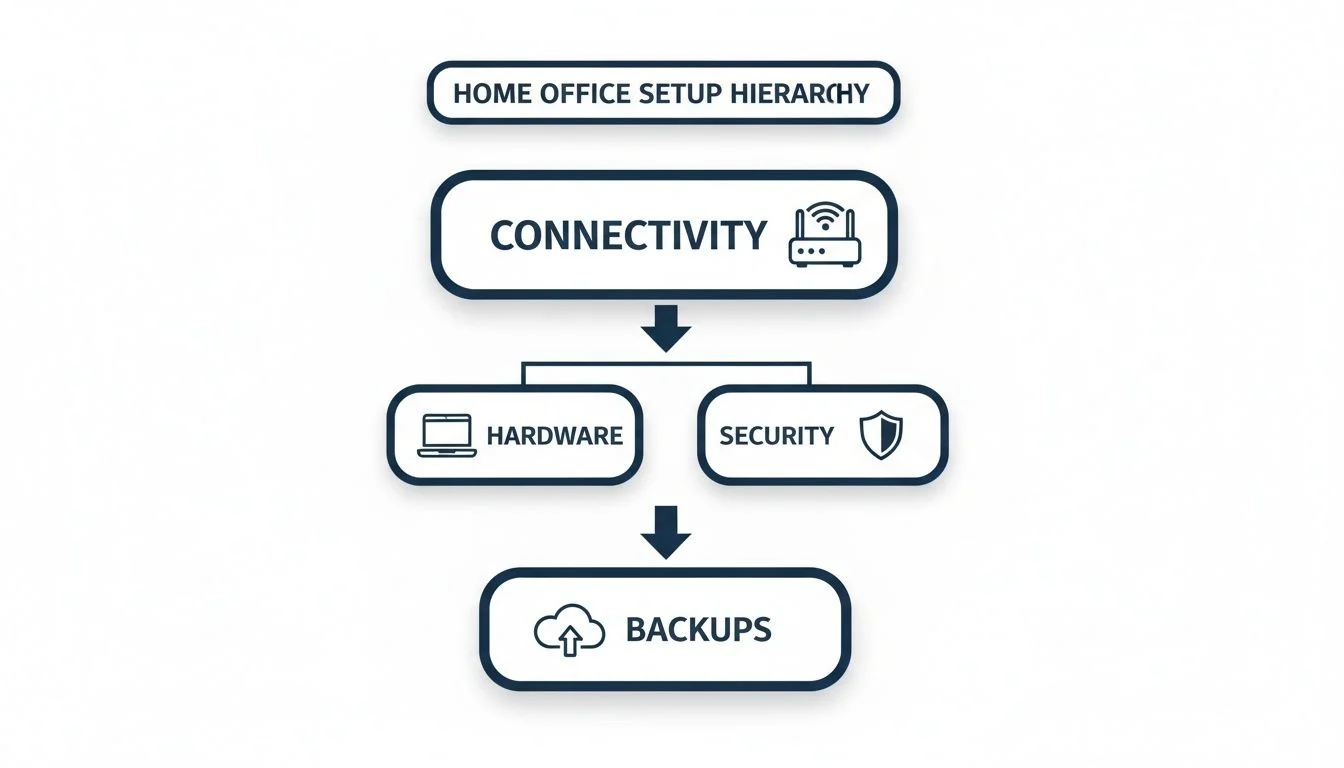
As you can see, a stable internet connection is the non-negotiable base. Everything else is built on top of it.
Setting the Standard for Internet Connectivity
For any serious business use, your standard residential internet plan probably isn’t going to cut it. We consider a 50/20 Mbps NBN plan the absolute bare minimum for a professional home office. This gives you enough grunt for stable video calls, smooth access to cloud apps, and handling large files without grinding your network to a halt.
But if your work involves frequent high-def video meetings, big data uploads, or you have others at home using the connection for work or school, you’ll need to step it up. A 100/40 Mbps plan delivers a much more robust experience, cutting out lag and boosting overall productivity. For roles where connectivity is mission-critical, a dedicated business NBN connection is the way to go for its superior reliability and support. If you need more guidance, our detailed guide to choosing a business ISP can help.
A business-grade router is another crucial part of this puzzle. Unlike the basic modem-router combo your provider gives you, a proper business device offers advanced features like Quality of Service (QoS). This lets you prioritise your critical work traffic, like a Teams call, over less important data, like a family member streaming Netflix. It ensures your work is never compromised.
Choosing Hardware That Works as Hard as You Do
Your computer is your main tool, and its specs directly impact your workflow. For most professional roles today, 16GB of RAM is non-negotiable. With web browsers, chat apps, and business software all running at once, 8GB just doesn’t cut it anymore and leads to constant slowdowns and frustration.
Just as important is the storage. A Solid-State Drive (SSD) is a must-have. Compared to an old mechanical hard drive, an SSD slashes boot times and makes opening applications feel almost instant. The performance jump is so massive it often feels like you’ve bought a brand-new machine.
Let’s not forget your physical comfort, which is critical for staying productive long-term. An ergonomic setup isn’t a luxury; it’s a necessity to prevent strain and burnout.
- Dual Monitors: Using two screens can boost your productivity by 20-30%. It just cuts down on the endless alt-tabbing between windows.
- Ergonomic Chair: A high-quality, adjustable chair with proper lumbar support is an investment in your health, preventing back pain from long hours at the desk.
- External Keyboard and Mouse: These allow you to position your screen at eye level while keeping your hands in a natural, comfortable posture.
A common mistake we see is people underestimating the small drags on their day. A slow computer or an uncomfortable workspace doesn’t just waste a few seconds here and there; it drains your mental energy and kills your momentum over the entire workday, making you far less effective.
By investing in a solid foundation of reliable internet and capable, comfortable hardware, you create an environment where you can actually focus on your work. This is a core part of any professional IT recommendation, as it directly supports everything else, from security to productivity.
Recommended Hardware Tiers for Home Offices
To make it easier, we’ve broken down hardware recommendations into two common user types. This table shows what we suggest for someone doing essential daily tasks versus a power user who needs more horsepower.
| Component | Essential User (Admin, Sales) | Power User (Developer, Designer) | MSP Rationale |
|---|---|---|---|
| Processor | Intel Core i5 / AMD Ryzen 5 | Intel Core i7 / AMD Ryzen 7 | An i5/Ryzen 5 is the sweet spot for cost and performance for most business apps. Power users need the extra cores for compiling code or rendering video. |
| RAM | 16GB DDR4 | 32GB DDR4 or DDR5 | 16GB is the modern baseline for smooth multitasking. Power users running virtual machines or large creative files need 32GB to avoid bottlenecks. |
| Storage | 512GB NVMe SSD | 1TB+ NVMe SSD | An SSD is non-negotiable for speed. 512GB is ample for documents and apps, while 1TB and up is necessary for large project files and software. |
| Monitors | Dual 24″ 1080p | Dual 27″ 1440p (QHD) | Dual screens are a massive productivity win. Power users benefit from the extra screen real estate and higher resolution of QHD displays. |
Choosing the right tier ensures you’re not overspending on tech you don’t need, but also not under-equipping your team and hamstringing their productivity from the get-go.
When to Get Help
If talk of hardware tiers, QoS routers, and business NBN plans feels a bit overwhelming, or you’re getting that nagging feeling that your current setup isn’t truly secure, that’s a clear sign it’s time to call in an expert. Wasting hours trying to configure complex equipment or lying awake worrying about a potential security breach pulls you away from running your actual business.
A managed service provider can quickly assess your weak spots, implement the right solutions, and provide ongoing monitoring to keep you safe. If you’re ready to get professional help securing your home office, explore our managed IT services in Melbourne to see what’s included.
Securing Your Digital Perimeter and Endpoints

Your home office isn’t just a spare room with a desk; it’s a direct, live extension of your business network. That means it needs the same tough security you’d expect at a corporate headquarters. Protecting it boils down to two key jobs: tightly controlling who gets in, and making sure the devices connecting to your network are clean and secure.
For years, many businesses have leaned on the traditional Virtual Private Network (VPN). Think of a VPN like an old castle moat. Once you’re safely across the drawbridge, you’re considered “trusted” and can wander around freely inside the castle walls. This model worked okay when everyone was inside the office, but it’s a huge risk with a remote workforce.
A single stolen password could give an attacker the keys to your entire kingdom. This is exactly why the modern approach, Zero Trust Network Access (ZTNA), is so critical.
The Shift to Zero Trust Access
Zero Trust is like having a dedicated security guard at every single door inside the castle, not just at the main gate. It works on a simple but powerful principle: “never trust, always verify.” Every single time a user tries to access an application or open a file, ZTNA stops and checks their identity and permissions, no matter where they are.
This approach dramatically shrinks your attack surface. If a hacker manages to steal a user’s login details, they can’t move sideways through your network because their access is locked down only to the specific things that user is allowed to see. This kind of granular control is a core part of any professional MSP recommendation for home office security.
Upgrading Your Device Defences
The second pillar of security is protecting the actual devices, your laptops, desktops, and phones. In the IT world, these are known as endpoints. Basic antivirus software just doesn’t cut it anymore against modern threats. It’s like having a security guard who can only recognise wanted criminals from a poster; they’re blind to someone who looks innocent but is acting suspiciously.
Today’s cybersecurity relies on Endpoint Detection and Response (EDR). EDR is more like a proactive security team that actively monitors everything happening on your device. It hunts for unusual behaviour, like a Word document suddenly trying to encrypt all your files, and can instantly isolate the device from the network to stop a threat in its tracks. You can discover more about this topic by reading our detailed guide on what endpoint security is.
For comprehensive protection in a home office, adhering to stringent remote access security best practices is paramount to safeguard sensitive data and systems. This includes combining strong access controls with advanced endpoint monitoring.
Practical Steps You Can Take Now
While advanced solutions offer the best protection, there are some foundational security habits you absolutely must put in place right now. These simple actions will significantly raise your security baseline with minimal effort.
- Enforce Strong Password Policies: Passwords need to be long, complex, and unique for every single service. A password manager is the best tool for creating and storing them securely.
- Enable Multi-Factor Authentication (MFA): This is the single most effective security measure you can take. MFA demands a second form of verification, like a code from your phone, making it nearly impossible for an attacker to get into your accounts even if they steal your password.
The ongoing tech skills crisis in Australia means many small businesses are leaning on MSPs to implement crucial security for home office requirements. With cyber costs projected to hit $63 billion in 2024, MSP-prescribed measures like MFA and endpoint detection are no longer optional. These proactive steps are proven to work, with MSPs using automation and advanced security to cut support ticket volumes by 40-60%.
By combining robust access controls like ZTNA with advanced device protection like EDR, you build a layered defence that secures your data from every angle. This is the professional standard for any remote work setup.
Ensuring Continuity with Backup and Recovery Strategies
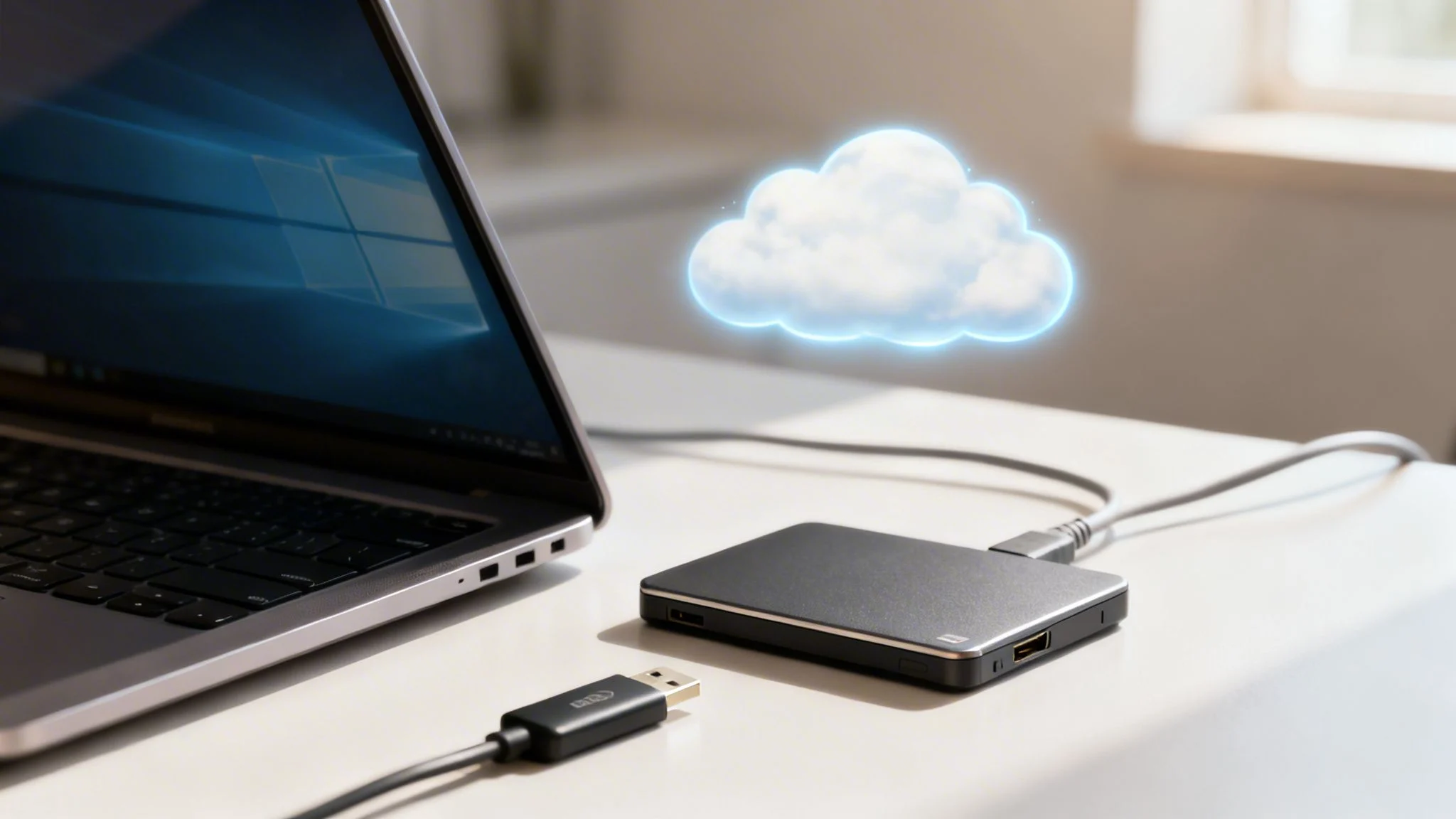
Let’s start with a tough but essential question: if your main computer died or was hit by ransomware right this second, what would happen to your business? For most home offices, the answer is a complete disaster. This is exactly why a rock-solid backup and recovery plan isn’t just a technical task, it’s a core survival strategy.
Relying on a single point of failure, like just the files saved on your laptop, is a massive gamble. Hardware can and does fail, often without warning. Worse, cyber threats like ransomware are specifically designed to lock you out of your own data, grinding your business to a halt. A professional setup tackles this risk head-on by creating multiple layers of protection, ensuring you can get back to work quickly, not in weeks.
This is where the industry-standard 3-2-1 Rule comes into play. It’s a simple but incredibly powerful framework that we swear by.
The 3-2-1 Rule Explained
The concept is brilliantly simple and easy to remember. It just means you should always have:
- Three copies of all your important data.
- Stored on two different types of media (like your computer’s internal drive and an external hard drive).
- With one copy kept completely offsite.
Why does this work so well? Having three copies means that even if you lose one or two, you’ve still got a fallback. Using two different media types protects you if one format fails or becomes obsolete. That offsite copy is your ultimate safeguard, it protects you against a physical disaster like a fire, flood, or theft that could wipe out both your primary device and your local backup in one go.
Cloud Backups vs File Syncing
A lot of people think that because they use Dropbox, Google Drive, or Microsoft OneDrive, their files are backed up. This is a common and dangerous misunderstanding. These services are built for file synchronisation, not true backup.
Think about it: if you accidentally delete a file on your computer, it gets deleted from the cloud too. If a file gets corrupted or encrypted by ransomware, that damaged version is immediately synced across all your devices.
A true backup solution, on the other hand, creates versioned snapshots of your data. This means it saves multiple versions of your files over time. If disaster strikes, you can simply restore your data from a clean point before the problem occurred. It’s a critical distinction that many unfortunately learn the hard way.
The Importance of Testing Your Backups
A backup you’ve never tested is not a backup; it’s a gamble. The absolute worst time to find out your recovery process doesn’t work is during a real emergency.
A core MSP recommendation for any home office is to schedule regular, documented tests of your backups. This involves trying to restore a random selection of files to ensure the data is intact and the process works just as you expect it to.
This simple, proactive step turns a potential business-ending event into a manageable inconvenience. For those looking to formalise this process, exploring some disaster recovery plan examples can provide a structured approach to testing and validation.
Implementing a robust backup strategy that follows the 3-2-1 rule and includes regular testing is non-negotiable for any professional home office. It’s the safety net that ensures your hard work and valuable business data are always protected, no matter what happens.
How Tbourke Solutions Can Help You Succeed
Feeling a bit overwhelmed by all the tech talk? You’re not alone. Our job at Tbourke Solutions is to cut through the complexity and deliver IT support that just works, especially for small to medium businesses, sole traders, and families across Melbourne.
With over 20 years of hands-on experience, we’ve learned that the best technology is the kind you don’t have to think about. We take all those complex requirements for your home office setup—security, performance, backups—and build simple, reliable solutions.
Our Managed IT Services are designed to do exactly that. We handle the proactive monitoring, install robust security, and provide expert support for your entire setup. This means you can get on with your actual work, instead of getting bogged down fixing tech problems.
We believe in building partnerships, not just client lists. That means you get clear communication and straightforward pricing, with no hidden surprises. Let us handle the tech, so you can focus on what you do best.
Ready to make your technology an asset, not a liability?
Get in touch for a no-obligation chat about your specific needs. Head over to our contact page and send us an enquiry. We’re here to help.
A Few Common Questions About Home Office Setups
As specialists in IT support for home offices, we field a lot of questions from sole traders and small business owners trying to get their setup right. Here, we tackle some of the most common queries we hear, with clear, direct answers drawn from our daily experience in the trenches.
Getting the right advice can be the difference between a frustrating, insecure setup and a professional, productive workspace. These are the key areas that people often find challenging, from internet connections to data security and whether an IT partner is worth it.
Do I Really Need a Business NBN Plan for My Home Office?
While you can get by on a residential NBN plan, a business plan offers crucial advantages that are vital for any professional use. The single biggest difference is the Service Level Agreement (SLA). An SLA is a formal commitment from your internet provider to get you back online within a much shorter, guaranteed timeframe if there’s an outage. For a business, this is non-negotiable.
Imagine your internet goes down on a Monday morning. With a residential plan, you’re just another ticket in the queue and could be waiting days for a fix. With a business SLA, you’re prioritised, and the problem is often sorted within hours. That commitment to uptime protects your income and your reputation. Business plans also usually come with better support and a static IP address, which is essential for certain remote access tools like VPNs to work reliably.
For any business that relies on constant connectivity for client calls, cloud services, and daily operations, the reliability of a business NBN plan is a smart investment to prevent costly and frustrating downtime.
What Is the Single Most Important Security Measure I Can Take?
If you only do one thing to beef up your security, enable Multi-Factor Authentication (MFA) on every single account that offers it. MFA, sometimes called two-factor authentication, demands more than just your password to log in. It usually asks for a one-time code from an app on your phone or a text message.
This simple action protects you even if your password is stolen, which happens all the time in data breaches. Without physical access to your phone, an attacker can’t get past that critical second verification step. Given that a huge majority of cyberattacks rely on compromised login details, MFA is the most effective and straightforward defence you have for securing your email, cloud storage, and other critical business accounts. It’s a core part of any modern security recommendation.
Is a Cloud Backup Enough, or Do I Also Need a Physical Backup?
Cloud backup is an essential piece of the puzzle, but it should never be your only one. We strongly advise all our clients to follow the industry best practice 3-2-1 backup rule. It’s a simple framework that provides rock-solid protection against almost any kind of data loss.
The rule is simple:
- Have three separate copies of your data.
- On two different types of media (e.g., your computer’s hard drive and an external hard drive).
- With one of those copies stored completely offsite.
Your cloud backup service perfectly fills that “offsite” role. But for complete protection and much faster recovery, you absolutely should keep a local backup on a physical device, like an external hard drive or a Network Attached Storage (NAS) unit. A local backup means you can restore huge files in minutes, not hours (or days!), as you’re not limited by your internet speed. This dual approach protects you from everything from a hard drive failure to a ransomware attack.
How Can an MSP Help a Sole Trader?
For a sole trader, your time is your most valuable, and limited, asset. A Managed Service Provider (MSP) acts as your dedicated, expert IT department without the hefty cost of hiring a full-time employee. Our main job is to save you time by proactively managing your tech to stop problems before they can disrupt your work.
We handle all the background tasks that can eat up your day, like:
- Proactive Monitoring: We keep an eye on your systems to spot and fix issues before you even know they exist.
- Security Management: We manage all security updates, monitor for new threats, and make sure your defences are always up to date.
- Backup Management: We ensure your data is being backed up correctly and test the restores, giving you genuine peace of mind.
- Fast, Expert Support: When you do have a problem, you have a direct line to an expert who can solve it quickly. No more losing billable hours trying to fix a computer issue yourself.
Beyond the day-to-day, we also provide strategic advice. We help you make smart technology investments that line up with your business goals, giving you a professional and secure foundation to compete and grow. We take the entire IT burden off your shoulders so you can focus on what you do best: serving your clients and building your business.
At Tbourke Solutions, we specialise in making technology work for you, not against you. If you’re ready to build a secure, reliable, and professional home office, we’re here to help.
Reach out today to discuss your specific needs by submitting an enquiry on our contact page.
Share This Story, Choose Your Platform!