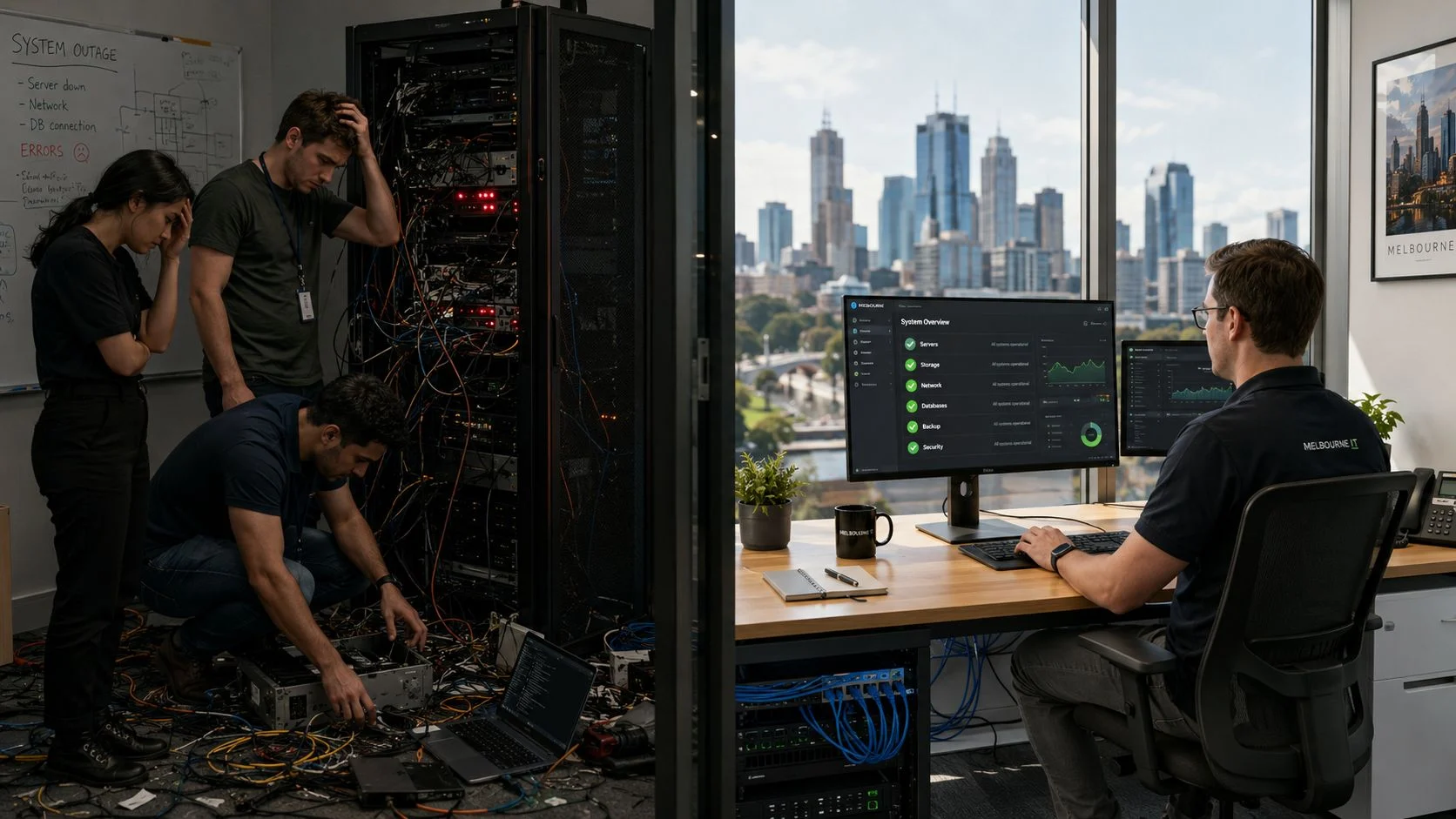
When you hear “Managed IT,” think of it as the difference between having a smoke alarm and having a dedicated fire crew stationed just outside your building. One warns you of a fire already burning; the other stops it from ever starting. Managed IT services work proactively to reduce downtime and security risks by combining 24/7 system monitoring with automated maintenance and expert oversight. This approach is all about identifying and fixing potential issues before they can disrupt your operations or open a door for hackers. The result? A far more reliable, secure, and cost-predictable technology environment for your business or school.
TL;DR: The Short Version
Managed IT services shift your technology strategy from reactive fire-fighting to proactive prevention. By using constant monitoring, automated security updates, and expert oversight, this model identifies and resolves potential issues before they cause costly downtime or security breaches. This guide explains how this proactive approach strengthens your defences, stabilises IT costs, and keeps your business running smoothly and securely. Ultimately, it gives you peace of mind and frees you to focus on your core mission.
The True Cost of Unmanaged IT
Imagine your main server crashing in the middle of a frantic workday, or a ransomware attack suddenly locking away every single one of your critical files. For too many businesses and schools, this is not just a bad dream, it is a costly reality that grinds everything to a halt, damages reputations, and drains budgets dry.
But the real cost of unmanaged IT is not always a single, dramatic event.
More often, it is the slow burn of recurring technical glitches. Those small but constant problems, the printer that will not connect, the application that keeps freezing, are often symptoms of deeper vulnerabilities lurking within your network. Every moment an employee spends troubleshooting their own tech is a moment lost from productive work, compounding over time into a significant financial loss.

This reactive ‘break-fix’ model means you are always playing catch-up. You are not just paying for repairs; you are paying for the operational chaos and lost opportunities that come with every unexpected outage. This constant firefighting does not just hit your bottom line; it takes a toll on team morale and chips away at customer confidence. To see the numbers behind this, you can explore our detailed comparison of why reactive IT costs more than managed IT.
Ultimately, unmanaged IT creates an environment of constant uncertainty. You are left wondering when the next issue will strike, how bad it will be, and what the final bill will look like. This state of perpetual risk makes strategic planning impossible and stifles growth, setting the stage for a much-needed shift towards a more proactive and secure approach.
Your Quick Guide to Managed IT Services
In short, managed IT services flip your approach to technology from reactive fire-fighting to proactive problem-solving. Instead of waiting for something to break, this model uses constant monitoring, automated maintenance, and expert oversight to stop issues before they can cause a headache.
You can learn more about how a Managed Service Provider works in our guide on what are MSPs.
This proactive approach strengthens your defences against cyber threats and smooths out unpredictable IT costs into a stable, strategic investment. Understanding IT asset management best practices makes this even more effective.
Ultimately, it lets you get back to focusing on your core mission, confident that your technology is secure, reliable, and ready to perform.
How Proactive Monitoring Prevents Problems
Picture a digital security guard watching over your entire IT setup, 24/7. That is essentially what proactive monitoring is. Instead of waiting for a system to crash or an alarm to go off, a Managed Service Provider (MSP) uses specialised tools to constantly scan for the tiniest warning signs of trouble. This constant vigilance is how managed IT stops downtime and security risks before they can actually hurt your business.
This could be as simple as a server showing early signs of overheating, or spotting weird network traffic that might signal a breach in progress. It could even be flagging a piece of software that has become dangerously out of date. These small anomalies are often the first whispers of a much bigger crisis on the horizon.
Catching Problems Before They Start
By spotting these issues early, an expert team can step in and fix them behind the scenes, often while you’re out of the office. A potential server failure is quietly averted with a simple component replacement overnight. A security vulnerability gets patched before a hacker even knows it exists. It turns IT from a constant source of stress into a stable, reliable foundation for your business to grow on. For Australian SMEs, where every dollar counts, this preventative approach is not just a nice-to-have; it is critical.
Proactive monitoring is the difference between replacing a faulty wire and rebuilding a house after an electrical fire. One is a minor, controlled task; the other is a catastrophic failure with extensive collateral damage.
When to Get Help
Are you constantly putting out the same IT fires? Battling with slow systems or recurring glitches? Worried your security is not quite up to scratch? These are all clear signs that your current reactive approach is failing you. It is time to stop letting technology issues dictate your day. If this sounds familiar, reach out for a consultation. You can submit a query on our contact page to explore a better way forward.
The Measurable Impact of Vigilance
This approach delivers real, tangible results. For businesses in sectors like construction, accounting, and education, the hidden cost of IT downtime adds up fast. Proactive monitoring has been shown to slash this downtime by up to 40%. In one manufacturing business we know of, issues like Wi-Fi degradation were identified and fixed before they could ever slow down the production line, leading to more predictable costs and better delivery times.
A huge part of this is simply keeping everything up to date. Consistent patching closes the very security gaps that cybercriminals love to exploit. To get a better handle on this key process, check out our comprehensive Windows Patch Management Guide. This kind of proactive maintenance is fundamental to how managed IT reduces downtime and security risk, keeping your operations running smoothly and your data safe.
Strengthening Your Defenses with Automated Security
Beyond just keeping a watchful eye on your network, a huge part of how managed IT services cut down downtime and security risks comes from automated, preventative action. This is all about fortifying your digital perimeter with two of the most powerful pillars in modern IT: systematic patching and rock-solid data recovery plans.
Patching: Locking Your Digital Doors and Windows
Think of patch management like methodically checking and locking every digital door and window in your business. Software developers are constantly releasing updates, or “patches”, to fix security holes that cybercriminals are just waiting to exploit. Without a proper strategy, you’re left scrambling with effective virus removal strategies after a breach has already happened.
A managed service provider (MSP) automates this whole process. They make sure every single device and application gets critical security updates the moment they become available. This consistent, disciplined approach closes security gaps across your entire network, which is a core strategy of Australia’s ACSC Essential 8 cybersecurity framework.
Creating a Failsafe with Backups and Recovery
The second pillar is a comprehensive data backup and disaster recovery plan. This is not just about copying files to an external drive; it is a complete insurance policy for your most valuable asset, your data. While a simple backup saves your files, a disaster recovery strategy is a detailed plan to get your entire operation back online quickly after a major incident.
This proactive approach moves beyond simple monitoring to actively resolving threats before they can cause damage, as the hierarchy below shows.
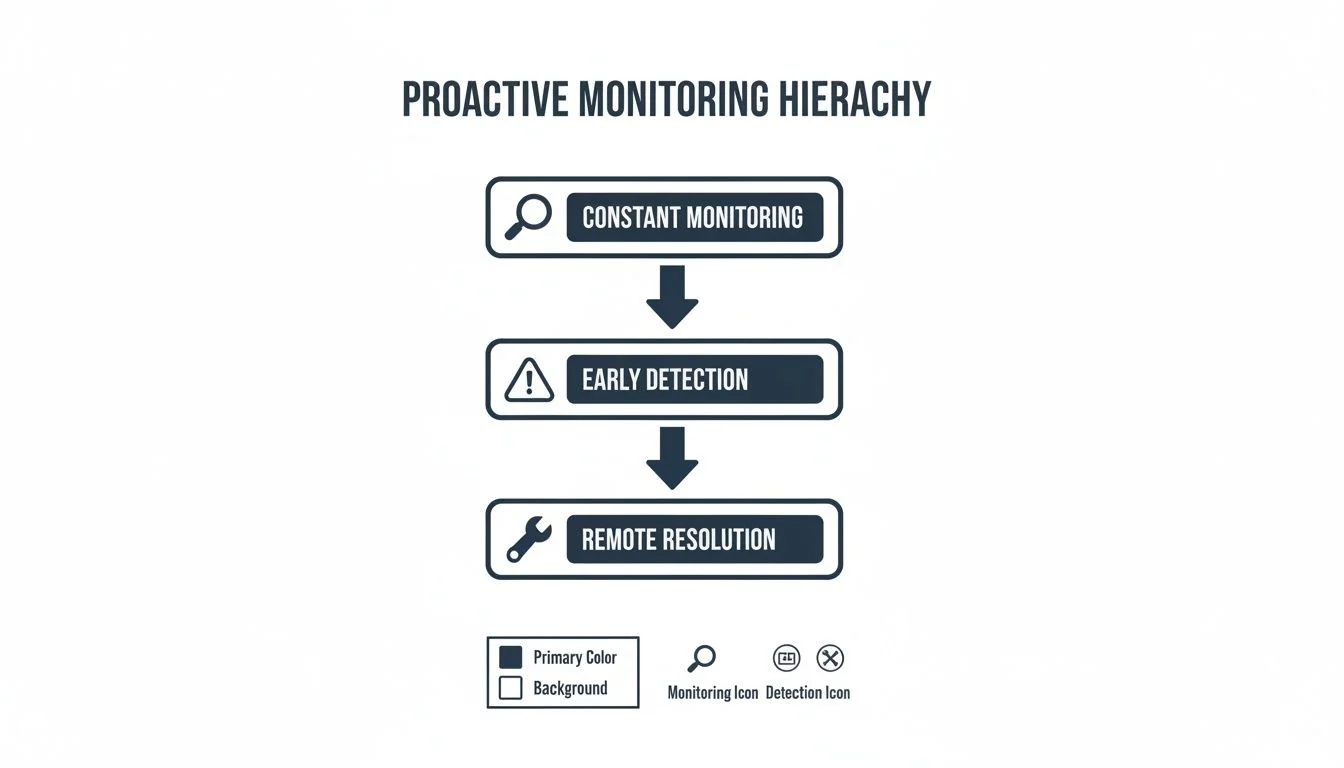
This process highlights how constant vigilance leads to early detection, which allows for remote resolution long before issues can impact your business.
Whether you are facing a hardware failure, a natural disaster, or a crippling ransomware attack, a solid recovery plan ensures you can restore everything from individual files to entire servers in hours, not weeks. The financial hit of not having this in place can be immense.
By automating these security essentials, managed IT services build a resilient and secure foundation, letting you run your business with genuine confidence.
When It’s Time to Upgrade Your IT Support
Many businesses get stuck in a reactive IT cycle, only calling for help after something breaks. If you and your team are constantly putting out small tech fires, it’s a sure sign your current IT support model is holding you back.
Do recurring glitches feel like a normal part of the workday? Are your staff losing precious hours trying to fix IT problems instead of focusing on their actual jobs? Those little interruptions add up, chipping away at productivity and morale. This is one of the clearest signs your business has outgrown ad hoc IT support.
How’s Your Current Setup Really Working?
Frequent downtime, unpredictable repair bills, and a constant nagging worry about your data’s security are not just the cost of doing business. They are symptoms of an IT strategy that cannot keep up with your needs anymore. A proactive approach is designed to stop these exact problems before they start.
These warning signs might feel a bit too familiar:
- Recurring Issues: The same tech problems pop up again and again, but never seem to get a permanent fix.
- Lost Productivity: Your team is regularly pulled away from revenue-generating work to deal with IT frustrations.
- Surprise Costs: Your budget keeps getting hit with unexpected bills for emergency repairs.
- Security Worries: You feel uneasy about your defences against modern cyber threats like phishing and ransomware.
If you find yourself nodding along to this list, you are likely spending more on the consequences of poor IT than you would on a proactive managed service. The hidden costs of downtime and inefficiency far outweigh a predictable monthly investment.
Stop letting technology dictate the rhythm of your day. If these challenges resonate, it’s time to explore a more strategic approach that actively reduces downtime and shores up your security.
Reach out to Tbourke Solutions by submitting a query on our contact page to explore a better way forward.
Building a Secure Network Foundation from the Ground Up
Think of your business network like a modern office building. You would not just have one big open room where the front desk, the finance team, and the server room are all jumbled together. That would be a disaster waiting to happen. Instead, you have walls, locked doors, and keycards to control who can go where.
A professionally managed IT service takes the same approach to your digital environment. It is not enough to just guard the front door with a firewall and hope for the best. Real security is about building those internal walls and locked doors to contain threats if they ever get inside. This structural approach is fundamental to reducing downtime and protecting your sensitive data.
Secure Network Segmentation: Creating Digital Walls
One of the most powerful strategies we use is network segmentation. In our office analogy, this is like putting your finance department in a secure, keycard-access-only room, separate from the public guest Wi-Fi in the lobby. If a visitor on the guest network accidentally downloads something malicious, the threat is trapped in the lobby. It cannot spread to the servers holding all your critical financial data.
This containment is a game-changer. It turns a potential company-wide catastrophe into a much smaller, manageable issue. Without segmentation, a single breach could bring your entire operation to a grinding halt.
The Principle of Least Privilege: Giving Out the Right Keys
Next up is access control, and we run it on what’s called the “principle of least privilege.” It is a simple but incredibly effective idea: people only get access to the specific data and systems they absolutely need to do their jobs, and nothing more. Your marketing coordinator, for example, has no reason to access payroll files or server admin panels.
By enforcing this, we dramatically reduce the risk of both accidental data leaks and deliberate misuse. If an employee’s email account gets compromised, the attacker is stuck. Their access is limited to what that one user could do, preventing them from roaming freely across your entire network.
This multi-layered defence, backed by robust firewalls and modern endpoint protection, creates a security posture that’s light-years ahead of the basic, out-of-the-box setups many businesses rely on. Cybersecurity threats are surging across Australia, and businesses in cities like Melbourne are constantly fending off attacks. It’s no surprise that businesses adopting managed services often see their IT costs drop by 25-45% over three years, freeing up cash to invest in stronger defences.
One financial firm we know of found that managed IT not only curbed their risks but also led to a 30% saving in IT spending with far fewer security incidents. It is a proactive strategy that pays for itself. If you’d like to dig deeper, you can learn more about how SMEs are addressing these rising IT risks. This is how you build a truly secure environment to protect your business and your clients.
Your Questions About Managed IT, Answered
Navigating the world of IT support can feel a bit confusing, especially when you are trying to figure out what is best for your business or school. Here are some straightforward answers to the questions we hear most often.
What is the Main Difference Between Managed IT and Traditional IT Support?
The biggest difference comes down to one word: proactive.
Traditional IT support is reactive. Something breaks, you call a technician, and you get a bill for their time. This “break-fix” model means you are always on the back foot, dealing with frustrating downtime and unpredictable costs only after a problem has already brought things to a halt.
Managed IT services flip that script entirely. We are proactive. Our job is to monitor your systems around the clock to stop issues before they ever become a problem. This approach gives you a stable, fixed monthly cost for all your support, security, and maintenance, which is how managed IT directly slashes downtime and security risks.
Is My Business Too Small for Managed IT Services?
Not at all. In fact, small and medium-sized businesses often get the most value from managed IT.
It is the most effective way to access enterprise-level expertise and advanced security tools without the massive expense of hiring a full-time, in-house IT team. It lets you focus on what you do best, running your business, while we take care of all the tech.
How Much Do Managed IT Services Typically Cost?
The cost can vary, depending on the size of your organisation, how many people are on your team, and the specific services you need. The whole model, however, is built around a predictable, flat monthly fee so you always know what to expect.
This predictable investment often works out to be far more cost-effective when you compare it to the expensive emergency repairs and lost productivity that come with a reactive, break-fix IT model.
Ultimately, it is about giving you financial certainty and operational stability. You can finally stop worrying about surprise IT bills.
How Tbourke Solutions Can Help
For over 20 years, Tbourke Solutions has been helping Melbourne-area businesses and schools break free from the chaotic, reactive cycle of IT firefighting. We know that your organisation is unique, which is why we do not do one-size-fits-all packages. Instead, we build a genuine IT strategy designed to solve your specific challenges and support your long-term goals.
Our whole approach is built on a simple premise: managed IT should reduce your downtime and security risks, giving you a stable, secure, and predictable technology foundation to build on.
Our Core Services
We deliver a complete suite of services that work together to protect your operations and boost your productivity. Our focus is on creating tangible results, not just ticking boxes on a checklist.
Our main offerings include:
- Comprehensive Managed IT in Melbourne: We handle everything for a predictable monthly fee. That means 24/7 monitoring, proactive maintenance, and helpdesk support that actually helps.
- Network & Infrastructure Support: We design, implement, and maintain secure, high-performing networks that can grow right alongside your organisation.
- Cybersecurity Services: Our experts help you identify vulnerabilities, implement robust defences, and stay ahead of the curve on emerging cyber threats.
We believe in building a genuine partnership based on trust and transparency. That means clear communication and absolutely no hidden costs. Your success is our success.
Your Next Step Towards Secure IT
Our goal is simple. We want to give you the freedom to focus on running your business or school, confident that your technology is in expert hands. We are committed to making your IT a powerful asset, not a source of constant frustration.
Protect your operations and secure your future. To get started with a personalised consultation and discover how we can help, please submit a query on our contact page. Let’s build a more resilient and efficient future for your organisation together.
Share This Story, Choose Your Platform!